USB-C & Wireless Charging Guide (2026): Wattage, Cables and Qi2
Match your charger, cable and device before buying. Understand USB-C wattage, shared ports, Qi2, MagSafe and power-bank capacity.
Research-based guide
Recommendations are checked against product documentation, availability, comparative evidence, and clearly disclosed hands-on work where it exists.
On this page
- What to check before buying
- Wall chargers: match the output to the job
- Wireless charging: check the phone and charger generation
- Cables: power rating and data speed are separate
- Power banks: separate capacity from output
- Docks and monitors: check the whole connection
- The simplest useful kit
- Sources and methodology
- The full SolderMag charging stack
Start with your device's charging requirements, then choose a charger and cable that support them together. A bigger wattage number on one part of the kit does not make the other parts faster. For a laptop and phone sharing one charger, the power available with both connected matters more than the headline total.
This is a research-based guide to choosing a charging setup, not a report of hands-on tests. Use it if you are replacing a charger, reducing travel clutter or working out why a new accessory charges slowly. If your current setup already charges everything reliably at the speed you need, keep it.
What to check before buying
| Part | Check before buying |
|---|---|
| Device | Supported charging method and adapter requirements |
| Charger | Output on your port with other ports occupied |
| Cable | Power rating and separate data/video capability |
| Wireless pad | Phone compatibility, standard and required adapter |
| Power bank | Watt-hours, per-port output and recharge input |
Wall chargers: match the output to the job
Look up the adapter recommended for your exact laptop model. Screen size and processor branding are poor substitutes: two similar-looking laptops can have different charging requirements. Also check whether USB-C charging supports the workload you expect, particularly on gaming laptops.
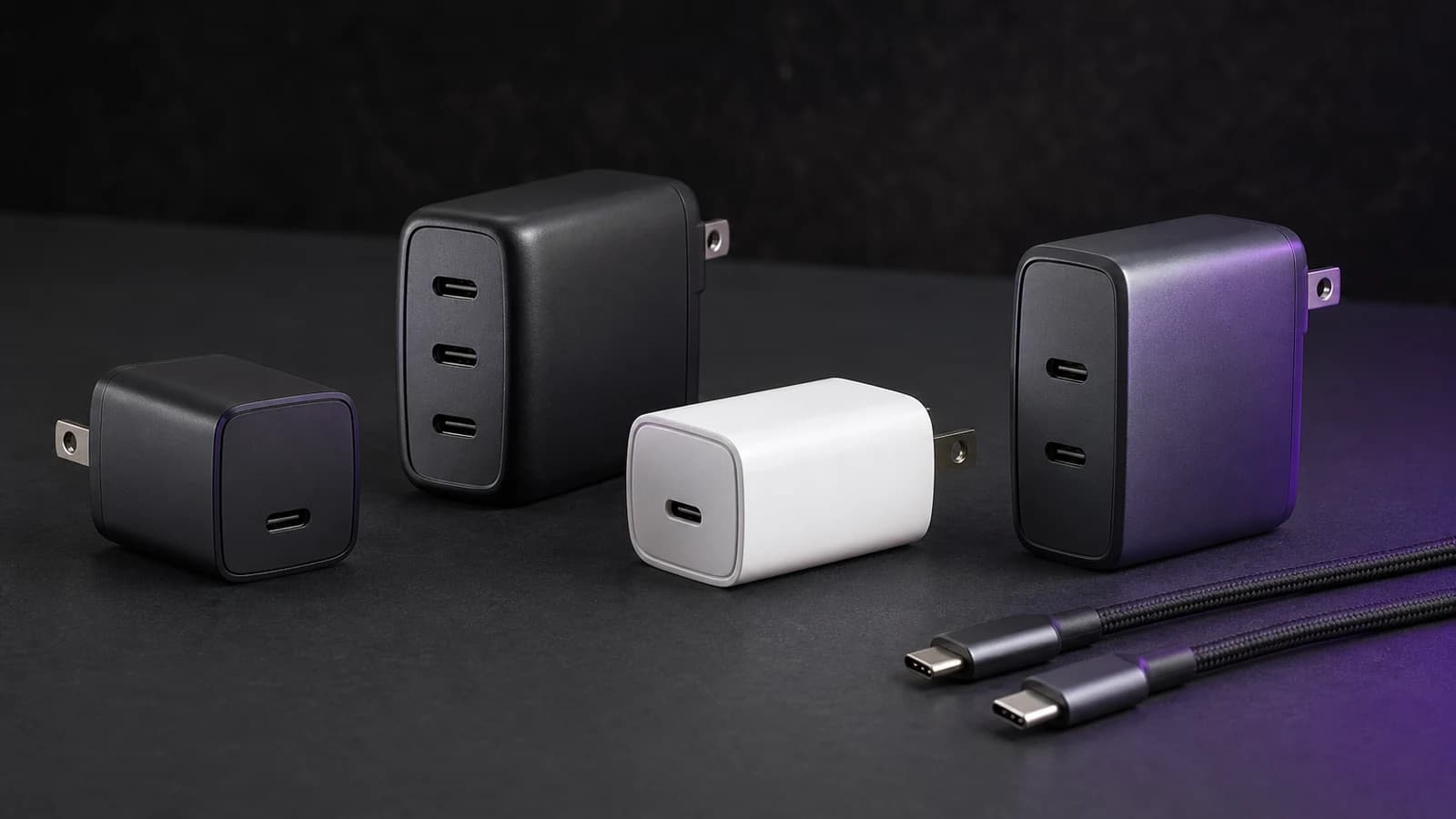
For a single device, a compatible charger with enough output is the straightforward option. For a laptop and phone, read the manufacturer's power-sharing table before buying. A charger advertised as 100W may supply less than 100W to the laptop when a second port is used. Our USB-C charger wattage guide explains how to budget for both devices.
USB Power Delivery extended the earlier 100W limit to as much as 240W with PD 3.1. That is a specification ceiling, not a promise that every PD charger delivers it. Check the actual output modes and device compatibility. Source: USB-IF Power Delivery overview.
GaN is not a buying verdict. Compare the finished charger's dimensions, supported charging modes, port allocation and warranty rather than assuming a fixed size advantage from its semiconductor material.
Use our 100W charger guide for laptop-and-phone setups and multi-port desktop charger guide when several devices share an outlet. Spend more on extra output only if the combination of devices you use can benefit from it.
Some multi-port chargers briefly interrupt charging when they redistribute power after another device is connected. Anker documents this behaviour for its 100W three-port Smart Display charger; it should not be assumed for every model. If this is your problem, follow our guide to charging interruptions when connecting a second device. Source: Anker charger FAQ.
For trips, compare USB-C travel adapters. In a vehicle, check a USB-C car charger against the devices you intend to charge; our Anker 535 vs UGREEN 130W comparison covers two specific options.
Wireless charging: check the phone and charger generation
Choose wireless charging for the convenience of a stand or drop-on pad. Keep a suitable wired charger available when dependable charging speed matters more than placement convenience.
The original Qi2 specification supported 15W; Qi2 25W launched in July 2025. Do not treat every Qi2 listing as a 25W product, or assume a compatible phone always draws the maximum. Check both ends of the pairing and the pad's adapter requirements. Source: Wireless Power Consortium announcement.
MagSafe also varies by generation. Apple's current support table distinguishes charger part numbers and phone models. For example, it lists iPhone 16 and 16 Pro at up to 22.5W, while selected other models reach up to 25W with an appropriate MagSafe charger and adapter supporting at least 15V/2A. Verify your exact combination in Apple's MagSafe charging guide.
A listing that says “MagSafe-compatible” may describe magnetic attachment without establishing Qi2 certification or a particular charging rate. On a three-device stand, check Apple Watch support separately from phone charging.
Our wireless charger guide and Anker MagGo vs Belkin BoostCharge Pro comparison cover formats and trade-offs. A single pad is enough if you only charge a phone; a folding multi-device stand makes sense if it actually replaces accessories you carry.
Cables: power rating and data speed are separate
A 60W cable can be sufficient for a compatible laptop charging within that limit; it is not restricted to phones. A higher-rated cable does not force more power into a device.
Current USB-IF certification labelling uses 60W or 240W power markings for USB-C to USB-C cables. Older 100W-rated cables also exist: 100W is not itself an Extended Power Range rating. For charging above 100W, check for an appropriate EPR cable and support from both the charger and device. Sources: USB-IF cable labelling and Power Delivery overview.
Do not infer data speed from that rating. Apple's 240W charge cable, for example, supports USB 2 data rates. It illustrates why a cable that is suitable for charging may be the wrong purchase for a fast drive or display. Source: Apple cable specifications.
For a dock, use its supplied host cable or a replacement explicitly compatible with its data, display and charging requirements. Paying for Thunderbolt or USB4 capability is useful when your equipment requires it; it is unnecessary for a charging-only connection.
Our USB-C cable guide covers the categories. The USB-C cable buying checklist explains the specifications to check. Price or an unfamiliar brand alone does not establish a cable's capabilities.
Power banks: separate capacity from output
Start with the job: occasional phone top-ups, charging a laptop while working, or keeping equipment running during a power outage. Those are different purchases.
For a phone, consider size and the cable you will carry. A magnetic battery pack trades a wired connection for convenience; check the exact phone and case combination before choosing it.
For a laptop, check both stored energy in watt-hours and the USB-C output modes. A high-capacity bank with inadequate output is a poor match for a demanding laptop. Capacity alone also cannot establish how many full charges you will get: the laptop's battery, workload and conversion losses affect the result. Compare these details in our USB-C power bank guide.
Do not assume pass-through charging makes a power bank an uninterrupted backup supply. If continuity matters, look for explicit manufacturer support for that use. For flights, check your airline's current rules using the bank's labelled watt-hour rating before travelling.
For home backup, start with the devices and runtime you need, then compare portable power stations. Our Anker SOLIX C1000 vs EcoFlow DELTA 2 Max comparison covers two different capacity classes; a pocket power bank should not be treated as a substitute for either.
Docks and monitors: check the whole connection
A dock is worth considering when you need charging, displays and peripherals through one laptop connection. A small hub may be enough for occasional USB ports or a card reader. Product names alone do not define power delivery: check the host charging specification and whether a power supply is included.
Compare the laptop's display support, the dock's supported monitor combinations and the host cable together. See our Thunderbolt and USB4 dock guide and USB-C hub guide.
A monitor with suitable USB-C charging and peripheral ports can cover some dock functions. Check the exact model rather than assuming every ultrawide monitor can replace a dock.
The simplest useful kit
Phone only: a compatible wall charger and cable. Add a wireless pad if you prefer its convenience, not because you expect every pad to be faster.
Laptop and phone on the road: a charger whose simultaneous output meets both devices' requirements, plus correctly rated cables. A smaller single-port charger may be sufficient if you normally charge them separately.
A desk with several peripherals: begin with the laptop's display and connection requirements. Choose the dock or monitor around those requirements, then decide whether you still need a separate multi-port charger.
Keep working accessories until they stop meeting a real need. A new connector label or higher wattage ceiling is not a reason to replace a setup that already does the job.
Sources and methodology
Reviewed on 19 September 2026 against the USB-IF, Wireless Power Consortium, Apple and Anker documentation linked above. Charging limits are specifications or manufacturer guidance, not measurements taken by SolderMag. We have not performed hands-on testing for this hub and make no battery-runtime, durability or sustained-speed claims for individual products.
The full SolderMag charging stack
- Best 100W USB-C GaN Chargers (2026)
- Best 200W USB-C Multi-Port Chargers (2026)
- Best USB-C Charger for Laptops (2026)
- Best Wireless Chargers (2026)
- Anker MagGo vs Belkin BoostCharge Pro
- Best USB-C Cables 240W USB4 (2026)
- Best USB-C Power Banks (2026)
- Best USB-C Car Chargers (2026)
- Best Portable Power Stations (2026)
- Anker SOLIX C1000 vs EcoFlow DELTA 2 Max
- Best USB-C Travel Adapters (2026)
- Best Thunderbolt 4 / USB4 Docks (2026)
- Best USB-C Hubs for MacBook (2026)
- How to Choose USB-C Charger Wattage
- Stop Buying Cheap USB-C Cables
- USB-C Chargers — The Basics