Best Ergonomic Keyboards (2026): Split, Wave, and Mechanical Picks
The best ergonomic keyboard depends on what hurts: shoulders, wrists, forearms, or fingers. These are the split, wave, and mechanical picks worth shortlisting.
Editorial evidence review
Recommendations are checked against product documentation, availability, comparative evidence, and clearly disclosed hands-on work where it exists.
Quick picks
The short answer, with the trade-offBest overall
Logitech ERGO K860 Split Keyboard
Curved split layout with proven neutral wrist posture
Trade-off: Rubber dome switches, not mechanical
Best mechanical split
Keychron Q11 Split Keyboard
Trade-off: No built-in tenting without a kit
Best gateway ergonomic
Logitech Wave Keys Wireless Keyboard (Graphite)
Trade-off: Not a true split, so shoulder posture is unchanged
Best adjustable split
Kinesis Freestyle2 for PC (9-inch separation)
Trade-off: Plain rubber-dome feel, no mechanical option
On this page
- Quick answer
- SolderMag Take: match the keyboard to the problem, not to the price tag
- Which ergonomic keyboard should you buy?
- Best ergonomic keyboards at a glance
- What actually matters in an ergonomic keyboard
- The picks
- Setup matters more than the keyboard itself
- Ergonomic keyboard buying checklist
- Ergonomic keyboard red flags
- Mechanical split vs contoured keywell: when to go deeper
- Sources and methodology
- Related reading
If your shoulders creep toward your ears by 3pm, your keyboard is probably part of the problem.
Most "ergonomic" keyboards are just weirdly-shaped versions of the same rubber-dome board you already own. A few are genuine workstation upgrades. The gap between those two categories is where people waste $200 on a keyboard they ditch in a month.
This guide skips the marketing and groups picks by how much ergonomic change you're actually ready for, because the wrong level of "ergo" is worse than none.
Quick answer
Most people should start with the Logitech ERGO K860. It gives you a fixed split, curved keyframe, palm support, and negative tilt without forcing a full layout relearn. Buy the Logitech Wave Keys if you want the cheapest low-risk step away from a flat keyboard. Choose the Keychron Q11 only if you already want mechanical switches and remapping. Choose the Kinesis Freestyle2 if shoulder width and adjustable separation matter more than key feel.
SolderMag Take: match the keyboard to the problem, not to the price tag
Ergonomic keyboards fail for a specific reason. People buy the most extreme shape they can afford, hate the transition, and go back to a flat board with the wrist pain they started with.
The real wins come from picking the smallest ergonomic change that solves the thing that actually hurts:
- Shoulders pulled in toward the centre: you need a split layout that lets your hands sit at shoulder width.
- Wrists bent outward (ulnar deviation): you need tenting, a curve, or at minimum a wave shape.
- Forearms rotated flat and pronated: you need tenting (inner edges raised), not just splitting.
- Fingers stretching for far keys: you need contoured key wells or a compact layout, not a tented slab.
Buying an extreme contoured board when a $60 wave keyboard would have solved it is the ergonomic equivalent of buying a standing desk because your chair is broken.
Which ergonomic keyboard should you buy?
| Your problem | Best fit | Why |
|---|---|---|
| Wrist angle feels wrong, but you do not want a weird board | Logitech Wave Keys | Lowest learning curve, familiar layout, cushioned palm support |
| Shoulders feel pulled inward on a normal keyboard | Logitech ERGO K860 | Fixed split opens your hand angle without managing two halves |
| You want true shoulder-width separation | Kinesis Freestyle2 | Separate halves can sit wider than a fixed split |
| You want mechanical switches and custom layers | Keychron Q11 | Split aluminum mechanical board with QMK/VIA support |
| Diagnosed RSI or serious finger travel pain | Kinesis Advantage360, ZSA Moonlander, Dygma Defy | Contoured or deeply adjustable boards make bigger changes, but require a longer adjustment period |
Best ergonomic keyboards at a glance
- Want a "first step" upgrade that does not look strange on a desk: wave-shape keyboard, low profile.
- Want full split benefits without going mechanical: fixed split with palm rest (Logitech ERGO K860 territory).
- Want two totally separate halves you can push as wide as your shoulders: adjustable split (Kinesis Freestyle2).
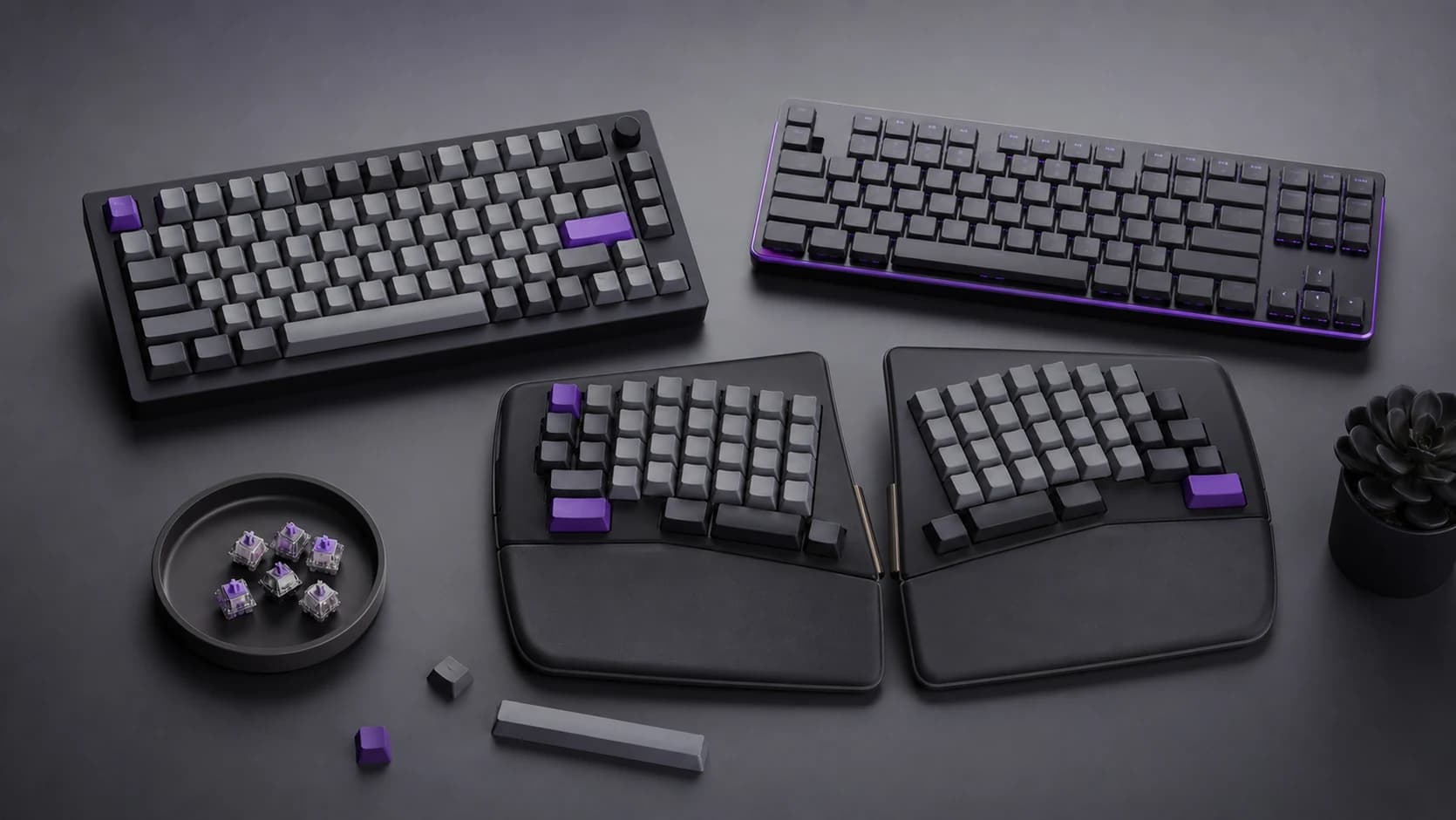
- Want mechanical feel, programmability, and full ergonomic freedom: mechanical split (Keychron Q11 and friends).
- Want the biggest possible posture change for serious RSI: contoured/tented keywell board (Kinesis Advantage, ZSA Moonlander, Dygma Defy). These sit outside the scope of this shortlist because fit and budget matter more than any "best" ranking.
What actually matters in an ergonomic keyboard
1) Split or not split
Split keyboards let each hand sit at shoulder width. That is the single biggest win for most desk workers.
- No split: your hands are forced toward the centre line, which rolls your shoulders forward. Over a day, that compounds.
- Fixed split (V-shape): the halves are angled apart but joined. Good compromise, easy transition, one cable.
- Fully separated split: two halves, one cable (or wireless) between them. Best posture, biggest learning curve for the first week.
Tented variants lift the inner edges of each half. This reduces forearm pronation, which is the twist you feel when you keep your palms flat on a table for an hour.
2) Key feel: rubber dome vs mechanical vs low-profile mechanical
For ergonomic boards, feel matters more than it does on a normal keyboard because you are going to be relearning finger paths.
- Rubber dome (scissor switches): quiet, cheap, short travel. Fine for office work. The Logitech ERGO K860 and Wave Keys are in this camp.
- Standard mechanical: tactile, louder, longer travel. Better feedback for heavy typists. The Keychron Q11 sits here.
- Low-profile mechanical: mechanical feel at rubber-dome height. Nicer on the wrists than full-height mech for a lot of people.
If you love mechanical feel, a mechanical split keyboard is worth the premium. If you do not, do not pay for it.
3) Palm rest and wrist position
Ignore "wrist rests" that are hard plastic. You want soft, slightly squishy support under the palms, not the wrists themselves.
- Your wrists should float or rest lightly.
- Your palms should have a stable base so you are not clenching to stay planted.
- The angle should keep your wrists in a roughly neutral (flat) position.
If a keyboard forces your wrists to bend up to reach the top row, no palm rest will save it.
4) Layout and programmability
Ergonomic gains disappear the moment you have to reach past the keyboard for arrow keys, delete, or the mouse.
Look for:
- Sensible function row (not a weird F-key cluster you can never find).
- Dedicated arrow keys, or a layer system you actually use.
- Programmability via QMK, VIA, or the vendor's software, so you can put a layer where your hand naturally rests.
Mechanical splits usually win here because the firmware is open. Mainstream rubber-dome splits usually lose here.
5) Wireless behaviour
This is quietly important for everyday comfort.
Red flags:
- laggy wake from sleep (you start typing into nothing)
- dropouts when the laptop is on battery
- battery life under six months for low-power boards like Logitech's
Both halves of a wireless split also need to talk to each other reliably. This is why most split mechs still use a TRRS cable between the halves even when the board is wireless to the computer. That is fine. It is not a deal-breaker.
The picks
Best overall: Logitech ERGO K860
Who it's for: office workers, writers, anyone who wants the biggest ergonomic improvement without going mechanical or learning a new layout.
The ERGO K860 is a fixed-split keyboard with a curved key well, built-in palm rest, and a slight negative tilt (the front edge sits higher than the back). That combination keeps your wrists in a neutral position and pulls your shoulders back to where they should be. The scissor switches are quiet, the layout is completely standard, and the palm rest is the good kind (squishy memory foam, not hard plastic).
The K860 is the default recommendation because it solves the two most common problems (pinched shoulders, ulnar deviation) without asking you to relearn anything. The transition period is basically one afternoon.
Logitech ERGO K860 Split Keyboard
Why it works
- Curved split layout with proven neutral wrist posture
- Soft memory foam palm rest actually supports palms
- Standard layout means zero learning curve
Main trade-off
- Rubber dome switches, not mechanical
- Not programmable beyond Logitech Options+
Best gateway ergonomic: Logitech Wave Keys
Who it's for: people who suspect their keyboard is part of the problem but are not ready to commit $130+ to a split layout.
The Wave Keys is a full-size, low-profile board with a gentle S-curve across the keys. It is not a split, and it is not going to fix serious RSI. But the wave shape reduces how far your wrists twist sideways, and the integrated cushion is genuinely comfortable. For sixty-ish dollars, it is the best way to find out whether your keyboard is actually contributing to your discomfort, without committing to a learning curve.
If the Wave Keys fixes it: great, you saved $70. If you still feel pain after a few weeks, you now know you need a real split and the Wave Keys was cheap diagnostics.
Logitech Wave Keys Wireless Keyboard (Graphite)
Why it works
- Cheapest way to test whether keyboard shape is your problem
- Integrated cushioned palm rest
- Low profile reduces wrist extension
Main trade-off
- Not a true split, so shoulder posture is unchanged
- Rubber dome feel is not for everyone
Best mechanical split: Keychron Q11
Who it's for: mechanical-keyboard fans who want real ergonomics without giving up tactile feedback, custom keycaps, or programmability.
The Q11 is two separate mechanical halves connected by a TRRS cable, with a rotary knob, hot-swap switches, and full QMK/VIA support. You get a proper split that can sit at shoulder width, and you can remap every single key or build layers until the layout fits your exact workflow. It is heavy (aluminium case), it sounds great, and it costs around two hundred dollars which is a lot cheaper than most custom split mechanicals.
The one caveat: there is no built-in tenting on the Q11. If you need your inner edges raised, you will either want a tenting kit or a board like the Dygma Defy. For most people, the Q11 hits the sweet spot of split, mechanical, programmable, and not-intimidating.
Keychron Q11 Split Keyboard
Why it works
- Two separate halves for real shoulder-width positioning
- QMK/VIA programmable, every key remappable
- Hot-swap switches, aluminum case, rotary knob
Main trade-off
- No built-in tenting without a kit
- Wired only (no Bluetooth on the Q11)
Best adjustable split: Kinesis Freestyle2
Who it's for: people with wider shoulders or specific shoulder or neck issues who need to push the halves genuinely far apart.
The Freestyle2 is the long-running, no-nonsense split from Kinesis. Two low-profile rubber-dome halves are connected by a cable offered in different lengths. The linked PC model provides up to 9 inches of separation; measure your preferred hand position first and use Kinesis's model selector if you need the 20-inch version. Optional accessories add tenting, but they are not included with the linked keyboard.
It is not flashy. It is not mechanical. It is not programmable in any exciting way. It is, however, one of the most effective ergonomic keyboards you can buy for under $120, and it has been quietly helping RSI sufferers for over a decade. Get the Mac version if you are on macOS.
Kinesis Freestyle2 for PC (9-inch separation)
Why it works
- Halves separate up to 9 inches on this exact PC variant
- Low profile, quiet, office-friendly
- Optional accessories add tenting
Main trade-off
- Plain rubber-dome feel, no mechanical option
- No programmability worth mentioning
Setup matters more than the keyboard itself
An ergonomic keyboard on a bad workstation still produces pain. Before you buy, check:
- Screen height: top of the monitor at or slightly below eye level. A laptop on the desk pulls your head forward no matter what keyboard you use.
- Chair height: elbows at roughly 90-110 degrees when your hands are on the keys.
- Keyboard tilt: ideally flat or slightly negative (front edge higher than back). Most keyboards ship with the feet up, which is the opposite of what your wrists want.
- Mouse position: next to the keyboard, not far past it. Pair your new split with an ergonomic mouse or trackball so you are not constantly reaching.
A tented split on a desk that is two inches too high will still trash your shoulders.
Ergonomic keyboard buying checklist
Before you add to cart:
- What specifically hurts? Shoulders, forearms, wrists, or fingers? Each points to a different ergonomic feature.
- Mechanical or rubber dome? Mechanical is better feel, higher price, louder. Rubber dome is cheaper and office-safe.
- How far am I willing to relearn my layout? Standard layouts (ERGO K860, Wave Keys) require near-zero adjustment. Programmable splits reward a week of practice with a layout that fits you.
- Will both halves reach my workspace? If you have a compact desk, a fully-separated split may not fit once you add a trackpad, notebook, and coffee.
- What is the return window? Ergonomic keyboards are personal. Buy from a retailer with a 30-day window, and actually use that window.
If you cannot answer #1, start with the Wave Keys or the ERGO K860 and see what changes.
Ergonomic keyboard red flags
- "Ergonomic" with no split, no curve, and no wave. It is a normal keyboard with the word printed on it.
- Hard plastic "wrist rest." Wrists should not rest on plastic. That is a bruise in slow motion.
- Heavy positive tilt (back feet up). That is the opposite of ergonomic. Run.
- No spec sheet or dimensions. Fit is everything on a split keyboard. If you cannot find the halves' dimensions, skip.
- Short warranties (under one year) on expensive ergonomic boards. Good ergonomic brands stand behind long warranties.
- Cloneware listings with fake reviews. The keyboard world has a lot of "StealthKeyz Pro Ergo 9000" listings that disappear in six months. Stick to brands with track records: Logitech, Keychron, Kinesis, ZSA, Dygma, Cloud Nine, Microsoft, Moonlander.
Mechanical split vs contoured keywell: when to go deeper
If you have serious, diagnosed RSI or you already know a normal split is not going to cut it, the next step is a contoured keywell board like the Kinesis Advantage360 or the ZSA Moonlander. These drop each hand into a sculpted bowl so your fingers travel less and your thumbs do real work for the first time.
They are also expensive, have a multi-week adjustment period, and require you to relearn which finger hits which key. For someone whose livelihood depends on typing without pain, they are worth it. For someone whose shoulders hurt a bit, they are overkill.
The two-step path most people should take:
- Start with a fixed or adjustable split. Give it a month.
- If pain persists, move to a contoured keywell board and give it another month.
Jumping straight to a contoured keywell is a common expensive mistake.
Sources and methodology
- OSHA computer workstation guidance on neutral wrist posture, keyboard height, and pointing-device placement.
- Logitech ERGO K860 official specifications for the split keyframe, palm support, connectivity, and negative-tilt positions.
- Logitech Wave Keys official specifications for the wave keyframe, cushioned palm rest, wireless support, and ergonomics certification.
- Keychron Q11 official specifications for QMK/VIA support, wired split design, hot-swap hardware, aluminum case, and keyboard angle.
- Kinesis Freestyle2 official specifications for separation options, dimensions, and tenting accessory compatibility.
- Long-running owner feedback from ergonomic keyboard communities, return-window reports, and vendor setup material, weighted against spec sheets and occupational ergonomics guidance.
SolderMag has not completed fresh lab testing on every keyboard in this guide. Recommendations are based on published specifications, ergonomics guidance, availability, owner feedback patterns, warranty/support reputation, and how much layout disruption each board creates.
Product variants and ASINs rechecked August 2026. Prices and sellers change constantly; confirm the exact layout, colour, and separation option before ordering.
Related reading
- Best Ergonomic Mice (2026): the other half of your input stack, with the same "match the shape to the problem" approach.
- Best Mechanical Keyboards (2026): non-ergonomic picks if your wrists are fine and you just want a great typing experience.
- Mechanical Keyboard Guide: switches, layouts, and what actually matters before you buy any mech.
- Desk Setup Essentials: ergonomic keyboards work best on ergonomic desks. This is the rest of the picture.