How to Choose the Right USB-C Charger Wattage for Your Devices
Choose a USB-C charger by device, PD/PPS support, cable rating and shared-port output. Know when 30W, 65W, 100W or 140W makes sense.
Editorial evidence review
Recommendations are checked against product documentation, availability, comparative evidence, and clearly disclosed hands-on work where it exists.
Quick picks
The short answer, with the trade-off

Best value
UGREEN Nexode 100W GaN Charger (4 Ports)

Best for travel
Satechi 100W USB-C PD Compact GaN Charger

Best budget
Anker 317 Charger (100W)
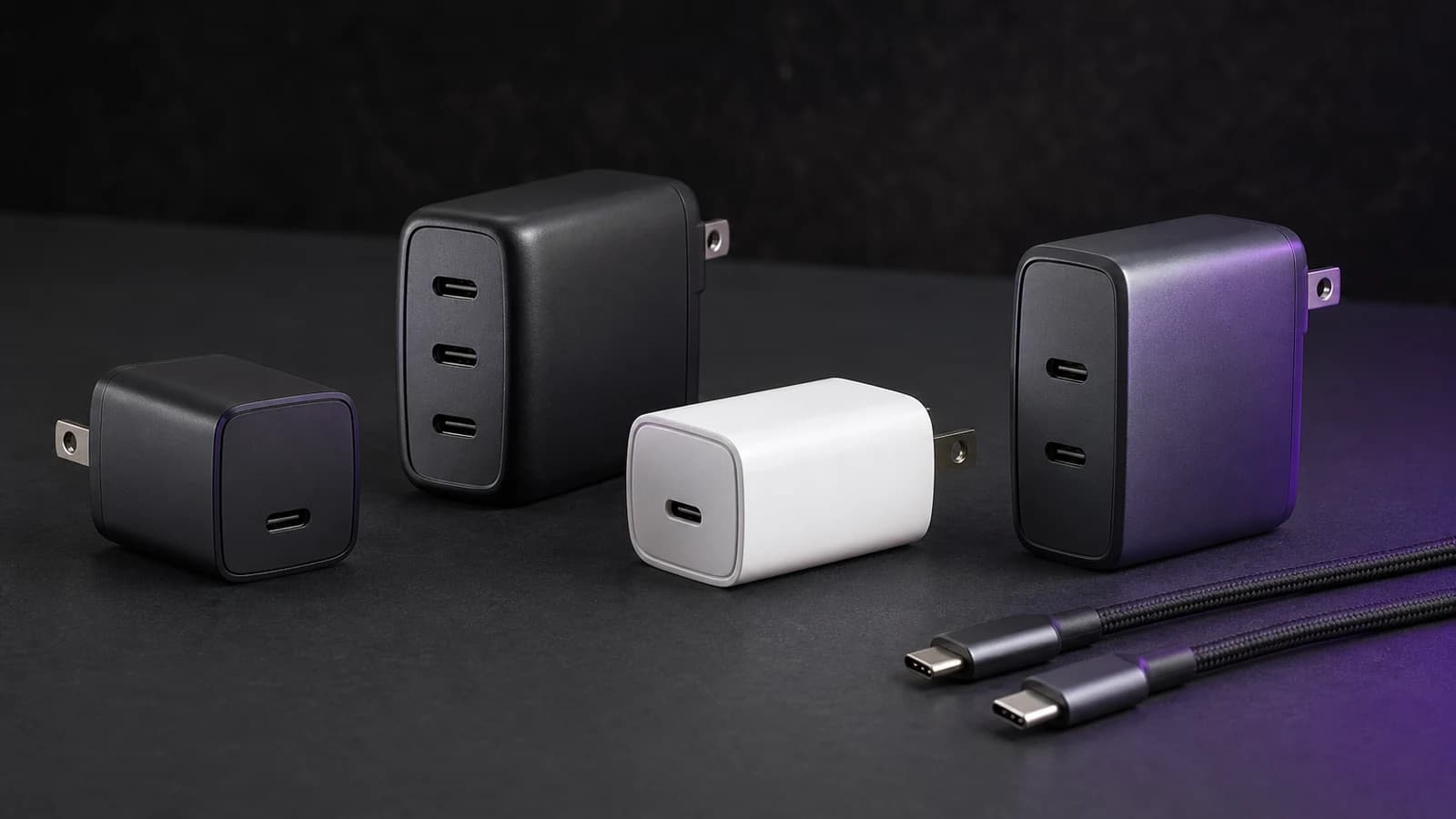
Match the charger to your device's recommended input, then check the cable and the output available with every port you plan to use. A bigger number on the charger does not guarantee faster charging. A 100W model can be a useful laptop charger and still lack the profile your phone needs for its fastest charging mode.
For a single device, start with its manufacturer's charger guidance. For a shared charger, check the power allocation table before buying. Keep your existing adapter if it already charges your devices quickly enough.
Quick decision: which wattage should you buy?
These are starting points for shopping, not guaranteed charging rates:
| Your setup | Where to start | What can change the answer |
|---|---|---|
| One phone | Its recommended USB-PD or PPS adapter | Model, fast-charge protocol and cable |
| Phone and tablet | Their combined requirements | Output from each port when both are connected |
| Laptop supplied with a 65W USB-C adapter | A compatible 65W or higher port | Laptop charging support and required voltage |
| 65W laptop plus 30W phone | A charger with a documented 65W + 30W split | Headline total alone is insufficient |
| Laptop with a 140W fast-charge requirement | Compatible 140W output and the specified cable | EPR support and the laptop's charging route |
Who this is for: buyers replacing an adapter or combining a travel kit into one charger. Who should skip the upgrade: anyone whose current charger already meets their charging needs. Extra capacity makes sense for another device or a specific fast-charge mode; it is not an automatic improvement.
If one 45W port meets your device's requirements, our Anker Nano 45W Smart Display Charger review discusses its display and folding plug. For a laptop and phone, start with the 100W GaN charger guide, then check the exact model's port allocation.
Step 1: Find your model's charging requirements
A USB-C connector does not tell you how much charging power a device accepts. With compatible USB Power Delivery equipment, the source and device negotiate supported power; the charger rating is a ceiling, not power forced into the battery. Actual draw also changes with battery level, temperature and use.
Look up the exact device model on its manufacturer's support page. Separate three numbers: the supplied adapter's rating, the adapter recommended for fast charging, and the device's actual draw. They are not interchangeable.
For example, a label reading 20V / 3.25A describes a 65W output profile: volts multiplied by amps. Other listed profiles are alternatives, not numbers to add together. The original adapter is a useful baseline, but it may not be the fastest supported option.
Phones: check the charging method as well as watts
Avoid a universal “30W is enough for every phone” rule. Apple's iPhone fast-charge guidance specifies a 40W or higher adapter for its faster wired charging claim on iPhone 17, 17 Pro and 17 Pro Max, while iPhone Air and 17e use a 20W or higher adapter for their stated fast-charge target. These are adapter requirements, not constant battery charging rates. MagSafe has separate requirements; do not use its figures as wired USB-C limits.
For Pixel, Google recommends compatible PPS adapters and notes that results vary by phone and adapter. PPS means Programmable Power Supply: the adapter can adjust voltage within its supported range. Check the range required by your exact phone, not just a PPS logo.
Samsung's 45W adapter specifications list PD/PPS support, compatible models and a 5A cable. Follow the guidance for your Galaxy model; do not assume every Galaxy supports 45W or that every 45W laptop adapter provides the required phone profile.
Laptops: ordinary charging and fast charging differ
Check that the laptop accepts charging through the USB-C port you intend to use. Some machines need their original power connection for full performance even when USB-C can charge the battery.
Apple's MacBook fast-charge table lists different adapter and cable combinations by model. It includes 70W-class options for supported MacBook Air models, 96W options for supported 14-inch MacBook Pro models and 140W combinations for supported 16-inch models. Check the listed USB-C or MagSafe route for your generation. A generic 65W recommendation does not promise MacBook Air fast charging, and 100W does not cover every laptop at full speed.
For Windows laptops, tablets, handheld consoles and portable monitors, use the same model-specific check. Screen size or device category is not a reliable input specification.
Step 2: Check the protocol and cable
A charger needs the voltage/current profile the device requests. A port that offers 100W at 20V is not necessarily suitable for a phone's higher-current PPS mode.
USB-IF explains that Extended Power Range supports power beyond 100W, up to 240W. Buying a PD 3.1 charger does not by itself establish that its particular port supplies 140W. Check its output specifications and the device's EPR support.
For cables:
- A 60W USB-C cable is sufficient only when its supported current and voltage cover the intended charging mode.
- More than 3A requires a properly electronically marked 5A cable. This can matter below 60W for phone charging at lower voltages.
- For USB-C to USB-C charging above 100W, choose a suitable 240W EPR cable. An older 100W cable does not provide EPR support.
- Data speed and charging power are separate. USB 2.0 data support does not mean a cable is limited to slow charging.
USB-IF's current cable certification markings distinguish 60W and 240W power capability. A marking describes the cable's capacity; it does not upgrade the charger or device. A 100W charger with a 60W cable can deliver at most the mutually supported power, not a guaranteed 60W.
Our USB-C cable guide separates charging capacity from data features. The compatibility checker can help with a first pass; verify the final combination against the manufacturers' specifications.
Step 3: Read the multi-port power allocation table
A 100W total does not mean 100W from each port simultaneously. Find the manufacturer's table for the exact model, then read the row matching the ports you will occupy.
Suppose your laptop needs a 65W allocation and your phone needs 30W. A documented 65W + 30W combination meets that budget. A 100W charger offering 45W + 45W in two-port mode does not meet the laptop target, despite having the same headline rating. These are illustrative allocations, not measurements of the products above.
Check three things before paying:
- Which physical port gets the laptop allocation?
- Does the phone port retain its required PD/PPS profile in that combination?
- What changes when you add a third device?
Adding 30W to a laptop's requirement is useful arithmetic, but it cannot replace the allocation table. A dual-port 45W charger may charge a phone and tablet together; it cannot promise both their maximum rates if their combined requirements exceed its output.
Step 4: Pay for useful features
A single-port charger is enough if you charge one device at a time. A multi-port model earns its place when its simultaneous output replaces adapters you would otherwise carry.
GaN can help manufacturers make compact chargers, but the label alone does not establish temperature, efficiency or sustained output. Compare actual dimensions, weight, plug style, port layout and documented output. Do not discard a working silicon adapter merely because it lacks a GaN badge.
For a high-power laptop, spending more is justified when the adapter enables a supported charging mode you will use. If you mainly charge overnight, your existing compatible adapter may be enough. Follow the laptop manufacturer's guidance if a lower-power adapter produces a warning or the battery falls while connected.
Common mistakes
Treating the supplied adapter rating as battery draw. A 45W adapter recommendation does not mean a device continuously draws 45W.
Buying watts without checking PPS. A powerful laptop charger can still miss a phone's preferred charging profile.
Choosing a cable only by its data speed. Fast data does not establish charging capacity; a slower data cable can still support high power.
Assuming spare watts reach the port you need. The allocation table decides what is available when ports are shared.
Replacing a charger before checking the rest of the setup. Confirm the port, cable and supported charging mode first. Temperature, battery level and device use can also affect charging speed.
Need portable power too?
Apply the same checks to power banks: output per port, supported profiles, cable and shared power budget. Start with our USB-C power bank guide. For charger formats and a broader buying checklist, see the USB-C charger overview.
Research basis: this guide uses the manufacturer and USB-IF documentation linked above, reviewed on 10 September 2026. It does not report hands-on charger measurements.
As an Amazon Associate I earn from qualifying purchases.