Best Mechanical Keyboards (2026): What to Buy for Typing, Gaming, and Everything Else
The best mechanical keyboards of 2026 for work, gaming, and custom builds. Hot-swap, wireless, and budget picks that feel premium.
Research-based buying guide
Recommendations are checked against product documentation, availability, comparative evidence, and clearly disclosed hands-on work where it exists.
Quick picks
The short answer, with the trade-off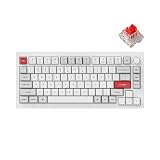

Best wireless
NuPhy Air75 V2
Best budget
Keychron C3 Pro
Best for gaming
Wooting 80HE
Mechanical keyboards stopped being niche years ago. In 2026, the real problem isn't finding one. it's filtering through hundreds of options that all claim to be "the best typing experience ever." If gaming latency and dongle reliability matter more than switch collecting, start with our wireless gaming keyboard guide before buying a general-purpose board.
Here's the honest version: most of them are fine. The difference between a good mechanical keyboard and a great one comes down to build quality, switch feel under sustained typing, and whether the software makes you want to throw it out the window.
This guide covers the keyboards we'd actually buy with our own money.
SolderMag Take: the golden era of mid-price keyboards is now
Two years ago, getting a fully aluminum, hot-swap, wireless, QMK-compatible keyboard meant spending $200+. In 2026, that feature set starts around $100.
The real winners of the keyboard wars aren't the $300 customs. they're the sub-$200 boards that absorbed all the enthusiast features without the enthusiast markup.
What actually separates keyboards in 2026:
- Gasket mount or similar flex systems. these changed how keyboards feel at every price point.
- Hot-swap sockets. you should never have to desolder again. This is table stakes.
- Wireless that doesn't compromise. Bluetooth 5.1+ and 2.4GHz options are standard on good boards.
- QMK/VIA support. if you can't remap every key without proprietary software, it's a step behind.
What to look for in a mechanical keyboard
1) Layout: 75%, TKL, 65%, or full-size
This is the most personal choice and the one you should decide first:
- 75% (like Q1 Pro): compact but keeps function row. Best all-rounder for most people.
- TKL (tenkeyless): familiar layout minus the numpad. Good if you need arrow keys and F-keys without reaching.
- 65%: no function row, arrow keys live in the corner. Great for desk space, needs adjustment.
- Full-size: if you use the numpad for data entry or spreadsheets, don't let anyone talk you out of it.
2) Switches: linear, tactile, or clicky
- Linear (Red/Yellow): smooth keypress with no bump. Preferred by most gamers and fast typists.
- Tactile (Brown/Holy Panda): a noticeable bump mid-press. Gives feedback without being loud.
- Clicky (Blue/Box White): audible click on each press. Satisfying alone, a war crime in shared offices.
If you're unsure, start with tactile. They're the easiest to live with across work and play. If wrist angle or shoulder position matters more than switch feel, read our ergonomic keyboard guide before buying another straight mechanical board.
3) Build material: plastic vs aluminum
Plastic boards can sound great with the right dampening. But aluminum adds weight, stiffness, and a more solid typing feel that's hard to replicate.
In 2026, full-aluminum boards start around $120. there's less reason to settle for plastic unless you need ultralight portability.
4) Hot-swap sockets
Non-negotiable in 2026. Hot-swap lets you change switches without permanently modifying the board. Even if you think you will never swap switches, your preferences may evolve.
5) Software and firmware
QMK and VIA give you full key remapping, macros, and layers through an open-source interface. Proprietary software ranges from "acceptable" to "why is this app 200MB and phoning home."
If a keyboard supports QMK/VIA, it will outlast any manufacturer's software lifecycle.
Best mechanical keyboards for 2026
Best overall: Keychron Q1 Pro
The Q1 Pro combines a full-aluminum body, gasket mount, hot-swap sockets, QMK support, Bluetooth 5.1, and USB-C wired operation. Keychron lists Bluetooth and USB-C wired connectivity. It does not include 2.4GHz wireless; compare a newer Max model if a receiver is required.
The gasket mount is designed to add some plate movement, while the hot-swap sockets let owners change compatible switches without soldering. Feel and sound vary by configuration. Our Keychron Q1 Pro review covers the specifications and buying trade-offs.
The 75% layout keeps the function row and a knob for volume control. RGB is per-key and fully customizable through VIA. Battery life is solid at around 100 hours with backlighting off.
The only real complaint: the stock keycaps are fine but not premium. A PBT keycap set is a worthwhile $30-40 upgrade.
Keychron Q1 Pro Wireless Mechanical Keyboard
Why it works
- Full aluminum body with gasket mount
- QMK/VIA, hot-swap, Bluetooth + USB-C wired
- Rotary knob, 75% layout, excellent typing feel
Main trade-off
- Stock keycaps are average
- Heavier than plastic boards
Best wireless: NuPhy Air75 V2
The Air75 V2 suits buyers who want a low-profile 75% layout with a choice of wireless and wired connections. NuPhy lists Bluetooth 5.1, 2.4GHz and USB-C wired modes.
This is a research-based recommendation. SolderMag has not completed hands-on typing, wireless reliability or battery-runtime testing of this model. We cannot verify how it feels to you or how long it lasts between charges; lighting settings and connection mode affect runtime.
Choose it for a slim keyboard that can move between a desk and a laptop setup. Skip it if you want a full-height board or the widest choice of replacement switches. Check the exact low-profile switch compatibility before ordering replacements; a hot-swap socket does not make every MX-style switch fit.

NuPhy Air75 V2 Wireless Mechanical Keyboard
Why it works
- Low-profile 75% layout
- Bluetooth, 2.4GHz and USB-C wired modes
- Hot-swap support for compatible low-profile switches
Main trade-off
- Check exact low-profile switch compatibility
- No SolderMag hands-on runtime or reliability testing
Best budget: Keychron C3 Pro
The C3 Pro is what a $35-40 mechanical keyboard should feel like in 2026. It's wired-only, the case is plastic, and there's no Bluetooth. None of that matters when the typing experience is this good for the price.
Hot-swap sockets, QMK/VIA support, per-key RGB, and a solid TKL layout. The Keychron K Pro Red switches are smooth and consistent. The sound profile is surprisingly decent with the built-in foam dampening. no hollow ping that usually plagues budget boards.
If you're building your first mechanical keyboard setup, or you want a reliable backup board, the C3 Pro punches absurdly above its weight. Spend the savings on a nice keycap set and you'll have a board that embarrasses keyboards three times its price.
Keychron C3 Pro QMK/VIA Wired Mechanical Keyboard
Why it works
- QMK/VIA and hot-swap at $35-40
- Solid sound profile with foam dampening
- Full per-key RGB, TKL layout
Main trade-off
- Wired only, no Bluetooth
- Plastic case (expected at this price)
Best for gaming: Wooting 80HE
The Wooting 80HE is the specialist pick for competitive players who know they want adjustable actuation and rapid trigger. Its Hall effect switches use position sensing so supported firmware can change when individual keys activate and reset.
That control can be useful for repeated movement inputs in shooters. It does not automatically make someone faster, and it is not a reason for casual players to replace a keyboard they already like. The board also supports analog-style input, but game support and configuration determine whether that feature helps.
This recommendation is based on Wooting's published specifications and feature documentation, not a SolderMag latency shootout. Read our Hall effect vs mechanical keyboard comparison if you are deciding whether rapid trigger is worth paying for.
The trade-off is a wired connection, a specialist feature set, and narrower magnetic-switch compatibility than a standard MX hot-swap board.
Wooting 80HE Hall-Effect Gaming Keyboard
Why it works
- Hall-effect switches with adjustable actuation
- Rapid trigger for competitive advantage
- Analog input for controller-like movement
Main trade-off
- Wired only
- Premium price, sometimes limited stock
Keyboard upgrades that actually matter
Once you have a good board, these are the upgrades ranked by impact:
- Keycaps. PBT keycaps with dye-sub or doubleshot legends are the single biggest improvement in feel and sound. Budget $25-50.
- Switches. If your board is hot-swap, try a different switch type. Going from stock Reds to a premium linear (like Gateron Oil Kings) is night and day.
- A desk mat. Sounds trivial, but a desk mat changes the sound profile of your keyboard more than most internal mods.
- Foam/tape mod. If your board sounds hollow, PE foam between the PCB and plate, or tape on the back of the PCB, can fix it. Free to $5.
Mechanical keyboard buying checklist
- What layout do you need? (75% fits most people)
- Wired or wireless? (wireless adds $30-50 to the price)
- What switches? (start tactile if unsure)
- Is it hot-swap? (non-negotiable in 2026)
- QMK/VIA support? (strongly preferred over proprietary software)
- What's the case material? (aluminum for premium feel, plastic for portability/budget)
Mechanical keyboard red flags
- No hot-swap in 2026. This is standard now. Its absence signals an outdated design.
- Proprietary software required for basic remapping. If you can't remap keys without downloading an app, think twice.
- "Gaming" branding + cheap build. RGB doesn't compensate for a hollow plastic case.
- ABS keycaps on a $100+ board. PBT should be standard at this price.
- No dampening material inside. Budget boards that skip internal foam sound like typing in a tin can.
Sources and methodology
- QMK and VIA documentation for firmware compatibility verification
- Switch force curve data from manufacturer datasheets (Gateron, Cherry, Kailh)
- Community sound tests and teardowns for build quality verification
For a deeper dive into switch types, layouts, and modding, see our mechanical keyboard guide. To keep your board in top shape, follow our guide on how to clean a mechanical keyboard. To complete your desk setup, check our desk setup essentials, ergonomic keyboard, and ergonomic mice roundups.
Frequently Asked Questions
What's the difference between linear, tactile, and clicky switches?
Linear (red, yellow): smooth keypress, no bump, quiet. Tactile (brown, clear): bump partway down, gives typing feedback. Clicky (blue, green): bump plus audible click. Linear suits gaming, tactile suits typing, clicky annoys coworkers.
Hot-swap or soldered switches — which should I buy?
Hot-swap. The 2026 keyboard market has caught up on quality and the flexibility to swap switches without soldering is worth any marginal price difference. Soldered makes sense only on custom builds where you've already chosen your switches forever.
Is wireless mechanical worth it?
Yes for tidy desk setups and travel. The 1ms latency penalty of modern 2.4GHz wireless is inaudible to humans. Skip Bluetooth-only mechanical keyboards for gaming — the latency is noticeable in fast games.
Do I need a numpad?
For accounting, data entry, and financial work: yes. For coding, writing, and most office work: no. A 75% or TKL layout reclaims meaningful desk space and lets your mouse sit closer to your home row.
What size keyboard should I get for gaming?
TKL (87 keys) is the FPS-gaming sweet spot — your mouse sits closer to your body. 60% is more extreme but the function keys access is a learning curve. Full-size keyboards push your mouse uncomfortably right for serious gaming.
Are custom keycaps worth it?
PBT keycaps generally resist shine better than ABS, but thickness, texture, legends, profile, and compatibility matter more than a fixed lifespan. Check the layout and stabilizer sizes before buying an MX-stem set.