Stop Buying Cheap USB-C Cables: What Actually Matters in 2026
Cheap USB-C cables can cap charging, kill dock features, and waste hours. Here is what to check before buying one.
Editorial evidence review
Recommendations are checked against product documentation, availability, comparative evidence, and clearly disclosed hands-on work where it exists.
Quick picks
The short answer, with the trade-off
Best all-around
Belkin USB4 Cable 240W 20Gbps 2m
USB-IF certified
Trade-off: Thicker than a simple charging cable

Best for docks/SSDs
Cable Matters 240W Thunderbolt 4 USB-C Cable
Trade-off: Stiffer than charging-only cables

Best high-speed data
UGREEN USB4 80Gbps 240W Cable 1m

Best value
Anker PowerLine III Flow 240W USB-C Cable
Trade-off: Not the cable to buy for docks or fast SSDs
On this page
- Quick answer
- SolderMag Take: cheap USB-C cables are the most dangerous false economy in tech
- Why USB-C makes this problem worse than ever
- What can actually go wrong
- What the markings actually mean
- The 3 cables most people actually need
- Which cable should you buy?
- What about USB-C to USB-A cables?
- What to buy
- Red flags when shopping
- How to audit the cables you already own
- Brands worth trusting
- Sources and methodology
- Decision checklist
- The bottom line
I have a drawer full of USB-C cables. At least a third of them are garbage, and I didn't know it until something went wrong.
One throttled my laptop charger to 18W instead of 96W. Another corrupted a 40 GB file transfer from an external SSD. A third got warm enough during charging that I stopped using it out of pure self-preservation instinct.
Every single one of those cables looked identical to the good ones. Same connector, same color, same "USB-C" label. That's the problem.
Quick answer
Buy the cable for the job, not the connector. For laptop charging, look for a reputable 100W or 240W USB-C cable with clear USB Power Delivery support. For docks, external SSDs, and displays, buy USB4 or Thunderbolt-rated cable with an explicit data-speed rating. For bedside phone charging, a soft 240W charging cable is fine even if it only does USB 2.0 data.
If a listing says only "fast charging" or "USB-C cable" without wattage, data speed, length, and brand warranty information, skip it.
SolderMag Take: cheap USB-C cables are the most dangerous false economy in tech
A $4 cable from a no-name brand can silently cap your $80 charger to a fraction of its rated output. It can bottleneck your $200 external SSD to USB 2.0 speeds. In the worst case, it can deliver incorrect voltage to your $1,500 laptop.
You wouldn't fill a sports car with contaminated fuel and blame the engine when it stutters. But that's exactly what people do when they pair a good charger with a bad cable and then complain that USB-C "doesn't work."
The cable matters. It might be the most overlooked component in your entire setup.
Why USB-C makes this problem worse than ever
The old world of cables was annoying but simple. HDMI carried video. USB-A carried data. Your laptop charger had a proprietary barrel plug. You couldn't mix them up because the connectors were physically different.
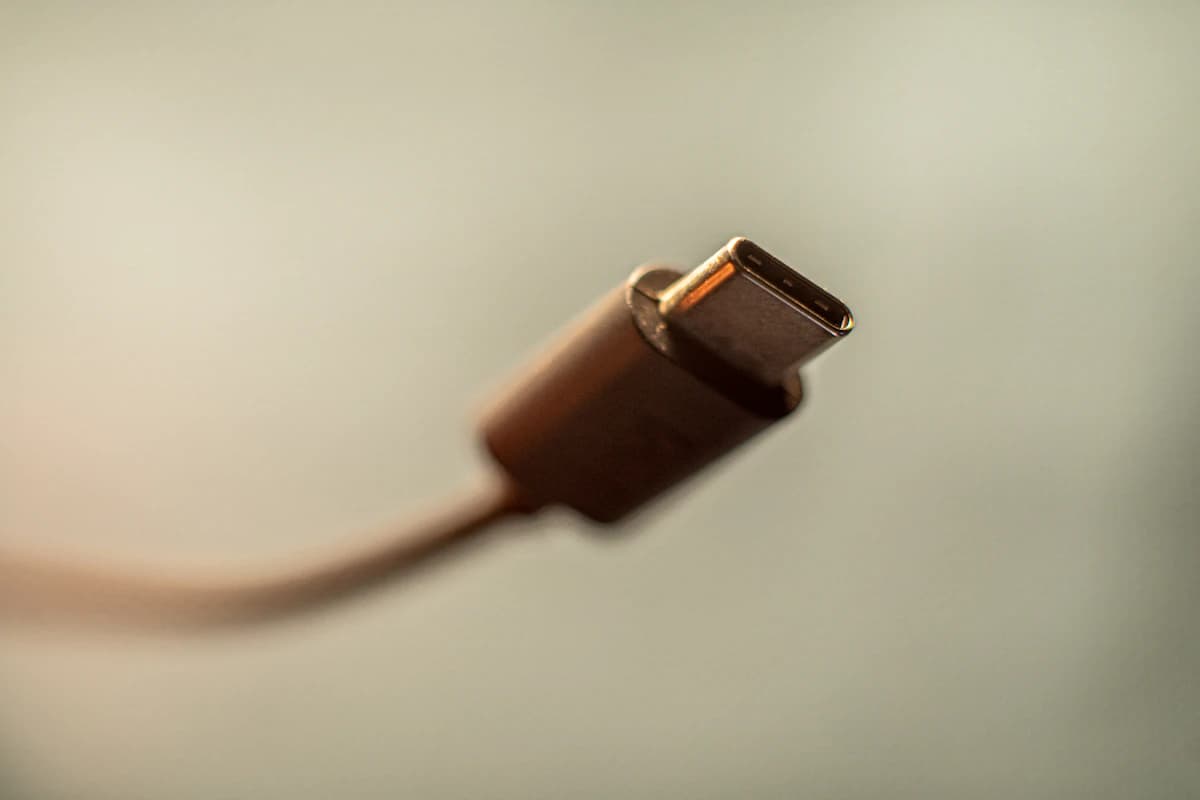
USB-C changed that. One connector now handles charging, data, video, audio, and docking. That's incredibly convenient when it works. But it means a cable that looks identical to another might support completely different capabilities. A USB-C cable that charges your phone at 5W might look exactly the same as one rated for 240W and 80 Gbps. The connector gives you zero visual indication of what's inside.
This is why cheap cables are more dangerous now than they were in the USB-A era. Back then, a bad cable just meant slow transfers. Now, a bad cable can mean your laptop doesn't charge, your dock doesn't output video, your SSD runs at 1/100th of its speed, or in the worst case, voltage where it shouldn't be.
What can actually go wrong
This isn't theoretical. These are the real failure modes I see constantly.
Throttled charging. Your 100W GaN charger negotiates power delivery through the cable. If the cable isn't e-marked (carrying an electronic chip that tells the charger what it can handle), many chargers will default to a safe 60W or even lower. You paid for 100W. You're getting 60W. The cable never told you. There's no warning, no notification, no error message. Your laptop just charges slower, and you assume the charger is the problem.
Data corruption and slow transfers. A cable labeled "USB-C" might only support USB 2.0 speeds (480 Mbps). Plug it into your USB4 external SSD and you'll get transfer speeds that feel broken. A 50 GB video project that should take 90 seconds at USB4 speeds takes over 13 minutes on a USB 2.0 cable. Worse, some cheap cables introduce enough signal noise to cause intermittent data corruption on large transfers. You won't notice until the file is already mangled.
Device damage. This is the scary one. Improperly wired cables can deliver incorrect voltage. The USB-IF (the standards body) has documented cases of non-certified cables sending 20V to devices expecting 5V. Most modern devices have protection circuits, but "most" is not "all," and protection circuits can only do so much against a fundamentally broken cable. Google engineer Benson Leung famously tested dozens of Amazon USB-C cables years ago and found some that could damage hardware. The situation has improved since then, but junk cables still flood the market.
Dock and display failures. Trying to run an external monitor through a USB-C dock with a charging-only cable? It won't work. The cable physically lacks the data wires needed for DisplayPort Alt Mode. You'll spend an hour troubleshooting your dock, your monitor settings, and your drivers before realizing the $5 cable is the culprit.
Heat buildup. Cheap cables with thin gauge wiring generate more resistance under high power loads. More resistance means more heat. Most of the time this just means warm cables and wasted energy. In rare cases with sustained high-wattage charging, it becomes a genuine safety concern.
The invisible cost: time. This is the one nobody tallies up. Every hour you spend wondering why your dock isn't working, why your SSD is slow, why your laptop won't charge at full speed is an hour caused by a cable you bought to save $12. Multiply that across a lifetime of USB-C devices, and cheap cables are the most expensive accessories you own.
What the markings actually mean
USB-C cable specs are a mess, but you only need to understand a few things.
USB-IF certification. The USB Implementers Forum tests and certifies cables. A certified cable has been verified to meet its claimed specs. Look for the USB-IF logo or "Certified" on the packaging. It's not a guarantee of perfection, but it eliminates the worst offenders.
E-marked cables. Any cable rated for 100W or above must contain an e-marker chip. This chip communicates with your charger to negotiate safe power delivery. If a cable claims 100W+ but isn't e-marked, it's either lying or dangerous. For 240W EPR (Extended Power Range), e-marking is mandatory and the cable must be rated for 50V/5A.
Wattage ratings. These tell you the maximum power the cable can safely carry. Common tiers: 60W (basic), 100W (laptop charging), 240W (future-proof). Buy for what you need today plus one tier up for headroom.
Data speed ratings. This is where most people get burned. "USB-C" tells you the connector shape, not the speed. A USB-C cable might support USB 2.0 (480 Mbps), USB 3.2 (10 Gbps), USB4 (40 Gbps), or Thunderbolt 4 (40 Gbps). If the listing doesn't state a speed, assume USB 2.0. This is the default, and it's what you get with every cheap cable that says "high speed" without citing a number.
Cable length and signal integrity. For charging, longer cables are fine up to about 2 meters. For high-speed data (USB4, Thunderbolt), shorter is better. Signal degrades with length, and a 2-meter USB4 cable needs significantly better shielding than a 0.5-meter one to maintain the same speeds. If you need long runs for data, buy from a brand that explicitly certifies the cable at that length and speed.
The 3 cables most people actually need
Stop hoarding random cables. You need three, and you need them to be good.
Cable 1: Daily charging cable (bedside, desk). 240W rated, 2 meters, USB-C to USB-C. This handles your phone, tablet, laptop, and anything else. Buy 240W even if your current devices only need 60W, because the cable will outlast the device. Prioritize flexibility and length over raw data speed. A soft silicone or braided nylon finish makes a big difference for a cable that lives on your nightstand or desk permanently.
Cable 2: Data and dock cable. USB4 or Thunderbolt 4 rated, 1 meter. This is for connecting external SSDs, docks, and displays. Shorter is better here because signal integrity degrades with length at high speeds. This cable does everything, but it will be thicker and stiffer than a charging-only cable. Accept the tradeoff. You need those extra data wires inside.
Cable 3: Travel cable. 240W rated, 0.5 to 1 meter. Short, packable, durable. You want this to survive being crammed into a bag pocket for years. Pair it with a good travel adapter and a 100W GaN charger and your travel charging kit is complete. A 0.5-meter cable might feel absurdly short at home, but in a hotel room or airport lounge, it's perfect.
For road trips, use the same logic with a proper USB-C car charger. A 100W-capable car charger still needs a cable rated for the job.
That's it. Three cables, probably $40 to $70 total, and they'll cover every scenario you encounter for years. Compare that to a drawer full of mystery cables where you play Russian roulette every time you grab one.
Which cable should you buy?
| Use case | Minimum spec to look for | What to avoid | Best fit |
|---|---|---|---|
| Phone or tablet charging | 60W from a known brand | No-name multi-packs with no wattage | Flexible 1-2m daily cable |
| Laptop charging | 100W or 240W USB-C PD, ideally e-marked | 60W cables sold as "laptop fast charge" | 240W USB-C to USB-C cable |
| External SSD | USB4 40Gbps or better | Charging-only cables | Short USB4 cable |
| Thunderbolt dock or display | Thunderbolt 4/5 or USB4 cable rated for the dock | Random drawer cables | Certified dock cable, usually 0.8-1m |
| Travel kit | 100W/240W USB-C PD, 0.5-1m | Long stiff cables that tangle | Short high-wattage cable |
What about USB-C to USB-A cables?
Quick note: if you still need USB-C to USB-A cables (for older chargers, car ports, etc.), the same principles apply but with one important limitation. USB-A maxes out at USB 3.0 speeds (5 Gbps) and typically 15W charging. No amount of cable quality will change that. For laptop charging and high-speed data, you need USB-C on both ends.
If you're buying a USB-C to USB-A cable, just make sure it has the correct pull-up resistor. Cheap ones sometimes don't, which can cause devices to draw too much current from the USB-A port. Stick with known brands and you'll be fine.
What to buy
These are pulled from our full USB-C cable roundup, where we break down every pick in detail.
The Belkin USB4 is the "buy one and stop thinking" cable. USB-IF certified, 240W charging, 20 Gbps data, 2 meters long. It handles charging, docks, and fast storage in a single cable. It's thicker than a basic charging cable, but that's the tradeoff for doing everything.
Belkin USB4 Cable 240W 20Gbps 2m
Why it works
- USB-IF certified
- 240W charging headroom
- Long enough for desk use
Main trade-off
- Thicker than a simple charging cable
The Cable Matters Thunderbolt 4 cable is the power-user pick when you need 40 Gbps for docks, 8K video output, and 240W charging in one cable. Thick and stiff, but built like it means it.
For raw speed, the UGREEN USB4 Gen4 pushes 80 Gbps at 240W in a 1-meter length. Ideal as a desk cable connecting a laptop to a Thunderbolt dock or fast SSD enclosure.

Cable Matters 240W Thunderbolt 4 USB-C Cable
Why it works
- 40Gbps data
- Thunderbolt 4 dock-friendly
- 240W charging support
Main trade-off
- Stiffer than charging-only cables
The Anker PowerLine III Flow is the value pick for people who mostly charge devices. 240W rated, flexible silicone construction that doesn't tangle, and Anker's solid warranty behind it. This is my go-to recommendation for the "bedside cable" role where you want something soft, flexible, and long-lasting without paying for data speeds you don't need at 2 AM.

Anker PowerLine III Flow 240W USB-C Cable
Why it works
- Soft silicone feel
- 240W charging rating
- Good desk and bedside cable
Main trade-off
- Not the cable to buy for docks or fast SSDs
Red flags when shopping
Walk away from any cable listing that shows these signs:
- No wattage printed on the listing. If they won't tell you the power rating, it's because the number is embarrassing.
- "Fast charging" with no spec. "Fast" is not a USB specification. What's the wattage? What's the protocol?
- "USB-C 3.0" or made-up version numbers. There is no "USB-C 3.0." If the listing invents terminology, the manufacturer doesn't understand their own product.
- Brand name looks auto-generated. If the brand reads like someone mashed a keyboard (GFXTQY, ANMKKE, HLZQBS), proceed with extreme caution. These sellers often have no warranty infrastructure and no accountability.
- Price that seems too good. A legitimate USB4/Thunderbolt 4 cable with 240W charging costs $15 to $30 depending on length. If it's $4, something is missing: wires, certification, or honesty.
- Stock photos only. Reputable cable brands show the actual product, the connector close-up, and the markings. If every image looks like a render, be skeptical.
- Multi-packs at absurdly low prices. A 5-pack of "USB4 240W cables" for $12? Those are almost certainly USB 2.0 charging cables with inflated claims. Good cables cost more to manufacture. There's no way around it.
How to audit the cables you already own
Before buying anything new, check what you have. Grab every USB-C cable from your drawers and desk.
Look at the cable itself. Many reputable cables print the spec on the cable jacket or the connector housing. If you see "USB 2.0" printed on a cable you've been using for your external SSD, there's your bottleneck.
If nothing is printed, try a quick test. Plug the cable into a charger and a device that reports charging wattage (many Android phones show this in battery settings, and apps like Ampere can help). If your 100W charger is delivering 15W through a cable, that cable belongs in the trash.
For data cables, transfer a large file and time it. If your USB4 SSD is getting 40 MB/s instead of 2,000 MB/s, the cable is the weak link.
Label the good cables with a piece of tape or a cable tag. Throw out the rest. Seriously. They're not "backup cables." They're future headaches waiting to waste your afternoon.
Brands worth trusting
I'm not going to pretend brand loyalty matters for its own sake, but when it comes to USB-C cables, buying from established brands with real engineering teams and real warranty support is the single easiest way to avoid problems.
Brands that consistently produce certified, well-specced cables: Belkin, Anker, Cable Matters, UGREEN, Nekteck, and Apple (expensive but reliable). CalDigit and OWC also make excellent Thunderbolt cables for dock setups.
This doesn't mean every cable from these brands is perfect, or that no other brand makes good cables. But if you're choosing between a $18 Belkin cable with USB-IF certification and a $6 cable from "XYZPWR" with no certifications listed, the choice should be obvious.
Also worth noting: even good brands sell USB 2.0 cables alongside their high-speed options. "Anker" on the package doesn't automatically mean "USB4 speeds." Always check the specific model's data speed rating. The brand gets you build quality and honest spec reporting, but you still need to buy the right product for your use case.
Sources and methodology
This June 2026 refresh did not add fresh lab testing. We updated the buying advice using USB-IF Power Delivery guidance, USB-IF product/cable certification resources, current cable listings from established brands, and SolderMag's existing charger, dock, and USB-C accessory coverage.
- USB-IF: USB Power Delivery overview
- USB-IF: Certified product search
- USB-IF: USB Type-C cable logo usage guidance
Decision checklist
Answer these before you buy:
- What's the primary use? Charging only, data transfer, or both?
- What wattage does your highest-power device need? Buy that tier or one above.
- Do you need fast data (SSD, dock, display)? If yes, buy USB4/Thunderbolt rated.
- Is the cable from a brand that exists outside of Amazon? Check for a real website and warranty.
- Is the price realistic for the claimed specs? If not, the specs are probably wrong.
- Is the length right? Shorter is more reliable for data. Longer is more convenient for charging.
- Does the listing explicitly state e-marked? For 100W+, this is non-negotiable.
- Would you trust this cable with your most expensive device? If the answer is "probably," find one where the answer is "yes."
Three good cables will cost you $30 to $60 total and last for years. Three bad cables will cost you hours of troubleshooting, slower charging, and possibly a dead device. The math isn't complicated.
The bottom line
I've been writing about USB-C accessories for years now, and the pattern never changes. Someone buys a great charger, a great dock, and a great laptop, then connects them all with the cheapest cable Amazon suggested. Three months later they're on Reddit asking why USB-C is "unreliable."
USB-C is the best connector standard we've ever had. One plug for everything is genuinely great. But the flip side of that universality is that cable quality matters more than ever, and the market is flooded with cables that look right but perform wrong.
Buy from reputable brands. Check for explicit specs (wattage, data speed, certification). Spend $15 to $25 per cable instead of $4. And throw away the mystery cables in your drawer. They're not saving you money. They're costing you time, performance, and potentially your hardware.
The good news is that once you buy three quality cables, you're set for years. USB-C isn't going anywhere, and a well-made 240W USB4 cable bought today will handle whatever devices you buy for the foreseeable future. That's the real value proposition: spend a little more once and stop thinking about cables entirely.
Ready to pick specific cables? See our full USB-C cable roundup. Need a charger to match? Check out the best 100W GaN chargers or learn how to choose the right USB-C charger wattage.