Best USB-C Laptop Chargers (2026): Match the Wattage
Choose a USB-C laptop charger by required wattage, single-port output, power sharing, cable rating, and port count—from compact 65W to desktop 200W.
Research-based buying guide
Recommendations are checked against product documentation, availability, comparative evidence, and clearly disclosed hands-on work where it exists.
Quick picks
The short answer, with the trade-offBest for most laptops
Anker Prime 100W GaN Wall Charger
Up to 100W from either USB-C port with one device
Trade-off: Overkill for ultrabooks that only need 45-65W
Best compact 65W multi-port
Anker 735 Charger (Nano II 65W)
Trade-off: Multi-port use reduces the power available to the laptop
Best multi-device desktop option
UGREEN Nexode 200W 8-Port Desktop Charger
Trade-off: Not a compact travel charger
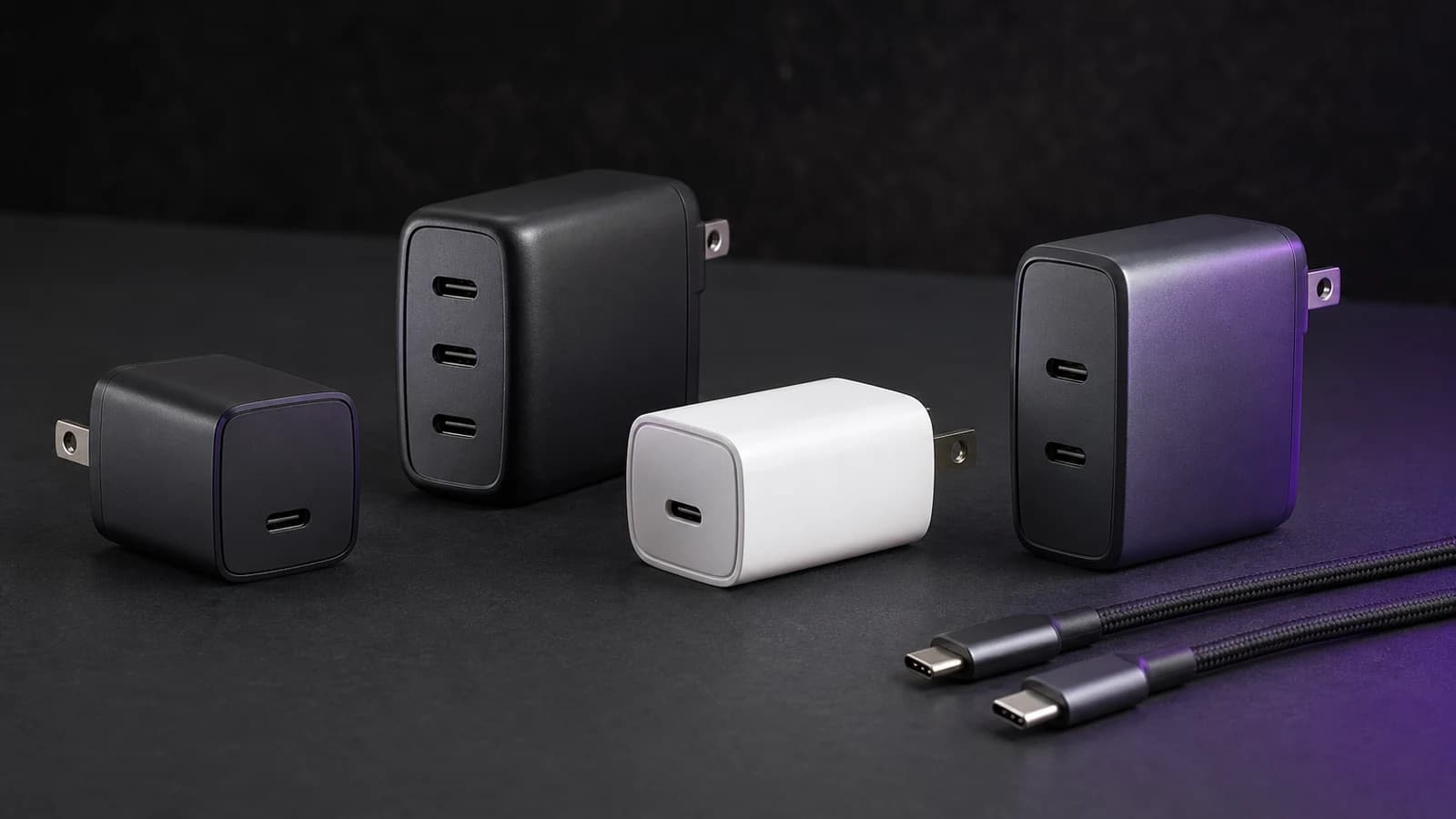
Buying a USB-C charger for a laptop should be simple. It isn't. Every charger has different wattages, port combinations, and power-sharing rules. The number on the box usually describes a maximum, not what one laptop receives after a phone and tablet are connected.
This is a research-based guide. SolderMag has not completed a matched hands-on electrical or thermal test of every charger below. The recommendations use current manufacturer specifications, exact product identities, published power-allocation tables, USB-IF cable guidance, and the job each charger needs to do.
First: figure out what wattage your laptop actually needs
This is the first decision to get right. Port count and size are secondary if the charger cannot supply the laptop's required input.
Your laptop has a maximum charging wattage. If you buy a charger below that wattage, it will charge slowly or not at all under load. If you buy a charger above it, the laptop only draws what it needs. You won't damage anything, but you'll have wasted money on headroom you can't use.
A 45W single-port charger is still useful for phones, handhelds, MacBook Air-class devices and overnight laptop charging. The Anker Nano 45W Smart Display Charger review covers one current option with a live wattage readout; skip it for heavier laptops or multi-device charging.
How to find your laptop's charging wattage: Check the original charger or the manufacturer's technical specification for the exact laptop model. The adapter may show a wattage directly, or voltage and current such as "20V/3.25A," which equals 65W. Do not infer the requirement from a broad laptop family because configurations can differ.
Here's a rough guide by category:
| Laptop Type | Typical Charging Wattage | Recommended Charger |
|---|---|---|
| Ultrabook (MacBook Air, XPS 13, ThinkPad X1 Carbon) | 45-65W | 65W charger |
| Mid-range (MacBook Pro 14", ThinkPad T-series, HP EliteBook) | 65-100W | 100W charger |
| Performance (MacBook Pro 16", Dell XPS 15, ThinkPad X1 Extreme) | 100-140W | 140W charger |
| Gaming/workstation laptop | Often above 100W under load | Check whether USB-C can replace the original adapter at all |
The safe rule: Match the laptop's supported USB-C input to one port's output—not the charger's combined total. A 200W desktop station may still provide only 100W to one laptop. Many gaming and workstation models need a proprietary adapter for full performance, even when their USB-C port accepts lower-power charging.
Why GaN matters (and when it doesn't)
GaN (gallium nitride) power stages can help manufacturers build smaller high-output chargers. That does not make every GaN charger equally compact, cool, or well designed. Port allocation, enclosure design, safety controls, and documentation still matter.
If you travel or commute, a compact GaN design can justify a premium. At a fixed desk, enclosure size matters less. Charging speed depends on supported protocols and per-port output, while safety depends on the complete electrical and thermal design—not the semiconductor label alone.
Every charger in this guide uses GaN, but do not let that badge decide the purchase. Execution and port design matter more to the buyer than the semiconductor label.
The best USB-C laptop chargers in 2026
Best for most laptops: Anker Prime 100W
The Anker Prime A2688 is the flexible pick when a compatible laptop accepts up to 100W over USB-C and two extra charging ports are useful. It has two USB-C ports plus one USB-A for a phone or smaller accessory.
The key advantage over simpler 100W chargers is the documented power distribution. Anker rates either USB-C port for up to 100W with one device. With both USB-C ports connected, its current table assigns 65W to the upper port and 35W to the second. Three-port use reduces total output to 89W, so the laptop no longer has access to the full headline number.
The foldable plug and narrow 1.7-by-1.1-inch face make it easier to pack than a desktop station. It has two USB-C ports and one USB-A port, but charging cables are sold separately.
Who it's for: Buyers whose laptop accepts 100W or less and who want one wall charger for the computer plus two smaller devices. Check the exact laptop input rather than relying on a broad model family.
If you are cross-shopping the cheaper four-port alternative, our Anker Prime 100W vs UGREEN Nexode 100W comparison breaks down the port-count and travel-size trade-off.
Anker Prime 100W GaN Wall Charger
Why it works
- Up to 100W from either USB-C port with one device
- Documented 65W/35W two-port split
- Two USB-C ports plus one USB-A
Main trade-off
- Overkill for ultrabooks that only need 45-65W
Best compact 65W multi-port: Anker 735 (Nano II 65W)
The Anker 735 (model A2667) is a compact 65W-class wall charger with two USB-C ports and one USB-A port. With one compatible laptop connected, its first two USB-C ports can supply up to 65W. Connecting more devices changes the split, so it is not a 65W laptop charger and a full-speed phone charger at the same time.
Its advantage over a single-port brick is flexibility: one adapter can cover a laptop, phone, and small accessory when maximum laptop output is not required. The trade-off is allocation complexity. Check Anker's current power table before choosing which ports to use together.
The 65W ceiling also rules it out for laptops that expect 100W or more. A compact charger is not a win if the computer drains under sustained load.
Who it's for: Buyers with a compatible laptop that needs no more than 65W and who value three ports in a travel-sized wall adapter. Skip it when the laptop needs a sustained 100W input.
Anker 735 Charger (Nano II 65W)
Why it works
- Up to 65W from either USB-C port with one device
- Two USB-C ports plus one USB-A
- Foldable plug for travel
Main trade-off
- Multi-port use reduces the power available to the laptop
Best high-power: UGREEN Nexode 200W
The current UGREEN Nexode X766 / model 55323 is an eight-port desktop station with six USB-C ports and two USB-A ports. UGREEN rates it for 200W total output, while a single USB-C port tops out at 100W. Buy it to consolidate many devices, not as a 140W single-laptop charger.
This is not the compact travel pick. It makes more sense on a desk where one station can serve a laptop, phone, tablet, and smaller accessories. Read the current power-allocation table before assuming every port can deliver its maximum at once.
Who it's for: Multi-device desk setups that need strong total output and several ports. Skip it when one laptop genuinely needs more than 100W from a single port.
UGREEN Nexode 200W 8-Port Desktop Charger
Why it works
- 200W combined output
- Six USB-C ports plus two USB-A
- Up to 100W from one USB-C port
Main trade-off
- Not a compact travel charger
- Single-port output does not suit every 140W laptop
Also worth considering
Anker 317 100W Charger: Consider this when it is meaningfully cheaper than the Prime and one 100W-class USB-C output is the main requirement. Compare the current port layout and included cable before buying.
Apple 140W USB-C Power Adapter: This is the straightforward first-party option for compatible 16-inch MacBook Pro models. Confirm the required MagSafe cable and the exact fast-charge support for your Mac.
Satechi 100W Compact GaN: A useful alternative when its port layout and flatter shape suit your bag or outlet better. Check the exact current model because Satechi sells several similarly named chargers.
What to avoid
Chargers with no clear output table or compliance information. A wattage badge is not enough. Look for per-port voltage/current modes, multi-port allocation, the exact model number, and credible certification evidence rather than assuming a brand name proves every listing is safe.
Chargers that do not document their USB Power Delivery modes. A USB-C socket and a total-wattage claim do not prove that one port supports the voltage and current your laptop expects. PPS is also worth checking when a phone or tablet relies on it for its fastest supported charging mode.
100W+ chargers with non-certified USB-C cables. The cable matters as much as the charger for high wattages. A cheap cable rated for 60W will bottleneck a 100W charger. Use the cable that comes with your charger, or buy one explicitly rated for 100W+ (look for "5A" or "240W" on the cable specification). For more on this, read why cheap USB-C cables quietly break good chargers.
How we chose
We compared current manufacturer output tables, port counts, single-port limits, cable requirements, exact product identities, and whether each model solves a distinct laptop-charging job. USB-IF guidance informed the cable advice. We did not run a matched electrical, temperature, charging-time, or long-term reliability test, so this guide does not claim measured performance.
The bottom line
For many USB-C laptops, the Anker Prime 100W is the sensible default because its three-port layout and power-allocation table are easy to understand. It is not the right pick when the laptop needs more than 100W or when a desk must charge several computers at once.
If your laptop needs no more than 65W, the Anker 735 is the smaller three-port choice. Choose the UGREEN Nexode 200W 8-port for many devices, not for a 140W single-laptop requirement.
Start with the exact laptop input, then check single-port output, the multi-port allocation table, and the cable rating. Those four details matter more than the largest number on the box.
Related reading
- Best 100W USB-C GaN Chargers for a deeper dive into the 100W tier
- Best GaN Chargers for MacBook Pro if you specifically need 100W, 140W, or desktop charging for Apple's laptops
- Best 200W USB-C Multiport Chargers if you need maximum power
- How to Choose USB-C Charger Wattage for the full technical breakdown
- Stop Buying Cheap USB-C Cables because your cable matters as much as your charger
- Best USB-C Cables 240W/USB4 for cable recommendations that match these chargers
Sources and methodology
- Anker Prime A2688 official specifications and power-allocation table: https://www.anker.com/products/a2688-anker-prime-charger-100w-3-ports-gan
- Anker 735 / Nano II 65W model A2667 official specifications and power-allocation table: https://www.anker.com/products/a2667
- UGREEN Nexode 200W 8-port official specifications: https://eu.ugreen.com/products/nexode-desktop-gan-charger-200w-8port
- USB-IF cable and connector guidance, including 60W and 240W power labelling: https://www.usb.org/cable_connector
- Exact Amazon US product checks for the three linked products using SolderMag's configured
soldermag-20Associate tag. No fixed price, discount, rating, review-count, or stock claim is used.
As an Amazon Associate I earn from qualifying purchases.