Best Bluetooth Trackers (2026): AirTag, Tile, and the AirTag Alternatives That Are Actually Good
AirTag won for iPhone users. Android got left holding a worse version of the same idea. Here's which tracker to buy in 2026 depending on what phone you carry, and which ones to skip.
Editorial evidence review
Recommendations are checked against product documentation, availability, comparative evidence, and clearly disclosed hands-on work where it exists.
Quick picks
The short answer, with the trade-offBest for iPhone
Apple AirTag (4-Pack)
Find My network is the largest and fastest of any tracker
Trade-off: No built-in keyring hole, requires a case or holder
Best for iPhone (slim form factor)
Chipolo ONE Spot (Find My)
Best for Samsung Galaxy
Samsung Galaxy SmartTag 2
Trade-off: Galaxy Find network only; useless on iPhone
Best for Android (non-Samsung)
Chipolo ONE Point (Find My Device)
Bluetooth trackers used to be a gimmick. Tile shipped a Kickstarter product in 2013 that mostly worked within your own house, and you had to accept that if your keys left home, they were gone.
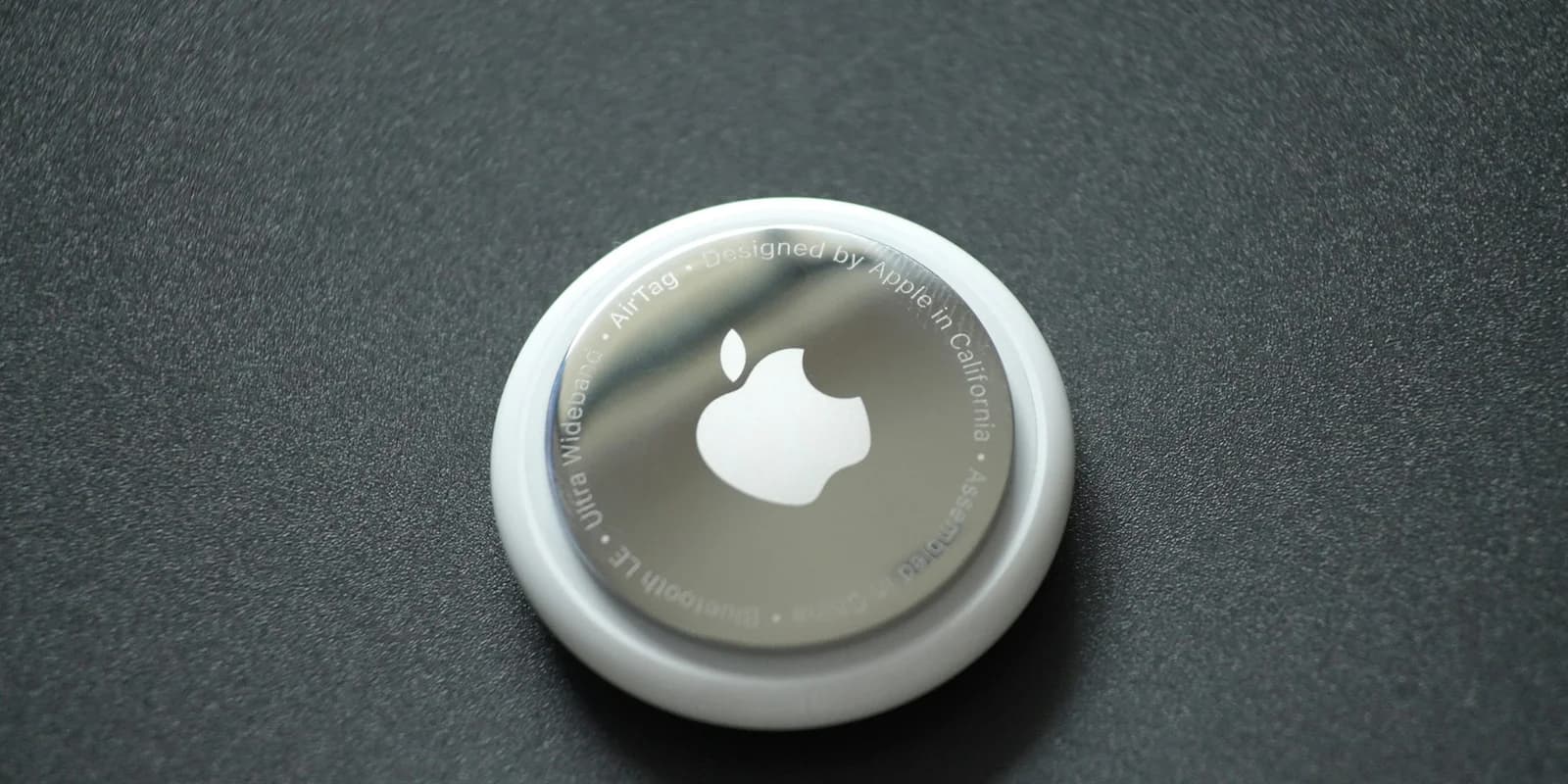
Apple blew up the category in 2021 with the AirTag and the Find My network: a billion iPhones in the wild passively relay an AirTag's location back to you. Lost AirTag in a bus station? Odds are an iPhone walks past within the hour, and you get a location update.
Android got its own equivalent in 2024 with Google's Find My Device network. It is not as big, not as reliable, and the ecosystem is fractured. But it exists, and it changed which trackers are worth buying on Android.
Here is the short version of who should buy what in 2026.
SolderMag Take: the network is the tracker
What matters is not the tracker itself. It is the network that relays signals when you are not nearby.
- Apple Find My network: roughly 1 billion iPhones globally. If your AirTag is in a city, you will find it. Same for any tracker with "Find My" certification (Chipolo ONE Spot, Pebblebee).
- Samsung Galaxy Find network: 400+ million Galaxy devices. Works well where Samsung phones are common (Korea, North America, much of Europe). Weaker in Japan and parts of Asia.
- Google Find My Device network: ~1 billion Android devices worldwide, but requires users to opt in (most don't), and "high-traffic" mode is limited. Coverage is real but noticeably slower than Apple's.
- Tile network: Tile itself, and a smaller network of apps that bundled the SDK. Shrinking every year since Apple launched.
This means your tracker choice is driven by which phone you carry:
- iPhone: buy an AirTag or any "Find My"-certified tracker. Do not buy Tile or Samsung.
- Samsung Galaxy: buy a SmartTag 2. It uses the Galaxy Find network plus has Ultra-Wideband for precise indoor locating.
- Other Android (Pixel, OnePlus, etc.): buy a Chipolo Point, Pebblebee, or Moto Tag. They all use Google's Find My Device.
- Switching platforms every year? Tile is the only cross-platform option left, but the network is weakest. Accept the compromise.
Cross-ecosystem trackers do not exist in a meaningful way. The one exception is Chipolo, which sells two different products (Spot for Apple, Point for Google) because the protocols are incompatible. You pick your network at purchase time.
Best Bluetooth trackers at a glance
- iPhone, no precise finding needed: AirTag. It is the reference product. $30 single or $100 for four.
- iPhone, want a slim card for a wallet: Chipolo CARD Spot. Same Find My network, credit-card profile.
- Galaxy phone: SmartTag 2. UWB precise finding on supported Galaxy phones is genuinely useful.
- Pixel / OnePlus / other Android: Chipolo ONE Point or Pebblebee Clip. Both are certified for Google Find My Device.
- Subscription-free loud speaker beeper for finding keys in the house: Tile Pro. 400ft Bluetooth range, loud ring, network is weak but the short-range use case still works.
- Want a tracker with a rechargeable battery: Pebblebee is the only player here. Everyone else runs on user-replaceable CR2032.
What actually matters in a Bluetooth tracker
1) The network
Covered above. This is 80% of the buying decision.
2) Ultra-Wideband (UWB)
UWB lets supported phones point an arrow toward your tracker in the last few metres, with a live distance readout. Not GPS. Not Bluetooth signal strength. Proper directional pointing.
- iPhone 11 and later + AirTag: works, precise, feels like magic the first time you use it.
- Galaxy S21 and later + SmartTag 2: works, slightly less polished than Apple.
- Pixel 6 Pro, Pixel 7 Pro, Pixel 8/9/10 Pro + compatible trackers: limited support via AOSP APIs, most Android trackers do not expose it yet.
If you have a phone with UWB and the matching tracker, it changes how the tracker feels in daily use. You do not hunt the couch cushions. You point.
3) Speaker volume
For the "lost in your own house" use case, the buzzer matters more than the network.
- AirTag: roughly 60 dB at 1m. Audible but quiet under a cushion.
- Tile Pro: 90+ dB. The loudest tracker by far. You hear it from the next floor.
- SmartTag 2: 85 dB, noticeably louder than AirTag.
- Chipolo Spot/Point: 120 dB claimed, 90 dB realistic. Loud.
Quiet trackers are the main knock against the AirTag for home use.
4) Battery life and replacement
All current trackers except Pebblebee use a CR2032 coin battery. Expected life is one year.
- Replaceable battery: AirTag, SmartTag 2, Chipolo, Tile Pro, Moto Tag. Swap every 12 months.
- Rechargeable: Pebblebee Clip (via USB-C). Claimed 8-12 months per charge, good if you hate fiddling with coin cells.
- Non-replaceable battery, whole tracker is disposable: the cheap Tile Mate 2024, Chipolo Card (by design — it is wafer-thin).
Check before you buy, especially the wallet-card form factors. A three-year tracker you toss in landfill is not great and the replacement cost adds up.
5) Water resistance
IP67 is the norm. AirTag, SmartTag 2, Chipolo, Tile Pro all handle being dropped in a puddle. None of them like saltwater or hot tubs.
6) Form factor
- Keyring-size disc: the default. AirTag, SmartTag 2, Chipolo ONE.
- Keyring-size with a built-in hole: SmartTag 2, Chipolo, Tile Pro. AirTag infamously needs a case with a hole.
- Credit-card slim: Chipolo CARD Spot, Tile Slim. For wallets.
- Tag-shaped for collar mounting: Pebblebee Clip, Chipolo ONE Point.
AirTag's lack of a built-in keyring hole is deliberate (Apple sells leather keyrings for $35) and genuinely annoying. Budget $10 for a third-party silicone holder on Amazon.
The picks
Best for iPhone: Apple AirTag (4-Pack)
Who it's for: anyone on iPhone who wants the best-tracked network and does not care about speaker volume.
The AirTag is the default because the Find My network is the best-in-class. Drop an AirTag at a foreign airport and watch it update an hour later when someone walks past with an iPhone. No other tracker has this reach.
The 4-pack at $100 (instead of $30 for a single) is the right entry point: one for keys, one for wallet, one for the dog, one for the backpack. You will use all four within a year.
Knocks: the speaker is too quiet for finding things under a couch, and there is no built-in keyring hole. Both are fixable with a $10 accessory.
Apple AirTag (4-Pack)
Why it works
- Find My network is the largest and fastest of any tracker
- Ultra-Wideband precise finding on iPhone 11 and later
- 4-pack works out to $25 each, cheapest AirTag pricing available
Main trade-off
- No built-in keyring hole, requires a case or holder
- Speaker is quiet compared to Tile Pro or Chipolo
Best iPhone alternative: Chipolo ONE Spot
Who it's for: iPhone users who want Find My network compatibility plus a louder speaker and a built-in keyring hole.
Chipolo's Find My-certified tracker fixes the AirTag's two main ergonomic issues: the ring goes through an actual hole in the tag, and the speaker is noticeably louder. It uses the exact same Apple Find My network as the AirTag, so tracking behaviour when out of range is identical.
The one thing you lose is UWB-based precise finding. Chipolo's hardware does not support it. For the last-few-metres use case on iPhone, the AirTag still wins. For everything else, the Chipolo is equal or better.
Chipolo ONE Spot (Apple Find My)
Why it works
- Uses Apple Find My network, same as AirTag
- Built-in keyring hole, no case needed
- Louder speaker than AirTag
Main trade-off
- No Ultra-Wideband, no precise finding on iPhone
- Android users should buy the separate ONE Point version
Best for Samsung Galaxy: Samsung Galaxy SmartTag 2
Who it's for: Galaxy phone owners who want UWB precise finding, a loud speaker, and a tracker that is not a second-class citizen in SmartThings.
If you have a Galaxy S21 or later, the SmartTag 2 with UWB is the closest Android gets to the AirTag experience. Galaxy Find network coverage is strong in North America and Europe, the SmartThings integration is actually good, and battery life is a claimed 700 days in "Power Saving" mode or 500 days in normal mode.
Pixel and OnePlus owners should not buy this. The SmartTag 2 will track but precise-finding is Galaxy-only, and non-Samsung Android phones get a reduced Find My experience.
Samsung Galaxy SmartTag 2
Why it works
- Ultra-Wideband precise finding on Galaxy S21 and later
- Loud 85dB speaker, easy to hear under cushions
- Claimed 700-day battery life in Power Saving mode
Main trade-off
- Galaxy Find network only; useless on iPhone
- Pixel and OnePlus users get reduced functionality
Best for Android (non-Samsung): Chipolo ONE Point
Who it's for: Pixel, OnePlus, Motorola, or other Android users who want a tracker that works with Google's Find My Device network.
The Chipolo ONE Point is the Android-side twin of the ONE Spot: same hardware, certified against Google's Find My Device network instead of Apple's. If you carry a Pixel, this is your AirTag.
The honest caveat is the Find My Device network. It works. It is slower than Apple's because participation is opt-in and most users never flip the switch. For a tracker that roams outside your neighbourhood, expect 1-4 hour updates instead of the 10-30 minutes you see on AirTag. Still leagues better than pre-2024 Tile-only Android.
Chipolo ONE Point (Google Find My Device)
Why it works
- Certified for Google Find My Device network
- Built-in keyring hole, louder than competitors
- Replaceable CR2032 battery, 1-year life
Main trade-off
- Find My Device network is slower and sparser than Apple Find My
- Does not work with iPhone, separate ONE Spot required
Best for the in-house use case: Tile Pro
Who it's for: people who lose things in their own house more than outside it, and want the loudest speaker and the longest Bluetooth range.
Tile's network is objectively weaker than Apple's or Google's in 2026, but the short-range use case (keys fell behind the couch) does not depend on the network. It depends on the speaker and the Bluetooth range. Tile Pro wins on both: the loudest beeper in this roundup, and roughly 400ft of Bluetooth range in ideal conditions (meaning you can ring it from across a large house).
If you only lose things inside your own walls, Tile Pro is actually the best tool for the job, ecosystem debates aside. If you lose things in airports, parking lots, or overseas, pick an AirTag or SmartTag instead.
Setup tips that matter
- Put a tracker on your luggage, not in it. The TSA has never had an issue with AirTags. Customs has not either. The real risk is a baggage handler lifting the tag out of a side pocket; sew it into an interior lining or zip it into a hidden pocket.
- Rename each tracker specifically. "Keys" and "Wallet" is fine until you have three keychains. "Keys: house," "Keys: car," "Keys: office."
- Register the tracker to the owner who carries the phone most. AirTags and SmartTags tie to a single Apple ID or Samsung account. If you share a tag between family members, the non-owner cannot locate it.
- Apple's anti-stalking features mean a rival AirTag will ping the other phone. Read Apple's documentation before you hide a tracker in anyone else's bag, ever.
- For a pet collar, pick a tag with a reinforced housing. The naked AirTag is fine in a protective collar mount. The Pebblebee Clip has one built-in.
Buying checklist
- What phone am I on, and which phones do my family/travel partners carry? Decides the network.
- Do I need UWB precise finding? iPhone users: yes, pick AirTag. Samsung: yes, pick SmartTag 2.
- Am I losing things inside the house or outside? Inside → Tile Pro. Outside → network-linked AirTag or equivalent.
- Form factor? Keyring, wallet card, or collar clip.
- Do I care about replaceable batteries vs rechargeable? Pebblebee is the only rechargeable option; everything else is CR2032.
Red flags to avoid
- No-name "Find My-compatible" trackers on Amazon. Apple certifies every Find My tracker, and the big names are Apple, Chipolo, Pebblebee, eufy, Moto. Anything else is unlikely to be certified and will stop working next firmware.
- "AirTag-compatible" trackers that advertise they work with both iPhone and Android. Not possible with one piece of hardware. Marketing wording hides the actual limitation.
- Subscription-required trackers. Tile used to charge for extended location history. They mostly removed that, but watch for it creeping back elsewhere.
- Non-replaceable battery with no rechargeable option. That is a disposable tracker. Hard pass unless it is the Chipolo Card form factor where slimness is the whole point.
Privacy and anti-stalking
Both Apple and Google now have cross-platform unknown tracker detection. An unknown AirTag will alert an Android phone after about 20 minutes of sustained travel. An unknown Chipolo Point will alert an iPhone within a similar window. This is good. It has massively reduced abuse potential since the early AirTag days.
If you find an unknown tracker on your car or in your bag, both OSes let you disable it, see the serial number, and report to local police. Do not ignore an alert. Do not try to remove the battery without reporting.
Sources and methodology
- Apple Find My network specifications, documented minimum participation thresholds, and the Find My Accessory Program.
- Google Find My Device network documentation and opt-in participation flags for Android 11+.
- Samsung Galaxy Find network coverage and UWB specifications for Galaxy S21 series and later.
- FCC filings and teardown analyses for AirTag, SmartTag 2, Chipolo ONE Spot/Point, Tile Pro, and Pebblebee Clip.
- Long-running community reports from r/ios, r/Android, r/AirTag, and international travel forums on actual network update frequencies across regions.
- Current platform documentation and established independent iOS and Android evaluations. SolderMag has not completed a matched six-month test of all five products.
Related reading
- iPhone Accessories Worth Buying (2026): other accessories that genuinely pay off.
- Best USB-C Travel Adapters (2026): the other thing that makes travel less stressful.
- Best Tech Under $50 (2026): where most single-AirTag purchases end up in the mix.