SteelSeries Arctis Nova 7 Gen 2 vs Nova 5 Wireless: Which Should You Buy?
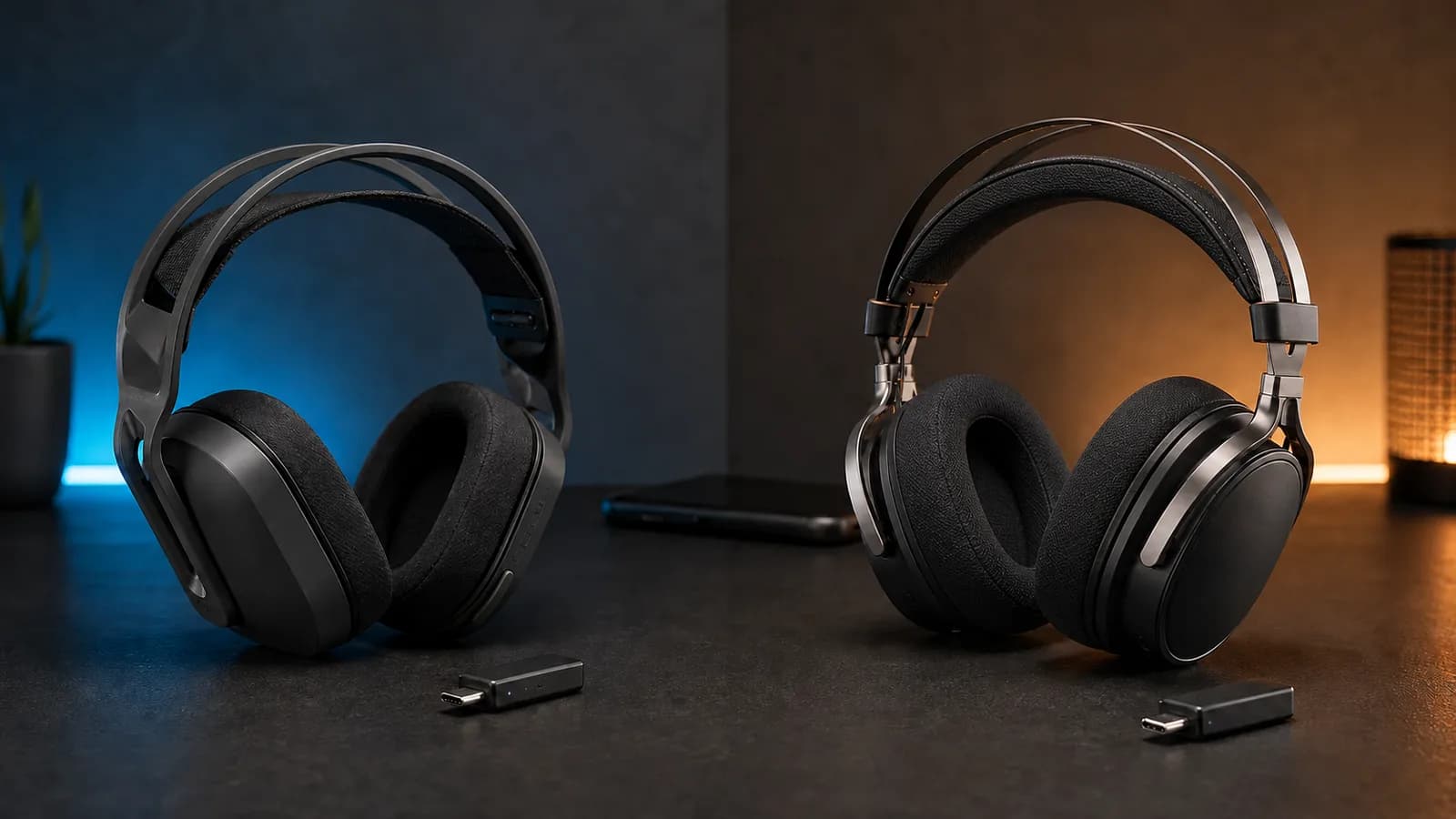
Nova 7 Gen 2 mixes game and phone audio. Nova 5 switches sources and weighs less. See which SteelSeries wireless headset fits your setup.
Research-based comparison
How we evaluateQuick picks
The short answer, with the trade-off
Best for simultaneous game and phone audio
SteelSeries Arctis Nova 7 Wireless Gen 2
Mixes 2.4 GHz and Bluetooth
Trade-off: 60 g heavier than Nova 5

Best value for one source at a time
SteelSeries Arctis Nova 5 Wireless
Trade-off: Cannot mix two wireless sources
On this page
- Quick verdict
- Nova 7 Gen 2 vs Nova 5 specifications
- The difference that decides it: mixing versus switching
- Battery life: read the connection mode
- Weight, construction, and the wired fallback
- App controls, presets, and ChatMix
- Sound and microphone: where the spec sheet stops helping
- Standard, P, and X variants
- Who should buy the Nova 7 Gen 2?
- Who should buy the Nova 5 Wireless?
- Who should skip both?
- How much more is Nova 7 Gen 2 worth?
- Alternatives
- FAQ
- Final recommendation
- Sources and methodology
The SteelSeries Arctis Nova 5 Wireless is enough for most single-source setups. Pay more for the Arctis Nova 7 Gen 2 when you will actually use simultaneous game and phone audio, its 3.5 mm backup cable, physical ChatMix dial, or steel-supported headband.
That is the practical difference. Nova 5 switches between 2.4 GHz wireless and Bluetooth. Nova 7 Gen 2 can play both at the same time. The higher model number does not automatically make it the better value.
If PC sound becomes muffled when a call starts, check our Bluetooth microphone and Windows audio guide before replacing the headset. It covers input routing, gaming receivers and the LE Audio compatibility checks.
This comparison is research-based. SolderMag has not completed matched listening, microphone, latency, comfort, battery, or durability tests on these two headsets. The verdict uses current SteelSeries specifications, product manuals, connection behavior, exact product identity, and the buyer problems each design solves.
If hearing your own voice is the deciding feature, use our mic monitoring setup checklist before comparing specifications. A microphone bandwidth figure does not tell you how sidetone will sound.
If simultaneous phone and game audio is unnecessary, our Logitech G522 versus Nova 5 compares lower weight and a USB-C receiver against direct USB audio and a removable microphone.
Quick verdict
| Buyer | Better choice | Why |
|---|---|---|
| Plays through a dongle while taking phone calls or using mobile Discord | Nova 7 Gen 2 | It mixes 2.4 GHz and Bluetooth audio simultaneously |
| Uses one gaming device at a time | Nova 5 | QuickSwitch changes sources without paying for unused mixing hardware |
| Wants the lighter headset | Nova 5 | SteelSeries lists 265 g, 60 g below the Nova 7 Gen 2 |
| Wants an analog backup | Nova 7 Gen 2 | It includes a 3.5 mm cable and wired audio jack |
| Wants physical game/chat balance on PC | Nova 7 Gen 2 | The standard model has an on-headset ChatMix dial |
| Mostly listens over Bluetooth | Nova 5 | SteelSeries claims up to 60 hours in Bluetooth mode |
| Mostly games over 2.4 GHz | Slight Nova 7 Gen 2 edge on paper | SteelSeries lists up to 54 hours versus 50 hours for Nova 5 |
| Needs Xbox support | Buy the X variant | Choose Nova 7X Gen 2 or Nova 5X, not the standard models |
Nova 7 Gen 2 vs Nova 5 specifications
| Feature | Arctis Nova 7 Gen 2 | Arctis Nova 5 Wireless | What matters |
|---|---|---|---|
| 2.4 GHz and Bluetooth behavior | Simultaneous mixing | QuickSwitch; one source at a time | This is the main reason to pay for Nova 7 |
| 2.4 GHz battery claim | Up to 54 hours | Up to 50 hours | Close enough that charging should not decide it alone |
| Bluetooth battery claim | Up to 42 hours | Up to 60 hours | Nova 5 has the stronger Bluetooth-only claim |
| Simultaneous battery claim | Up to 38 hours | Not applicable | Nova 7 pays a runtime cost when both radios are active |
| Fast-charge claim | Six hours from 15 minutes | Six hours from 15 minutes | Tie on the published emergency top-up |
| Weight | 325 g | 265 g | Nova 5 is 60 g lighter |
| Drivers | 40 mm neodymium, 20 Hz–22 kHz | 40 mm neodymium, 20 Hz–22 kHz | Matching headline specs do not prove identical sound |
| Mobile controls | Arctis Companion app | Arctis Companion app | Both can be adjusted without returning to a PC |
| Microphone | Retractable ClearCast Gen 2 | Retractable ClearCast 2.X | Nova 5 has the newer published mic electronics; quality needs matched testing |
| Wired audio | 3.5 mm jack and included cable | No analog jack or cable documented | Nova 7 keeps working with more source types |
| Headband | Elastic suspension under steel support | Lighter suspension design | Nova 7 feels more substantial on paper; Nova 5 carries less weight |
| Standard-model ChatMix | Physical dial, enabled through Sonar on PC | Sonar software control | Nova 7 is quicker to adjust while playing |
The difference that decides it: mixing versus switching
The Nova 7 Gen 2 can keep its USB-C 2.4 GHz dongle active while Bluetooth plays from a phone. Both streams reach the headset together. SteelSeries describes this as simultaneous dual-audio mixing.
That lets you:
- hear a PC or console game while taking a phone call;
- keep mobile Discord active beside console audio;
- play music or a podcast from a phone under a game;
- monitor work audio from one device while another handles calls.
The microphone still works with one source at a time. Simultaneous listening does not mean your voice transmits to both the game and phone call. Our multipoint versus simultaneous audio guide explains the connection labels and gives you a two-device call test before buying.
Nova 5 takes a simpler approach. Its QuickSwitch button moves the headset between the dongle and Bluetooth. A paired phone stays ready, and an incoming-call notification can tell you when to switch, but the two sources do not play together.
QuickSwitch is not a defective version of mixing. It is the better design if two live sources would be distracting or unused. Most people playing at one PC, PlayStation, Switch, or handheld only need a reliable way to change connections.
Ask one question before paying more: will you listen to two devices at the same time at least once a week? If the answer is no, Nova 5 removes the Nova 7's clearest advantage.
Battery life: read the connection mode
The headline figures can produce the wrong conclusion if the connection mode is ignored.
SteelSeries lists the Nova 5 for up to 50 hours over 2.4 GHz and 60 hours over Bluetooth. It lists the Nova 7 Gen 2 for up to 54 hours over 2.4 GHz, 42 hours over Bluetooth, and 38 hours while using both connections simultaneously.
That creates three different answers:
- Normal dongle gaming: the Nova 7 Gen 2 has a small four-hour paper advantage.
- Bluetooth-only listening: Nova 5 has the stronger claim.
- Two-source mixing: only Nova 7 can do the job, but both active radios reduce its claimed runtime.
Both claim six hours of use from a 15-minute USB-C charge. That matters more than a small full-charge difference if you regularly notice a low battery just before playing.
These are SteelSeries figures, not SolderMag measurements. Volume, microphone use, wireless range, EQ, connection stability, battery age, and charging habits all change real runtime. Do not convert a manufacturer maximum into a guaranteed number of days.
Weight, construction, and the wired fallback
Nova 5 is the obvious lightweight pick. SteelSeries lists it at 265 g, compared with 325 g for Nova 7 Gen 2. A 60 g difference is large enough to notice in the hand, but it does not tell us which headset will fit your head better.
Nova 7 Gen 2 uses an elastic suspension band under a steel-supported outer headband. Nova 5 uses a lighter suspension design, and SteelSeries does not make the same steel-construction claim for it. The sensible interpretation is that Nova 7 is the more substantial build while Nova 5 prioritises low weight.
Do not turn that into a durability verdict. Long-term hinge, cable, battery, cushion, and adjustment wear require extended use across multiple units. Steel support is reassuring, but it is not proof that a headset will survive a specific accident.
Both use fabric-covered ear cushions rather than sealed leatherette pads. Fit still depends on clamp, ear size, glasses, head shape, adjustment range, and heat. Use a retailer with a workable return policy if you cannot try either model first.
Nova 7 also includes a 3.5 mm audio jack and cable. Nova 5's official manual documents wireless USB-C and Bluetooth paths but no analog jack or cable. The wired fallback matters when:
- the battery is empty;
- a device has a headphone jack but does not support the dongle;
- wireless use is restricted;
- you want a simple connection for a controller, laptop, or audio interface.
Do not pay for analog backup if every device you own already works with the dongle. Do pay attention if you keep hardware for years or move between unpredictable sources.
App controls, presets, and ChatMix
Both headsets work with the SteelSeries Arctis Companion app on iOS and Android. That means Nova 5 is not the stripped-back option it might appear to be from the model number alone.
The app lets compatible headsets use game-focused presets and change supported settings without moving back to a Windows PC. SteelSeries' preset count changes as the app library grows, so the exact number is less important than the shared benefit: both headsets can be tuned from a phone while used with a console or handheld.
On Windows, SteelSeries GG and Sonar add EQ, microphone controls, routing, and game/chat mixing. The standard Nova 7 Gen 2 has a physical ChatMix dial, while the standard Nova 5 handles ChatMix through Sonar rather than a dedicated second wheel.
Physical ChatMix is useful if you constantly turn teammates up and the game down. It is wasted hardware if you set the balance once and forget it. If you already own a Nova 7 and the dial does nothing, check our Nova 7 ChatMix setup guide before treating that as a reason to replace it.
There are platform and variant caveats:
- ChatMix behavior is not identical on every console.
- The P and X models change platform-specific controls.
- Sonar features require Windows.
- A mobile preset library does not guarantee that every preset improves every game.
Buy for the control you will use, not the size of a preset list.
Sound and microphone: where the spec sheet stops helping
Both headsets use 40 mm neodymium magnetic drivers with a published 20 Hz–22 kHz headphone response. That does not prove they sound identical. Enclosure volume, pads, seal, DSP, firmware, EQ, unit variation, and level matching all affect what reaches your ears.
It also does not prove Nova 7 sounds better because it costs more. The extra money has clear explanations elsewhere: simultaneous wireless, steel support, analog audio, and physical controls.
Nova 5 uses SteelSeries' ClearCast 2.X microphone electronics with a published 32 kHz/16-bit path. Nova 7 Gen 2 uses the retractable ClearCast Gen 2 design. The newer Nova 5 mic specification is a reasonable on-paper advantage, but bandwidth alone does not establish voice clarity, noise handling, plosive control, sidetone quality, or consistency in Discord.
SolderMag has not recorded both microphones in the same room with the same gain, codec, firmware, distance, and processing. We therefore would not name a sound or microphone winner.
If microphone quality is critical for streaming, voiceover, sales calls, or recording, treat either boom as a convenience and consider a separate USB microphone.
Standard, P, and X variants
SteelSeries sells both families in standard, PlayStation-oriented P, and Xbox-oriented X versions. The suffix matters more than the colour.
For the models compared and linked here:
- the standard Nova 7 Gen 2 and standard Nova 5 cover PC, PlayStation, Switch, Mac, mobile, and compatible handheld use;
- Xbox buyers should choose Nova 7X Gen 2 or Nova 5X;
- P variants change platform-focused controls and presentation;
- a retailer may group variants on one page, so confirm the selected model before ordering.
Do not assume any USB wireless headset supports Xbox because it works on PlayStation. Microsoft console compatibility requires the correct product path. Our console headset compatibility guide covers variant labels, receiver modes and why an X dongle cannot upgrade a different model.
If you want the broadest console coverage and simultaneous source mixing, Nova 7X Gen 2 is the more capable family member. If you only need Xbox plus quick source switching, Nova 5X is the value route.
Who should buy the Nova 7 Gen 2?
Buy the Nova 7 Gen 2 if:
- game and phone audio need to remain live together;
- you use mobile Discord beside PC or console audio;
- a physical ChatMix dial would be adjusted regularly;
- 3.5 mm wired backup solves a real compatibility problem;
- the steel-supported headband matters more than minimum weight;
- you want the 7X route for Xbox plus other platforms;
- the price gap is modest enough for those features to earn their keep.
The main compromise is weight. It is also easy to overpay for simultaneous audio that sounds useful in theory but never gets switched on.
If Nova 5 is not the model you are comparing, use our Nova 3 Wireless vs Nova 7 Gen 2 comparison for the lighter, detachable-mic alternative.
SteelSeries Arctis Nova 7 Wireless Gen 2
Why it works
- Mixes 2.4 GHz and Bluetooth
- 3.5 mm wired fallback
- Steel-supported headband and physical ChatMix
Main trade-off
- 60 g heavier than Nova 5
- Lower Bluetooth-only battery claim
Who should buy the Nova 5 Wireless?
Buy the Nova 5 if:
- you listen to one wireless source at a time;
- a button press between game and phone audio is acceptable;
- lower weight matters during long sessions;
- you want the Companion app without paying for simultaneous mixing;
- Bluetooth-only battery life matters;
- you do not need an analog cable;
- it is meaningfully cheaper than Nova 7 Gen 2.
Nova 5 is not the consolation prize. It keeps the same broad driver specification, mobile control, fast-charge claim, retractable microphone format, and multi-platform dongle idea. Its main compromise is what it removes: two-source playback, analog backup, steel support, and physical ChatMix.

SteelSeries Arctis Nova 5 Wireless
Why it works
- Light 265 g design
- QuickSwitch between dongle and Bluetooth
- Companion app and strong Bluetooth battery claim
Main trade-off
- Cannot mix two wireless sources
- No 3.5 mm fallback documented
Who should skip both?
Skip both if you need active noise cancellation for travel. SteelSeries' noise-reduction language here mainly concerns microphone processing through Sonar, not listener ANC.
Skip both if you play only at a desk and a cable does not bother you. A wired headset avoids charging, radio switching, dongle placement, and long-term battery wear.
Skip both if you expect a premium wireless headset to prove its value through a bigger driver or guaranteed sound upgrade. These two share the same headline driver size and response range, and we do not have matched acoustic measurements.
Skip Nova 7 Gen 2 if one source at a time is enough. Skip Nova 5 if an incoming call must play without interrupting game audio.
If you already own the original Nova 7, do not replace it for the model name alone. Our Nova 7 Gen 2 vs Gen 1 comparison explains why battery and app control—not a documented driver overhaul—decide that upgrade.
How much more is Nova 7 Gen 2 worth?
Prices change too often for a fixed threshold to stay useful. Compare the live gap, then attach value to the features you can name.
Pay more for Nova 7 Gen 2 when at least one of these is a weekly need:
- simultaneous game and phone audio;
- physical ChatMix;
- 3.5 mm backup;
- steel-supported construction.
If none applies, buy Nova 5 and keep the difference. Spending more for a higher number is not a feature.
If two-source audio matters but Nova 7 Gen 2 is close to premium-headset money, compare it with the wider shortlist in our best gaming headsets guide. The right alternative may come from another brand rather than the next SteelSeries tier.
Alternatives
Original Arctis Nova 7: worth considering only when it is meaningfully cheaper or already on your desk. It still mixes 2.4 GHz and Bluetooth, but lacks the Gen 2 battery and Companion-app updates. Read Nova 7 Gen 2 vs Gen 1 before treating clearance stock as a bargain.
Arctis Nova 3 Wireless: a cheaper current SteelSeries route for app presets and quick switching. It also does not replace Nova 7's simultaneous mixing. Our Nova 3 Wireless vs HyperX Cloud III S comparison covers the lower tier.
Razer BlackShark V3 Pro: the premium alternative when listener ANC and microphone hardware matter more than the lowest weight. Our Nova 7 Gen 2 vs BlackShark V3 Pro comparison explains why simultaneous Bluetooth alone is not a reason to pay extra for Razer.
HyperX Cloud III S Wireless: the battery-first alternative if you want 2.4 GHz and Bluetooth modes but do not need them at the same time. Compare it directly with the lighter Nova 5, or with Nova 7 Gen 2 when simultaneous audio is the reason to upgrade.
A good wired headset: the sensible option when your setup never moves. It gives up wireless convenience but avoids batteries and source-mode management.
FAQ
Can Nova 5 use Bluetooth and 2.4 GHz at the same time?
No. Nova 5's QuickSwitch changes between the 2.4 GHz dongle and Bluetooth. It can notify you about an incoming phone call while gaming, but it does not mix both audio streams.
Can Nova 7 Gen 2 use Bluetooth and 2.4 GHz at the same time?
Yes. SteelSeries documents simultaneous playback and mixing from both connections. The microphone communicates through one source at a time.
Is Nova 7 Gen 2 sound better than Nova 5?
The shared 40 mm driver size and 20 Hz–22 kHz response do not establish a winner. SolderMag has not completed matched measurements or level-controlled listening, so we would not claim either sounds better.
Which has better battery life?
It depends on the mode. SteelSeries claims up to 54 hours for Nova 7 Gen 2 and 50 hours for Nova 5 over 2.4 GHz. Over Bluetooth, it claims up to 42 hours for Nova 7 Gen 2 and 60 hours for Nova 5. Nova 7 Gen 2 drops to a claimed 38 hours while both radios are active.
Does Nova 5 have a 3.5 mm jack?
SteelSeries' Nova 5 manual documents the USB-C wireless dongle, Bluetooth, and charging cable, but not a 3.5 mm audio jack or analog cable. Nova 7 Gen 2 includes both.
Which is better for PS5?
Nova 5 is enough if you use one source at a time. Nova 7 Gen 2 is better if you want PS5 audio and phone audio together or want its physical and wired extras. Check the exact standard or P variant before ordering.
Which should Xbox players buy?
Choose the X version: Nova 5X or Nova 7X Gen 2. Do not buy the standard or P variant and assume it has the same Xbox wireless support.
Is the Nova 7 Gen 2 worth paying more for?
It is worth more when simultaneous audio, physical ChatMix, a 3.5 mm fallback, or the steel-supported headband will be used. Nova 5 is the better value when you only need to switch between wireless sources.
Final recommendation
Buy the Arctis Nova 5 Wireless if you want a light, flexible headset for one wireless source at a time. It keeps the useful app, fast charging, and multi-platform dongle without charging you for simultaneous mixing.
Buy the Arctis Nova 7 Gen 2 if two-source audio is part of your routine or its physical extras solve a specific problem. The analog cable, ChatMix dial, and steel support are real differences. They are not automatic reasons to spend more.
For a product-focused answer outside this comparison, read our SteelSeries Arctis Nova 7 Gen 2 review.
Sources and methodology
- SteelSeries Nova 7 Gen 2 product page for simultaneous wireless, app control, battery, fast charging, and construction: https://steelseries.com/gaming-headsets/arctis-nova-7-gen-2?color=black&primaryPlatform=pc
- SteelSeries Nova 7 Gen 2 product manual for system compatibility, 3.5 mm cable, AirWeave cushions, controls, and connection layout: https://downloads.steelseriescdn.com/guides/HS_arctis_nova_7_wl_gen_2_pig_pc_web.pdf
- SteelSeries Nova 7 Gen 2 launch specifications: https://steelseries.com/press/158-steelseries-unleashes-the-power-of-the-arctis-nova-7-gen-2-series
- SteelSeries simultaneous-audio support note: https://support.steelseries.com/hc/en-us/articles/8602059869837-Can-Arctis-Nova-7-Use-Bluetooth-and-2-4GHz-at-the-Same-Time
- SteelSeries Nova 5 product page for battery, weight, microphone, Companion app, and QuickSwitch: https://steelseries.com/gaming-headsets/arctis-nova-5?color=black&primaryPlatform=pc
- SteelSeries Nova 5 product manual for supported platforms, controls, wireless modes, and included hardware: https://downloads.steelseriescdn.com/guides/Nova_5_Product_Information_Guide.pdf
- SteelSeries Nova 5 launch specifications and connection behavior: https://steelseries.com/press/144-steelseries-introduces-100-game-specific-audio-profiles-with-new-arctis
- Amazon US product-page checks for the standard black Nova 7 Gen 2 (
B0FRNR8Y11, model 61730) and Nova 5 Wireless (B0D2YBQQ1P, model 61670) using the configuredsoldermag-20Associate tag. Both tagged URLs returned HTTP 200 and matched the named products on July 26, 2026. Prices were not recorded.
As an Amazon Associate I earn from qualifying purchases.