SteelSeries Arctis Nova 3 Wireless vs Nova 7 Gen 2: Which Should You Buy?
Nova 3 Wireless is lighter and switches sources; Nova 7 Gen 2 mixes game and phone audio and adds wired backup. Here is which headset fits.
Research-based comparison
Recommendations are checked against product documentation, availability, comparative evidence, and clearly disclosed hands-on work where it exists.
Quick picks
The short answer, with the trade-off
Best value for one source at a time
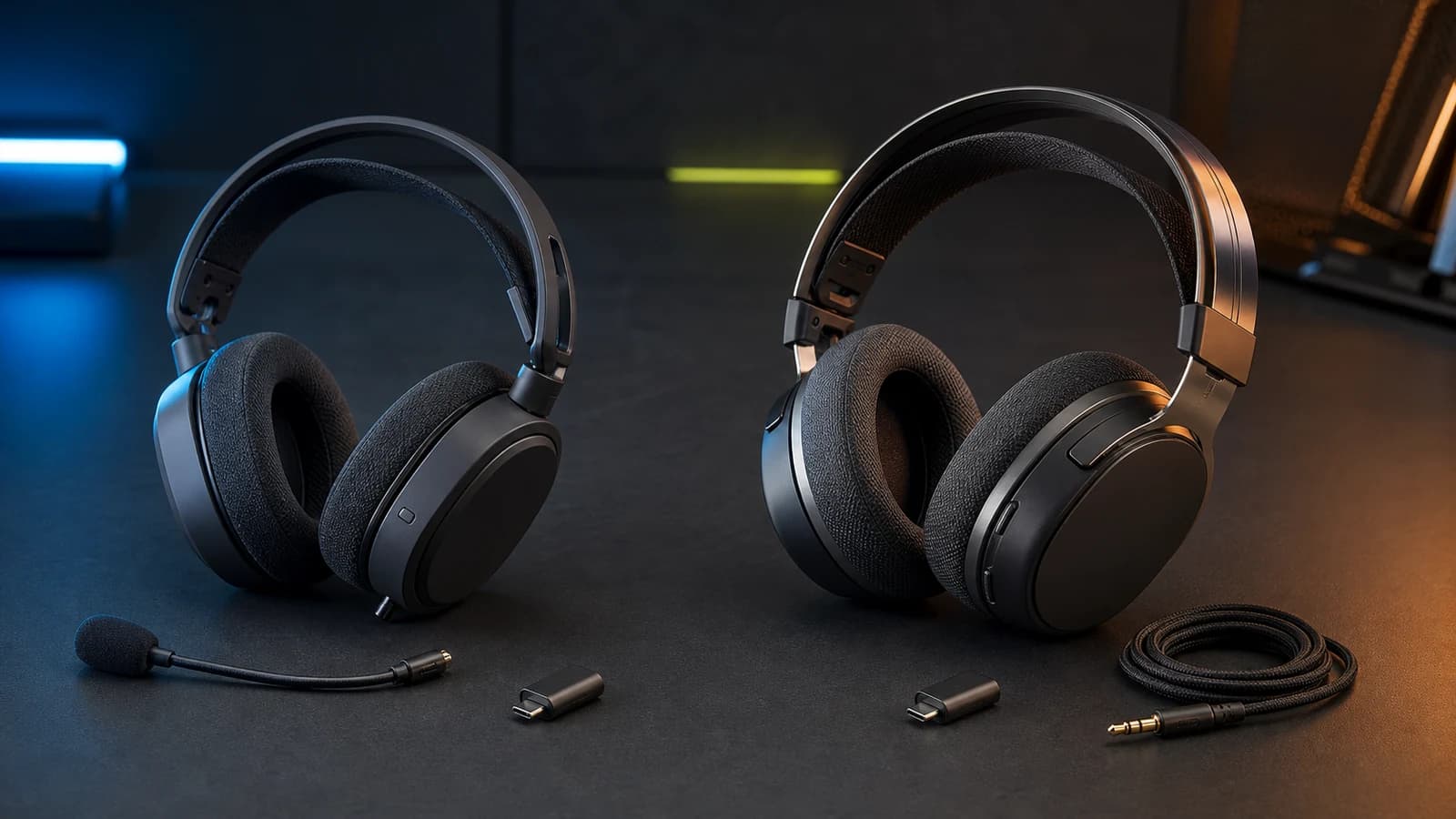
SteelSeries Arctis Nova 3P Wireless
Light 260g design
Trade-off: Cannot mix two wireless sources

Best for simultaneous game and phone audio
SteelSeries Arctis Nova 7 Wireless Gen 2
Trade-off: Heavier than Nova 3
On this page
- Quick answer
- Check the exact variant before buying
- Nova 3 Wireless vs Nova 7 Gen 2 specifications
- The difference that decides it: switching versus mixing
- Battery life and charging
- Weight, fit, and construction
- Controls and wired backup
- Sound and microphone: do not buy by model number
- Who should buy the Nova 3 Wireless?
- Who should buy the Nova 7 Gen 2?
- Who should skip both?
- Is Nova 7 Gen 2 worth the extra money?
- Alternatives
- Frequently asked questions
- Final recommendation
- Sources and methodology
The SteelSeries Arctis Nova 3 Wireless is the sensible buy if you use one audio source at a time. It is light, works with the same mobile preset app as the higher model, and switches quickly between its gaming dongle and Bluetooth.
Pay more for the Arctis Nova 7 Gen 2 when you need game audio and phone audio playing together. Its simultaneous 2.4GHz and Bluetooth connection is the real upgrade. The steel-supported headband, 3.5mm backup, retractable microphone, and physical controls are useful extras, but they are not reasons to assume it sounds better.
This comparison is research-based. SolderMag has not completed matched sound, microphone, comfort, battery, or durability tests on these headsets. The recommendation uses current SteelSeries specifications and manuals, exact Amazon product identity, connection behaviour, and the buyer problems each model solves.
Quick answer
| Buyer | Better choice | Why |
|---|---|---|
| Uses one wireless source at a time | Nova 3 Wireless | Quick-Switch changes between the dongle and Bluetooth without paying for simultaneous mixing |
| Games while taking phone calls or using mobile Discord | Nova 7 Gen 2 | It can play 2.4GHz and Bluetooth audio together |
| Wants the lighter headset | Nova 3 Wireless | SteelSeries lists it at 260g |
| Wants a wired fallback | Nova 7 Gen 2 | It includes a 3.5mm audio jack and cable |
| Wants a mic that comes off completely | Nova 3 Wireless | Its boom microphone is detachable |
| Wants the mic hidden but always available | Nova 7 Gen 2 | Its boom retracts into the earcup |
| Needs Xbox support | Buy the correct X variant | Choose Nova 3X or Nova 7X Gen 2; do not assume the P or standard model is Xbox-compatible |
The cheaper model is enough for most straightforward PC, PlayStation, Switch, and handheld setups. Nova 7 Gen 2 earns its premium only when two-source audio or its physical extras will be used regularly.
Check the exact variant before buying
SteelSeries sells several versions of each family. The suffix is a platform decision, not a colour choice.
- Nova 3P Wireless is the PlayStation-oriented model linked in this article. It also covers PC, Switch, mobile, and compatible USB-C devices.
- Nova 3X Wireless is the safer Nova 3 route when Xbox support is required.
- Standard Nova 7 Gen 2 is the PC-oriented model linked here and supports PlayStation, Switch, mobile, and other listed USB-C platforms.
- Nova 7P Gen 2 is PlayStation-oriented.
- Nova 7X Gen 2 is the Xbox-compatible version and also covers the broader platform list published for that model.
A retailer may group several versions on one product page. Read the selected product title immediately before ordering. The Amazon links above were validated against the named black US models, but prices, sellers, and availability can change.
Nova 3 Wireless vs Nova 7 Gen 2 specifications
| Feature | Arctis Nova 3 Wireless | Arctis Nova 7 Gen 2 | What matters |
|---|---|---|---|
| 2.4GHz and Bluetooth behaviour | Quick-Switch; one source at a time | Simultaneous mixing | This is the main reason to pay more |
| Claimed battery | Up to 40 hours | 50+ hours | Both are manufacturer maximums, not SolderMag measurements |
| Fast-charge claim | Nine hours from 15 minutes | Six hours from 15 minutes | Nova 3 has the stronger emergency top-up claim |
| Weight | 260g | About 325g for the standard model | Nova 3 is the clear lightweight pick |
| Mobile controls | Arctis Companion app | Arctis Companion app | Both get phone-based presets and settings |
| Microphone | Detachable, published 32kHz/16-bit path | Retractable ClearCast boom | Choose the physical format; specs do not establish voice quality |
| Wired audio | No 3.5mm fallback documented | 3.5mm jack and included cable | Nova 7 works with more awkward or older sources |
| Construction | Lightweight dual-hinge design | Steel-supported outer headband | More metal does not prove longer service life |
| On-headset game/chat control | Variant-dependent controls | Physical ChatMix on the standard PC model | ChatMix on PC requires SteelSeries Sonar |
The difference that decides it: switching versus mixing
Nova 3 Wireless can connect through its low-latency USB-C dongle or Bluetooth 5.3. Pressing the power button moves between them. SteelSeries calls this Quick-Switch.
That works well when you play on a PC, PS5, Switch, or handheld, then move to a phone for music or calls. You do not need to repair Bluetooth every time, and the Companion app can keep separate presets for gaming and mobile listening.
What Nova 3 cannot do is play both sources together. An incoming phone call interrupts the dongle workflow rather than sitting beside it.
Nova 7 Gen 2 keeps the 2.4GHz and Bluetooth radios active independently. You can hear a game through the dongle while a phone supplies a call, podcast, music, or mobile Discord audio. The streams are mixed in the headset.
There is one limit: SteelSeries says the microphone cannot send your voice to both sources at once. If a Bluetooth call takes the mic, it is not also transmitting your voice to game chat.
Buy Nova 7 for a two-source routine you can describe now. If simultaneous audio only sounds vaguely useful, Nova 3 is the better value.
Battery life and charging
SteelSeries rates Nova 3 Wireless for up to 40 hours and says a 15-minute charge can provide nine hours of use. Nova 7 Gen 2 is rated for 50-plus hours, with six hours from a 15-minute charge.
The headline suggests a simple Nova 7 win, but the buying decision is less neat:
- Nova 7 has more full-charge margin on paper.
- Nova 3 has the stronger published fast-charge claim.
- Running both radios on Nova 7 consumes more power than a single connection.
- Volume, microphone use, wireless distance, firmware, EQ, battery age, and charging habits change real runtime.
SolderMag has not measured either battery. Treat the figures as design targets from the manufacturer, not guaranteed results. If you frequently discover an empty headset just before playing, the fast-charge difference may matter more than the maximum runtime.
For battery-first buyers outside SteelSeries, the HyperX Cloud III S Wireless comparison covers a model with much longer published runtime.
Weight, fit, and construction
At a listed 260g, Nova 3 Wireless is unusually light for a full-size wireless gaming headset. Nova 7 Gen 2 is roughly 65g heavier. That difference is large enough to notice, but it still does not tell you which headset will be more comfortable on your head.
Both use a suspension-style band and fabric-covered cushions. Nova 3 uses a lightweight dual-hinge frame. Nova 7 adds a steel-supported outer headband and feels like the more substantial design on paper.
Do not turn those materials into a durability verdict. Hinge wear, battery degradation, cable strain, cushion life, and accidental-drop survival need extended testing across more than one unit. A steel strip is reassuring; it is not proof that Nova 7 will last a specific number of years.
Fit also depends on clamp, ear depth, glasses, head size, and heat. Use a retailer with a workable return path if you cannot try the headset first. Choose Nova 3 when low weight is the priority. Choose Nova 7 when the extra hardware matters enough to accept more mass.
Controls and wired backup
Nova 7 Gen 2 has the richer physical-control story. The standard PC model includes a ChatMix dial, separate Bluetooth control, volume, microphone mute, and a 3.5mm wired-audio jack. The analog cable is useful when:
- the battery is empty;
- a device has a headphone jack but does not accept the dongle;
- wireless use is restricted;
- you keep older controllers, laptops, or audio equipment in the mix.
ChatMix lets PC users change game and chat balance from the headset after SteelSeries Sonar is configured. It is genuinely useful if teammates regularly need to move above or below game audio. It is wasted hardware if you set the balance once and leave it alone.
Nova 3 Wireless keeps the controls simpler and does not document the same 3.5mm fallback. That is not automatically a weakness. A buyer whose devices all accept the USB-C dongle may never use an analog cable.
Sound and microphone: do not buy by model number
Both families use SteelSeries neodymium magnetic drivers and the same Companion app ecosystem. A larger number in the product name does not prove better sound.
Enclosure design, pads, seal, DSP, firmware, EQ, listening level, and unit variation all affect what reaches your ears. SolderMag has not level-matched and measured both models, so we would not name a sound winner.
The microphones differ more clearly in physical design:
- Nova 3 Wireless has a detachable boom with a published 32kHz/16-bit path.
- Nova 7 Gen 2 has a retractable boom that stays with the headset and hides inside the earcup.
Detachable is cleaner when you rarely use voice chat. Retractable is harder to lose and faster to deploy. Neither format establishes clarity, plosive control, background-noise handling, sidetone quality, or Discord consistency.
If voice quality is central to streaming, recording, sales calls, or daily meetings, treat either boom as a convenience and consider a separate USB microphone.
Who should buy the Nova 3 Wireless?
Buy Nova 3 Wireless if:
- you listen to one wireless source at a time;
- low weight matters during long sessions;
- switching between gaming and a phone is enough;
- mobile presets appeal to you;
- your devices accept the USB-C dongle;
- a detachable microphone suits your setup;
- it is meaningfully cheaper when you buy.
The main compromise is not sound quality. It is connection behaviour. You cannot keep phone audio and game audio playing together.
SteelSeries Arctis Nova 3P Wireless
Why it works
- Light 260g design
- Quick-Switch between dongle and Bluetooth
- Companion app presets and strong fast-charge claim
Main trade-off
- Cannot mix two wireless sources
- No 3.5mm fallback documented
Who should buy the Nova 7 Gen 2?
Buy Nova 7 Gen 2 if:
- you need game and phone audio at the same time;
- mobile Discord sits beside console or PC audio;
- a physical ChatMix dial would be adjusted often;
- 3.5mm backup solves a real compatibility problem;
- you prefer a microphone that retracts instead of detaching;
- the steel-supported frame matters more than minimum weight;
- the price gap is reasonable for those features.
The main compromise is value. It is easy to pay extra for simultaneous audio and never turn Bluetooth on while gaming.

SteelSeries Arctis Nova 7 Wireless Gen 2
Why it works
- Mixes 2.4GHz and Bluetooth
- 3.5mm wired fallback
- Steel-supported frame and physical ChatMix
Main trade-off
- Heavier than Nova 3
- Costs more for features single-source buyers may not use
Who should skip both?
Skip both if you need active noise cancellation for travel. Microphone noise-rejection and Sonar processing are not listener ANC.
Skip both if you play at one desk and a cable does not bother you. A wired headset removes charging, radio switching, dongle placement, and long-term battery wear.
Skip both if the headset must prove its value through independently measured sound or microphone performance. This article cannot provide that evidence without matched testing.
Is Nova 7 Gen 2 worth the extra money?
Nova 7 Gen 2 is worth more when simultaneous audio replaces friction in your real setup. A console player who uses mobile Discord, a PC user who takes phone calls while gaming, or a handheld player who keeps music on a phone can justify the step up quickly.
It is not worth a fixed percentage or dollar premium for everyone. Retail prices change, and Amazon availability is not guaranteed. Compare both exact variants on the day you buy.
The practical rule: if you cannot name when two audio sources need to play together, choose Nova 3. If dual audio, analog backup, or on-headset ChatMix will be used every week, Nova 7 earns its place.
Alternatives
SteelSeries Arctis Nova 5 Wireless: the middle route. It is light, uses the Companion app, and has a stronger Bluetooth-only battery claim than Nova 7, but it switches rather than mixes sources. Our Nova 7 Gen 2 vs Nova 5 comparison explains that split.
HyperX Cloud III S Wireless: the battery-focused alternative. Choose it when published runtime and the familiar Cloud design matter more than SteelSeries' simultaneous-audio feature. See our Nova 7 Gen 2 vs Cloud III S Wireless comparison.
Razer BlackShark V3 Pro: the premium alternative for buyers interested in hybrid ANC and more ambitious microphone hardware. Our Nova 7 Gen 2 vs BlackShark V3 Pro comparison covers the trade-off without assuming price alone determines quality.
For the wider shortlist, start with the best gaming headsets guide. Existing Nova 7 owners should use the Gen 2 vs Gen 1 comparison before replacing a working headset.
Frequently asked questions
Can Nova 3 Wireless play Bluetooth and game audio at the same time?
No. Nova 3 Wireless uses Quick-Switch to move between its 2.4GHz dongle and Bluetooth. Nova 7 Gen 2 can play both sources simultaneously.
Is Nova 7 Gen 2 better than Nova 3 Wireless?
It is more capable, but not automatically the better buy. Choose Nova 7 for simultaneous audio, analog backup, steel support, and its extra controls. Choose Nova 3 for lower weight and simpler single-source use.
Does Nova 3 Wireless work with Xbox?
The Nova 3X Wireless variant is the Xbox route. Do not assume a Nova 3P or another retailer variant supports Xbox just because it uses a USB-C dongle.
Does the standard Nova 7 Gen 2 work with Xbox?
Buy the Nova 7X Gen 2 when Xbox compatibility is required. Check the complete product title and selected variant before ordering.
Which headset has better battery life?
Nova 7 Gen 2 has the higher full-charge manufacturer claim at 50-plus hours versus up to 40 hours for Nova 3. Nova 3 has the stronger fast-charge claim: nine hours from 15 minutes versus six hours for Nova 7. These are not SolderMag lab measurements.
Which headset sounds better?
We do not have matched measurements or listening tests that justify a winner. Both use SteelSeries' current neodymium-driver and app ecosystem; connection behaviour and physical features are the safer reasons to choose.
Final recommendation
Buy the Arctis Nova 3 Wireless if one source at a time is enough. It keeps the useful app controls, weighs less, charges quickly, and avoids charging extra for features you may not use.
Buy the Arctis Nova 7 Gen 2 if simultaneous game and phone audio solves a real problem. Its 3.5mm backup, steel-supported frame, retractable mic, and richer physical controls make the step up easier to justify, but dual audio remains the decisive feature.
Sources and methodology
- SteelSeries official Arctis Nova 3 Wireless product page
- SteelSeries official Nova 3 Wireless launch announcement
- SteelSeries official Arctis Nova 7 Gen 2 product page
- SteelSeries official Nova 7 Gen 2 launch announcement
- SteelSeries official Nova 7 Gen 2 product guide
- Amazon Creators API exact-product validation for Nova 3P Wireless black (
B0F956KS26) and Nova 7 Wireless Gen 2 black (B0FRNR8Y11) with the configured US Associate tag.
Product claims were checked against current manufacturer documentation. Prices, stock, sellers, comfort, durability, real battery runtime, and sound or microphone performance remain unverified unless explicitly stated otherwise.
As an Amazon Associate I earn from qualifying purchases.