SteelSeries Arctis Nova 7 Gen 2 vs Gen 1: Is the Upgrade Worth It?
Nova 7 Gen 1 now supports the Companion app too. Compare battery life, wireless features and the reasons to keep or replace your original headset.
Research-based comparison
Recommendations are checked against product documentation, availability, comparative evidence, and clearly disclosed hands-on work where it exists.
Quick picks
The short answer, with the trade-off
Best first-time buy
SteelSeries Arctis Nova 7 Wireless Gen 2
50+ hour manufacturer battery claim
Trade-off: Incremental upgrade for existing owners

Buy only when meaningfully cheaper
SteelSeries Arctis Nova 7 Wireless (Gen 1)
Trade-off: Firmware update needed for Companion app
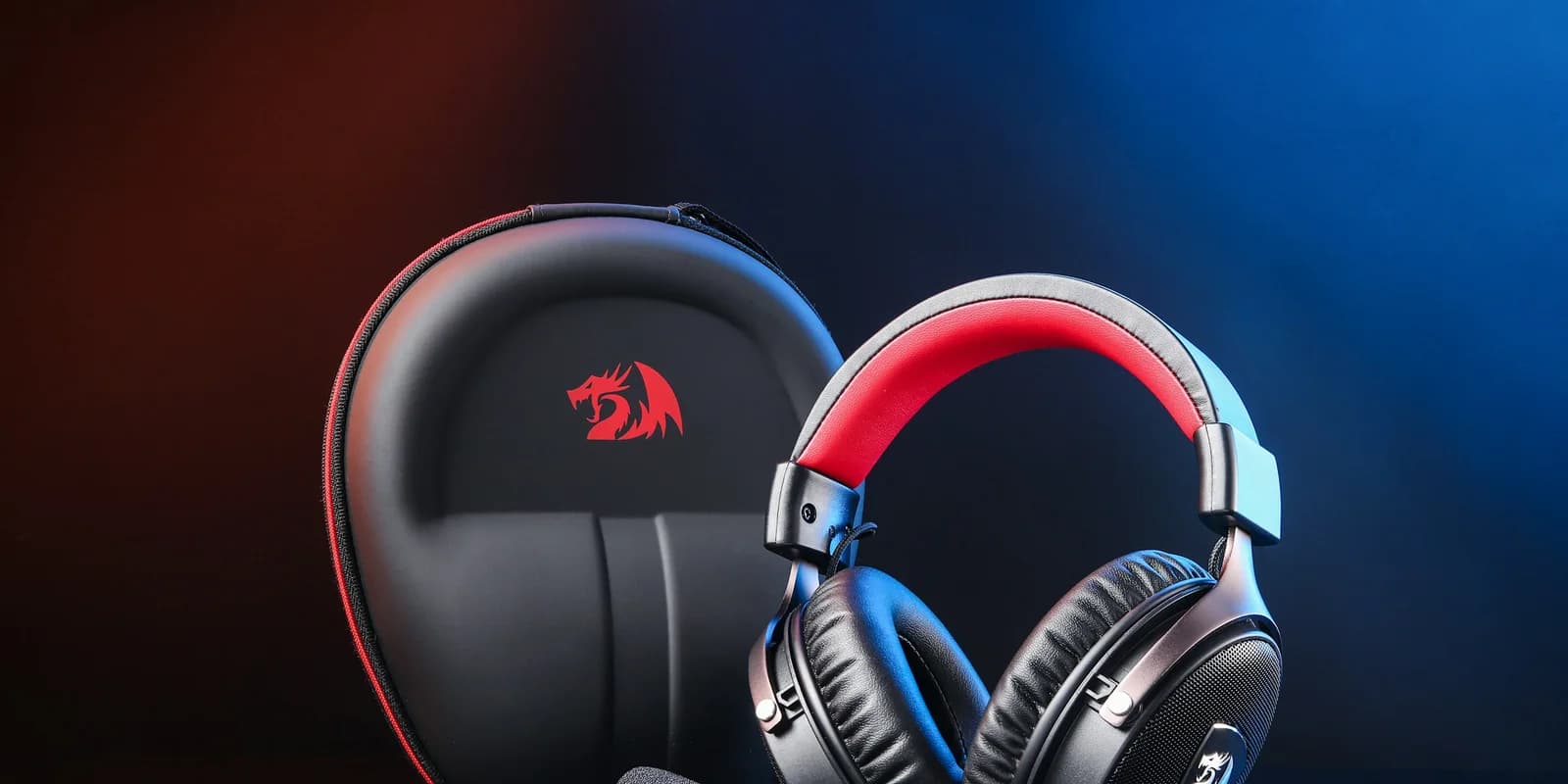
The SteelSeries Arctis Nova 7 Gen 2 is the better first-time buy, but it is not a necessary upgrade for everyone who already owns the original Nova 7. SteelSeries kept the same core sound, simultaneous 2.4GHz and Bluetooth mixing, steel-supported headband, and platform-specific 7/7P/7X lineup. The larger battery remains a useful difference, but mobile app support is no longer exclusive to Gen 2: SteelSeries added it to the original generation through a firmware update in January 2026.
Buy Gen 2 if the original model's 38-hour battery claim feels limiting and the price gap is modest. Keep Gen 1 if it still holds enough charge; update its firmware before assuming that phone controls require a new headset. The sound system itself is not a reason to replace a working headset.
This comparison is research-based. We have not completed long-term hands-on testing of both generations side by side. The recommendation is based on SteelSeries product documentation, its official generation comparison, previous US Amazon listing checks, and how the changes affect real buying decisions.
Not sure whether this control matters? Our headset sidetone guide explains how to set your own voice level and distinguish it from chat balance.
Quick answer
| Buyer | Better choice | Why |
|---|---|---|
| Buying a Nova 7 for the first time | Gen 2 | Longer claimed battery life is the main practical advantage |
| Owns Gen 1 and the battery is healthy | Keep Gen 1 | The core sound and simultaneous dual-wireless feature remain |
| Console player who wants phone controls | Either, with appropriate firmware | Gen 1 now supports the Companion app too |
| PC-only player who uses SteelSeries GG | Usually Gen 1 | Desktop software already covers the main tuning job |
| Clearance shopper | Gen 1, at the right discount | The old model is still sensible when it is clearly cheaper |
| Xbox player | 7X version of either generation | The base PC/PlayStation variants are not interchangeable with Xbox support |
The decision is less dramatic than the name suggests. Gen 2 is an iterative update with more claimed battery capacity, not a documented overhaul of the acoustic platform.
Nova 7 Gen 2 vs Gen 1 specifications
| Feature | Nova 7 Gen 2 | Original Nova 7 | What matters |
|---|---|---|---|
| Claimed battery life | 50+ hours; SteelSeries also describes 54 hours in launch material | 38 hours | Gen 2 should need charging less often |
| Fast charge claim | 6 hours from 15 minutes | 6 hours from 15 minutes | No meaningful reason to upgrade here |
| Mobile controls | Arctis Companion app | Companion app after the supported firmware update | Do not upgrade only for app access |
| Software setup | Companion app plus desktop GG | GG firmware update enables Companion app | Confirm setup before paying for a replacement |
| 2.4GHz + Bluetooth | Simultaneous audio mixing | Simultaneous audio mixing | The headline Nova 7 feature is unchanged |
| Drivers | Neodymium Magnetic Drivers | Neodymium Magnetic Drivers | SteelSeries says the core Nova sound remains |
| Construction | Steel support and elastic suspension band | Steel support and elastic suspension band | Do not expect a major fit redesign |
| Platform versions | 7, 7P, and 7X | 7, 7P, and 7X | Buy the correct suffix for your system |
| Colours | Black, white, and magenta | Colour selection varies by remaining stock | Cosmetic only |
What actually changed?
1. The battery is larger
SteelSeries rates the original Nova 7 at 38 hours. The Gen 2 product page uses a 50-plus-hour claim, while its launch announcement specifies 54 hours and calls that roughly 40% more battery than the previous generation.
Those are manufacturer claims, not our lab measurements. Volume, Bluetooth use, microphone activity, distance, and battery age all change actual runtime. The useful conclusion is simply that Gen 2 provides more margin. It is less likely to need a charge in the middle of a long weekend or a mixed work-and-gaming week.
This alone rarely justifies replacing a healthy Gen 1. Thirty-eight claimed hours is already enough for many setups, and both generations support the same claimed six hours of play from a 15-minute charge. The bigger battery matters most to forgetful chargers and people who travel with the headset.
2. Mobile controls now work on both generations
The original Nova 7, 7P and 7X gained Companion support in the January 2026 GG update. SteelSeries' feature-specific instructions require a firmware update through GG on Windows. Buying Gen 2 solely to change headset settings from a phone no longer makes sense.
Already own the original and cannot connect it? Our Nova 7 Companion app setup guide separates the firmware update, phone Bluetooth pairing and app permission checks.
Gen 2 still supports the app, but that feature is no longer a reason to dismiss Gen 1. Choose between generations using battery condition, the price gap and your platform requirements.
3. The core headset is deliberately familiar
SteelSeries' own support comparison says the core Nova Acoustic System and dual-wireless connectivity remain. Both generations mix game audio from the low-latency 2.4GHz dongle with phone audio over Bluetooth. Both use the suspended headband design and on-ear controls that define the Nova 7 family.
That makes the upgrade easy to judge: do not buy Gen 2 expecting a night-and-day sound change. The manufacturer frames the update around control and battery life, not a different driver platform.
What stayed the same?
Simultaneous game and phone audio
Both generations can play two sources at once: game audio through the USB-C 2.4GHz dongle and music, calls, or another app through Bluetooth. This is different from headsets that merely switch between Bluetooth and dongle modes.
There is one limitation worth knowing. SteelSeries says the microphone cannot transmit to both sources at once. When you take a Bluetooth call, the mic follows that call rather than talking to both the call and game chat simultaneously.
If simultaneous audio mixing is why you want a Nova 7, the original already does it. Gen 2 does not unlock that feature; it preserves it.
Drivers and general sound platform
Both use SteelSeries' neodymium magnetic driver platform. SteelSeries describes Gen 2 as retaining the same core Nova sound. Without side-by-side measurements, we would not claim they sound identical in every condition, but there is no documented driver overhaul that makes the original obsolete.
For a current comparison against a long-battery alternative, read our SteelSeries Arctis Nova 7 vs HyperX Cloud III Wireless guide. The practical split remains simultaneous audio and software flexibility against the HyperX battery-first approach.
Fast charging
Both generations carry the same six-hours-from-15-minutes fast-charge claim. Gen 2 lasts longer from a full charge, but it does not turn a short top-up into dramatically more play time.
Who should buy the Nova 7 Gen 2?
Buy Gen 2 if:
- this is your first Nova 7
- you use the headset across console, PC, handheld, and phone
- you dislike charging and want the larger claimed battery
- the price gap to remaining Gen 1 stock is modest
The strongest case is a new buyer who needs simultaneous Bluetooth and values longer time between charges. An existing Gen 1 owner already has the simultaneous-audio feature and can now add phone controls through the supported update.
SteelSeries Arctis Nova 7 Wireless Gen 2
Buy Gen 2 for the larger claimed battery; both generations now support mobile controls.
Why it works
- 50+ hour manufacturer battery claim
- Arctis Companion app controls
- Simultaneous 2.4GHz and Bluetooth audio
Main trade-off
- Incremental upgrade for existing owners
- Exact 7/7P/7X variant still matters
- No hands-on battery result from SolderMag
Who should keep or buy Gen 1?
Keep Gen 1 if:
- its battery still covers your normal week
- you use one EQ profile and rarely touch it
- your headset mainly stays on a PC with SteelSeries GG available
- you already have the correct platform variant
- replacing it would cost much more than the convenience gains are worth
Buying Gen 1 new is a narrower decision. It makes sense as clearance stock when it is meaningfully cheaper than Gen 2 and the seller is reputable. We would favour Gen 2 at a small price gap for its larger claimed battery. Do not assume the original lacks phone controls or predict a longer software-support period without a published commitment.

SteelSeries Arctis Nova 7 Wireless (Gen 1)
Worth considering at a meaningful discount if its shorter battery claim fits your routine.
Why it works
- Same core dual-wireless idea
- 38-hour manufacturer battery claim
- Mature desktop software support
Main trade-off
- Firmware update needed for Companion app
- Shorter claimed battery life
- Old stock may be priced too close to Gen 2
Who should skip both?
Skip both if you only need one wireless source and care more about price or battery life than simultaneous mixing. The SteelSeries Arctis Nova 3 Wireless vs HyperX Cloud III S Wireless comparison covers two cheaper current approaches. Both let you use 2.4GHz and Bluetooth, but they switch between modes rather than mixing game and phone audio at the same time.
Also skip the standard Nova 7 or 7P if Xbox wireless support is required. Check the 7X version and the exact retailer title before buying. The suffix is not cosmetic.
Is Gen 2 worth the extra money?
For a new buyer, usually yes when the price gap is small and you value the extra claimed runtime. Mobile tuning no longer distinguishes the generations once an original headset has the supported firmware.
For an existing Gen 1 owner, usually no. Gen 2 has the larger battery, but mobile controls are now available on the original, and the essential audio platform and simultaneous connection behavior remain. Upgrade when your battery has aged, your platform needs have changed, or the old headset has another problem—not because the box says Gen 2.
Use a percentage rule instead of chasing a volatile price. If Gen 1 is roughly 25% or more cheaper from a trustworthy seller, it remains worth considering. If the gap is closer than that, Gen 2's larger claimed battery is the more useful extra. Check current prices rather than relying on a fixed dollar figure.
Alternatives to consider
SteelSeries Arctis Nova 5 Wireless: Choose this if you want the Companion app, lower weight, and quick switching but do not need simultaneous game and phone audio. Our Nova 7 Gen 2 vs Nova 5 Wireless comparison covers the current in-brand value decision.
SteelSeries Arctis Nova 3 Wireless: Choose this if lower weight and price matter more than simultaneous audio. It switches between Bluetooth and 2.4GHz instead of mixing them.
HyperX Cloud III S Wireless: Choose this if the main goal is very long claimed battery life and the familiar HyperX fit. It supports both wireless modes, but not the same simultaneous-mixing use case.
Our Nova 7 Gen 2 vs Cloud III S Wireless comparison covers that exact current-model decision, including Xbox compatibility and the limits of each manufacturer's battery claim.
Original HyperX Cloud III Wireless: Consider it only as a clear-value 2.4GHz-only option. Our Cloud III Wireless vs Cloud III S Wireless comparison explains why the newer S model is the more flexible buy.
For a wider shortlist, start with our best gaming headsets guide.
If you are no longer comparing generations, our standalone Nova 7 Gen 2 review covers the current model's fit, app, wireless behavior, and alternatives.
Frequently asked questions
Does Arctis Nova 7 Gen 2 sound better than Gen 1?
SteelSeries says Gen 2 keeps the same core Nova Acoustic System and positions the update around mobile app support, battery life, and colours. We have not measured both generations side by side, so we would not promise an audible upgrade.
Can both Nova 7 generations use Bluetooth and 2.4GHz at the same time?
Yes. Both generations support simultaneous game audio through the 2.4GHz dongle and phone audio through Bluetooth. The microphone cannot send to both sources at the same time.
Does Gen 1 work with the Arctis Companion app?
Yes, after the supported firmware update. SteelSeries added original-generation support in January 2026. Start with our Nova 7 Companion app connection guide if the app cannot find yours.
Is the Nova 7X different from the Nova 7 and 7P?
Yes. The 7X is the Xbox-oriented variant. The standard 7 is PC-oriented and the 7P is PlayStation-oriented. Compatibility and some on-headset controls differ, so match the exact suffix to your primary platform.
Should I replace a working Nova 7 Gen 1?
Not just for sound. Keep it if the battery remains healthy and the headset meets your needs. Gen 2 is more compelling when you need longer runtime or a replacement anyway.
Final recommendation
Buy the Arctis Nova 7 Gen 2 if this is your first Nova 7. It keeps the reason to choose this family—simultaneous game and phone audio—with a larger claimed battery. Compare the price gap before ruling out discounted Gen 1 stock.
Keep the original Nova 7 if you already own it and it works. Try the firmware update for phone controls before replacing it; a larger battery does not make the original sound platform obsolete.
Sources
-
SteelSeries GG 103 release notes for original-generation Companion support added in January 2026; this supersedes the app distinction in older launch material.
-
SteelSeries official Nova 7 and Nova 7 Gen 2 differences
-
SteelSeries official Arctis Nova 7 Gen 2 product page
-
SteelSeries official Arctis Nova 7 Gen 2 launch details
-
SteelSeries official original Arctis Nova 7 product page
-
SteelSeries support on simultaneous Bluetooth and 2.4GHz behavior
-
Amazon US product-page checks for Gen 2 (
B0FRNR8Y11) and Gen 1 (B0B15QM5LL) using the configured SolderMag Associate tag.
As an Amazon Associate I earn from qualifying purchases.