The Complete Personal Storage Guide (2026): NVMe, External SSDs, HDDs, and NAS
Internal NVMe, portable USB4 SSDs, 8TB external HDDs, home NAS — the modern personal storage stack has four distinct roles. Here is the full SolderMag map, with picks for every tier.
Editorial evidence review
Recommendations are checked against product documentation, availability, comparative evidence, and clearly disclosed hands-on work where it exists.
On this page
- The storage hierarchy — speed × cost
- Internal NVMe — the primary drive
- External SSDs — portable fast storage
- External HDDs — bulk storage that's still relevant
- NAS — shared storage over the network
- Which tiers do you actually need?
- Common mistakes to avoid
- Backup strategy — 3-2-1
- Sources and methodology
- The full SolderMag storage stack
The personal storage stack in 2026 isn't "a hard drive." It's four different tiers with four different roles:
- Internal NVMe for the primary OS + active projects.
- Portable USB4 SSD for travel / project-of-the-week / external boot.
- Large external HDD for bulk media + photo archive.
- NAS for network-accessible backups + shared storage.
Most home setups need at least two of these. Most people buy all four wrong.
The storage hierarchy — speed × cost
These are rough interface and sequential-transfer orientation figures, not guaranteed file-copy results or a price ranking. Exact drives, capacity, host support, cache, thermals and workload matter; many small files behave differently from a sequential benchmark.
- Internal NVMe (PCIe 5.0): up to roughly 14–15 GB/s reads on current flagships. Premium only; overkill for most use.
- Internal NVMe (PCIe 4.0): 5–7 GB/s reads. The modern default.
- USB4 / Thunderbolt 4 external: 2–3 GB/s reads. Excellent portable performance.
- USB 3.2 Gen 2x2 external (20 Gbps): 1.5–2 GB/s. Mid-tier portable.
- USB 3.2 Gen 2 external (10 Gbps): ~1 GB/s. Most budget portables.
- Spinning HDD (external): 200–250 MB/s. Bulk storage only.
- NAS over Gigabit LAN: 125 MB/s is the raw link ceiling before overhead; usable file throughput is lower. The network can be the limit, but disks, configuration and workload also matter.
- NAS over 2.5/10 Gigabit LAN: 300 MB/s – 1 GB/s+.
Internal NVMe — the primary drive
Start with our best 2TB NVMe SSDs if value matters most. For larger libraries, compare the best 4TB NVMe SSDs and read the TEAMGROUP MP44 4TB review before assuming the similarly named MP44Q is the same drive. Our Samsung 990 PRO vs WD Black SN850X comparison covers premium Gen4; the Samsung 9100 PRO vs SanDisk Optimus GX PRO 8100 guide covers the Gen5 flagship decision.
Use those buying guides for model selection, then compare the current price of the exact capacity. Choose capacity around your active files, installed applications and room for growth; do not assume 2TB or 4TB always has the better cost per gigabyte.
External SSDs — portable fast storage
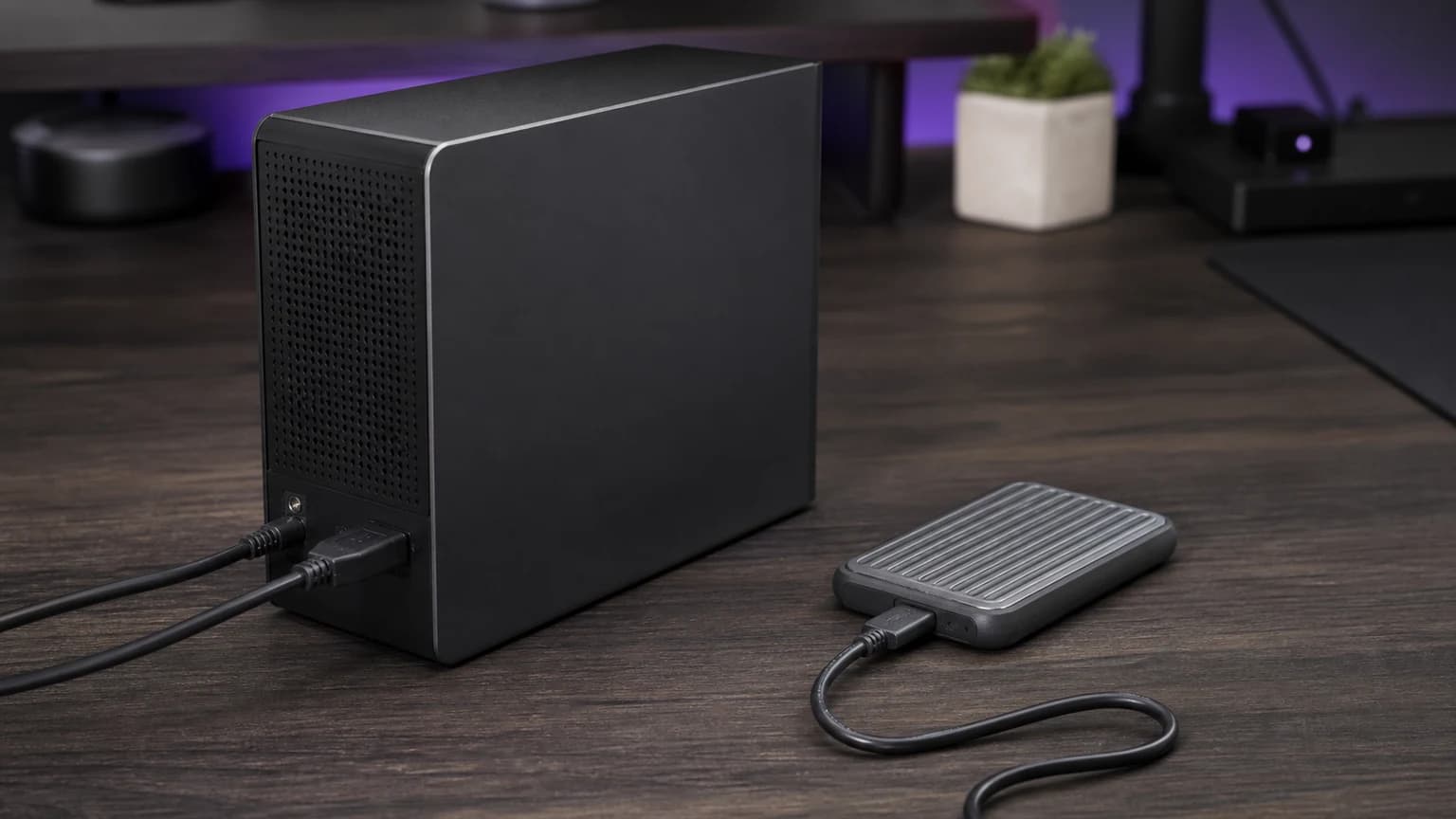
For when you need to move data or boot off external. See Best External SSDs 2TB (2026) and Best USB4 NVMe Enclosures (2026).
Before moving files, choose the external SSD format for your computers and applications. A Mac/Windows transfer drive has different requirements from a Time Machine disk or a Photos library.
Use the external SSD guide for model selection. For a specific 20Gbps example, read the Samsung T9 2TB review before assuming a USB-C or Thunderbolt port unlocks its full speed tier. Match the interface to your host and check the exact model’s durability claims instead of treating a rugged label as a guarantee.
DIY route (NVMe + enclosure):
- Pair a suitable NVMe SSD with a compatible USB4 enclosure when you want a replaceable drive and enclosure. Compare the complete live cost, sustained-workload evidence, host support, and thermals rather than assuming the DIY route is always cheaper or faster.
External HDDs — bulk storage that's still relevant
For photo/video archives, media libraries and backups where capacity matters more than fast random access. See Best External Hard Drives 8TB (2026).
Compare the current total price and cost per terabyte at the capacity you need. Check whether the selected model needs external power and how you will store the backup. Do not buy an external enclosure solely to extract its drive: confirm the internal hardware, interface and warranty implications rather than assuming a saving.
NAS — shared storage over the network
Network-attached storage lets multiple devices read/write to the same pool, supports RAID for drive failures, and serves as your home-wide backup target.
See Best NAS Drives (2026), How to Set Up NAS for Beginners, How to Build a Home Server, and Home Server Guide.
- Ready-made NAS (easy): Synology DS224+ (review: Synology DS224+ Review) or QNAP TS-264. See Synology DS224+ vs QNAP TS-264.
- DIY NAS (more configuration work): TrueNAS on a mini PC, or unRAID on a custom build.
- Drives: WD Red Plus, Seagate IronWolf — both designed for 24/7 NAS duty.
If you are deciding whether storage should stay attached to one computer or move to the network, this page is the hub. Start with external SSD/HDD picks for individual machines, then step up to NAS once multiple people, automated backups, or media serving enter the picture.
Which tiers do you actually need?
These are example capacity layouts, not purchase lists or complete backup plans. Adjust them to your stored data and include the cost of backup capacity, enclosures and any software.
Laptop-only user: 1TB–2TB internal NVMe + 1TB external SSD for overflow.
Creative pro with camera/video or illustration work: 2TB internal NVMe + 4TB external SSD for active projects + 8TB external HDD for archive. If your workflow includes retouching or digital art, pair the storage plan with the right drawing tablet.
Home with multiple users / media server: 2TB internal NVMe per machine + 2-bay NAS (2× 8TB drives in RAID 1) as central storage.
Prosumer with home lab: 2TB internal NVMe + DIY NAS (4-bay, 4× 12TB, RAID 6) + offsite backup.
Common mistakes to avoid
- Buying spinning HDDs for "primary" storage. OS on spinning disk is miserable in 2026.
- Buying an SSD without usable specifications or support. Check the exact capacity’s endurance rating, warranty terms and sustained-write evidence. A low price alone does not establish when a drive will throttle or fail. If you are trying to read reliability data before buying, start with our plain-English guide to SSD failure rates and Backblaze drive stats.
- Keeping the only backup beside the working files. An external SSD can be a backup destination: Apple supports directly connected USB and Thunderbolt storage for Time Machine. Use a separate device from the source, check the backup software’s requirements and keep another copy away from the same location. NAS and cloud also need a deliberate backup plan.
- Assuming a two-bay NAS can grow without a replacement plan. Check the exact model, RAID layout, supported drives and expansion options before buying. Synology’s expansion guidance distinguishes adding drives to empty slots from replacing existing drives with larger ones. Expansion is not a universal promise attached to the word NAS.
- Not using RAID (or not understanding it). RAID 1 (mirror, 2 drives) protects against one-drive failure. RAID 0 (stripe, no parity) is not a backup. RAID is not a backup either — you still need offsite/cloud.
Backup strategy — 3-2-1
The gold standard:
- 3 copies of your data (original + 2 backups).
- 2 different media types (internal SSD + external HDD + NAS/cloud).
- 1 copy offsite (NAS at a friend's place, or cloud backup like Backblaze B2 or iDrive).
A fire or theft can affect every copy kept in the same place. When comparing an offsite or cloud service, check current pricing, which devices and external drives it covers, retention and the restore process before relying on it.
Sources and methodology
- Storage Networking Industry Association (SNIA) performance testing protocols.
- TBW (terabytes written) endurance specifications from manufacturer data sheets.
- Independent benchmarks from TweakTown, AnandTech, Tom's Hardware.
- Published independent testing across sustained-workload scenarios such as video editing, compile loops, and photo imports; SolderMag has not reproduced those benchmarks.
- Backblaze Drive Stats for reliability context, with the caveat that data-center drive fleets do not map perfectly to consumer SSD buying.
The full SolderMag storage stack
- Best 2TB NVMe SSDs (2026)
- Best External SSDs 2TB (2026)
- Best External Hard Drives 8TB (2026)
- Best USB4 NVMe Enclosures (2026)
- Best NAS Drives (2026)
- SSD Failure Rates and Backblaze Drive Stats (2026)
- Samsung 990 Pro vs WD SN850X
- Samsung 990 Pro Review
- Synology DS224+ Review
- Synology DS224+ vs QNAP TS-264
- How to Set Up NAS for Beginners
- How to Build a Home Server
- Home Server Guide