Best 4TB NVMe SSDs (2026): 4 Drives Worth Buying
Compare Samsung 990 PRO, WD SN850X, TEAMGROUP MP44 and Crucial T500 4TB SSDs. Check cooling, model variants and support before paying for extra speed.
Research-based buying guide
Recommendations are checked against product documentation, availability, comparative evidence, and clearly disclosed hands-on work where it exists.
Quick picks
The short answer, with the trade-off

Best gaming
WD Black SN850X 4TB

Best value
TEAMGROUP MP44 4TB

Only if clearly discounted
Crucial T500 4TB
On this page
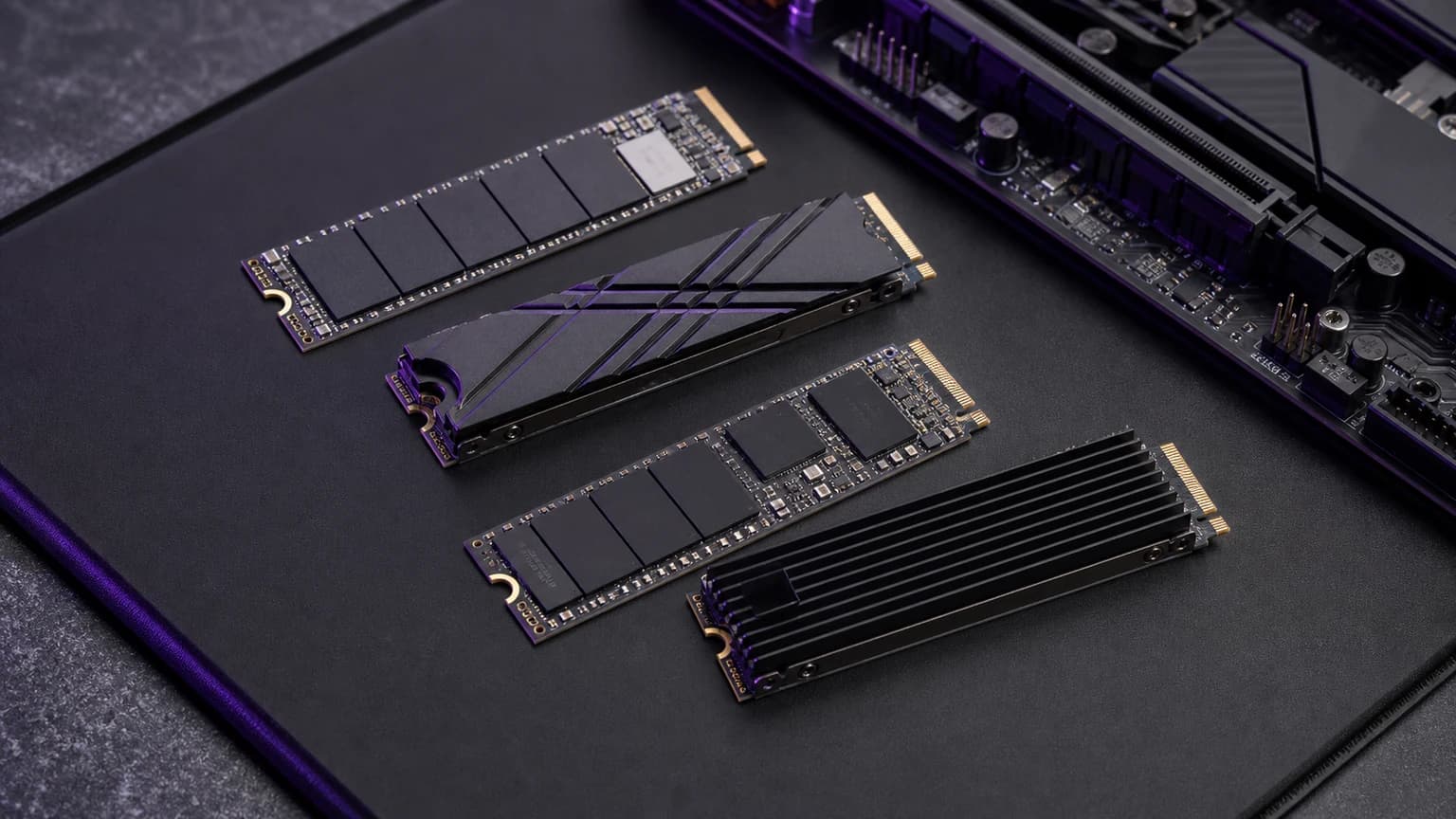
A 4TB NVMe SSD is the upgrade you buy when 2TB stops being enough for games, video projects, virtual machines, photo libraries, AI models, or a shared workstation. It is also where bad SSD decisions get expensive.
For most buyers, start with the Samsung 990 PRO 4TB for a premium main drive, the WD Black SN850X 4TB for a gaming-focused option, or the TEAMGROUP MP44 4TB when it is meaningfully cheaper. Treat the Crucial T500 4TB as a remaining-stock option rather than the default recommendation.
Peak read speed does not tell you how a drive handles a long write, fits your machine or gets warranty support. Check those separately before paying extra. This guide is research-based; SolderMag has not run matched sustained-write, thermal, game-load or durability tests on all four drives.
SolderMag Take: 4TB buyers should usually stay with proven PCIe 4.0
For most people, a mature PCIe 4.0 4TB SSD is still the smart buy in 2026. It is fast enough for games, OS work, creative projects, and PS5 upgrades, while avoiding the heat and price penalties that can come with high-end PCIe 5.0 drives.
Buy PCIe 5.0 only if your workload genuinely benefits from huge sequential transfers and your motherboard or laptop can cool it properly.
If 2TB is enough, our best 2TB NVMe SSDs guide remains the value sweet spot. If you are building a small server, see our best mini PCs for home server guide too.
Quick comparison
Scroll horizontally to compare all 5 columns →
| 4TB SSD | Published read/write | NAND disclosure | Endurance | Best reason to buy |
|---|---|---|---|---|
| Samsung 990 PRO | Up to 7,450/6,900MB/s | Samsung V-NAND | 2,400TBW | Premium main drive with Samsung Magician support |
| WD Black SN850X | Up to 7,300/6,600MB/s | WD TLC 3D NAND | 2,400TBW | Gaming or PS5; a factory-heatsink version is available |
| TEAMGROUP MP44 | Up to 7,000/6,000MB/s | Not stated on the current official sheet | 2,000TBW | Capacity-first value when the exact model is cheaper |
| Crucial T500 | Up to 7,000/6,900MB/s | Micron TLC | 2,400TBW | Remaining stock only when the price and return path are strong |
These are manufacturer ratings for the 4TB versions, not measured SolderMag results. Warranty coverage normally ends at the stated time or endurance limit, whichever comes first; verify the current regional terms before purchase.
Best 4TB NVMe SSD types
Samsung 990 PRO 4TB: best overall class
The Samsung 990 PRO 4TB is the easy high-end Gen4 reference point. Samsung lists bare-drive and heatsink configurations, plus Magician software support. Check the exact version against your system.
Consider it for a main PC drive when you value Samsung's management software. For PS5, check the cooling configuration before ordering. Those are reasons to shortlist it, not evidence that it fails less often than the alternatives.
Samsung 990 PRO 4TB
The sensible premium Gen4 pick for a main drive when the price gap over value models is acceptable.
WD Black SN850X 4TB: best gaming class
The WD Black SN850X 4TB is another top-tier PCIe 4.0 option. Shortlist it for a gaming PC when its price and cooling configuration suit your build. Its listed read speed is not a measured game-load advantage over the other drives here.
For PS5, choose a compatible factory-heatsink version or a bare drive with a separately verified cooling assembly. For a cramped desktop, measure clearance first: adding a taller cooler can create a fit problem.

WD Black SN850X 4TB
Choose the SN850X when gaming focus, a documented TLC design and a factory-heatsink option matter.
Teamgroup MP44 4TB: best value performance tier
The MP44 is where value-focused 4TB buyers should look when the discount over premium drives is meaningful. Independent reviews have identified TLC in reviewed MP44 configurations, but TEAMGROUP's current specification sheet does not promise a NAND type. Verify the exact TM8FPW004T0C101 part number and do not confuse it with the officially QLC MP44Q.
Choose it for a game library, general PC storage upgrade, or mixed-use drive where value matters. Our TEAMGROUP MP44 4TB review explains its NAND caveat and current 2,000TBW rating; the MP44 vs MP44L vs MP44Q comparison handles the naming trap across all three families.

TEAMGROUP MP44 4TB
Buy the exact MP44 4TB when it is meaningfully cheaper than premium Gen4 drives and you accept the NAND-disclosure caveat.
Crucial T500 4TB: remaining-stock caveat
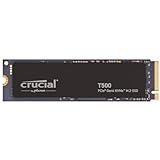
The Crucial T500 4TB only makes sense when remaining stock is meaningfully cheaper than a current alternative and the retailer gives you a strong return path. Micron ended new Crucial consumer shipments after February 2026 while promising continued warranty service; our guide explains the practical warranty and replacement-stock risk.
As always with creator workloads, check sustained-write behavior and thermals rather than relying only on peak read numbers.
Crucial T500 4TB
Consider remaining T500 stock only when it is clearly cheaper and the seller offers a strong return path.
Is the Crucial T500 4TB single-sided or double-sided?
For the broader fit check, use our single-sided versus double-sided SSD guide. It separates board layout, heatsink clearance and thermal-pad requirements before you order.
Crucial's official 4TB flyer identifies the bare model as CT4000T500SSD3 and lists dimensions of 3.15 × 0.86 × 0.09 inches, but it does not label the PCB as single-sided or double-sided. Do not infer laptop fit from a retailer photo or from the 1TB and 2TB versions.
If your laptop accepts only a single-sided M.2 drive, confirm the exact 4TB layout with the system maker and seller before ordering. The heatsink model, CT4000T500SSD5, is a different physical configuration and is not a laptop substitute. This is also a reason not to treat a search snippet that says “T500 4TB” as a complete compatibility check.
Gen4 vs Gen5 for 4TB SSDs
PCIe 5.0 SSDs can post much higher sequential numbers, but that does not automatically make them better for most buyers. They often run hotter, may need larger heatsinks, and can cost more per terabyte.
Choose Gen4 if:
- you are upgrading a gaming PC
- you need PS5 storage
- you want a reliable main drive
- your laptop or motherboard cooling is modest
- price per terabyte matters
Choose Gen5 if:
- you move huge files for work
- your system has proper M.2 cooling
- you know the workload benefits from the bandwidth
- you are comfortable paying more for the top end
If that describes your workload, our Samsung 9100 PRO vs SanDisk Optimus GX PRO 8100 comparison covers the current 4TB flagship trade-off, including cooling, software, rebranding, and endurance.
TLC vs QLC at 4TB
At 4TB, NAND type matters because the drive may hold large libraries and handle long writes. TLC is the safer pick for a main or work drive. QLC can be fine for cold storage or read-heavy game libraries, but it can slow down sharply once cache is exhausted.
Use TLC for:
- OS and application drives
- video editing scratch
- virtual machines
- game libraries with frequent updates
- large download and unpack workloads
Consider QLC only if:
- the price is much lower
- the drive is mostly read-heavy
- you have backups
- you understand sustained write limitations
Heat and heatsinks
Follow the host and SSD maker's cooling instructions. If your motherboard supplies an M.2 heatsink, check whether it is intended for a bare drive before buying a factory-heatsink model.
For PS5, Sony requires effective heat dissipation and limits the complete assembly's dimensions. The Amazon links above are not a guarantee of a PS5-ready cooling bundle. Use our PS5 SSD heatsink and fit checklist before choosing a bare drive or factory-heatsink variant. Sony's installation requirements are the compatibility reference.
Laptop upgrades are trickier. Some laptops support single-sided drives better than double-sided drives, and thermal pads may not contact the controller properly. Check the service manual before ordering.
4TB NVMe buying checklist
- Confirm your slot supports NVMe M.2 drives and the right physical length.
- Check whether the slot is PCIe 3.0, 4.0, or 5.0.
- Decide whether this is a main drive, game drive, scratch drive, or archive drive.
- Prefer TLC for main and work drives.
- Make sure you have a heatsink or airflow path.
- Buy from a reputable seller to reduce fake or swapped-drive risk.
- Update SSD firmware after installation.
- Keep backups; SSD size is not a backup strategy.
What to avoid
- Unknown 4TB drives with vague controller or NAND details.
- Too-cheap marketplace listings from sellers with weak return history.
- QLC drives marketed like workstation drives.
- PCIe 5.0 drives in systems that cannot cool them.
- PS5 installs without a proper heatsink.
- Using one giant SSD as the only copy of important files.
The verdict
The best 4TB NVMe SSD for most buyers is a proven PCIe 4.0 TLC drive. Start with the Samsung 990 PRO 4TB or WD Black SN850X 4TB if you want a premium main drive. Consider the TEAMGROUP MP44 for value-focused high-capacity storage, but do not treat reviewed TLC samples as a current manufacturer guarantee. Treat remaining Crucial T500 stock as a clearance buy, not the default creator pick.
Related reading: Best 2TB NVMe SSDs, Samsung 990 Pro vs WD SN850X, Best USB4 NVMe Enclosures, Complete Personal Storage Guide, and our guide to SSD failure rates and Backblaze drive stats.
Sources and methodology
We prioritize sustained performance, NAND type, thermals, firmware maturity, seller trust, warranty path, and system fit. Peak sequential read speed is useful context, but it is not enough to decide a 4TB SSD purchase. Product-specific figures are checked against current manufacturer documentation:
- Samsung 990 PRO 4TB specifications
- WD Black SN850X 4TB product specifications
- TEAMGROUP MP44 4TB product specifications
- Crucial T500 product flyer
As an Amazon Associate I earn from qualifying purchases.