Best NAS for Plex (2026): Media Servers That Transcode Reliably
The best NAS devices for Plex in 2026, including 2-bay and 4-bay picks for direct play, hardware transcoding, 4K libraries, and Docker users.
Editorial evidence review
Recommendations are checked against product documentation, availability, comparative evidence, and clearly disclosed hands-on work where it exists.
Quick picks
The short answer, with the trade-offBest 2-bay hardware
QNAP TS-264
Best 4-bay Plex NAS
Synology DS423+ / DS923+ class
Best power-user alternative
UGREEN NASync DXP4800 Plus
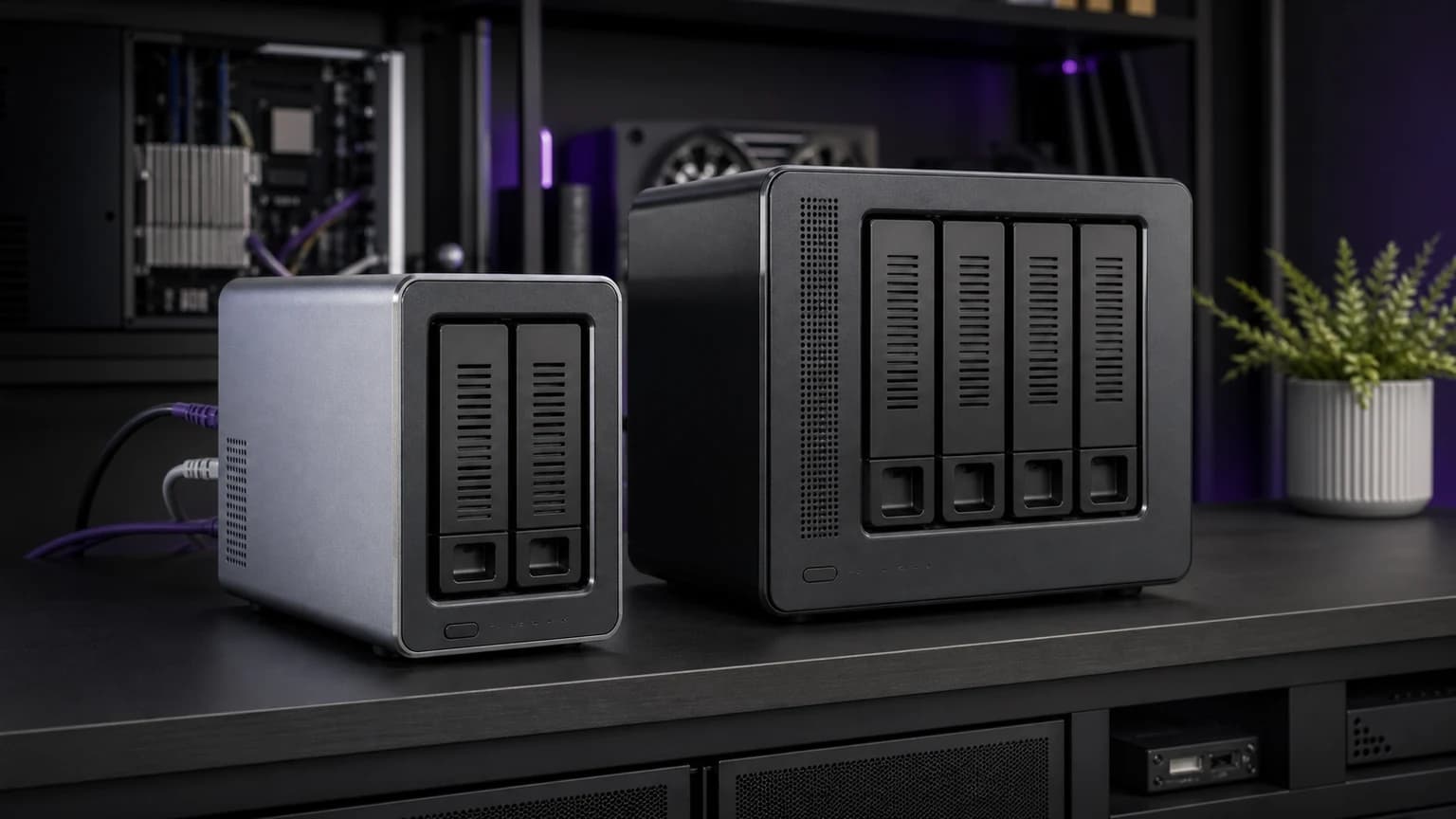
Plex changes the NAS buying decision. A basic NAS can store media files, but a Plex NAS needs enough CPU, memory, network bandwidth, and app support to serve those files reliably. The biggest question is whether your clients can direct play the files or whether the NAS has to transcode them.
If you are new to network storage, start with how to set up a NAS for beginners. If you want a broader storage comparison, read our best NAS drives guide. This page is specifically for Plex and media-server buying intent.
Product availability and model families were checked in May 2026. NAS listings often vary by diskless bundles and drive-included kits, so compare carefully before buying.
SolderMag Take: direct play first, transcoding second
The best Plex setup is one that rarely transcodes. Direct play means the client device can handle the file as-is. Transcoding means the server has to convert video or audio on the fly, which is much harder.
Before buying a NAS, ask:
- Are most clients Apple TV, Nvidia Shield, modern smart TVs, or phones?
- Are your files 1080p, 4K SDR, or 4K HDR?
- Do you need remote streaming outside the house?
- Will subtitles force transcoding?
- Do you want Docker apps beyond Plex?
For most homes, a good 2-bay Intel-based NAS is enough. For large 4K libraries, many users are better served by a NAS for storage plus a separate mini PC for Plex. Our home server guide covers that split.
Best for most people: Synology DS224+
The Synology DS224+ is the easiest Plex NAS to recommend to normal users because Synology's software is polished, setup is straightforward, and the Intel Celeron platform can handle common Plex needs when configured sensibly.
It is best for 1080p libraries, direct-play 4K, family media storage, and users who value reliability over tinkering. It is not the box we would buy for heavy simultaneous 4K transcoding, but that is not what most homes need.
Best 2-bay hardware: QNAP TS-264
The QNAP TS-264 is the stronger hardware pick in the 2-bay class. It typically offers more RAM, a stronger Intel CPU, 2.5GbE networking, HDMI output, and NVMe slots. For Plex users who care about hardware headroom, it is compelling.
The tradeoff is software. QNAP's interface can feel busier than Synology DSM, and security hygiene matters. Keep it updated, avoid exposing admin services to the public internet, and use remote access carefully.
For a direct comparison, see Synology DS224+ vs QNAP TS-264.
Best 4-bay Plex NAS: Synology DS423+ / DS923+ class
A 4-bay NAS makes sense when your library is large enough that two drives feel limiting. More bays give you better RAID flexibility, easier expansion planning, and more room for high-capacity drives.
The model choice depends on your transcoding needs. Some Synology models use Intel chips with integrated graphics, while others use AMD embedded chips without the same hardware-transcoding profile. Check Plex support and your media workflow before buying.
If you want the Synology software experience and primarily direct play, a 4-bay Synology is excellent. If you need heavy transcoding, compare the CPU carefully or consider a separate Plex server.
Best power-user alternative: UGREEN NASync DXP4800 Plus
UGREEN's NASync line is interesting because the hardware can be very strong for the price: modern Intel CPUs, fast networking, NVMe support, and generous memory options depending on model. That makes it attractive for Plex and Docker users.
The caution is software maturity. Synology and QNAP have years of NAS operating-system polish. UGREEN is newer in this category. Power users may like the hardware value. Beginners should weigh whether they want to be early in that ecosystem.
Plex features that matter
Hardware transcoding
If you need transcoding, look for CPUs and platforms known to work with Plex hardware acceleration. Also check Plex Pass requirements for hardware transcoding features.
RAM
Plex itself does not need enormous RAM for basic use, but Docker, thumbnails, indexing, and other services add up. 4GB is a practical floor. 8GB or more is better for power users.
Networking
Gigabit Ethernet is enough for many direct-play streams, but 2.5GbE is useful for large file transfers and multi-user homes. Wi-Fi clients still depend on your router and mesh quality. See best Wi-Fi 7 mesh systems if your playback issues are network-related.
Drive bays
Two bays are fine for small libraries. Four bays are better for growth. Do not forget backup. RAID is not backup. Keep important media, photos, and documents backed up elsewhere.
Direct play setup tips
Use client devices that support your file formats. Apple TV, Nvidia Shield, modern Roku, and current smart TVs can reduce server workload dramatically. Avoid forced subtitle formats that trigger transcoding. Keep 4K HDR files local when possible if your upload speed is weak.
The verdict
Synology DS224+ is the best Plex NAS for most people because it is simple and reliable. QNAP TS-264 is the better hardware value in a 2-bay box. Four-bay Synology models make sense for growing libraries. UGREEN NASync is the interesting power-user wildcard if you are comfortable with a newer software ecosystem.
Related reading: Best NAS for Home, Synology DS224+ Review, How to Build a Home Server, and Complete Personal Storage Guide.