Edifier MR4 vs R1280DBs: Balanced Inputs or Bluetooth?
MR4 for balanced inputs and headphones; R1280DBs for Bluetooth, optical and a subwoofer. Compare desk fit, controls and the extras worth paying for.
Editorial evidence review
How we evaluateQuick picks
The short answer, with the trade-off
Best for a wired creator desk
Edifier MR4
Balanced TRS inputs for interfaces
Trade-off: No Bluetooth or optical input

Best for mixed sources and a subwoofer
Edifier R1280DBs
Trade-off: No balanced TRS input
On this page
- Quick comparison
- The short answer: choose the input path first
- Who should buy the Edifier MR4?
- Who should buy the Edifier R1280DBs?
- Inputs: MR4 for an interface, R1280DBs for everything else
- Controls: arm's reach versus room use
- Monitor mode does not turn the MR4 into a measurement instrument
- Subwoofer upgrades: R1280DBs is simpler
- Desk space and placement
- Price and value
- Alternatives
- FAQ
- Final recommendation
- Sources and methodology
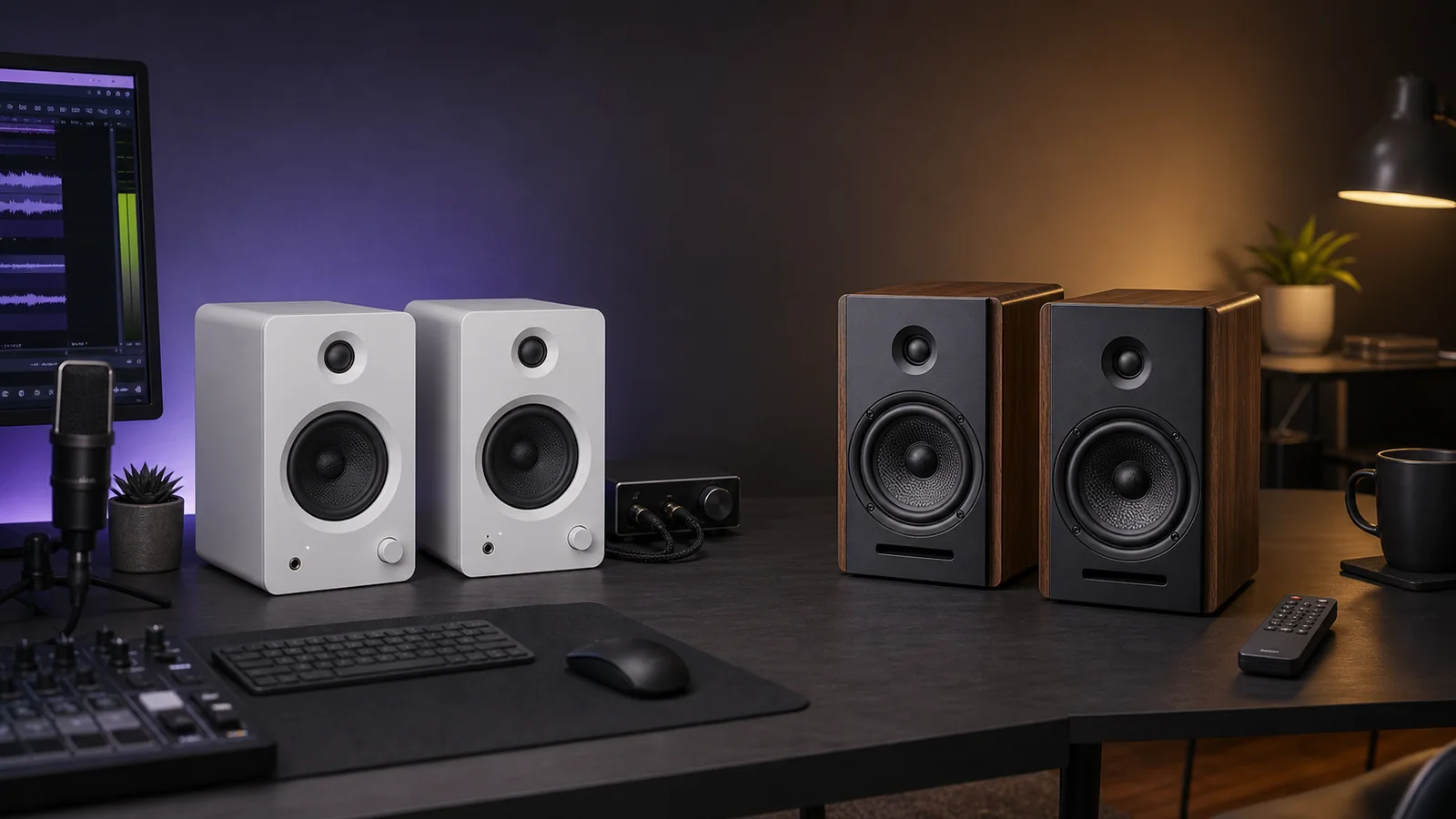
Buy the Edifier MR4 for a wired desk built around a computer or audio interface. Its balanced TRS inputs, front headphone socket, front volume control, and switchable monitor/music modes are more useful for recording, editing, and close-range listening.
Buy the Edifier R1280DBs for a mixed-use setup. Bluetooth, optical and coaxial inputs, a remote, tone controls, and a subwoofer output make it easier to share between a computer, TV, phone, and other sources.
Model-name warning: this page covers the R1280DBs, which has Bluetooth and a subwoofer output—not the older R1280DB. Check the suffix before buying.
Neither is the automatic sound-quality winner. Edifier publishes the same 42W total RMS figure for both, but the driver, cabinet, input, and tuning differences make that number a poor shortcut. We have not completed a controlled side-by-side listening test, so this comparison is based on current specifications, manuals, exact product identity, and buyer-fit analysis.
Quick comparison
| Decision | Edifier MR4 | Edifier R1280DBs | Better fit |
|---|---|---|---|
| Main job | Nearfield monitoring and wired desktop audio | General listening across several sources | Depends on the system |
| Published power | 21W + 21W RMS | 21W + 21W RMS | Tie on paper only |
| Main drivers | 4-inch woofer, 1-inch tweeter | 4-inch mid-bass driver, 0.5-inch tweeter | Do not infer a sound winner from size alone |
| Published response | 60Hz–20kHz | 51Hz–20kHz | R1280DBs claims the lower extension |
| Wired inputs | Balanced TRS, RCA, front 3.5mm AUX | Two line-level inputs, optical, coaxial | MR4 for an interface; R1280DBs for varied devices |
| Wireless | None | Bluetooth | R1280DBs |
| Headphone output | Front-mounted | None listed | MR4 |
| Subwoofer output | None listed | Yes | R1280DBs |
| Controls | Front volume/input knob; rear high/low trim | Side volume, bass, and treble controls; remote | MR4 at arm's reach; R1280DBs from across a room |
| Cabinet size | 140 × 228 × 197.5mm powered speaker | 146 × 234 × 196mm per speaker | MR4 is slightly narrower and shorter |
| USB audio | No | No | Neither |
The short answer: choose the input path first
These speakers sit close enough in size and published power that a specification-sheet comparison can make them look interchangeable. They are not.
The MR4 expects a wired source. Its balanced 6.35mm TRS inputs suit an audio interface or mixer, while RCA and front AUX cover ordinary consumer devices. The front headphone socket also makes sense on a working desk where speakers and headphones are swapped regularly.
The R1280DBs is a compact powered bookshelf system with a broader source list. Optical can take digital audio from a TV, monitor, console setup, or compatible computer. Coaxial covers older digital gear. Bluetooth handles a phone without another cable. A remote and subwoofer output make more sense when the speakers are used beyond arm's reach.
If you only need a good stereo pair for a PC, the MR4 is the cleaner choice. If the speakers need to serve a PC at noon and a television at night, the R1280DBs is easier to live with.
For the actual PC-to-speaker wiring, our balanced vs unbalanced cable guide explains when AUX or RCA is enough and when an interface needs two TRS cables.
Already own speakers and hear noise from the PC? Use our speaker hum and buzz checks to isolate the source path before treating either model as a fix.
Who should buy the Edifier MR4?
Buy the MR4 if:
- your computer or audio interface is the main source
- you need balanced TRS inputs
- a front headphone socket saves daily cable swapping
- you want volume control within easy reach
- you want a monitor-style mode for editing and a separate music mode for casual listening
- you can accept a completely wired setup
Skip the MR4 if:
- you need Bluetooth
- you want optical input from a television or monitor
- you plan to add a subwoofer without buying extra routing hardware
- you want a remote
- you expect USB-C audio directly from a laptop
Edifier MR4
Why it works
- Balanced TRS inputs for interfaces
- Front headphone and AUX ports
- Monitor and music modes
Main trade-off
- No Bluetooth or optical input
- No dedicated subwoofer output listed
- No direct USB audio
Who should buy the Edifier R1280DBs?
Buy the R1280DBs if:
- several devices must share one speaker pair
- Bluetooth is genuinely useful
- a TV, monitor, or console setup needs optical input
- you want bass and treble controls without opening software
- you adjust volume from a chair or sofa
- a powered subwoofer is a likely later upgrade
Skip the R1280DBs if:
- balanced audio-interface inputs matter
- you need a front headphone output
- the speakers will sit within arm's reach and never leave a computer
- you want the narrowest cabinet of the two
- you expect USB audio
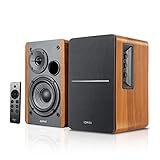
Edifier R1280DBs
Why it works
- Bluetooth plus optical and coaxial inputs
- Remote and physical tone controls
- Dedicated subwoofer output
Main trade-off
- No balanced TRS input
- No front headphone socket listed
- Slightly larger cabinet
Inputs: MR4 for an interface, R1280DBs for everything else
This is the difference most buyers should use.
The MR4 has balanced TRS inputs with a nominal +4dBu sensitivity. That is the useful connection for a desktop audio interface because balanced cabling can reject electrical noise over the cable run. It also has unbalanced RCA and front 3.5mm AUX inputs at consumer line level.
Balanced inputs do not make every source sound better. A short RCA cable from a quiet computer output can work perfectly well. The advantage is system compatibility and noise resistance, particularly when the desk also has a desktop PC, powered USB devices, monitor cables, and recording equipment.
The R1280DBs drops balanced TRS but adds the consumer connections the MR4 lacks:
- Bluetooth for phones and tablets
- optical and coaxial digital inputs
- two analog line inputs
Optical is especially useful when a computer's analog output is noisy or when a television is part of the system. It keeps the digital-to-analog conversion inside the powered speaker. That is a connection advantage, not evidence that the R1280DBs sounds better.
Neither speaker accepts USB audio directly. A laptop with only USB-C ports needs a compatible adapter, dock, audio interface, or USB DAC. Check that cost before treating either model as a one-cable desktop solution.
If your desk already uses a Thunderbolt or USB4 dock, confirm whether it exposes a clean analog output. A small interface may be the more predictable MR4 source. Optical can be the easier R1280DBs route when the display or computer supports it.
Controls: arm's reach versus room use
The MR4 puts its main multifunction knob on the front of the powered speaker. The same area includes AUX and headphone sockets. That layout is practical when the speakers sit beside a monitor and get adjusted several times per day.
Edifier also gives the MR4 rear high- and low-frequency trim controls. Treat them as setup adjustments, not a substitute for correcting a bad room or bad placement. A speaker pushed into a corner can produce excess bass that a small trim cannot fully solve.
The R1280DBs uses side-mounted volume, bass, and treble controls plus a wireless remote. That is better when the speakers also serve a TV, or when the powered cabinet is not within comfortable reach. The remote handles everyday control without turning a bookshelf speaker into a desktop obstacle course.
Neither approach is universally better. At a production desk, the MR4's front access wins. Across a small room, the R1280DBs remote is the feature that matters.
Monitor mode does not turn the MR4 into a measurement instrument
Edifier positions the MR4 as a powered studio monitor and provides separate monitor and music modes. The published design includes a 4-inch woofer, 1-inch tweeter, MDF cabinet, DSP processing, and a stated 60Hz–20kHz response.
That makes the MR4 the more appropriate starting point for basic recording, video editing, podcast work, and music production. It does not guarantee ruler-flat response at your ears. Desk reflections, wall distance, listening height, room modes, unit variation, and level all change what arrives at the listening position.
For serious mixing, check placement and the room response before assuming a different speaker pair will fix the problem. Stands change height and position; isolation supports address mechanical coupling. Neither establishes that the resulting response is accurate without checking it.
The R1280DBs is built around general listening convenience. Its published 51Hz lower limit is deeper than the MR4's 60Hz figure, but those manufacturer response ranges do not include a shared tolerance or measurement method. They cannot support a fair claim that one speaker has better bass.
The honest conclusion is narrower: the MR4 provides creator-oriented inputs and modes; the R1280DBs provides a lower published extension, tone controls, and an explicit subwoofer path.
Subwoofer upgrades: R1280DBs is simpler
The R1280DBs has a dedicated subwoofer output. Edifier describes it as an automatically detected output with a built-in crossover. That makes it the more straightforward base for a 2.1 system.
The MR4 does not list a subwoofer output. Adding a sub can still be possible, but the signal must be split or routed through an interface, monitor controller, or subwoofer with suitable pass-through connections. That is extra hardware and extra setup. Our subwoofer connection guide explains the signal route and why the MR4 volume knob will not control a sub fed upstream.
Do not buy a subwoofer automatically. On a desk, poor floor placement or a corner can turn extra bass into a persistent boom. Start with the speaker pair, place it properly, then decide whether the missing low end is worth the cable, floor space, and neighbour implications.
Our computer-speaker buying guide covers smaller alternatives when either Edifier pair is too large. If the desk can support a more expensive compact system, the Audioengine A2+ Next Gen vs Kanto ORA comparison explains the USB and subwoofer differences in that tier.
Desk space and placement
The MR4 powered cabinet is 140mm wide, 228mm tall, and 197.5mm deep. Its passive cabinet is slightly shallower. The R1280DBs is 146mm wide, 234mm tall, and 196mm deep per speaker.
That is a small difference on paper. On a crowded desk, the extra six millimetres of width on each R1280DBs cabinet can still interfere with a monitor stand, laptop riser, or wall clearance.
Before buying:
- Measure the clear space on both sides of the display.
- Keep the tweeters close to ear height.
- Angle the speakers toward the listening position.
- Avoid placing either cabinet hard into a corner.
- Check the cable route between the powered and passive speakers.
- Leave the MR4's front headphone socket accessible if that feature influenced the choice.
For a step-by-step space check, follow our small-desk speaker placement guide. It separates stand height, isolation and wall clearance so you can identify the constraint before buying.
If stock monitor feet occupy the speaker space, a monitor arm can be a more useful first purchase. Our desk setup essentials guide covers cable and placement trade-offs around the rest of the workstation.
Price and value
Ignore a small price difference and choose by connection. Buying the cheaper speaker only to add a Bluetooth receiver, optical converter, remote volume control, or monitor controller can erase the saving.
The MR4 is the better value when its balanced inputs and front headphone access replace extra desk hardware. It is also the sensible choice when a computer and interface will remain the only sources.
The R1280DBs earns its premium when the remote, Bluetooth, optical input, and subwoofer output will all be used. If those features stay idle, the extra flexibility is not doing useful work.
We would not pay more for the R1280DBs solely because its published response reaches 51Hz. We would pay more when it removes an input switcher or creates a clean upgrade path to a subwoofer.
Alternatives
Edifier MR4.5: the nearer creator-focused upgrade when Bluetooth, XLR and app-based room controls matter but optical input, a remote and a dedicated subwoofer output do not. Our MR4.5 vs MR4 comparison explains the extra depth and feature cost.
Edifier MR5: the larger monitor option when a three-way design, XLR, Bluetooth and more room controls justify giving up more desk space. Our MR5 vs MR4 comparison covers the practical upgrade decision.
If the two newer monitor models are the real shortlist, the MR4.5 vs MR5 comparison separates their shared inputs from the cabinet and driver differences that matter.
Edifier MR3: the smaller current Edifier monitor to check when Bluetooth and balanced inputs are both wanted. It is not simply a wireless MR4; our Edifier MR3 vs MR4 comparison explains the cabinet, driver, power and room-control differences.
Audioengine A2+ Next Gen: a more compact premium desktop pair with USB-C audio and Bluetooth. Choose it when desk width and direct digital computer connection matter more than balanced TRS.
Kanto ORA: the compact premium option when USB-C audio and a managed subwoofer crossover are worth paying for. It is more expensive than the Edifier pair.
Creative Pebble Pro: a much smaller budget system for calls, video, and casual listening. It gives up the cabinet volume, input layout, and monitor pretensions of the Edifiers. Our Creative Pebble Pro review covers the USB-C power catch and small-desk fit.
Larger passive speakers and an amplifier: the better long-term route when the system must fill a room and individual components should be upgradeable. It takes more space and is less tidy on a normal desk.
See the complete home audio setup guide if these speakers are only one part of a wider headphone, TV, or room-audio system.
FAQ
Is the Edifier MR4 better than the R1280DBs?
The MR4 is better for a wired computer or audio-interface desk. The R1280DBs is better when Bluetooth, optical input, remote control, or a subwoofer output matters. We would not claim an overall sound-quality winner without controlled, level-matched testing.
Can the Edifier MR4 connect over Bluetooth?
No. The current MR4 specification lists balanced TRS, RCA, and AUX inputs, but not Bluetooth. Use a separate Bluetooth receiver or choose a different Edifier model if wireless playback is required.
Does the Edifier R1280DBs have a subwoofer output?
Yes. Edifier lists a dedicated subwoofer output with automatic detection and crossover behavior. The MR4 does not list a dedicated subwoofer output.
Can either speaker connect directly over USB-C?
No. Neither current specification lists USB audio. A USB-only computer needs a compatible adapter, dock, audio interface, or DAC.
Which is better for music production?
The MR4 is the more appropriate choice because it has balanced TRS inputs, a monitor mode, front headphone access, and creator-oriented controls. Room setup and placement still determine whether it is accurate enough for the work.
Which is better for a TV and PC?
The R1280DBs is easier because it can take optical, coaxial, Bluetooth, and analog sources and includes a remote. Confirm that every device has a compatible output before buying.
Final recommendation
Buy the Edifier MR4 for a desk-first system. It is the focused tool: wired inputs, balanced connection to an interface, front headphone access, and controls where a seated user can reach them.
Buy the Edifier R1280DBs for a system that crosses rooms and sources. Bluetooth, optical, coaxial, a remote, and the subwoofer output are practical upgrades when the speakers do more than sit beside one computer.
The main mistake is buying by wattage. Both carry the same published 42W total RMS figure. The input and control differences will affect daily use far more than that shared number.
Sources and methodology
- Edifier MR4 global product page and specifications for drivers, power, frequency response, inputs, modes, dimensions, and controls: https://www.edifier.com/global/p/studio-monitors/mr4
- Edifier MR4 US product page for current model identity, connection layout, and availability: https://us.edifier.com/products/mr4
- Edifier R1280DBs US product page for drivers, power, response, inputs, subwoofer output, controls, dimensions, and current model identity: https://us.edifier.com/products/r1280dbs
- Edifier R1280DBs manual for input selection, remote operation, and connection setup: https://usa-oss.edifier.com/Uploads/images/2021/07/15/2021071511185516263191358605.pdf
- Amazon US exact MR4 product page, ASIN
B09FXG9BLR, checked with the configured Associate tag on July 31, 2026: https://www.amazon.com/dp/B09FXG9BLR?tag=soldermag-20 - Amazon US exact R1280DBs product page, ASIN
B08865JM4N, checked with the configured Associate tag on July 31, 2026: https://www.amazon.com/dp/B08865JM4N?tag=soldermag-20
As an Amazon Associate I earn from qualifying purchases.