Best Computer Speakers for 2026: 4 Picks for Real Desks
Four practical computer-speaker picks for small desks, premium setups, wired creator work, and casual listening—without pretending one pair fits everyone.
Research-based buying guide
Recommendations are checked against product documentation, availability, comparative evidence, and clearly disclosed hands-on work where it exists.
Quick picks
The short answer, with the trade-offBest overall
Audioengine A2+ Next Gen
Small enough for real desks
Trade-off: No deep bass without a subwoofer
Best premium compact
Kanto ORA
Trade-off: Premium price

Best budget
Creative Pebble Pro
Trade-off: No dedicated subwoofer output

Best value monitors
Edifier MR4
Trade-off: Bigger cabinets crowd small desks
On this page
- Quick decision table
- SolderMag Take: desk size decides more than audiophile vocabulary
- Best overall: Audioengine A2+ Next Gen
- Best premium compact: Kanto ORA
- Best budget: Creative Pebble Pro
- Best value monitors: Edifier MR4
- What inputs do you need?
- Do you need a subwoofer?
- Speaker placement
- What to avoid
- The verdict
The quick answer: buy the Audioengine A2+ Next Gen for a compact premium desk, Kanto ORA when a later subwoofer matters, Creative Pebble Pro when space and budget are tight, or Edifier MR4 for a larger wired creator setup.
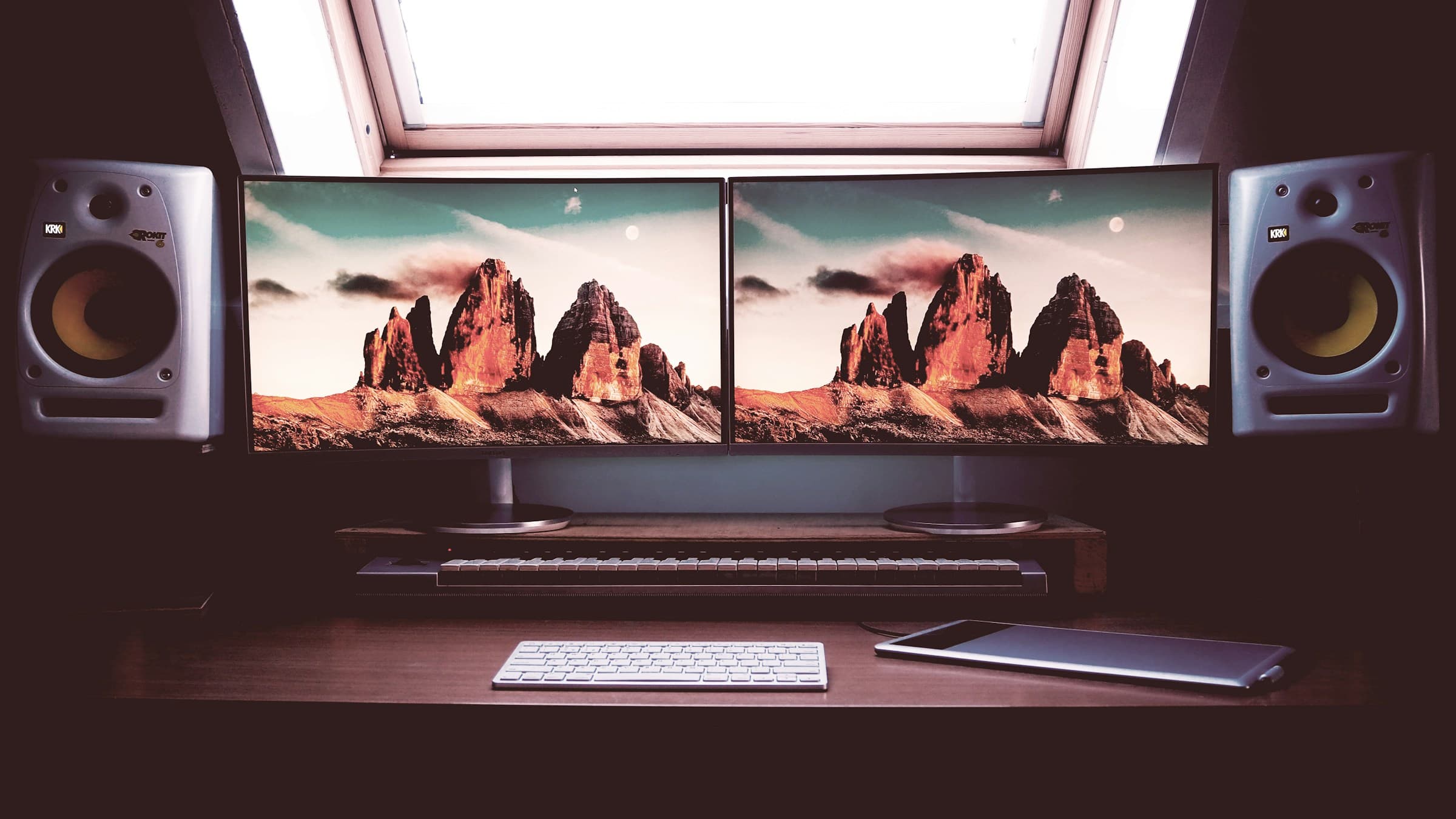
Computer speakers are not just small bookshelf speakers. They sit close to your ears, fight for desk space with monitors, and often need to switch between a laptop, desktop, console, and phone. The right pair is the one that fits the desk, accepts the sources you already own, and does not require unused features or extra boxes.
If you are building a room-first system, read our complete home audio setup guide. This page is for desktop nearfield listening.
This is a research-based buying guide built around published specifications, connection requirements and desk fit. SolderMag has not completed a controlled listening comparison of these four pairs, so the picks are use-case recommendations rather than measured sound-quality winners. The product cards link to individual Amazon listings or the manufacturer; the broader Amazon comparison link is a search, not a specific product recommendation. Check the model, seller and included accessories before ordering.
Wondering whether another audio box belongs in the budget? Our DAC or audio interface decision guide explains when the existing PC output or speaker USB input is enough.
Not sure whether your source needs RCA, AUX or two TRS cables? Use our desktop-speaker connection guide before buying an interface or adapters.
Quick decision table
| Pick | Best for | Main strength | Main trade-off |
|---|---|---|---|
| Audioengine A2+ Next Gen | Most premium desk setups | Compact size, USB-C audio, Bluetooth, clean styling | Limited deep bass without a subwoofer |
| Kanto ORA | Small desks that still deserve better sound | Nearfield tuning, subwoofer output, modern connectivity | Costs more than casual users need to spend |
| Creative Pebble Pro | Budget workstations and casual gaming | Tiny footprint, USB audio, Bluetooth | Not for critical listening or big rooms |
| Edifier MR4 | Larger desks and wired creator setups | Balanced inputs, front headphone access | No Bluetooth, optical, or USB audio |
SolderMag Take: desk size decides more than audiophile vocabulary
Before comparing drivers and codecs, measure your desk. Speaker width, height, rear port clearance, and tweeter height matter immediately. A speaker blocked by a monitor or pushed into a poor position can lose clarity; improve placement before assuming a more expensive pair will solve the problem.
The basic rules:
- keep tweeters near ear height if possible
- angle speakers toward your head
- leave rear-ported speakers room behind them
- use stands or isolation pads if the desk resonates
- do not buy a subwoofer unless you have somewhere sensible to put it
Before adding bass hardware, use our guide to connecting a subwoofer to powered speakers to check the outputs, crossover and shared volume control.
Best overall: Audioengine A2+ Next Gen
The Audioengine A2+ is the classic premium computer speaker because it is small, easy to place, and easy to connect. USB audio, Bluetooth, and analog inputs make it flexible for laptops and desktops. It will not replace a larger bookshelf system or prove its sound quality from specifications alone.
Choose it if you want a clean, compact speaker that looks appropriate in a home office. Skip it if you want deep bass without a subwoofer.
Our dedicated Audioengine A2+ Next Gen review checks the current USB-C generation, published Bluetooth latency, setup limits, and the cases where a cheaper or larger speaker is the better buy.
Audioengine A2+ Next Gen
Why it works
- Small enough for real desks
- USB, Bluetooth, and analog inputs
- Clean look for home offices
Main trade-off
- No deep bass without a subwoofer
- Costs more than basic PC speakers
Best premium compact: Kanto ORA
Kanto ORA is for people who want a more modern powered-speaker experience in a small footprint. It is compact, clean, and designed for nearfield use. It also pairs well with a subwoofer if you want to extend bass later.
The price is higher than basic computer speakers, but the appeal is clear: good sound from a small, desk-friendly package. If you are using a monitor arm and have limited speaker space, compact quality matters.
If these are your final two, our Audioengine A2+ Next Gen vs Kanto ORA comparison explains the USB, Bluetooth, placement, control, and subwoofer differences that matter on a real desk.
Kanto ORA
Why it works
- Designed for nearfield desktop listening
- Small footprint
- Subwoofer path for later upgrades
Main trade-off
- Premium price
- Still benefits from careful placement
Best budget: Creative Pebble Pro
Creative's Pebble line remains the easiest budget recommendation because it understands desk reality. Pebble Pro is tiny, angled toward the listener, and accepts USB audio, Bluetooth, and 3.5mm AUX. The core appeal is simple: it fits where larger speakers do not.
It is not for critical listening or a large room. For video calls, YouTube, casual gaming, and background music, its input list and small footprint solve the basic job.
Our Creative Pebble Pro review explains its two USB-C power modes, the separate PD-adapter requirement, source switching, and fixed-cable placement limits before you buy. If Pebble X is also on the shortlist, compare Pebble Pro with Pebble X before giving up desk space for the larger model. If the subwoofer is the deciding feature, compare Pebble X with Pebble X Plus.

Creative Pebble Pro
Why it works
- Very small footprint
- Angled drivers suit low desk placement
- Easy upgrade from monitor speakers
Main trade-off
- No dedicated subwoofer output
- Not built for critical listening
Best value monitors: Edifier MR4
The MR4 is the value pick for a desk built around a computer or audio interface. It has balanced TRS, RCA, and front AUX inputs, plus front headphone access and separate monitor/music modes. It does not have Bluetooth, optical input, a remote, or direct USB audio.
Already own the MR4 and want phone playback? Our MR4 Bluetooth setup guide explains the external receiver, cable and pairing requirements before you replace the speakers.
The tradeoff is space and convenience. It is much larger than Pebble Pro and needs a wired source. If Bluetooth, optical input, a remote, and a subwoofer output matter more than balanced inputs, read our Edifier MR4 vs R1280DBs comparison.
If the smaller Edifier MR3 is also on the shortlist, compare MR3 with MR4 before buying. MR3 adds Bluetooth and app-based placement controls; MR4 keeps the larger woofer and simpler wired design.
If you want to upgrade from the MR4 to XLR, Bluetooth and more room controls, compare Edifier MR4.5 with MR4. The newer model is deeper and heavier, so measure the desk before treating it as an automatic upgrade.
If you have room for a larger pair, our Edifier MR5 vs MR4 comparison explains when the MR5's three-way design, broader connection set and room controls justify the extra desk space.
If MR4.5 and MR5 are the final two, compare MR4.5 directly with MR5. They share most connection features, so cabinet depth, pair weight and the MR5's dedicated midrange driver decide the purchase.

Edifier MR4
Why it works
- Balanced TRS inputs
- Front headphone and AUX ports
- Monitor and music modes
Main trade-off
- Bigger cabinets crowd small desks
- No Bluetooth, optical, or USB audio
What inputs do you need?
USB is simplest for a computer. Analog 3.5mm works with almost anything but can pick up noise from cheap desktops or docks. Bluetooth is convenient for phones, but it is not ideal for low-latency gaming or precise video work. Optical is useful if you connect a TV or console.
If you use a dock from our Thunderbolt and USB4 dock guide, check where the audio output will live. Sometimes a direct USB speaker connection is cleaner than using the dock's analog port.
Do you need a subwoofer?
Most desk users do not need a subwoofer. A sub adds cable clutter, floor placement problems, and neighbor issues. It makes sense if you play games, watch movies at the desk, or want fuller music from tiny satellites.
If you do add one, set volume conservatively. Desk bass gets boomy fast because walls, corners, and hollow furniture exaggerate low frequencies.
Speaker placement
Start with the speakers at equal distances from your seated position and follow the maker's height and aiming guidance. Genelec's desk-placement guidance distinguishes mechanical vibration from desk reflections: an isolation support can reduce coupling, but it does not fix every placement problem.
Use our small-desk speaker placement guide to check spacing, stand height and wall clearance before paying for a larger pair.
Our desk setup essentials guide covers the supporting pieces: monitor arms, lighting, cable routing, and power.
If you are pairing speakers with a MacBook, check the cable path before buying. Our MacBook USB-C hub guide is the safer route if you need one dock for display, USB audio, and accessories.
What to avoid
Avoid huge speakers for tiny desks, RGB-first speakers with weak fundamentals, and bargain 2.1 systems with muddy subwoofers. Also avoid buying studio monitors unless you understand their input and volume-control requirements. Many monitors sound excellent but are less convenient than consumer powered speakers.
The verdict
Audioengine A2+ is the best all-around computer speaker for most premium desk setups. Kanto ORA is the compact subwoofer-ready upgrade. Creative Pebble Pro is the budget answer. Edifier MR4 is the value choice when a wired creator desk has room for larger powered speakers.
Related reading: Complete Home Audio Setup, Best Bluetooth Speakers, and Best Soundbars.