Edifier MR3 vs MR4: Smaller and Smarter, or Bigger and Simpler?
Choose the Edifier MR3 for Bluetooth, app controls and a smaller desk, or the MR4 for larger drivers and slightly higher published power.
Research-based comparison
Recommendations are checked against product documentation, availability, comparative evidence, and clearly disclosed hands-on work where it exists.
Quick picks
The short answer, with the trade-off
Best for compact and mixed-source desks
Edifier MR3
Bluetooth 5.4 with two-device connection
Trade-off: Smaller 3.5-inch mid-low driver

Best for a simple wired creator desk
Edifier MR4
Trade-off: No Bluetooth or app
On this page
- Quick answer
- Edifier MR3 vs MR4 comparison
- Who should buy the Edifier MR3?
- Who should buy the Edifier MR4?
- Who should skip both?
- Bluetooth and inputs: MR3 is the flexible one
- Controls: MR3 app or MR4 mode switch
- Cabinet size, drivers and desk placement
- What the specifications cannot tell you
- Price and value
- Alternatives
- Frequently asked questions
- Final recommendation
- Sources and methodology
Buy the Edifier MR3 if you need Bluetooth, smaller cabinets, or app-based room controls. Buy the Edifier MR4 if the speakers will stay wired and you would rather have a 4-inch woofer, slightly higher published amplifier power, and a simple monitor/music mode switch.
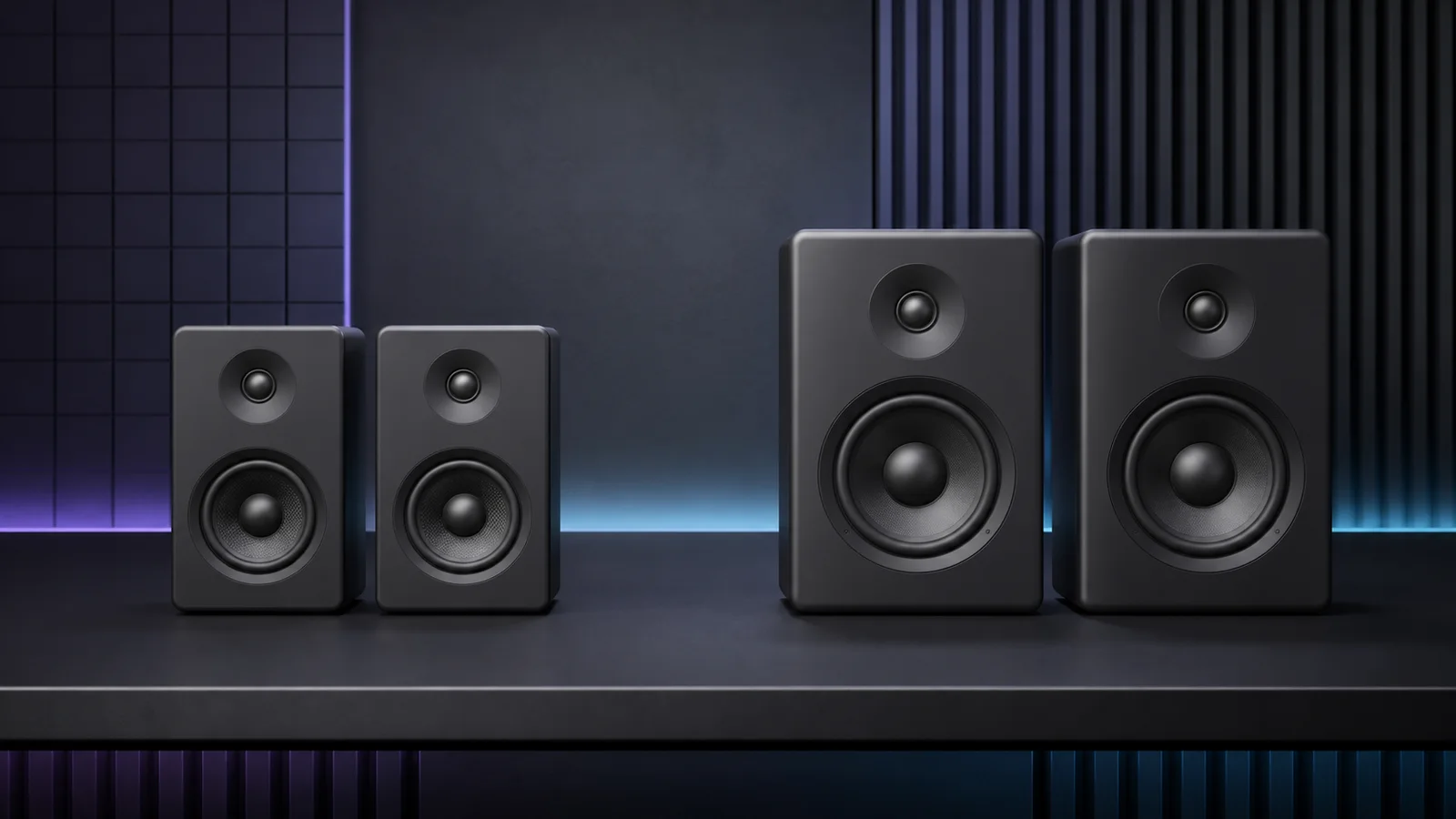
The MR3 is not merely a wireless MR4. It is narrower, uses a 3.5-inch mid-low driver, adds Bluetooth 5.4 and the Edifier ConneX app, and exposes more placement adjustments. The MR4 is the older, larger and more focused wired design.
This is a research-based comparison. SolderMag has not completed controlled listening, acoustic measurements, Bluetooth-latency testing, or long-term reliability testing on either pair. The recommendation is based on current Edifier specifications and manuals, exact US product identity, and the practical consequences of each design.
Quick answer
Choose the MR3 for a small computer desk that also receives audio from a phone or tablet. Bluetooth 5.4 can keep two devices connected, while the ConneX app adds sound-effect and room-compensation controls. The cabinet is 125.5mm wide, which saves 29mm across the pair compared with the MR4.
Choose the MR4 when Bluetooth and app control are irrelevant. Its 4-inch woofer is larger than the MR3's 3.5-inch unit, and Edifier publishes 21W per channel rather than 18W. Those facts do not prove better bass or sound quality, but they make the MR4 the less compromised paper choice when the desk has room and every source is wired.
Skip both if you need USB audio, optical input, a remote, or a dedicated subwoofer output. Neither current specification includes those connections.
Edifier MR3 vs MR4 comparison
| Decision | Edifier MR3 | Edifier MR4 | What matters |
|---|---|---|---|
| Mid-low driver | 3.5 inches | 4 inches | MR4 uses the larger driver; that alone is not a bass verdict |
| Tweeter | 1-inch silk dome | 1-inch silk dome | Same published diameter, different surrounding design |
| Published output | 18W + 18W RMS | 21W + 21W RMS | MR4 has a modest paper advantage, not a measured loudness win |
| Published response | 52Hz–40kHz | 60Hz–20kHz | Manufacturer ranges lack a shared tolerance and cannot be compared as measured extension |
| Wired inputs | Balanced TRS, RCA, front AUX | Balanced TRS, RCA, front AUX | Both suit an interface or ordinary analog source |
| Bluetooth | Bluetooth 5.4; two devices can remain connected | None listed | MR3 is easier for phones, tablets and mixed sources |
| App | ConneX playback, effects and room settings | None listed | MR3 exposes more adjustment without extra hardware |
| Physical sound controls | Rear acoustic-space and high-frequency knobs | Rear high- and low-frequency trim; front monitor/music mode | MR3 offers placement settings; MR4 offers a fast listening-mode switch |
| Headphone output | Front | Front | Both can hand the analog path to headphones |
| Powered cabinet | 125.5 × 220 × 185mm | 140 × 228 × 197.5mm | MR3 is narrower, shorter and shallower |
| Pair weight | 3.85kg | 4.5kg | MR3 is easier to move; both are desk equipment rather than portable speakers |
The response figures deserve caution. Edifier lists the MR3 from 52Hz to 40kHz and the MR4 from 60Hz to 20kHz, but does not publish one shared tolerance and measurement method on these product pages. That table does not establish that the smaller MR3 reaches deeper or sounds more accurate.
Who should buy the Edifier MR3?
Buy the MR3 if:
- Bluetooth is part of the normal workflow;
- the speakers must fit beside a large monitor on a narrow desk;
- you want two phones, tablets or computers to remain paired wirelessly;
- app-based equalisation and placement controls are useful;
- you still need balanced TRS inputs for an interface;
- moving a lighter pair between workspaces matters.
For cable selection, read our TRS, RCA and AUX connection checklist. It separates a stereo PC output from the two balanced line outputs on an interface.
The decisive point is flexibility. The MR3 can sit on the balanced outputs of an audio interface, accept an RCA source, take a temporary device through front AUX, and add wireless playback without another receiver.
Edifier MR3
The practical choice when Bluetooth, app controls or a smaller footprint matters more than the MR4's larger woofer.
Why it works
- Bluetooth 5.4 with two-device connection
- Balanced TRS plus RCA and front AUX
- Smaller cabinets with app-based room controls
Main trade-off
- Smaller 3.5-inch mid-low driver
- No USB, optical or dedicated sub output
The MR3 also makes sense when speaker placement is less than ideal. Edifier provides rear acoustic-space and high-frequency controls, then adds low-cut, acoustic-space and desktop-compensation options through the ConneX app. These are useful setup tools. They do not turn a reflective desk or untreated room into a controlled studio.
Who should buy the Edifier MR4?
Buy the MR4 if:
- the speakers will stay connected to one computer, interface or mixer;
- a 140mm-wide cabinet fits comfortably on each side of the display;
- you prefer a larger woofer over wireless convenience;
- a front control for monitor and music modes is useful;
- you want the simpler product with no app dependency;
- the MR4 is meaningfully cheaper when you buy.
The MR4 is still the sensible wired choice. It has the same broad analog input categories as the MR3, puts AUX and headphone sockets on the front, and gives an audio interface a balanced +4dBu TRS path. The larger cabinet is a real placement cost, but it also makes room for the 4-inch woofer.

Edifier MR4
Choose it when every source is wired and the larger cabinet fits; do not pay extra for MR3 features you will switch off.
Why it works
- 4-inch woofer
- Balanced TRS plus RCA and front AUX
- Simple monitor and music modes
Main trade-off
- No Bluetooth or app
- Larger and heavier cabinets
The front knob changes volume, powers the system and switches sound modes. Rear high- and low-frequency trim controls provide basic setup correction. That is a smaller toolset than the MR3 offers, but it is available without pairing a phone or maintaining an app.
Who should skip both?
Skip both if a direct digital computer connection is required. Neither model lists USB audio, so a laptop with no useful analog output needs an audio interface, DAC, compatible dock, or another conversion path.
Skip both for a television-first system. There is no optical input, HDMI ARC, or remote. The Edifier MR4 vs R1280DBs comparison covers the more convenient Edifier route when optical, coaxial, a remote and a subwoofer output matter.
Skip both if deep bass is the priority but a separate subwoofer cannot be integrated. Edifier does not list a dedicated sub output on either model. A sub can sometimes be inserted upstream through an interface, monitor controller or suitable pass-through, but that is extra hardware and setup.
Also skip both if the buying decision depends on a proven sound signature. Manufacturer response ranges and driver sizes do not establish distortion, directivity, imaging, maximum clean output, desk reflection, cabinet noise, or what happens at a normal listening distance.
Bluetooth and inputs: MR3 is the flexible one
Both models cover the important wired desk inputs:
- two balanced 6.35mm TRS connections for an interface or mixer;
- RCA for ordinary consumer line-level equipment;
- a front 3.5mm AUX input;
- a front headphone output.
The MR3 then adds Bluetooth 5.4. Edifier says two Bluetooth devices can remain connected, making it easier to switch sources. That is useful on a desk shared by a work laptop and phone, or when someone else occasionally supplies audio from a tablet.
Do not treat Bluetooth 5.4 as a latency result. Edifier does not publish a model-specific end-to-end delay here, and SolderMag has not measured it. Use a wired input for editing, games, instruments, or video work where timing matters.
The MR4's lack of Bluetooth can be a benefit if it prevents paying for a feature that will never be used. A fixed interface-to-TRS connection is simple, predictable and avoids wireless source confusion.
Controls: MR3 app or MR4 mode switch
The MR3 has the broader control system. Its rear hardware provides acoustic-space and high-frequency adjustment. The ConneX app adds low-cut, acoustic-space and desktop controls, sound-effect customisation, playback control during Bluetooth input, and access to the manual and other settings.
Use these controls to solve a known setup problem. A low-cut option can help when a subwoofer or room placement creates excess low-frequency energy. Desktop compensation addresses the reflection created by a large hard surface. Acoustic-space adjustment can reduce the boost caused by placing speakers near walls.
Do not start by changing every setting. Place the speakers first, listen from the normal position, then change one control at a time. App access is not automatically better if it encourages constant tuning without a clear target.
The MR4 keeps the workflow physical. Rear high- and low-frequency trim controls handle basic tonal adjustment. A double press on the front knob changes between monitor and music modes. That is faster than opening an app, though the two fixed modes are less granular than the MR3's system.
Cabinet size, drivers and desk placement
The MR3's powered cabinet measures 125.5mm wide, 220mm tall and 185mm deep. The passive cabinet is 176mm deep. The MR4 powered cabinet measures 140mm wide, 228mm tall and 197.5mm deep, with its passive cabinet 184mm deep.
The width difference looks small until monitor stands, a laptop, microphone arm and other desk equipment compete for the same line. Across both speakers, MR3 saves 29mm of cabinet width. It is also easier to keep away from a wall on a shallow desk.
The MR4 trades that space for a 4-inch woofer rather than the MR3's 3.5-inch driver. Larger cone area and a larger enclosure are relevant design differences. They still do not establish a winner because amplifier behaviour, crossover, port tuning, distortion and listening level also matter.
For either pair:
- keep the left and right speakers at similar distances from your head;
- raise or angle them so the tweeters point near ear height;
- avoid trapping one speaker in a corner while the other sits in open space;
- keep the rear ports and controls accessible;
- measure the cable route between the powered and passive cabinets;
- use isolation pads or stands if the desk resonates.
A monitor arm can free more useful space than buying a smaller speaker solely to work around wide monitor feet. Our desk setup essentials guide covers the surrounding cable and placement decisions.
What the specifications cannot tell you
The MR3 has the lower published bottom frequency, while the MR4 has the larger woofer. Neither fact is enough to name a bass winner.
A fair comparison would need both pairs measured under the same conditions. Useful evidence would include frequency response at a stated tolerance, off-axis behaviour, distortion at several output levels, maximum clean output, port noise, compression and the effect of the desktop boundary. A controlled listening comparison would also need matched playback level and consistent placement.
Without that evidence, the responsible conclusion is narrower:
- MR3 is the smaller and more configurable system;
- MR4 has the larger mid-low driver and slightly higher published RMS output;
- both accept the same main analog source types;
- only MR3 adds Bluetooth and app control;
- neither is proven to sound better here.
The same caution applies to “monitor” language. Balanced inputs and adjustment controls make these products more suitable for a creator desk than a basic multimedia speaker. They do not guarantee neutral response at the listening position or replace familiar, measured references for professional mix decisions.
Price and value
Do not anchor the decision to a fixed price quoted in an article. Finish, seller and promotions change. Compare the current gap, then ask what extra equipment each choice avoids.
MR3 can be better value when its Bluetooth receiver and placement controls replace separate hardware. MR4 can be better value when every source is already wired and the MR3's wireless/app features would stay unused.
We would choose the MR3 when the extra cost is modest and at least one of these is true: the desk is tight, Bluetooth will be used weekly, or the room controls solve a known placement issue. We would choose the MR4 when it is meaningfully cheaper and the speakers will remain on one interface.
Do not forget the complete setup. Balanced cables, an interface, speaker stands and isolation pads can cost more than a small difference between the two pairs. Buy only the accessories the desk actually needs.
Alternatives
Edifier MR4.5: the closer step-up when you want the MR4's two-way format with XLR, Bluetooth, higher published output and more room controls. It is deeper and heavier than MR4. Read the MR4.5 vs MR4 comparison before paying for features a small desk may not use.
Edifier MR5: the larger step-up when a three-way design, XLR, Bluetooth and more extensive placement controls matter more than desk space. Read the MR5 vs MR4 comparison before assuming the bigger model is automatically the better desktop buy.
Edifier R1280DBs: the better Edifier option when Bluetooth is not enough and you also need optical, coaxial, a remote and a dedicated subwoofer output. It gives up balanced TRS. Read the MR4 vs R1280DBs comparison for that connection decision.
Audioengine A2+ Next Gen: a compact premium pair with USB-C audio, Bluetooth and front ports. It is a better fit when direct digital computer audio matters more than balanced TRS. Our Audioengine A2+ vs Kanto ORA comparison covers the compact premium route.
Creative Pebble Pro: the much smaller budget choice for calls, video and casual listening. It gives up the cabinet volume and balanced inputs of the Edifiers. The Pebble Pro review explains its USB-C power and fixed-cable limits.
Kanto ORA: the premium compact alternative when USB-C audio and a managed subwoofer crossover are worth paying for. It is not the economical answer for a simple analog desk.
Our best computer speakers guide compares these paths in one place, from tiny USB speakers to larger powered monitors.
Frequently asked questions
Is the Edifier MR3 better than the MR4?
The MR3 is better for Bluetooth, smaller desks and app-based room controls. The MR4 is better when the system will remain wired and the larger 4-inch woofer matters more than wireless convenience. SolderMag has not measured or level-matched them, so this comparison does not name an overall sound-quality winner.
Does the Edifier MR3 have Bluetooth?
Yes. Edifier lists Bluetooth 5.4 and says two Bluetooth devices can remain connected. That is useful for source switching, but it is not evidence of model-specific low latency.
Does the Edifier MR4 have Bluetooth?
No Bluetooth receiver is listed in the current MR4 specification. It accepts balanced TRS, RCA and front AUX inputs. Add a separate receiver or choose MR3 if wireless playback is required.
Can MR3 or MR4 connect directly over USB?
Neither current specification lists USB audio. A USB-only computer needs a compatible interface, DAC, dock or adapter that provides an appropriate analog output.
Which one is better for music production?
Both provide balanced TRS inputs. MR3 adds more placement controls, while MR4 adds a larger woofer and a physical monitor/music mode switch. Choose by desk fit and workflow, then judge whether either is accurate enough using independent measurements and a familiar reference.
Can I add a subwoofer to MR3 or MR4?
Neither model lists a dedicated subwoofer output. Integration may be possible before the speakers through an interface, monitor controller or subwoofer with suitable pass-through connections, but it is not the simple consumer-speaker path offered by a dedicated sub output.
Final recommendation
Buy the Edifier MR3 for the more adaptable desk. Its smaller cabinet, Bluetooth 5.4, two-device connection and ConneX room controls are useful upgrades when the speakers serve more than one source or have to fit an imperfect space.
Buy the Edifier MR4 for a straightforward wired creator setup. It costs less to justify when Bluetooth is irrelevant, and its 4-inch woofer plus 21W-per-channel published rating make more sense on paper when the larger cabinet fits.
The main mistake is trying to infer a sound winner from the response ranges. Choose MR3 for size and features. Choose MR4 for the larger, simpler wired design. Treat sound quality as unverified until comparable measurements or controlled listening are available.
Sources and methodology
- Edifier official MR3 product page and specifications for drivers, power, response, connections, Bluetooth, app controls, dimensions and weight.
- Edifier official MR4 product page and specifications for drivers, power, response, inputs, controls, dimensions and weight.
- Edifier official MR3 user manual for setup, controls and connection behaviour.
- Edifier official MR4 user manual for setup, inputs and monitor/music mode operation.
- Edifier official product comparison tool for current model positioning.
- Amazon US exact-product identity validation for Edifier MR3 black ASIN
B0DGXTBQTYand Edifier MR4 black ASINB09FXG9BLR, both using the configured Associate tag.
As an Amazon Associate I earn from qualifying purchases.