Creative Pebble X vs Pebble X Plus: Is the Subwoofer Worth It?
Pebble X and X Plus share the same core connections and power limits. X Plus adds a compact subwoofer. Here is which one fits your desk.
Research-based comparison
Recommendations are checked against product documentation, availability, comparative evidence, and clearly disclosed hands-on work where it exists.
Quick picks
The short answer, with the trade-off

Best if you specifically want a subwoofer
Creative Pebble X Plus 2.1
On this page
- Quick comparison
- What Pebble X Plus actually adds
- Power: the wattage decision is the same
- Is the X Plus subwoofer worth it?
- Desk space and cable planning
- Connections, controls, and software
- Who should buy Creative Pebble X?
- Who should buy Creative Pebble X Plus?
- Who should skip both?
- Price and value
- Alternatives
- Frequently asked questions
- Final recommendation
- Sources and methodology
Buy the Creative Pebble X if you want the simpler setup. Buy the Pebble X Plus only if the included subwoofer is the feature you actually want and you have somewhere sensible to put it.
The Plus is not a higher-powered version in the usual sense. Creative publishes the same overall output modes for both systems: up to 15W RMS from a suitable computer USB-C port, or up to 30W RMS with a separate 30W-or-higher USB-C PD adapter. The Plus changes the layout from 2.0 to 2.1 and gives part of that system a dedicated low-frequency job.
This is a research-based comparison. SolderMag has not completed a controlled listening or measurement test of either system. The recommendation is based on current Creative specifications, connection and power requirements, physical dimensions, exact product identity, and the setup trade-offs each design creates.
Quick comparison
| Decision | Creative Pebble X | Creative Pebble X Plus | What matters |
|---|---|---|---|
| System | 2.0 stereo pair | 2.1 pair plus compact subwoofer | Plus adds a dedicated bass box |
| Speaker drivers | Two 2.75-inch full-range drivers | Two 2.75-inch full-range drivers | The satellite driver class is the same |
| Subwoofer | None | 3.5-inch flat-cap driver with dual passive radiators | This is the reason to buy Plus |
| Published response | 60–20,000 Hz | 45–20,000 Hz | Useful design context, not a measured sound verdict |
| Computer USB-C mode | Up to 15W RMS total | Up to 15W RMS total | Neither has a headline power advantage |
| Separate PD mode | Up to 30W RMS total | Up to 30W RMS total | Both need an extra compatible adapter for this mode |
| Connections | USB audio, Bluetooth 5.3, 3.5mm AUX, headset and mic ports | Same core connection set | No reason to choose Plus for inputs |
| Speaker footprint | 139.5 × 132 × 136mm each | 139.5 × 145 × 136mm each, plus sub | Plus needs another placement zone |
| Listed system weight | 600g per speaker | 575g per satellite plus 1.7kg sub | Plus is much more equipment to move and route |
What Pebble X Plus actually adds
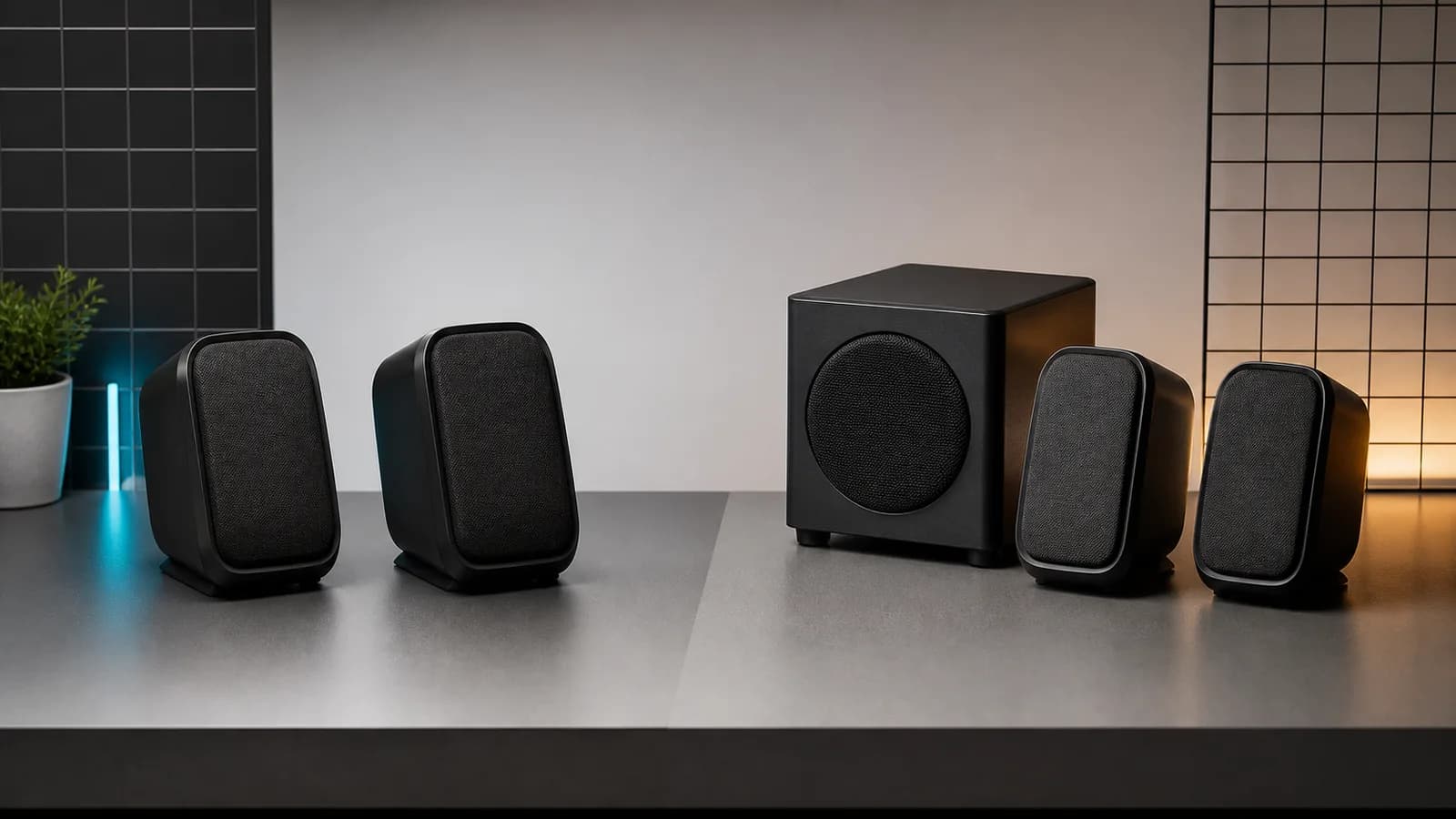
Pebble X Plus adds one compact subwoofer built around a 3.5-inch flat-cap driver and dual passive radiators. That changes where lower-frequency work is handled. It does not add a new input, a higher published total RMS ceiling, a different full-range driver size, or a more powerful one-cable mode.
That distinction is easy to lose in retailer copy. “Plus” can sound like the same speakers with more of everything. The practical package is narrower: the same basic desktop-speaker platform with a dedicated bass box.
Buy the Plus for that box. Do not buy it because:
- you expect louder satellites from the specification alone;
- you think 2.1 automatically means better sound;
- you want more connection choices;
- you assume the optional PD adapter is included;
- you expect a compact subwoofer to behave like a larger home-audio sub.
Those claims need matched measurements or listening tests. Creative's configuration and dimensions are verifiable; tonal balance, distortion, usable extension, maximum clean output, and integration between the subwoofer and satellites are not established here.
Power: the wattage decision is the same
Both systems have two published power arrangements.
With a compatible computer USB-C connection, Creative rates each system at up to 15W RMS total and 30W peak. That is the cleanest setup because one USB-C path carries audio and power.
With a separate USB-C Power Delivery adapter rated at 30W or higher, Creative raises each system to up to 30W RMS total and 60W peak. The extra adapter uses the power-only PD input while the computer or another device still supplies audio.
The required PD adapter is not included with either package. That affects value in two ways:
- the advertised 30W RMS mode has an extra cost if you do not already own a compatible supply;
- the higher-output setup adds another cable and wall-power path.
Start in the standard computer USB-C mode. Add the adapter only if the normal mode is insufficient for your listening distance and room. Buying a charger before hearing the speakers does not prove that you need it.
If you plan to reuse a multiport charger, check its per-port behavior. A charger labelled 65W or 100W can reduce one port when other devices connect. Our USB-C charger wattage guide explains why the total printed on the case is not the whole answer.
Is the X Plus subwoofer worth it?
It is worth it when the subwoofer is a deliberate requirement, not a bonus you are hoping will fix every limitation of small desktop speakers.
The Plus makes the stronger paper case for low-frequency reach. Creative lists 45Hz as the bottom of its response range, compared with 60Hz for Pebble X. The system also gives a dedicated 3.5-inch driver and enclosure to low-frequency work.
Do not read those numbers as a promise of flat output at 45Hz. Creative does not publish a shared tolerance window in the consumer specification, and a frequency range by itself says nothing about level, distortion, room interaction, or how smoothly the subwoofer hands over to the satellites. SolderMag has not measured either system.
Use this rule instead:
- choose Pebble X Plus for games, films, and music only if a dedicated compact sub is part of the brief;
- choose Pebble X for calls, videos, casual music, general PC use, and any desk where an extra box would become clutter;
- skip both if measured bass performance or room-filling output is more important than compact size.
The sensible buyer is deciding between two layouts, not trying to crown a universal sound winner from a spec sheet.
Desk space and cable planning
Pebble X needs two speaker positions. Each cabinet is listed at 139.5mm wide, 132mm deep, and 136mm high. The fixed right-to-left speaker connection is 1.2m, so measure the routed distance behind a monitor rather than the straight gap across the desk.
Pebble X Plus needs the two satellite positions plus a third zone for a 156.4 × 156 × 158.5mm subwoofer. Creative lists the sub at 1.7kg. It is compact compared with a home-audio sub, but it is not a cable dongle you can forget under the desk.
Before buying Plus, answer three questions:
- Will the subwoofer sit on the desk, on a shelf, or on the floor?
- Can its connection reach without crossing a walkway or hanging under tension?
- Will its placement leave access to the speaker controls and your computer ports?
If the only available spot is inside a cabinet, against a loose panel, or under a chair, the 2.0 model is probably the cleaner choice. Bass energy can make hollow furniture and nearby objects buzz. Placement is part of the system.
For an ultrawide or dual-monitor desk, measure the 1.2m speaker-to-speaker run as well. Our desk setup essentials guide covers monitor placement, cable routing, and the small layout choices that decide whether compact gear stays compact in practice.
Connections, controls, and software
There is little reason to choose between these systems on connectivity. Both provide:
- USB-C audio and power from a compatible computer;
- Bluetooth 5.3 for a phone, tablet, or another wireless source;
- 3.5mm AUX input;
- a four-pole headset or headphone port;
- a separate three-pole microphone input;
- physical source, volume, and RGB controls;
- Creative app support for audio processing and lighting options.
Creative documents source switching, not simultaneous mixing. Buy either system expecting to select USB, AUX, or Bluetooth rather than hearing multiple sources together.
USB is the straightforward computer path. AUX is useful for a monitor, dock, or older source. Bluetooth is convenient, but its version number does not prove latency for games or precise video work. Use USB or AUX when timing matters.
The front communication ports can make a desktop headset easier to connect, but check the plug arrangement. A combined four-pole headset cable and separate headphone-plus-microphone plugs are not the same thing.
RGB should not decide the model. Both offer hardware lighting control and Creative app options. If you dislike it, turn it off. Plus does not become a better speaker choice because another box can share the lighting effect.
Who should buy Creative Pebble X?
Buy Pebble X if:
- desk or floor space is tight;
- you want the fewest boxes and cables;
- calls, videos, games, and casual music are the main jobs;
- you do not know where a subwoofer would go;
- you expect to use the standard one-cable USB-C mode;
- you want the X-series inputs and controls without paying for a bass box.
The main compromise is straightforward: there is no dedicated subwoofer. If that is already bothering you before purchase, buying the 2.0 pair and wishing it were the Plus is false economy.
Creative Pebble X 2.0 Computer Speakers
Why it works
- Two-box 2.0 layout
- Same 15W and 30W RMS system modes
- USB, Bluetooth, AUX, headset, and mic connections
Main trade-off
- No dedicated subwoofer
- Optional PD adapter is not included
Who should buy Creative Pebble X Plus?
Buy Pebble X Plus if:
- an included compact subwoofer is the reason you are shopping;
- you have a planned position for the third box;
- the extra cable path will not make the desk awkward;
- you watch films or play games at the desk and want the 2.1 layout;
- you understand that the overall published RMS modes match Pebble X;
- you are happy to assess fit and sound within the seller's return window.
The main trade-off is not subtle: more equipment. The Plus adds a 1.7kg box and placement work without changing the core input set or the published total power ceiling.

Creative Pebble X Plus 2.1 Computer Speakers
Why it works
- Dedicated 3.5-inch subwoofer
- Compact 2.1 package
- Same useful USB, Bluetooth, and AUX inputs
Main trade-off
- Third box and extra cable routing
- No higher published total RMS ceiling than Pebble X
Who should skip both?
Skip both if you need balanced inputs for an audio interface, a remote control for across-room use, or independently measured sound performance before choosing.
Skip both if the 1.2m fixed speaker connection cannot cross your setup cleanly. Compact cabinets do not solve a cable that is too short for the routed path.
Skip both if you are building a room system. These are desktop-first products. A larger powered-speaker pair gives the cabinet volume, driver separation, and connection choices that may matter more away from a nearfield desk.
Skip X Plus if the subwoofer would be squeezed into the first empty gap. Buy it only when the third box has a real home.
Price and value
Retail prices change, so compare the complete setup rather than a fixed price gap:
- Pebble X in standard one-cable mode;
- Pebble X Plus in standard one-cable mode;
- either system plus a compatible 30W-or-higher PD adapter;
- any stand, isolation pad, longer source cable, or routing hardware your desk requires.
We would pay extra for X Plus only when the buyer can say, “I want the included subwoofer.” We would not pay extra for the Plus because its name sounds more capable, because 2.1 looks better in a table, or because of an unsupported assumption about sound quality.
If the price gap is small but the sub has nowhere to go, Pebble X remains the better value. Unused hardware is not a bargain.
Alternatives
Creative Pebble Pro: the smaller Creative option when desk width and a simpler two-speaker package matter more than the X-series driver size. Our Pebble Pro review explains its two power modes, fixed cable, and front connections. The Pebble Pro vs Pebble X comparison covers the direct 2.0 decision.
Edifier MR4: choose this for a larger wired creator desk with balanced TRS inputs and a monitor-oriented workflow. It gives up Bluetooth and direct USB audio. Our Edifier MR4 vs R1280DBs comparison explains whether convenience or balanced inputs matter more.
Audioengine A2+ Next Gen or Kanto ORA: these are the premium compact alternatives. Kanto provides a path to a separate subwoofer; Audioengine offers a conventional powered-speaker design. Our A2+ vs Kanto ORA comparison covers the practical difference.
Use the best computer speakers guide if you are still choosing between tiny USB speakers, compact premium pairs, and larger wired monitors.
Frequently asked questions
Does Pebble X Plus sound better than Pebble X?
The Plus adds a dedicated subwoofer and has a lower published response limit, but those facts do not prove overall sound quality. SolderMag has not performed matched listening or measurements, so we would not name a tonal-balance, distortion, imaging, or maximum-output winner.
Is Pebble X Plus more powerful?
Not by Creative's published total-system modes. Both are listed at up to 15W RMS from a suitable computer USB-C port and up to 30W RMS with a separate compatible PD adapter. Plus allocates part of its system to a dedicated subwoofer.
Do Pebble X and X Plus include the 30W PD adapter?
No. Creative says a 30W-or-higher USB-C PD adapter is required for the 30W RMS mode and lists it as not included.
Can Pebble X Plus run from one USB-C cable?
Yes, with a compatible computer USB-C connection for audio and power. Creative rates that setup at up to 15W RMS total. The higher-output mode requires the separate power-only PD connection.
Can Pebble X or X Plus play Bluetooth and USB at the same time?
Creative documents switching among USB audio, AUX, and Bluetooth. It does not document simultaneous mixing, so buy either system expecting one selected source at a time.
Where should the Pebble X Plus subwoofer go?
Put it where the cable reaches without tension and where it will not make loose furniture or objects rattle. Avoid treating a closed cabinet or a random under-chair gap as an automatic solution. Placement should be planned before purchase.
Final recommendation
Buy the Creative Pebble X for a compact, capable two-speaker desktop setup. It keeps the same core inputs and published power modes without adding another box.
Buy the Creative Pebble X Plus only when the included subwoofer is the reason for the purchase. Its value is the 2.1 layout, not a higher overall wattage claim.
Sources and methodology
- Creative official Pebble X product page and specifications
- Creative official Pebble X Plus product page and specifications
- Creative support Pebble X technical specifications
- Creative support Pebble X Plus technical specifications
- Creative official Pebble X quick-start guide
- Amazon Creators API exact-product validation for Pebble X
B0CT8HLXBMand Pebble X PlusB0CT8WJJHDin the US marketplace with the configuredsoldermag-20Associate tag. Both returned HTTP 200 with matching product titles on August 10, 2026.
As an Amazon Associate I earn from qualifying purchases.