Anker 535 vs UGREEN 130W Car Charger: Which Should You Buy?
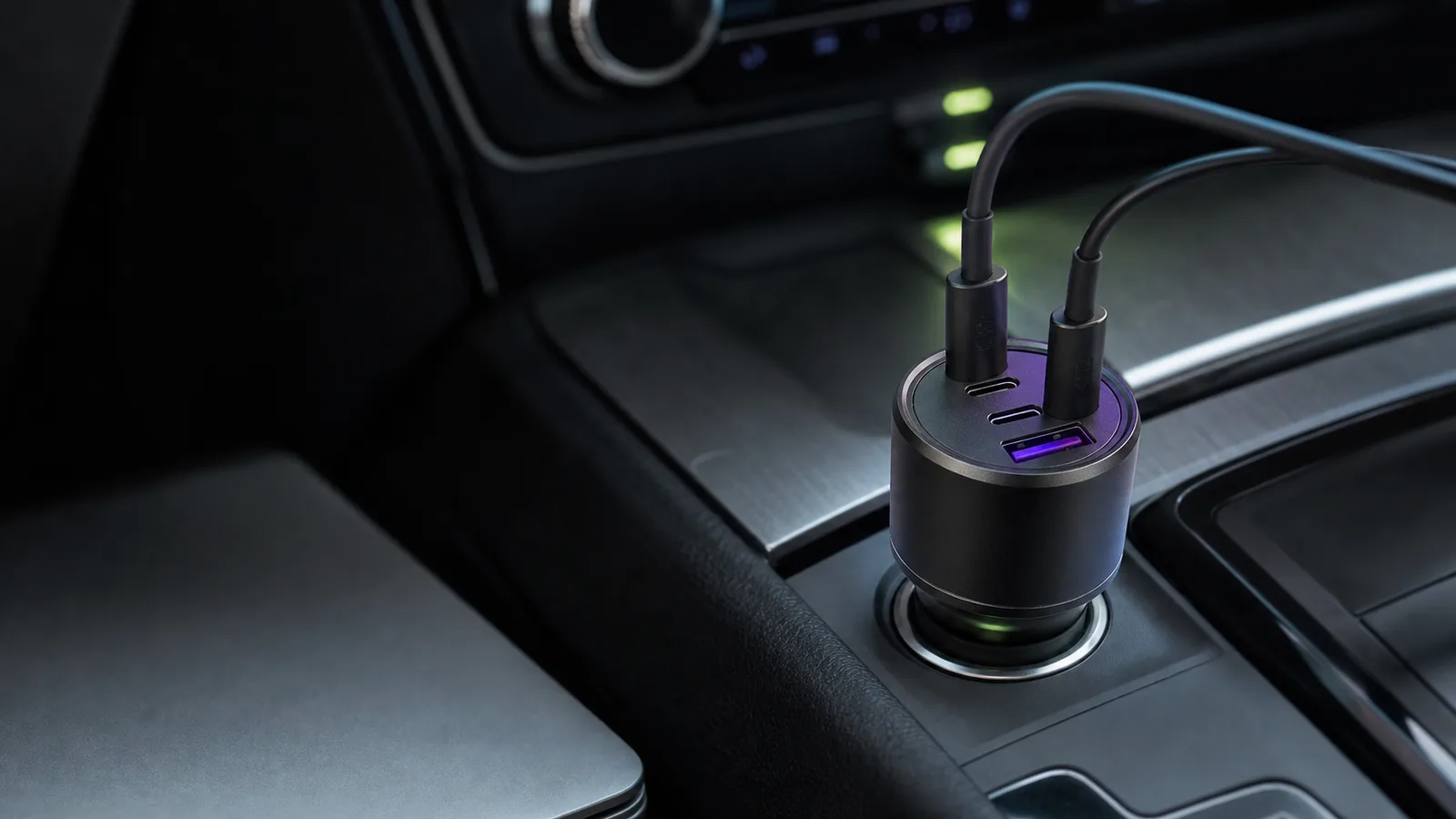
Anker's 535 is the calmer three-port choice; UGREEN's 130W model is better for laptop charging. The right pick depends on the main USB-C port, not the total on the label.
Research-based comparison
How we evaluateQuick picks
The short answer, with the trade-off
Best for most cars
Anker 535 Car Charger (67W)
Two USB-C ports plus USB-A
Trade-off: Three-device use reduces the secondary ports

Best for laptops
UGREEN 130W USB-C Car Charger
Trade-off: Overkill for phone-only charging
On this page
- Quick answer
- Anker 535 vs UGREEN 130W specifications
- Why the Anker 535 is better for most people
- Why the UGREEN 130W is better for laptops
- Charging a laptop: the real decision
- Using all three ports
- Heat, vehicle power, and fit
- Who should buy the Anker 535?
- Who should buy the UGREEN 130W?
- Who should skip both?
- Frequently asked questions
- Final recommendation
- Sources
The Anker 535 is the better car charger for phones, tablets, and occasional light-laptop top-ups. The UGREEN 130W is the better choice when a laptop is the main device because its primary USB-C port can supply up to 100W rather than Anker's 67W.
Both give you two USB-C ports and one USB-A port. The important difference is not three ports versus three ports; it is how much power reaches the primary device and what happens when multiple devices are connected.
This comparison is research-based. We have not bench-tested thermal behavior or sustained output in a hot vehicle. The recommendation uses official Anker and UGREEN specifications, exact US Amazon product identity, and the charging jobs each model is designed to handle.
Quick answer
| Buyer | Better pick | Why |
|---|---|---|
| One phone plus passenger accessories | Anker 535 | Sensible output and a useful 2C1A layout |
| 65W-class laptop | Either, with caveats | Anker can reach 67W on its main port; UGREEN provides more headroom |
| 100W-capable laptop | UGREEN 130W | Primary USB-C port is rated up to 100W |
| Phone-only commuter | Anker 535 | UGREEN's extra capacity will not make the phone accept more power |
| Laptop plus phone on a road trip | UGREEN 130W | Higher total and primary-port budget |
| Wants the smallest spend and simplest setup | Check current prices | Buy on requirements, not a volatile dollar gap |
The Anker is the default. The UGREEN is the specialist. Paying for 130W makes sense only when something in the car can use the extra output.
Anker 535 vs UGREEN 130W specifications
| Feature | Anker 535 | UGREEN 130W | What matters |
|---|---|---|---|
| Model | A2731 | 130W USB-C Car Charger | Match the exact retailer listing |
| Input | 12–24V vehicle socket | Vehicle 12V socket product | Suitable car socket and stable connection still matter |
| Ports | 2 × USB-C, 1 × USB-A | 2 × USB-C, 1 × USB-A | Same connector count |
| Maximum total | 67W class | 130W | UGREEN has more multi-device headroom |
| Main USB-C | Up to 67W | Up to 100W | Deciding factor for laptop use |
| USB-A | Up to 22.5W alone | Part of the published multi-port split | Useful for legacy cables and accessories |
| Three-device split | Main USB-C up to 45W; other ports up to 9W each | Depends on the active port combination | Read the diagrams before assuming equal output |
Maximum labels describe supported power profiles. The connected device, cable, vehicle socket, temperature, and number of active ports decide what happens in use.
Why the Anker 535 is better for most people
Anker's 535 handles the common mixed kit cleanly: a phone, a tablet or smaller laptop, and an older USB-A accessory. Its main USB-C port can reach 67W when used in the right configuration, which is enough for many thin laptops and more than any phone needs.
The compromise appears when all three ports are active. Anker documents the primary USB-C port at up to 45W while the second USB-C and USB-A ports can fall to 9W each. That is fine for keeping a laptop and two small devices alive. It is not the same as fast-charging three demanding products simultaneously.
Buy the Anker because you want a known three-port layout and phone/tablet-first use, not because 67W is inherently safer or faster.
Read the full Anker 535 review for cable requirements, 12V/24V socket checks, the three-port setup order, and the limits of using 67W with a laptop under load.
Anker 535 Car Charger (67W)
The practical pick for phones, tablets, and lighter laptop charging when 100W output is unnecessary.
Why it works
- Two USB-C ports plus USB-A
- Up to 67W from the primary USB-C port
- Good match for mixed everyday devices
Main trade-off
- Three-device use reduces the secondary ports
- Less headroom for 100W-class laptops
- SolderMag has not measured sustained hot-car output
Why the UGREEN 130W is better for laptops
UGREEN's advantage is direct: the main USB-C port is rated up to 100W, and total output can reach 130W across its two USB-C and one USB-A ports. That makes it the better fit for a MacBook Pro-class charger replacement, a power-hungry Windows laptop, or a laptop plus another meaningful USB-C load.
Read the full UGREEN 130W review for its exact port layout, cable requirements, vehicle-socket checks, setup order, and higher-output alternative.
It is also the better road-trip option when a passenger needs phone charging while the primary device continues drawing laptop-class power. You still need to inspect UGREEN's port allocation for the exact combination in use; “130W” does not mean every connector supplies its maximum at once.
Do not buy it to make an iPhone or Galaxy charge at 100W. USB-C devices negotiate their supported profile. Unused charger capacity remains unused.

UGREEN 130W USB-C Car Charger
Pay for it when the 100W primary USB-C port replaces a real laptop charger in the car.
Why it works
- Up to 100W from the main USB-C port
- 130W total across a 2C1A layout
- More useful laptop-plus-phone headroom
Main trade-off
- Overkill for phone-only charging
- Port combinations still change output
- Sustained performance depends on heat and vehicle power
Charging a laptop: the real decision
Start with the laptop's normal adapter, not the car charger's headline number.
- If the laptop normally uses 30W to 45W, either model has enough theoretical headroom.
- If it normally uses about 65W, the Anker can work from its main port when that port is not heavily shared. UGREEN gives more margin.
- If it expects 90W to 100W, choose UGREEN and use a cable rated for that power.
- If it expects more than 100W or uses a proprietary connector, neither charger is a full replacement.
A lower-wattage source may slow battery drain without charging quickly while the laptop is under load. That can still be useful on a long drive, but it is not the same as matching the original wall adapter.
Our USB-C charger wattage guide covers device negotiation and cable limits. The USB-C cable guide explains why a weak cable can erase the charger's advantage.
Using all three ports
Multi-port chargers are easiest to misunderstand when only the total is compared. Each manufacturer reallocates power as devices are connected.
Anker gives the main USB-C port priority, but documents a meaningful drop when three devices are active. UGREEN has a larger total pool, yet its outputs also depend on which ports are occupied. Plug the laptop into the designated high-output USB-C port first. Use the secondary USB-C or USB-A ports for phones, navigation devices, or accessories.
If a device repeatedly disconnects when another cable is inserted, the charger may be renegotiating its power split. A brief renegotiation can be normal. Repeated instability, excessive heat, or a burning smell is not; stop using that combination.
Heat, vehicle power, and fit
A dashboard is harsher than a desk. Direct sun, a hot cabin, vibration, and a worn 12V socket all work against sustained high output. Neither official wattage guarantees that every vehicle will hold maximum power indefinitely.
Check three things before relying on either charger:
- The charger sits firmly in the socket without intermittent contact.
- The vehicle's socket and fuse support the expected load.
- The cable is rated for the negotiated wattage.
Avoid leaving a high-output charger buried under fabric or bags. Warmth is expected; repeated shutdowns or uncomfortable heat deserve investigation.
Who should buy the Anker 535?
Buy the Anker if:
- your main devices are phones, tablets, cameras, or a thin laptop
- you value a USB-A fallback for a passenger or accessory
- the laptop normally uses 67W or less
- you rarely push all three ports hard at the same time
- it is meaningfully cheaper than UGREEN when you buy
Who should buy the UGREEN 130W?
Buy the UGREEN if:
- a 90W or 100W USB-C laptop is the main reason for the purchase
- you want laptop-plus-phone headroom on road trips
- you charge a handheld, tablet, or power bank alongside the laptop
- you already own a properly rated 100W or 240W USB-C cable
Who should skip both?
Skip both if the car already provides a verified USB-C PD port with enough output. Also skip these larger chargers if you only need one phone port; a smaller, lower-output option from our best USB-C car chargers guide will be easier to fit and just as fast for the phone.
If the real goal is power away from the vehicle, buy a USB-C power bank. A car charger stops being useful the moment the engine and accessory socket are off.
Frequently asked questions
Is the UGREEN 130W faster than the Anker 535 for a phone?
Usually not. The phone requests a supported charging profile and will not accept 100W simply because the charger can provide it. UGREEN's advantage is laptop and multi-device headroom.
Can the Anker 535 charge a MacBook?
It can charge many USB-C MacBooks from its primary port, but speed depends on the model, active workload, port sharing, and cable. Compare the MacBook's normal adapter wattage before buying.
Do both chargers support three devices?
Yes. Both have two USB-C ports and one USB-A port. Power is divided when multiple ports are used, so each device may receive less than the maximum printed beside a single port.
Do I need a 100W cable for UGREEN?
Use a cable rated for at least the power you expect. A 100W-rated cable is appropriate for a 100W laptop load; a lower-rated or damaged cable can limit charging.
Final recommendation
Buy the Anker 535 for the usual phone, tablet, and light-laptop mix. It provides the useful port layout without charging you for capacity your devices may never request.
Buy the UGREEN 130W when laptop charging is the job. Its 100W primary USB-C output is the difference that justifies the larger number.
Sources
- Anker official 535 Car Charger product page
- UGREEN official 130W USB-C Car Charger product page
- Amazon US exact-product validation for Anker
B0BSVB93DKand UGREENB0B3CSLPZRwith the configured Associate tag.
As an Amazon Associate I earn from qualifying purchases.