UGREEN 130W Car Charger Review: Worth It for Laptops?
UGREEN's 130W car charger gives a laptop up to 100W and keeps two spare ports, but the vehicle socket, cable, and port split still decide the result.
Research-based review
Recommendations are checked against product documentation, availability, comparative evidence, and clearly disclosed hands-on work where it exists.
Quick picks
The short answer, with the trade-off
Best for a 90W or 100W laptop
UGREEN 130W USB-C Car Charger
Up to 100W from the high-output USB-C port
Trade-off: Overkill for phone-only charging

Higher-output alternative
Anker 167.5W 3-Port Car Charger (A2737)
Trade-off: Extra capacity is unnecessary for phone-only use

Lower-output alternative
Anker 535 Car Charger (67W)
On this page
- Short verdict
- Who this is for
- Who should skip it
- Key specifications
- The 100W port is the actual feature
- What happens with two or three devices?
- Cable choice can erase the advantage
- Vehicle power, heat, and socket fit
- Setup and troubleshooting
- Value: pay for the port you will use
- Alternatives
- Frequently asked questions
- Final recommendation
- Sources and methodology
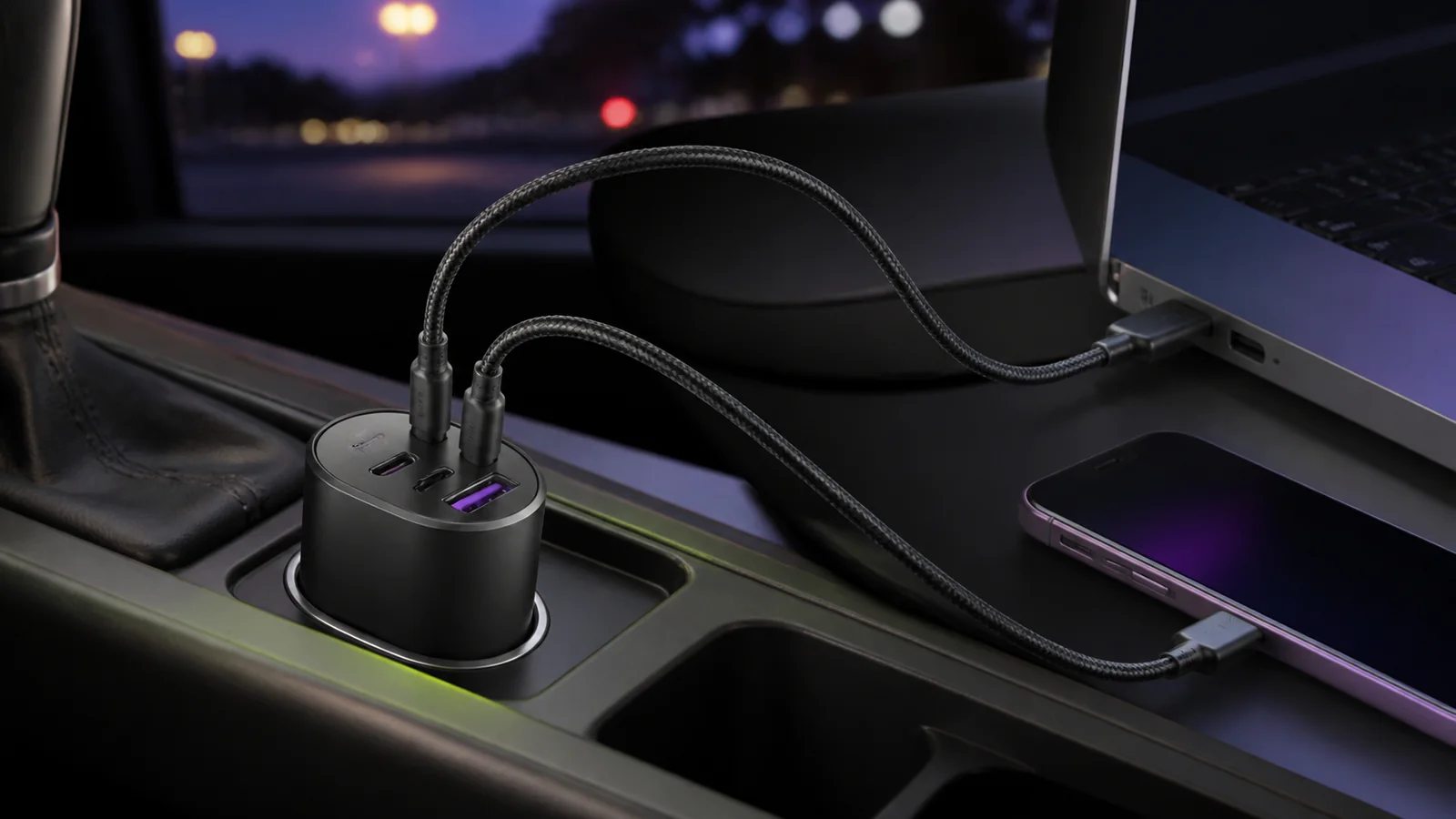
The UGREEN 130W USB-C Car Charger makes sense when a laptop is the main device in the car. Its high-output USB-C port is rated for up to 100W, while a second USB-C port and USB-A port handle a phone, tablet, camera, or older cable. That is a more useful layout for mobile work than a phone-first charger with a large total number but a weak primary port.
Do not buy it because “130W” sounds fast. That figure is the charger's total capacity, not power delivered to one device. A phone will still request only the charging profile it supports, and the car socket, cable, temperature, and active port combination can all reduce what reaches a laptop.
This is a research-based review. SolderMag has not bench-tested sustained output, temperature, socket retention, charging negotiation, or long-term reliability in a hot vehicle. The verdict is based on UGREEN's current specifications for model CD293/SKU 90413, exact US Amazon product validation, and comparison with documented alternatives.
Short verdict
Buy the UGREEN 130W if you need to charge a USB-C laptop during a drive and still want two connections for smaller devices. The 100W USB-C port is the reason to choose it. The second USB-C port is rated up to 30W, so a laptop-and-phone pairing is more credible than on many compact car chargers.
Skip it if you only charge phones, your laptop expects more than 100W, or the vehicle's accessory socket is loose or low-rated. The Anker 535 is enough for most phone, tablet, and lighter-laptop setups. Anker's A2737 is the step up when a 45W secondary USB-C port would solve a real two-device problem.
UGREEN 130W USB-C Car Charger
A sensible three-port pick when the 100W USB-C connection will actually be used by a laptop.
Why it works
- Up to 100W from the high-output USB-C port
- Second USB-C port rated up to 30W
- Two USB-C ports plus one USB-A port
Main trade-off
- Overkill for phone-only charging
- 130W is shared rather than available to one device
- No SolderMag hot-car or sustained-output measurements
Who this is for
The UGREEN 130W is a practical fit for:
- a 65W, 90W, or 100W USB-C laptop used during long drives
- a laptop plus a passenger's phone or tablet
- a camera, handheld gaming PC, or power bank that benefits from USB-C Power Delivery
- a driver who still needs USB-A for an older cable or accessory
- a 12V or 24V vehicle with a firm, accessible accessory socket
- a road-trip kit where the built-in USB ports are too weak for useful charging
The buyer who gets the most from this charger already knows which device needs the 100W port. If every device in the car is a phone or pair of earbuds, most of its capacity will go unused.
Who should skip it
Skip it if the car already has a verified high-wattage USB-C PD port. Test that port with the laptop before adding another adapter.
Also skip it if the laptop normally ships with a 140W or proprietary charger and must run demanding workloads in the car. A 100W source may slow battery drain or charge during lighter work, but it cannot reproduce a higher-wattage adapter.
A loose 12V socket is another reason to pause. High output does not fix intermittent electrical contact. If an existing charger resets when the car hits a bump, diagnose the socket before buying a more powerful model.
Key specifications
| Feature | UGREEN 130W Car Charger | Buyer impact |
|---|---|---|
| Model | CD293 / SKU 90413 | Match the model or ASIN, not just “UGREEN 130W” |
| Vehicle input | 12–24V | Intended for ordinary car and larger-vehicle accessory sockets |
| Ports | 2× USB-C, 1× USB-A | Laptop plus two lower-demand devices |
| High-output USB-C | Up to 100W | Main reason to buy it for a laptop |
| Second USB-C | Up to 30W | Useful for a phone, tablet, handheld, or smaller power bank |
| USB-A | Up to 22.5W on supported single-port profiles | Keeps an older cable useful; device support still matters |
| Maximum total | 130W | Shared budget, not a 130W single-device output |
| Included cable | 100W USB-C to USB-C cable in UGREEN's specification | Check current package contents before ordering |
These are manufacturer maximums, not SolderMag measurements. The connected device requests a supported profile; the cable, active ports, vehicle supply, and temperature decide the real result.
The 100W port is the actual feature
The high-output USB-C connection separates this model from ordinary phone chargers. A 100W-capable port can cover many USB-C laptops that would charge slowly or continue draining on a 30W or 45W source.
Start with the wattage on the laptop's normal adapter:
- 30W to 45W: the UGREEN has substantial paper headroom, but a smaller charger may be enough.
- 65W: the 100W port provides useful margin when another device is connected.
- 90W to 100W: this is the intended use case; use the designated high-output port and a properly rated cable.
- More than 100W: expect a compromise under load, even if the laptop accepts USB-C charging.
The charger does not force 100W into every device. USB-C Power Delivery negotiates a supported profile. A phone that requests 20W or 30W will not become a 100W phone, and unused capacity stays unused.
Our USB-C charger wattage guide explains that negotiation in more detail.
What happens with two or three devices?
Port labels matter. Put the laptop on the USB-C port marked for the highest output before connecting anything else. Use the 30W USB-C port for a phone, tablet, handheld, or smaller power bank. Reserve USB-A for an older cable, navigation device, camera, or other lower-demand accessory.
The useful combination is a laptop on the 100W-capable port and a phone on the 30W-capable port. That maps cleanly to the published 130W total. A three-device setup has to divide the same budget further, so do not assume every port keeps its single-port maximum.
Adding or removing a device can trigger a brief charging renegotiation. One short reconnect is not automatically a fault. Repeated resets, a burning smell, visible damage, or unusual heat are reasons to stop and inspect the charger, socket, and cables.
Cable choice can erase the advantage
UGREEN specifies a 100W USB-C cable in the package. Confirm that the current retailer bundle includes it, because package contents can differ by seller or region.
For a 90W or 100W laptop, use that cable or another e-marked USB-C cable rated for 100W or 240W. A 60W cable can become the limit even when both the charger and laptop support more.
The cable should also be short enough to avoid tangling around the gear selector, pedals, or handbrake. Route it with slack at the socket rather than pulling sideways on the charger. Our USB-C cable guide covers power ratings and common failure points.
Vehicle power, heat, and socket fit
A high-output charger has a harder environment than a desk charger. Direct sun, a closed hot cabin, vibration, dust, and an ageing accessory socket can all affect sustained charging.
Before relying on the full setup:
- Check the vehicle manual or socket label for the accessory outlet's rating.
- Seat the charger firmly and make sure it does not lose contact when gently moved.
- Put the laptop on the high-output USB-C port with a suitable cable.
- Add the second device, then confirm the laptop still reports charging.
- Test the combination during a normal drive before depending on it for travel.
Warmth alone is not proof of failure. We have not measured this model's temperature or sustained power. Repeated shutdowns, sharp odours, discolouration, melting, or a blown vehicle fuse are not normal; disconnect the setup and investigate.
Do not leave the charger covered by clothing or bags, and do not assume a socket that runs a small phone charger reliably will behave identically near its rated load.
Setup and troubleshooting
Use this order for the least ambiguous setup:
- Start the vehicle if its socket is switched with the ignition.
- Insert the charger fully without forcing it.
- Connect the laptop to the high-output USB-C port.
- Confirm the laptop is charging with its normal workload open.
- Add the phone or tablet to the second USB-C port.
- Add a USB-A accessory only if needed.
If the laptop charges slowly, check its original adapter wattage, the cable rating, the selected port, and whether another device changed the allocation. A laptop can also consume more power while gaming, rendering, compiling, or driving peripherals than it does while idle.
If charging cuts out over bumps, test another known-good charger in the same socket. If several chargers disconnect, the vehicle socket or its contact depth is the more likely problem.
If the charger works while parked but resets after the cabin heats up, reduce the load and move the setup out of direct sun. That symptom deserves diagnosis; it is not evidence that this product will always sustain its headline output.
Value: pay for the port you will use
The UGREEN is good value only when its 100W port replaces a real laptop charger in the car. A phone-only buyer should choose a smaller model. The best USB-C car chargers guide covers lower-output options without pretending that more wattage is automatically better.
Compare current prices rather than relying on a fixed gap. If the UGREEN is close to the 67W Anker 535 and laptop charging matters, the extra headroom is easy to justify. If it is close to Anker's 167.5W A2737 and a 45W second USB-C port matters, the Anker may be the more capable two-device buy.
Alternatives
Anker Nano 75W Car Charger (A2738)
Choose the Anker Nano 75W when cable clutter matters more than laptop output. Its built-in cable provides up to 45W and retracts into the body, while a separate USB-C port provides up to 30W. It is the tidier phone, tablet, handheld, or light-laptop option, but not a replacement for the UGREEN's 100W primary port.
Anker 167.5W 3-Port Car Charger (A2737)
Anker's A2737 is the higher-output alternative. Anker specifies a 100W USB-C port, a second USB-C port up to 45W, and USB-A up to 22.5W. That stronger secondary USB-C connection matters when the passenger device is a tablet, handheld, or smaller laptop rather than a phone.
Choose it when the second port's extra 15W solves a known use case. Do not pay more merely for a larger total.

Anker 167.5W 3-Port Car Charger (A2737)
Why it works
- 100W primary USB-C
- 45W secondary USB-C
- USB-A up to 22.5W
Main trade-off
- Extra capacity is unnecessary for phone-only use
- Current price and seller need checking
Anker 535 Car Charger (67W)
The Anker 535 is the calmer choice for one phone, one tablet, and occasional light-laptop charging. It has the same two-USB-C-plus-USB-A layout, but tops out at 67W from a USB-C port used alone and reduces the secondary connections substantially when all three are active.
Buy it if the normal laptop adapter is 67W or less and the UGREEN is meaningfully more expensive. Our Anker 535 vs UGREEN 130W comparison maps the two chargers to specific device combinations.
Frequently asked questions
Can the UGREEN 130W charge a MacBook Pro?
It can charge USB-C MacBook Pro models that accept the available Power Delivery profile. Whether the battery gains charge under load depends on the MacBook model, workload, cable, active ports, vehicle supply, and temperature. A 140W-class setup cannot receive 140W from a 100W port.
Does one port supply 130W?
No. UGREEN rates the high-output USB-C port up to 100W. The 130W figure is the maximum shared total across the charger.
Can it charge a laptop and phone at the same time?
That is the model's most sensible use. Put the laptop on the 100W-capable USB-C port and the phone on the second USB-C port. The phone will request only a supported charging profile.
Do I need the included cable?
No, but a 90W or 100W laptop needs a cable rated for the intended power. Use the included 100W cable if the current package contains it, or another reputable e-marked 100W/240W cable.
Will it work in a 24V vehicle?
UGREEN specifies 12–24V vehicle input for model CD293/SKU 90413. Check the vehicle manual and the current product documentation before relying on it in a particular truck or other 24V system.
Is it worth buying for a phone?
Usually not. A phone cannot use most of the 100W port's capacity. A smaller USB-C PD/PPS car charger is cheaper and easier to fit unless you also charge a laptop, tablet, handheld, or large power bank.
Final recommendation
Buy the UGREEN 130W USB-C Car Charger when a 65W-to-100W USB-C laptop is the main reason for the purchase. Its three-port layout leaves useful connections for a phone and older cable, but the 100W USB-C port is what earns its place in the car.
Skip it for phone-only charging. And do not treat the printed total as a guarantee: verify the vehicle socket, use the right cable, put the laptop on the correct port, and test the full combination before a long trip.
Sources and methodology
- UGREEN official 130W USB-C Car Charger product page and SKU 90413 regional product page for model, port layout, input range, output limits, and included cable.
- Anker official A2737 product page for the alternative's model and published port allocation.
- Amazon Creators API exact-product validation for UGREEN
B0B3CSLPZRand AnkerB0CZ7BL16W, using the configured USsoldermag-20Associate tag, checked August 15, 2026. - Editorial comparison against SolderMag's current car-charger guide, Anker 535 review, charging-wattage guide, and cable guide. No hands-on, thermal, sustained-output, socket-fit, or long-term reliability result is claimed.
As an Amazon Associate I earn from qualifying purchases.