Razer BlackShark V3 Pro vs HyperX Cloud III S: ANC or Battery?
Choose the Razer for ANC and simultaneous game-plus-phone audio, or the HyperX Cloud III S for much longer claimed battery life.
Research-based comparison
Recommendations are checked against product documentation, availability, comparative evidence, and clearly disclosed hands-on work where it exists.
Quick picks
The short answer, with the trade-off
Best for ANC and simultaneous audio
Razer BlackShark V3 Pro for PC
Hybrid ANC and ambient mode
Trade-off: Much lower battery claim than HyperX

Best for battery life
HyperX Cloud III S Wireless
Trade-off: No documented simultaneous source mixing
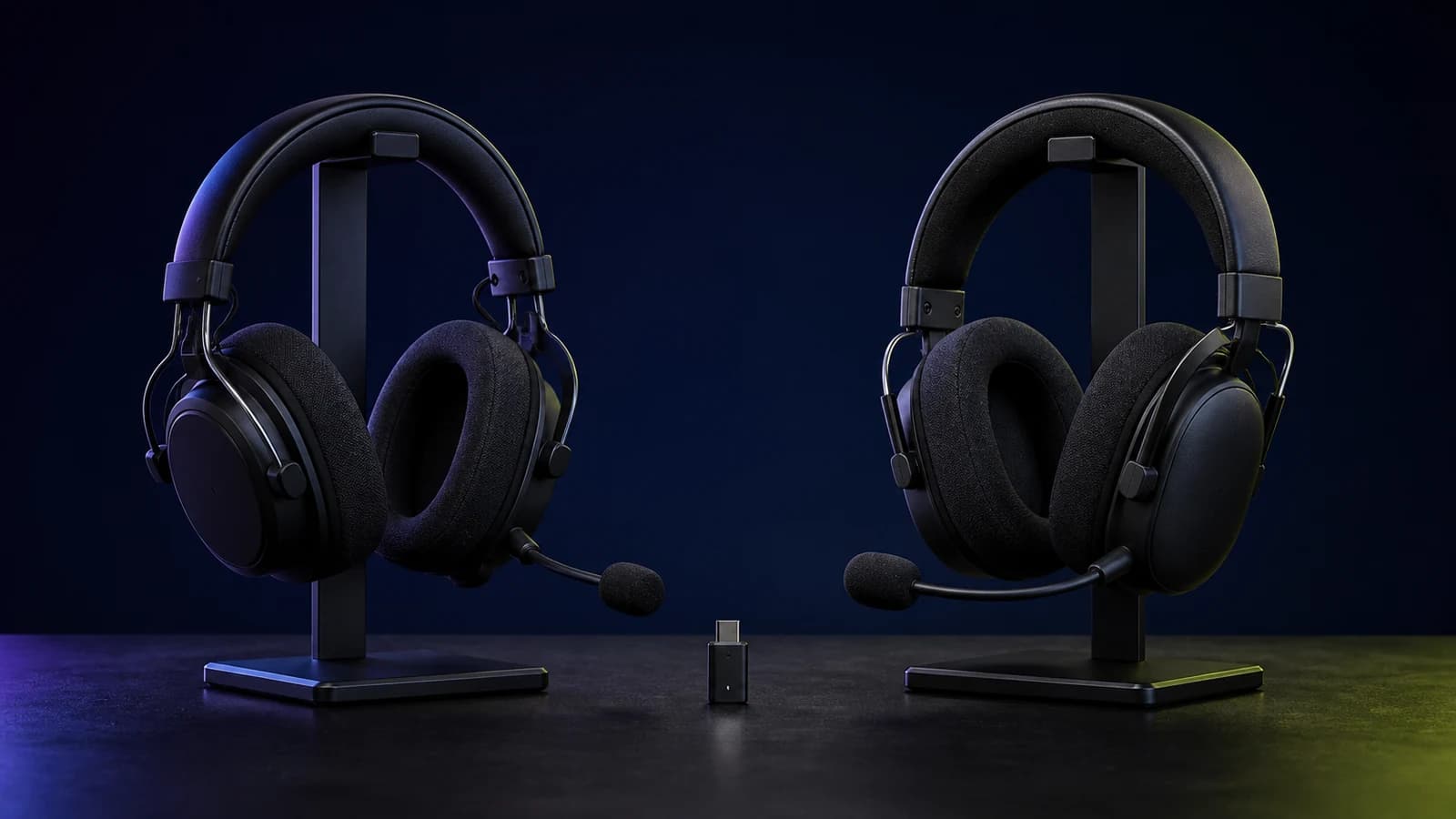
On this page
- Quick answer
- BlackShark V3 Pro vs Cloud III S comparison
- The decision starts with ANC
- Razer mixes sources; HyperX switches
- Battery life: HyperX owns the specification-sheet win
- Connections: Razer is the flexible desk headset
- Weight and fit are almost a paper tie
- Microphones: larger hardware or boomless convenience
- Software and controls
- Who should buy the Razer BlackShark V3 Pro?
- Who should buy the HyperX Cloud III S Wireless?
- Who should skip both?
- Price and value
- Alternatives
- Common mistakes
- Frequently asked questions
- Final recommendation
- Sources and methodology
Buy the Razer BlackShark V3 Pro if hybrid active noise cancellation or simultaneous game and phone audio will solve a real problem. Buy the HyperX Cloud III S Wireless if you use one source at a time and would rather charge as rarely as possible.
The Razer is the more capable routing tool. It can mix 2.4GHz and Bluetooth, adds ANC and ambient modes, and accepts USB and 3.5mm audio. HyperX keeps the job simpler: choose 2.4GHz or Bluetooth, use the USB dongle across its supported platforms, and lean on a manufacturer claim of up to 120 hours over 2.4GHz or 200 hours in Bluetooth mode.
This is a research-based comparison. SolderMag has not completed controlled side-by-side listening, microphone, ANC, latency, battery, comfort or durability testing. The verdict is based on current manufacturer documentation, exact US product identity and the daily trade-offs created by each feature set.
Quick answer
- Buy the BlackShark V3 Pro for a noisy room, two live wireless sources, or USB and analog fallback connections.
- Buy the Cloud III S Wireless when one active source is enough and charging frequency matters more than ANC.
- Skip both if a cable is acceptable, Xbox is your main platform without a verified compatible variant, or you need a proven sound, microphone or comfort winner.
The practical question is whether you will use Razer's extra hardware every week. If the answer is no, the HyperX battery advantage is easier to appreciate.
BlackShark V3 Pro vs Cloud III S comparison
| Decision | Razer BlackShark V3 Pro for PC | HyperX Cloud III S Wireless | What matters |
|---|---|---|---|
| Main reason to buy | Hybrid ANC and flexible source routing | Much longer manufacturer battery claim | Choose the daily annoyance you want to remove |
| Wireless | 2.4GHz and Bluetooth 5.3 | 2.4GHz and Bluetooth 5.3 | Both have two radios |
| Two live wireless sources | Yes; documented simultaneous mode | No simultaneous claim; hardware mode selector | Razer for game plus phone audio |
| Other audio paths | USB and 3.5mm | USB wireless dongle; USB cable is listed for charging | Razer has the broader fallback set |
| Listening ANC | Hybrid ANC, ambient mode and off | None listed | Razer for steady room noise |
| Manufacturer battery claim | Up to 70 hours; about six hours from 15 minutes charging | Up to 120 hours on 2.4GHz; up to 200 hours on Bluetooth | Claims use different conditions and are not one lab test |
| Drivers | 50mm bio-cellulose | Angled 53mm dynamic | Driver diameter does not establish a sound winner |
| Boom microphone | Detachable 12mm unidirectional | Detachable 10mm unidirectional | Razer has the larger paper specification; quality is unverified |
| Boomless microphone | No separate built-in mic listed | Built-in MEMS mic | HyperX can handle casual calls without the boom |
| Listed headset weight | 367g | About 358g | Only a small paper difference |
| PC software | Razer Synapse and Audio app | HyperX NGENUITY | Choose by controls, not brand loyalty alone |
| Standard listing platform | PC black model; separate console variants exist | PC, Mac, PS5, Switch and mobile listed | Verify the exact platform before ordering |
Battery claims, wireless range, ANC performance and latency can change with volume, connection mode, firmware, microphone use, radio conditions and battery age.
The decision starts with ANC
The BlackShark V3 Pro includes hybrid active noise cancellation, ambient mode and an off setting. Razer also exposes multiple cancellation levels through its software.
ANC is useful for steady noise such as:
- a desktop fan or air conditioner;
- traffic outside a room;
- another computer under sustained load;
- a shared office with a consistent background hum;
- low-frequency noise that passive cushions do not block well.
The Cloud III S does not list active noise cancellation. Its closed-back cups and leatherette-covered memory-foam cushions provide passive isolation, but that is not the same system.
Do not turn the feature list into a performance claim. SolderMag has not measured attenuation across frequencies or checked how the Razer behaves with different seals, glasses and head shapes. ANC presence is verified; ANC effectiveness for your room is not.
If the room is already quiet, the Razer's headline advantage becomes less useful. In that case, battery routine, fit, microphone design and current price should decide the purchase.
Razer mixes sources; HyperX switches
Both headsets support a low-latency 2.4GHz dongle and Bluetooth. They do not handle the two connections in the same way.
Razer documents a simultaneous mode. Once 2.4GHz and Bluetooth are connected, a double press on SmartSwitch can play both sources together. A phone call receives microphone priority while the two-source mode is active.
That is useful if you regularly:
- keep a PC or console game audible while answering a phone call;
- run Discord on a second device;
- listen to a phone stream underneath game audio;
- move between work calls and gaming without stopping the primary source.
HyperX provides a wireless mode selector. Its official product page says 2.4GHz or Bluetooth and describes switching between modes; it does not claim mixed playback. Buy the Cloud III S expecting one active wireless source at a time unless HyperX documents different behaviour for your exact firmware.
Switching is not automatically a weakness. If Bluetooth is only for listening away from the desk, simultaneous playback adds controls and power use without improving the routine.
Battery life: HyperX owns the specification-sheet win
HyperX claims up to 120 hours over the 2.4GHz connection and up to 200 hours in Bluetooth mode. Its footnote says testing used 50% headphone volume with continuous playback. The published full charge time is five hours.
Razer claims up to 70 hours and says a 15-minute USB-C charge can provide about six hours of play. The quick top-up is useful, but it does not erase the difference in maximum claims.
The honest conclusion is directional:
- choose HyperX if remembering to charge is the main frustration;
- choose Razer if a short emergency top-up is more useful than maximum runtime;
- expect ANC, simultaneous audio, volume and calls to affect Razer runtime;
- expect Bluetooth and 2.4GHz to produce different HyperX results;
- expect both batteries to lose capacity with age.
SolderMag has not reproduced either figure, so this page does not convert them into a promised number of days or sessions.
Connections: Razer is the flexible desk headset
The BlackShark V3 Pro accepts simultaneous 2.4GHz and Bluetooth, USB audio and 3.5mm analog audio. That makes it easier to keep working when a dongle cannot be used, to connect a second wired device, or to move between a PC and less predictable hardware.
The Cloud III S package includes a USB-C wireless dongle, USB-C-to-USB-A adapter and USB charging cable. HyperX lists support for PC, Mac, PS5, mobile and Switch. Its feature set is built around wireless use rather than an analog fallback.
Platform labels still matter. Razer sells separate PC, PlayStation and Xbox BlackShark V3 Pro variants. The exact Amazon product linked here is the PC black model. Do not assume the shell or model family makes every wireless and software feature portable across consoles.
HyperX does not list Xbox in the Cloud III S compatibility line. Xbox buyers should not infer support from PlayStation or PC USB compatibility.
Before ordering, check:
- the full product title and platform variant;
- whether the dongle fits the available USB port without blocking another port;
- whether game/chat balance works on your platform;
- whether Bluetooth mixing or switching matches your routine;
- whether an analog fallback is required.
Weight and fit are almost a paper tie
Razer lists the BlackShark V3 Pro at 367g. HyperX lists the Cloud III S headset at 0.79lb, roughly 358g, before its removable boom microphone. The published difference is small enough that weight distribution and cushion shape can matter more.
The physical approaches are different. Razer uses swivelling earcups, a padded headband and Flowknit-covered memory-foam cushions. HyperX uses a conventional padded headband, memory foam with leatherette surfaces, steel in the frame and aluminium forks.
None of those materials guarantees comfort. Check the return policy and pay attention to:
- clamp around the jaw and glasses;
- whether ears touch the inner surface;
- heat after an hour;
- headband pressure;
- stability when looking down;
- seal changes caused by glasses or hair.
The Razer's ANC also depends on a workable seal, while some listeners experience pressure discomfort with active cancellation. Fit is one of the reasons this research-based page cannot name an unconditional winner.
Microphones: larger hardware or boomless convenience
Razer gives the BlackShark V3 Pro a detachable 12mm unidirectional boom microphone. HyperX uses a detachable 10mm unidirectional boom with a mute indicator and also provides a built-in MEMS microphone for boomless calls.
Razer has the more ambitious boom specification. HyperX has the more convenient listening mode when you want to remove the boom but still answer a call.
Neither fact proves voice quality. Microphone position, gain, software processing, room noise, chat compression and the user's voice all change the result. A fair comparison needs matched recordings through the same app, level and processing path.
Choose Razer if you want its full-band boom hardware and will keep the microphone attached. Choose HyperX if removing the boom without giving up casual calling is useful. Listen to current firmware samples before buying either for streaming or professional calls.
Software and controls
Razer uses Synapse on PC and its Audio app for supported controls. On the headset, SmartSwitch handles EQ and connection modes, the ANC button cycles noise settings, and the configurable dial can manage game/chat balance, microphone monitoring or a footstep-focused control.
HyperX uses NGENUITY for supported settings. The headset provides a wireless mode selector, volume wheel, mute button and multifunction media/call button. HyperX currently positions NGENUITY as a Windows tool, so console and Mac buyers should not assume every setting is adjustable from their normal device.
Razer offers more to tune. HyperX is easier to leave alone. Start with neutral settings, set microphone gain without clipping, and change one option at a time. More presets do not create a sound-quality win by themselves.
Who should buy the Razer BlackShark V3 Pro?
Buy the Razer if:
- hybrid ANC solves a repeated room-noise problem;
- game and phone audio need to remain live together;
- USB and 3.5mm fallback paths matter;
- you want its 12mm detachable microphone hardware;
- a six-hour quick charge is useful;
- you have verified the exact PC, PlayStation or Xbox variant.
Razer BlackShark V3 Pro for PC
Choose it when ANC, two-source audio or the extra wired paths solve a specific problem.
Why it works
- Hybrid ANC and ambient mode
- Simultaneous 2.4GHz and Bluetooth
- USB and 3.5mm audio paths
Main trade-off
- Much lower battery claim than HyperX
- Platform-specific variants need careful checking
- Extra controls may be wasted in a quiet one-device setup
Who should buy the HyperX Cloud III S Wireless?
Buy the HyperX if:
- charging as rarely as possible is the priority;
- one wireless source at a time is enough;
- a detachable boom plus built-in microphone suits your routine;
- PC, Mac, PS5, Switch or mobile is the main platform;
- you prefer a simpler control set without ANC;
- the current price gap makes Razer's extra hardware hard to justify.

HyperX Cloud III S Wireless
The charging-avoidance choice for buyers who do not need ANC or mixed wireless sources.
Why it works
- Up to 120-hour 2.4GHz manufacturer claim
- Up to 200-hour Bluetooth manufacturer claim
- Detachable boom plus built-in microphone
Main trade-off
- No documented simultaneous source mixing
- No active noise cancellation
- No Xbox support listed by HyperX
Who should skip both?
Skip both if you play from one quiet desk and a cable is acceptable. A wired headset removes charging, wireless mode and dongle management from the decision.
Skip both if Xbox is the main platform until you have an exact compatible listing. Razer has an Xbox-specific BlackShark V3 Pro; the PC link here is not that product. HyperX does not list Xbox for Cloud III S Wireless.
Skip both if music and travel are more important than game chat and dongle latency. A conventional noise-cancelling headphone may be the better primary device.
Also skip both if you need evidence that one sounds better, cancels more noise, records a clearer microphone or remains comfortable for your head. Those questions require measurements and controlled use that SolderMag has not completed.
Price and value
Do not anchor the decision to a fixed price in an article. Compare the exact variants and sellers when you buy.
The Razer earns a premium when ANC and simultaneous audio are requirements. USB and 3.5mm inputs add value when the desk changes sources often. If those features remain off, you are carrying and paying for hardware without getting the benefit.
The HyperX value case is easier: one-source wireless, a familiar padded design and a far longer battery claim. We would not pay more for it than the Razer solely for runtime, but we would choose it at a useful saving when ANC and mixed audio are irrelevant.
The cheaper option is not automatically better. The right calculation includes platform compatibility, return terms, microphone routine and whether another headset or adapter is needed to cover missing connections.
Alternatives
SteelSeries Arctis Nova 7 Gen 2: the middle route when simultaneous game and phone audio matters but ANC does not. It has a lower published weight than either model here and a retractable microphone. Read our Nova 7 Gen 2 vs BlackShark V3 Pro comparison.
Logitech G522: the lighter RGB alternative for one-source-at-a-time use. Our G522 vs BlackShark V3 Pro comparison explains the 77g listed-weight difference and source-switching limitation.
SteelSeries Arctis Nova 3 Wireless: a lower-cost current headset when quick switching is enough. The Nova 3 Wireless vs Cloud III S comparison covers that value choice.
Original Cloud III Wireless: consider it only when remaining stock is meaningfully cheaper. It lacks the S model's Bluetooth path. Our Cloud III Wireless vs Cloud III S comparison separates the generations.
For the wider shortlist, use our best gaming headsets guide.
Common mistakes
Assuming two radios means two live sources. Razer documents simultaneous playback. HyperX documents a mode selector and does not claim mixed playback.
Buying the PC Razer for Xbox. Match the platform variant before ordering. Similar shells do not make the USB licensing path universal.
Comparing battery numbers as one lab test. The brands use their own conditions. Treat the figures as manufacturer claims, not guaranteed runtime.
Treating larger drivers or microphones as quality scores. Diameter is not a substitute for matched frequency-response, distortion or recording tests.
Buying ANC for a quiet room. If passive isolation is already enough, the HyperX battery advantage may matter more.
Ignoring return terms. Fit and seal can outweigh the specification table, especially for glasses wearers and ANC-sensitive listeners.
Frequently asked questions
Is the Razer BlackShark V3 Pro better than the HyperX Cloud III S Wireless?
It is more capable when you need hybrid ANC, simultaneous 2.4GHz and Bluetooth, USB audio or 3.5mm input. The HyperX is the better battery-first choice when one source at a time is enough. Neither is a proven sound, microphone or comfort winner here.
Can the BlackShark V3 Pro play Bluetooth and game audio together?
Yes. Razer documents a simultaneous mode for 2.4GHz and Bluetooth. During a Bluetooth call, the headset gives the microphone to the call.
Can the Cloud III S use Bluetooth and 2.4GHz at the same time?
HyperX lists both modes and a hardware wireless mode selector, but it does not claim simultaneous playback. Buy it expecting to switch between 2.4GHz and Bluetooth.
Which has better battery life?
HyperX has the stronger manufacturer claim: up to 120 hours over 2.4GHz and up to 200 hours in Bluetooth mode. Razer claims up to 70 hours and about six hours from a 15-minute charge. SolderMag has not reproduced those figures.
Does the HyperX Cloud III S have active noise cancellation?
No listening ANC feature is listed in the current HyperX specification. The Razer BlackShark V3 Pro includes hybrid ANC and ambient mode.
Which headset has the better microphone?
Razer has the larger boom specification at 12mm. HyperX uses a detachable 10mm boom and adds a built-in microphone for boomless calls. Voice quality requires matched recordings through the same app and settings, so this page does not declare a winner.
Does either headset work on Xbox?
Razer sells an Xbox-specific BlackShark V3 Pro, but the Amazon link in this article is the PC black model. HyperX does not list Xbox in the Cloud III S Wireless compatibility line. Verify the exact product before buying for Xbox.
Final recommendation
Buy the Razer BlackShark V3 Pro when ANC or simultaneous game and phone audio is a requirement. Its USB and 3.5mm paths also make it the more adaptable desk headset.
Buy the HyperX Cloud III S Wireless when you want a simpler wireless routine and the strongest battery claim. It gives up ANC and mixed audio, but those are sensible omissions when one quiet-room source handles every session.
The unresolved factors are sound tuning, microphone quality, ANC effectiveness, fit, heat, latency and real battery runtime. We verified the models, connections, published specifications and exact product destinations; those performance questions still need matched testing.
Sources and methodology
- Razer official BlackShark V3 Pro product page for ANC, simultaneous audio, connections, microphone, controls, charging and battery claims.
- Razer official BlackShark V3 Pro launch information for current model positioning and platform variants.
- HyperX official Cloud III S Wireless product page and specifications for wireless modes, battery test conditions, drivers, microphones, materials, weight, compatibility and controls.
- Amazon Creators API exact-product validation for Razer BlackShark V3 Pro PC black ASIN
B0F3QDLZKGand HyperX Cloud III S Wireless black ASINB0F6NZWPTCin the US marketplace with the configuredsoldermag-20Associate tag.
This page compares documented hardware, connections, controls and buyer scenarios. It does not make matched sound, microphone, comfort, ANC, latency, battery-runtime or durability claims.
As an Amazon Associate I earn from qualifying purchases.