HyperX Cloud III Wireless vs Cloud III S Wireless
Both claim up to 120 hours of gaming. Cloud III S adds Bluetooth and a built-in mic, but cannot mix phone and game audio. See when upgrading is worth it.
Research-based comparison
Recommendations are checked against product documentation, availability, comparative evidence, and clearly disclosed hands-on work where it exists.
Quick picks
The short answer, with the trade-off
Best current HyperX pick
HyperX Cloud III S Wireless
2.4GHz and Bluetooth modes
Trade-off: Cannot mix Bluetooth with 2.4GHz

Only if clearly cheaper
HyperX Cloud III Wireless
Trade-off: No Bluetooth

Better if you need simultaneous audio
SteelSeries Arctis Nova 7
On this page
- Quick verdict
- What changed with the Cloud III S Wireless?
- HyperX Cloud III Wireless vs Cloud III S Wireless specs
- Who should buy the Cloud III S Wireless?
- Who should still consider the older Cloud III Wireless?
- Need simultaneous Bluetooth and 2.4GHz?
- What to check before buying
- Alternatives
- FAQ
- Final recommendation
- Sources and methodology
The Cloud III S Wireless is the better new buy when Bluetooth is useful. It adds Bluetooth and a boomless call option while keeping HyperX's claimed 120-hour 2.4GHz battery life. It does not play Bluetooth and 2.4GHz audio at the same time.
Buy the older Cloud III Wireless only when it is clearly cheaper and you need dongle wireless only. If the price gap is small, the S is the safer choice.
For shoppers using the shorter “Cloud 3 vs 3S” names: this page compares the two wireless headsets. It does not compare either model with the cheaper wired Cloud III or Cloud III S.
This comparison is research-based. We have not completed long-term hands-on testing of the Cloud III S Wireless, so the recommendation below is based on official product specifications, current product-page signals, exact product identities, and comparison against the existing Cloud III Wireless.
Quick verdict
| Buyer | Better pick | Why |
|---|---|---|
| Buying new at normal retail | HyperX Cloud III S Wireless | Adds Bluetooth and is the newer active model |
| PC/PS5 gaming only, no phone calls | Either | The older Cloud III Wireless is fine if cheaper |
| Want phone Bluetooth sometimes | Cloud III S Wireless | The older Cloud III Wireless lacks Bluetooth |
| Want game audio and Bluetooth audio at the same time | Neither HyperX; buy SteelSeries Nova 7 | Cloud III S switches modes rather than replacing dual-source headsets |
| Want longer gaming battery life | Neither has a higher 2.4GHz claim | Both claim up to 120 hours; the S model's 200-hour figure is for Bluetooth |
| Found the old model on clearance | Cloud III Wireless | Worth considering if the price gap is meaningful and return policy is good |
Already own the Cloud III Wireless? Keep it if dongle gaming covers your use. The S adds connection options; its longer Bluetooth battery figure is not a higher gaming-mode rating.
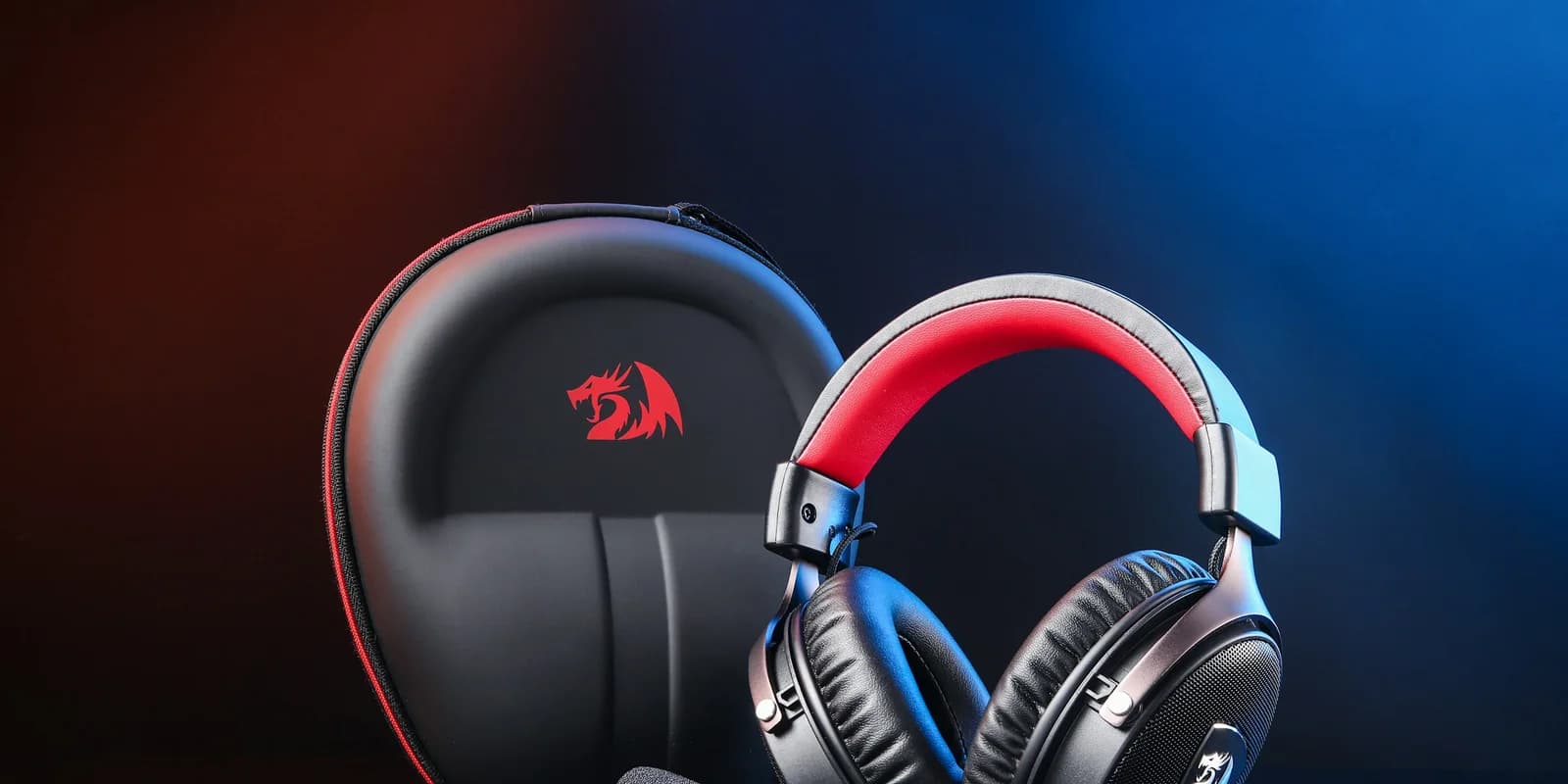
The Cloud III S Wireless is not a completely different headset. It is the practical revision that fixes the older model's biggest limitation: no Bluetooth. That matters if you use one headset for PC, PS5, Switch, phone calls, and casual listening. Our dedicated Cloud III S Wireless review covers the new model's setup, software, battery and platform limits in more depth.
HyperX Cloud III S Wireless
Why it works
- 2.4GHz and Bluetooth modes
- Boom and built-in call microphones
- Up to 120 hours at 50% volume on 2.4GHz
Main trade-off
- Cannot mix Bluetooth with 2.4GHz
- Five-hour listed charge time
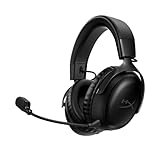
HyperX Cloud III Wireless
Why it works
- Straightforward 2.4GHz connection
- Up to 120 hours at 50% volume
- Same broad 53mm angled-driver design
Main trade-off
- No Bluetooth
- Discontinued by HyperX in the US
What changed with the Cloud III S Wireless?
Bluetooth is the main reason to care
The older HyperX Cloud III Wireless is a 2.4GHz-dongle headset. That is good for low-latency PC and console gaming, but it is awkward if you also want to take a phone call, listen from a tablet, or use the headset away from the dongle.
The Cloud III S Wireless adds Bluetooth plus HyperX's Instant Pair mode for select OMEN laptops. That does not make it the same kind of multi-source headset as the current Nova 7 Gen 2, because the Cloud III S is better understood as 2.4GHz or Bluetooth, not a headset built around mixing both streams at once.
Buy the S model if Bluetooth is even occasionally useful. Skip the upgrade if the headset will live permanently beside a gaming PC or PS5.
For setup rather than shopping, follow our Cloud III S Wireless Bluetooth pairing steps. They apply to the S model and help separate a connection problem from a missing feature.
Battery life is still the headline spec
HyperX lists the Cloud III S Wireless at up to 120 hours over 2.4GHz and up to 200 hours in Bluetooth mode. Treat those as best-case figures, not a promise of your exact runtime. Volume, microphone use, EQ, distance from the dongle, and Bluetooth behavior can all change the result.
The important buying point is simpler: both Cloud III wireless models are built for people who do not want to charge a headset every few nights. If battery life is the whole reason you are shopping HyperX, the Cloud line still makes sense.
The driver and comfort story stays familiar
The Cloud III S Wireless keeps the familiar HyperX pitch: 53mm angled drivers, memory-foam ear cushions, a detachable boom microphone, and an aluminum frame. That is good news if you like the Cloud shape. It is less exciting if you wanted a major audio rethink.
This is why the buying decision is not "newer equals radically better." It is really about connectivity and whether the price gap is reasonable.
HyperX Cloud III Wireless vs Cloud III S Wireless specs
| Spec | Cloud III Wireless | Cloud III S Wireless |
|---|---|---|
| Low-latency wireless | 2.4GHz USB dongle | 2.4GHz USB dongle |
| Bluetooth | No | Yes |
| Instant Pair | No | Select OMEN laptops |
| Claimed battery | Up to 120 hours | Up to 120 hours on 2.4GHz; up to 200 hours on Bluetooth |
| Drivers | 53mm angled dynamic drivers | 53mm angled dynamic drivers |
| Microphone | Detachable 10mm boom mic | Detachable 10mm boom mic plus boomless call option |
| Best fit | Discount hunters who only need dongle wireless | Most buyers choosing a new HyperX wireless headset |
Who should buy the Cloud III S Wireless?
Buy the Cloud III S Wireless if you want a gaming headset that can also use Bluetooth when you are away from the console or PC. It is the more flexible choice for:
- PC and PS5 players who also use a phone or tablet
- students who want one headset for games, calls, and media
- people who forget to charge headsets
- buyers who prefer simple controls over a heavy software ecosystem
- anyone who does not want to buy a discontinued or aging model unless it is meaningfully cheaper
The main trade-off is that HyperX still is not the best choice if you want advanced game/chat mixing, mic tuning, or simultaneous phone/game audio. That is where SteelSeries remains stronger.
Who should still consider the older Cloud III Wireless?
The older Cloud III Wireless is still a sensible 2.4GHz headset if the price is right. It keeps the detachable boom, angled 53mm drivers, onboard controls, and 120-hour claim, but it drops Bluetooth and the built-in call microphone found on the S.
But the older model is harder to recommend at a small discount because HyperX's own product page now points shoppers toward the Cloud III S Wireless. That is a strong signal that the S model is the safer current buy.
Consider the older model only if:
- it is clearly cheaper than the Cloud III S Wireless
- you only use 2.4GHz wireless
- you do not need Bluetooth for a phone, tablet, handheld, or laptop
- the seller has a straightforward return policy
- you are comfortable buying the older version while the S model is active
Do not buy the old model just because the name is familiar. If the price gap is small, buy the S.
Need simultaneous Bluetooth and 2.4GHz?
Neither HyperX model is the right pick if you want phone and game audio at the same time. The Cloud III S switches between its Bluetooth and 2.4GHz modes. The Cloud III S Wireless vs Nova 7 Gen 2 comparison covers the current alternative that can mix both sources.
What to check before buying
Make sure you are buying the right model
Retail listings can be confusing because "Cloud III," "Cloud III Wireless," and "Cloud III S Wireless" look similar at a glance. Check the product title and connectivity section before buying.
Confirm the full model name in the manufacturer specifications; a retailer omitting Bluetooth from its summary does not establish which model it is selling.
Do not overpay for the old model
The older Cloud III Wireless should be treated like a value buy now. It is not bad. It is just less flexible. If it costs almost as much as the S model, the S is the more defensible purchase.
Check platform needs
HyperX lists PC, PS5, PS4 and Nintendo Switch support for these wireless models. Xbox is absent from those compatibility lists, so do not buy either expecting Xbox USB wireless audio. Check the wired versions separately if you need a controller connection.
Decide whether Bluetooth needs to be simultaneous
This is the trap. Bluetooth support and simultaneous Bluetooth mixing are not the same thing.
If you want to hear game audio from the dongle and phone audio at the same time, the SteelSeries Nova 7 is the better fit. If you just want the option to switch from gaming to Bluetooth listening, the Cloud III S Wireless is enough.
Alternatives
SteelSeries Arctis Nova 7: Better if you want simultaneous Bluetooth and 2.4GHz audio. The trade-off is a lower manufacturer battery claim.
SteelSeries Arctis Nova 5 Wireless: Better if low weight and phone-based game presets matter more than HyperX's battery advantage. Our Nova 5 vs Cloud III S comparison covers that current mid-tier decision.
HyperX Cloud III wired: Better if you mostly play at a desk and want to spend less. No battery, no wireless dropout risk, no Bluetooth.
Logitech G Pro X 2 Lightspeed: Consider it if its lighter listed weight, detachable boom, and Logitech software suit your setup. Do not assume it sounds better without comparing the exact models.
For the broader category, start with our best gaming headsets guide. If your setup is more about music, movies, and speakers than game chat, see our complete home audio setup guide.
FAQ
Is the HyperX Cloud III S Wireless replacing the Cloud III Wireless?
HyperX describes the Cloud III S Wireless as the next evolution of the Cloud III Wireless and the older Cloud III Wireless page points shoppers toward the S model. That makes the S the safer new buy.
Does the Cloud III S Wireless have Bluetooth?
Yes. The Cloud III S Wireless supports Bluetooth as well as 2.4GHz wireless. The older Cloud III Wireless does not have Bluetooth.
Can the Cloud III S Wireless play Bluetooth and 2.4GHz audio at the same time?
Do not buy it expecting SteelSeries-style simultaneous mixing. If simultaneous phone and game audio matters, the Arctis Nova 7 is the safer pick.
Is the older Cloud III Wireless still worth buying?
Yes, but only as a discounted 2.4GHz-only headset. If it is close in price to the Cloud III S Wireless, buy the S model.
Is the Cloud III S Wireless good for PS5?
It should fit the normal PC/PlayStation/Switch use case through its 2.4GHz USB dongle, but always check the exact retailer listing before buying. Xbox compatibility needs extra care.
Final recommendation
Buy the HyperX Cloud III S Wireless if you want the current HyperX wireless pick. It keeps the practical Cloud formula and fixes the biggest old-model limitation by adding Bluetooth.
Buy the older Cloud III Wireless only if it is clearly cheaper and you know you will not miss Bluetooth. If the price gap is small, the S is the safer buy.
Sources and methodology
- HyperX official Cloud III S Wireless product page for connections, tested battery conditions, drivers, microphones, weight, charging, and platform compatibility.
- HyperX official Cloud III Wireless product page for the discontinued status, 2.4GHz-only design, 120-hour claim at 50% volume, drivers, microphone, weight, and platform compatibility.
- Exact Amazon US identity checks for Cloud III S Wireless
B0F6NZWPTCand Cloud III WirelessB0CBQYKFR2, usingsoldermag-20. Sellers, prices, and featured-offer availability can change.
Product claims here are research-based rather than hands-on long-term test findings. SolderMag has not declared a sound, microphone, comfort, latency, battery, or durability winner.
As an Amazon Associate I earn from qualifying purchases.