CalDigit TS4 vs Plugable UD-4VPD: Which Dock Fits Your Desk?
Compare the CalDigit TS4 and Plugable UD-4VPD on ports, charging and display support, including the Mac compatibility limits that matter.
Editorial evidence review
Recommendations are checked against product documentation, availability, comparative evidence, and clearly disclosed hands-on work where it exists.
Quick picks
The short answer, with the trade-off
Best overall
CalDigit TS4 Thunderbolt 4 Dock
18 ports including 3 downstream TB4
Trade-off: Premium price
Best for dual HDMI
Plugable USB4 Dual HDMI Docking Station (UD-4VPD)
Trade-off: No downstream TB4 ports
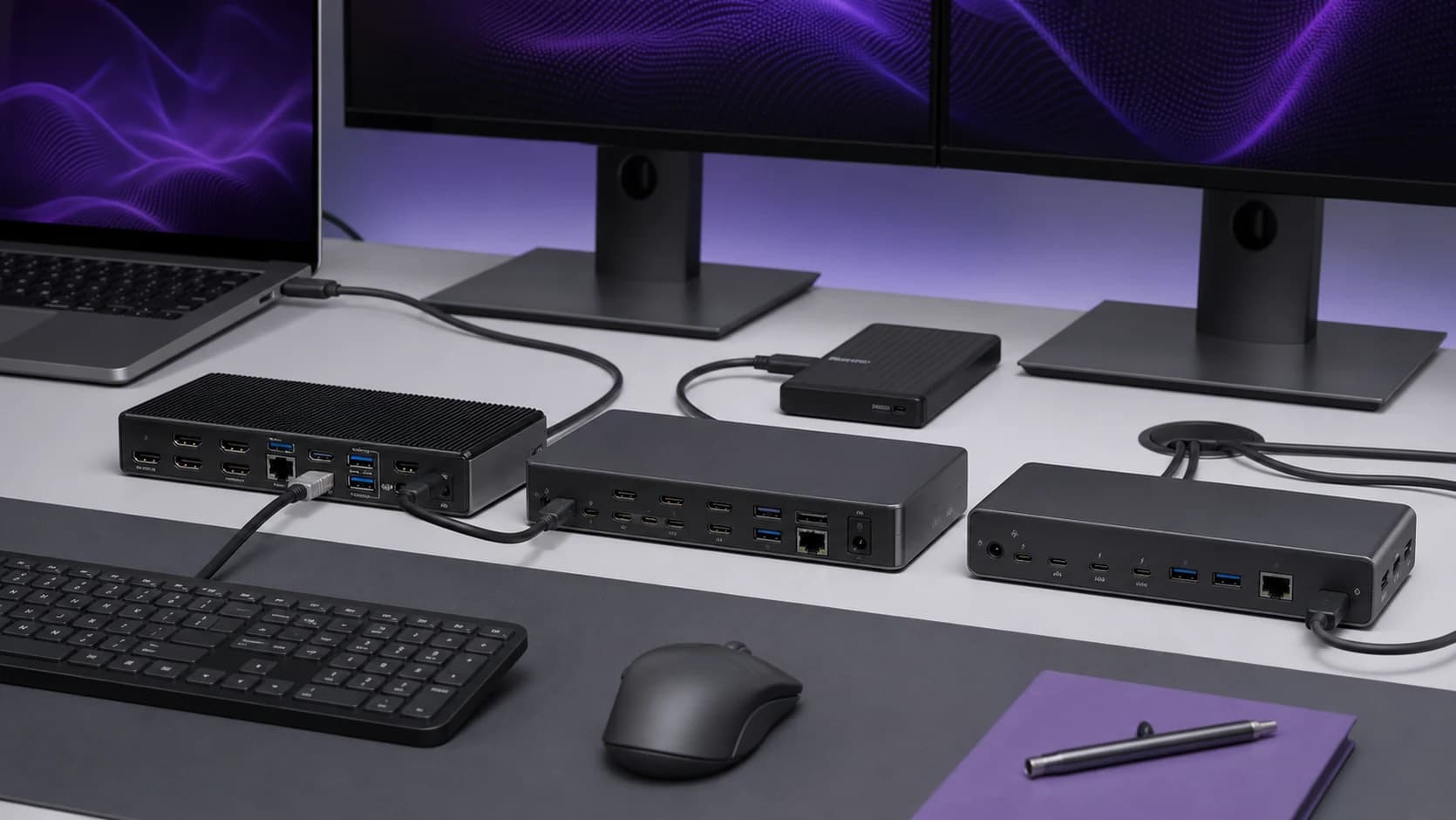
The CalDigit TS4 is the more flexible dock. The Plugable UD-4VPD is the simpler pick for a Windows desk built around HDMI monitors. Both replace a desk full of dongles with one upstream cable, but the port mix matters more than the headline port count.
We have not tested these docks side by side. This comparison is based on the manufacturers' current specifications and compatibility guidance; confirm your laptop's display limits before buying.
Quick answer
Buy the CalDigit TS4 if you need downstream Thunderbolt ports, card readers or broad port flexibility. Buy the Plugable UD-4VPD if your Windows laptop supports USB4 and you specifically want two built-in HDMI outputs.
Do not assume either dock creates display support your computer lacks. Apple Silicon model limits and Windows USB4 graphics support still apply. Our two-monitor Mac dock guide explains the model and lid-state checks.
Ports and connectivity
CalDigit TS4: 18 ports total, including 3 downstream Thunderbolt 4 ports, 5 USB-A (up to 10Gbps), USB-C (10Gbps), DisplayPort 1.4, 2.5GbE Ethernet, SD/microSD slots, and a 3.5mm combo jack. This is the Swiss Army knife of docks. almost anything you need to plug in has a dedicated port.
Plugable UD-4VPD: Two HDMI outputs, three 10Gbps USB-A ports, one 10Gbps USB-C port, 2.5GbE, SD and microSD readers, and a 3.5mm audio jack. Fewer ports overall, but the built-in HDMI outputs are practical when your monitors do not accept DisplayPort or Thunderbolt.
Winner: CalDigit, by sheer volume and versatility. But the Plugable's dual HDMI is more convenient for HDMI-only monitor setups.
Display support
CalDigit TS4: Supports dual 6K displays via Thunderbolt or a single 8K display. The three downstream TB4 ports mean you can daisy-chain Thunderbolt monitors or use adapters for HDMI/DisplayPort. Mac users: your specific model's external display limits still apply. the dock can't override Apple Silicon restrictions.
Plugable UD-4VPD: The dock can drive up to two HDMI displays on compatible Windows USB4 systems, with resolution and refresh rate depending on the host and whether one or two displays are connected. Plugable marks macOS as unsupported for this model, so this is not the safer Mac choice.
Winner: CalDigit for maximum display flexibility. Plugable for plug-and-play HDMI simplicity.
Charging
CalDigit TS4: 98W host charging. This is enough to keep a 16-inch MacBook Pro or Dell XPS charged under load. You won't see the battery drain while working. which is the entire point of a dock.
Plugable UD-4VPD: Up to 100W host charging via the included USB4 cable, subject to the laptop's own charging limit.
Winner: Tie. Both deliver enough wattage for demanding laptops.
Build and desk fit
The TS4's metal enclosure can sit vertically or horizontally. The UD-4VPD is a conventional horizontal dock. We have not run controlled thermal or long-duration reliability testing, so we would not choose between them on unsupported heat claims. Choose on ports, host compatibility and warranty support instead.
Fast storage and bandwidth
CalDigit TS4: Three downstream TB4 ports mean you can connect NVMe enclosures at full Thunderbolt speed while still running displays and peripherals. If you work with large files. video, photography, development. this bandwidth headroom matters.
Plugable UD-4VPD: USB4 at 40Gbps, but no downstream Thunderbolt ports. You get 10Gbps USB-A/C ports for storage, which is fine for most external SSDs but won't match a dedicated TB4 connection for NVMe enclosures. If fast external storage is critical to your workflow, this is where the Plugable shows its limits.
Winner: CalDigit, significantly. The downstream TB4 ports are the real differentiator.
Networking
CalDigit TS4: 2.5GbE Ethernet. If you have a NAS or fast home network, this matters. file transfers are noticeably faster than Gigabit.
Plugable UD-4VPD: 2.5GbE Ethernet as well. In both cases, the rest of your network must support 2.5GbE to see the benefit.
Winner: CalDigit, if you have 2.5GbE infrastructure. Irrelevant if your network is all Gigabit.
Compatibility is the deciding factor
The TS4 is a Thunderbolt 4 dock and works across a wider mix of Thunderbolt and USB4 hosts, but display count still depends on the computer. The UD-4VPD is a Windows-focused USB4 dock; Plugable's published compatibility table should be treated as a pre-purchase checklist, not a suggestion.
Who each dock is really built for
The CalDigit TS4 is built for the person whose desk is their primary workspace. a photographer offloading RAW files to a Thunderbolt NVMe array, a developer running multiple monitors and an eGPU, or anyone who connects more than five things to their laptop daily. The premium buys peace of mind.
The Plugable UD-4VPD is built for the person who needs a clean dual-monitor setup with charging and a few USB peripherals. and doesn't want to spend $300+ to get there. It's a practical, no-nonsense dock for straightforward desk setups.
Price and value
Prices move. Check the current gap, then ask whether downstream Thunderbolt ports and the TS4's broader port mix are useful on your actual desk. The UD-4VPD is not a value win for a Mac user if its display path is unsupported.
Quick spec comparison
| CalDigit TS4 | Plugable UD-4VPD | |
|---|---|---|
| Interface | Thunderbolt 4 | USB4 (40Gbps) |
| Total ports | 18 | ~8 |
| Downstream TB4 | 3 | 0 |
| Display output | DP 1.4 + TB4 (dual 6K) | Dual HDMI 2.1 (4K@120Hz) |
| Host charging | Up to 98W | Up to 100W |
| Ethernet | 2.5GbE | 2.5GbE |
| Card reader | SD + microSD | SD + microSD |
| Host focus | Thunderbolt 4 / USB4 | Compatible Windows USB4 systems |
The spec table tells the story: the CalDigit has more of everything except built-in HDMI. Whether those extras matter depends entirely on your desk setup.
The verdict
CalDigit TS4 Thunderbolt 4 Dock
The better fit when downstream Thunderbolt ports and a broad port mix justify the premium.
Why it works
- 18 ports including 3 downstream TB4
- Up to 98W host charging
- 2.5GbE Ethernet
Main trade-off
- Premium price
- No built-in HDMI (adapters needed)
Plugable USB4 Dual HDMI Docking Station (UD-4VPD)
A Windows-focused USB4 dock for buyers who want two HDMI outputs without adapters.
Why it works
- Two built-in HDMI outputs
- Up to 100W host charging
- 2.5GbE plus SD and microSD
Main trade-off
- No downstream TB4 ports
- macOS is not supported by Plugable for this model
Decision checklist
Buy the CalDigit TS4 if you:
- Need downstream Thunderbolt 4 ports for fast storage
- Need a Thunderbolt dock that supports macOS
- Have a 2.5GbE home network or NAS
- Run a permanent desk setup with multiple high-res displays
- Want a dock that outlasts your laptop
Buy the Plugable UD-4VPD if you:
- Need dual HDMI outputs without adapters
- Use a compatible Windows USB4 computer
- Don't require downstream Thunderbolt connections
- Have a simpler setup (dual 4K monitors, keyboard, mouse, charging)
- Have confirmed your laptop and display combination in Plugable's compatibility table
Skip both if you:
- Only need a few extra ports occasionally (a USB-C hub is cheaper and portable)
- Don't have a Thunderbolt 4 or USB4 laptop (check your port specs first)
For the full ranked list including all price tiers, see our best Thunderbolt 4 / USB4 docks in 2026 guide. Verify specifications at CalDigit and Plugable before buying.