Anker Prime 100W Charger Review: Three Useful Ports
Anker's A2688 gives one device up to 100W or splits power across two USB-C ports and USB-A. It is a sensible laptop charger if the 65W/35W split fits.
Research-based review
Recommendations are checked against product documentation, availability, comparative evidence, and clearly disclosed hands-on work where it exists.
Quick picks
The short answer, with the trade-off
Best for laptop plus phone
Anker Prime Charger 100W A2688
100W from either USB-C port when used alone
Trade-off: 89W total with all ports occupied

Simpler one-port option
Anker 317 Charger 100W A2672
Compact 45W option
Anker Nano 45W Smart Display A121D
On this page
- Short verdict
- Who this is for
- Who should skip it
- Pros and cons
- Key specifications and power splits
- One-port use: the simple 100W job
- Two-port use: the reason to buy the Prime
- Three-port use: useful, but slow on the small ports
- Laptop compatibility
- Phone and tablet compatibility
- Design and travel fit
- Temperature and reliability: what remains unknown
- Value
- Alternatives
- Common mistakes
- Frequently asked questions
- Final recommendation
- Sources and evidence limits
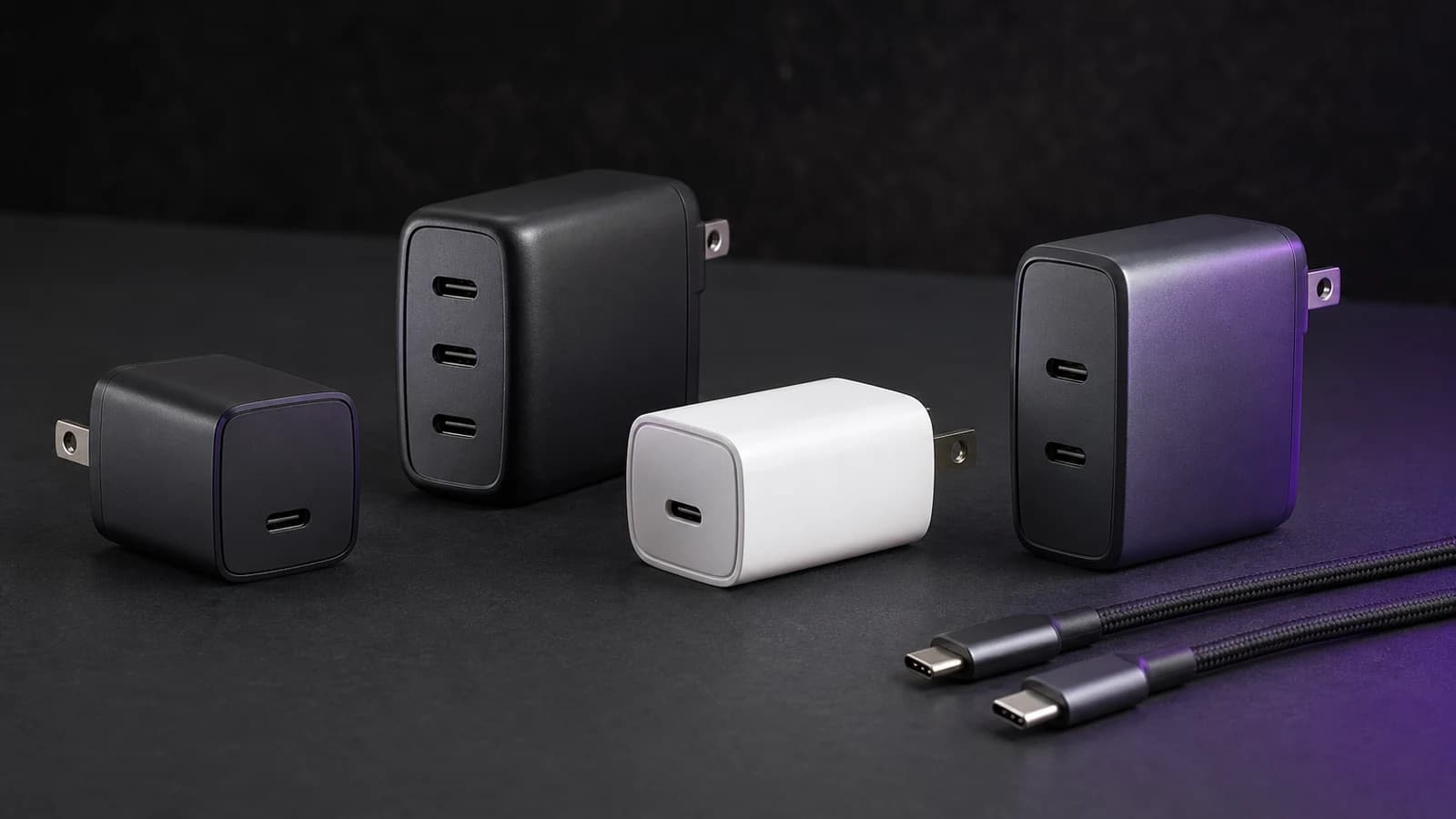
The Anker Prime 100W A2688 is a sensible travel charger for one USB-C laptop plus a phone and one older USB-A accessory. Either USB-C port can supply up to 100W when used alone, and Anker documents a useful 65W/35W split when both USB-C ports are occupied.
The main compromise is shared power. Connect all three outputs and the charger's total falls to 89W. It cannot keep a laptop at 100W while charging two more devices, and the standard Anker package does not include a charging cable.
This is a research-based review. SolderMag has not completed hands-on electrical, efficiency, temperature, charging-time, outlet-grip, drop or long-term durability testing on the A2688. The verdict uses Anker's current output table, dimensions, exact US product identity and comparison with nearby charger designs.
Short verdict
Buy the Prime A2688 when its three-port layout can replace two or three separate bricks. The best use is a 45W-to-65W laptop on the upper USB-C port, a phone or tablet on the second USB-C port, and a watch puck, earbuds cable or older accessory on USB-A.
Skip it if the laptop must keep a full 100W while anything else charges. Also skip it for a compatible 16-inch MacBook Pro fast-charge setup that requires 140W, or for a four-device desk that needs more ports and a corded enclosure.
The charger is easier to recommend than its old name suggests. “Prime” is branding. The useful facts are two USB-C ports, one USB-A port, a folding plug and a published allocation table.
Who this is for
The A2688 fits buyers who:
- carry a USB-C laptop that accepts no more than 100W;
- can run that laptop from 65W when a second device is connected;
- want two USB-C outputs plus one USB-A output;
- already own suitable charging cables;
- prefer a folding wall charger to a corded desktop station;
- understand that plugging in another device changes the available power.
It is particularly useful for a MacBook Air, efficient Windows ultrabook, tablet and phone mix. The laptop gets enough power for normal use while smaller devices share the remaining budget.
Who should skip it
Choose something else if:
- a laptop needs 100W continuously while a phone charges;
- you need a 140W USB PD 3.1 fast-charge path;
- four or more devices regularly need power together;
- one USB-C output covers the whole job and the Anker 317 is meaningfully cheaper;
- USB-A is unnecessary and a smaller two-USB-C charger fits better;
- you expect a cable in the standard box.
For phone-only or light 45W use, the Anker Nano 45W Smart Display Charger is smaller and shows live power, though it has only one port.
Pros and cons
| Strengths | Limits |
|---|---|
| Up to 100W from either USB-C port when used alone | No 140W output |
| Two USB-C ports plus one USB-A port | 89W total with all three ports connected |
| Documented 65W/35W two-USB-C split | USB-C2 plus USB-A is a weak 12W/12W pairing |
| Foldable US plug | Standard product page says cables are not included |
| 100–240V input | Outlet fit and sustained temperature remain untested here |
Anker Prime Charger 100W A2688
Buy it when a 65W laptop share and a 35W second-device share cover the travel kit. Skip it if the laptop must stay at 100W with other ports occupied.
Why it works
- 100W from either USB-C port when used alone
- Useful 65W/35W two-USB-C split
- Two USB-C ports plus USB-A
Main trade-off
- 89W total with all ports occupied
- No cable in the standard package
- No 140W laptop path
Key specifications and power splits
| Connection state | Published maximum | Practical use |
|---|---|---|
| USB-C1 only | 100W | One compatible USB-C laptop |
| USB-C2 only | 100W | Either USB-C port can be the primary output |
| USB-A only | 22.5W | Phone or older accessory, protocol dependent |
| USB-C1 + USB-C2 | 65W + 35W | Laptop plus phone, tablet, handheld or power bank |
| USB-C1 + USB-A | 65W + 22.5W | Laptop plus older USB-A device |
| USB-C2 + USB-A | 12W + 12W | Two low-power devices; poor laptop pairing |
| All three ports | 65W + 12W + 12W, 89W total | Laptop plus two slow top-ups |
The port order matters. Use USB-C1 for the main laptop whenever other devices are connected. USB-C2 can deliver 100W alone, but pairing it with USB-A produces the weakest documented two-port mode.
Anker lists the charger at roughly 60 × 43.5 × 29mm and about 170g. Those are manufacturer figures, not SolderMag measurements. The standard product page says charging cables are not included.
One-port use: the simple 100W job
With one compatible device connected to either USB-C port, the charger can supply up to 100W. That covers many USB-C laptops, tablets, handhelds, phones and power banks.
The connected device still chooses the rate. A 65W laptop will not be forced to take 100W. A phone will negotiate far less and taper as its battery fills. The charger’s maximum is capacity, not a fixed push.
Full 100W charging also needs a suitable cable. A common 3A USB-C cable usually caps the path at 60W. Use a 5A e-marked cable rated for at least 100W, or a current 240W USB-C cable. Our USB-C cable guide explains the difference between power rating and data speed.
Do not buy 100W capacity that the device cannot use. A 45W phone-and-tablet kit is better served by a smaller charger unless the extra ports solve another problem.
Two-port use: the reason to buy the Prime
The 65W/35W USB-C split is the A2688's most useful mode. A 65W share is enough for many work laptops, and 35W covers common phones, tablets, handhelds and power banks at a useful rate.
That makes the charger a good fit for:
- MacBook Air plus iPhone;
- 65W Windows ultrabook plus tablet;
- Steam Deck plus phone;
- iPad Pro plus USB-C power bank;
- camera battery hub plus laptop, if both accept standard USB-C PD.
It is less useful for two laptops. The second 35W share may charge a sleeping ultraportable, but it is not a strong second-computer output under load. If two notebooks need useful power together, buy a higher-total-output desktop charger and check its per-port table.
USB-C1 plus USB-A gives the main device 65W and the older accessory up to 22.5W. That is practical for a laptop plus a watch puck or legacy phone cable. USB-C2 plus USB-A should be avoided for a laptop because both outputs fall to 12W.
Three-port use: useful, but slow on the small ports
Connect all three outputs and Anker lists 65W + 12W + 12W. The 89W combined total is lower than the 100W headline.
This mode makes sense when the two smaller devices can charge slowly:
- laptop at 65W;
- earbuds or watch on one 12W output;
- phone topping up overnight on the other 12W output.
It makes less sense when a tablet and phone both need fast charging before a flight. In that case, charge two devices first or use a larger charger with a stronger three-port allocation.
Power renegotiation can briefly interrupt a charging session when another cable is inserted or removed. That behaviour varies by charger and device. We have not tested transition timing on this A2688 unit, so this review does not promise uninterrupted accessory power.
Laptop compatibility
Start with the exact laptop input, not the laptop family.
The A2688 is in the right class for a USB-C laptop that accepts up to 100W. It can also charge a higher-power laptop more slowly if that computer accepts a lower USB-C PD profile, but it may not keep up under sustained load.
For a 16-inch MacBook Pro, 100W can be useful for travel or overnight charging, but it is not the 140W fast-charge path. For gaming and workstation laptops, USB-C may be a secondary charging input rather than a replacement for the proprietary adapter.
The USB-C laptop charger guide covers the 65W, 100W, 140W and desktop tiers. Check the manufacturer's technical specification for the exact computer before leaving the original brick at home.
Phone and tablet compatibility
USB-C connector shape is not enough to promise a brand's fastest named charging mode. Apple, Samsung, Google and other devices use different voltage, current and PPS requirements.
Anker lists USB Power Delivery and PPS support for the A2688, but buyers should still check the exact device. Samsung's fastest modes, for example, depend on matching PPS profiles and a suitable cable. Older USB-A fast-charge modes also vary.
For an iPhone or iPad, either USB-C port has ample capacity when used alone. The benefit of 100W is not that the phone will draw 100W; it is that the same brick can serve a laptop later.
Design and travel fit
The folding US plug protects the prongs in a bag and removes the need for a separate wall cable. The narrow body is intended for travel, but outlet fit still depends on wall-plate orientation and nearby plugs.
At about 170g, the charger is not weightless. A worn or loose wall outlet may struggle with any dense charger hanging directly from it. Use a short extension lead when the receptacle does not hold the body securely.
The enclosure, hinge and port grip are not scored here. We have not tested drop resistance, bag wear, long-term prong stiffness or whether sustained full-load heat changes the finish. Buy from a seller with a clear return path if physical fit is uncertain.
Temperature and reliability: what remains unknown
All compact high-output chargers generate heat. Surface warmth is not automatically a fault, and touch is not a reliable safety measurement.
The old version of this page claimed measured temperatures, months of daily use, device compatibility and long-term durability without a retained test record. Those claims have been removed. This update does not convert brand reputation or buyer reports into a SolderMag bench result.
To judge sustained electrical performance properly, a reviewer would need a programmable load, protocol analyser, temperature measurement under controlled ambient conditions, efficiency readings and repeat testing. SolderMag has not completed that work on this unit.
Stop using any charger that is damaged, smells of hot plastic, makes abnormal noise, repeatedly disconnects or leaves scorch marks. Replace damaged cables and do not operate a high-power charger under bedding or in an unventilated enclosure.
Value
The A2688 earns its price through port layout and documented allocation, not an abstract “premium” badge.
It is good value when it replaces a laptop brick, a phone charger and a USB-A adapter. It is poor value when only one laptop will ever be connected; the single-port Anker 317 can cover that job and its documented bundle includes a suitable cable.
Read our Anker 317 vs Prime 100W comparison for the direct choice. If four ports matter, the Prime 100W vs UGREEN Nexode 100W comparison covers the extra-port trade-off, though live prices should be checked at purchase time.
Do not anchor on a list price or temporary discount. Compare the exact package, add the cost of any missing cables and decide whether the second USB-C and USB-A ports will actually be used.
Alternatives
Anker 317 A2672: choose it for one 100W USB-C laptop and an included 5A cable. There is no power sharing because there is no second output.
Our Anker 317 Charger review covers its exact output profiles, cable requirements, regional plug design, and why one-port value depends on the current price gap.
Anker Nano 45W Smart Display A121D: choose it for a phone, tablet, handheld or smaller laptop when one port is enough and live wattage visibility matters. It is not a substitute for a 100W laptop supply.
UGREEN Nexode 100W four-port: consider it when another USB-C port matters more than the A2688's smaller three-port layout. Verify the current model and power table because similarly named versions differ.
Anker Prime 160W: move up when 140W single-device charging or two stronger laptop shares justify the larger charger. The 160W vs 100W comparison covers that decision.
A corded 200W desktop charger: better for a permanent four-to-six-device desk. It is easier to position and has more shared headroom, but it is not the small travel option.
Common mistakes
- Reading 100W as three-port output. All three ports total 89W in Anker's table.
- Using USB-C2 with USB-A for a laptop. That pairing is listed at 12W + 12W.
- Expecting a cable in the box. The standard product page says charging cables are not included.
- Assuming every 45W phone uses the same protocol. Check PPS and cable requirements.
- Buying for a 140W laptop fast-charge path. The A2688 tops out at 100W.
- Ignoring the original adapter. It is the quickest reference for the laptop's intended power class.
Frequently asked questions
Can the Anker Prime 100W charge a laptop and phone together?
Yes. With both USB-C ports connected, Anker lists a 65W/35W allocation. Confirm that 65W is enough for the laptop under the intended workload.
Does either USB-C port support 100W?
Anker lists up to 100W from USB-C1 or USB-C2 when that port is used alone.
Does it provide 100W with all three ports connected?
No. The published three-port split is 65W + 12W + 12W, for 89W total.
Does the charger include a USB-C cable?
Anker's standard A2688 product page says charging cables are not included. Retail bundles can differ, so check the exact package.
Can it fast-charge a 16-inch MacBook Pro at 140W?
No. The charger has a 100W single-port ceiling. It may still charge a compatible MacBook Pro more slowly.
Is the A2688 good for Steam Deck?
It has enough output capacity for Steam Deck's 45W-class adapter requirement, and the second USB-C port can charge another device. Use a suitable cable and account for dock peripherals if the charger feeds a dock.
Does it stay cool at full load?
SolderMag has not completed controlled temperature testing on this model, so this review does not make a surface-temperature or throttling claim.
Final recommendation
Buy the Anker Prime 100W A2688 if one wall charger needs to cover a laptop, phone and USB-A accessory, and the documented 65W/35W split suits the main two devices.
Skip it if the laptop must keep 100W while another device charges, if 140W fast charging is required or if one simple USB-C output covers the whole job.
Sources and evidence limits
- Anker official Prime 100W A2688 product page for current port count, single-port output, dimensions, weight and cable disclosure.
- Anker support A2688 output and power-allocation specifications for the 65W/35W, USB-C plus USB-A and three-port modes.
- Amazon Creators API exact-product validation for Anker Prime 100W
B0GH8W1JTKin the US marketplace with SolderMag's configuredsoldermag-20Associate tag.
SolderMag has not completed hands-on electrical, efficiency, protocol, temperature, charging-time, outlet-fit, drop or durability testing of this charger. Claims in those areas remain unverified by SolderMag.
As an Amazon Associate I earn from qualifying purchases.