Best Tablets (2026): iPads, Android, and E-Ink Picks for Every Budget
The best tablets of 2026 for reading, streaming, note-taking, and light work. iPad, Android, and e-ink picks compared.
Editorial evidence review
Recommendations are checked against product documentation, availability, comparative evidence, and clearly disclosed hands-on work where it exists.
Quick picks
The short answer, with the trade-offBest Android
Samsung Galaxy Tab S10 FE
Trade-off: Android tablet app ecosystem still inconsistent
Best for reading
Kindle Paperwhite Signature Edition
Trade-off: Only for reading. no apps, no video

Best budget
Apple iPad (10th gen)
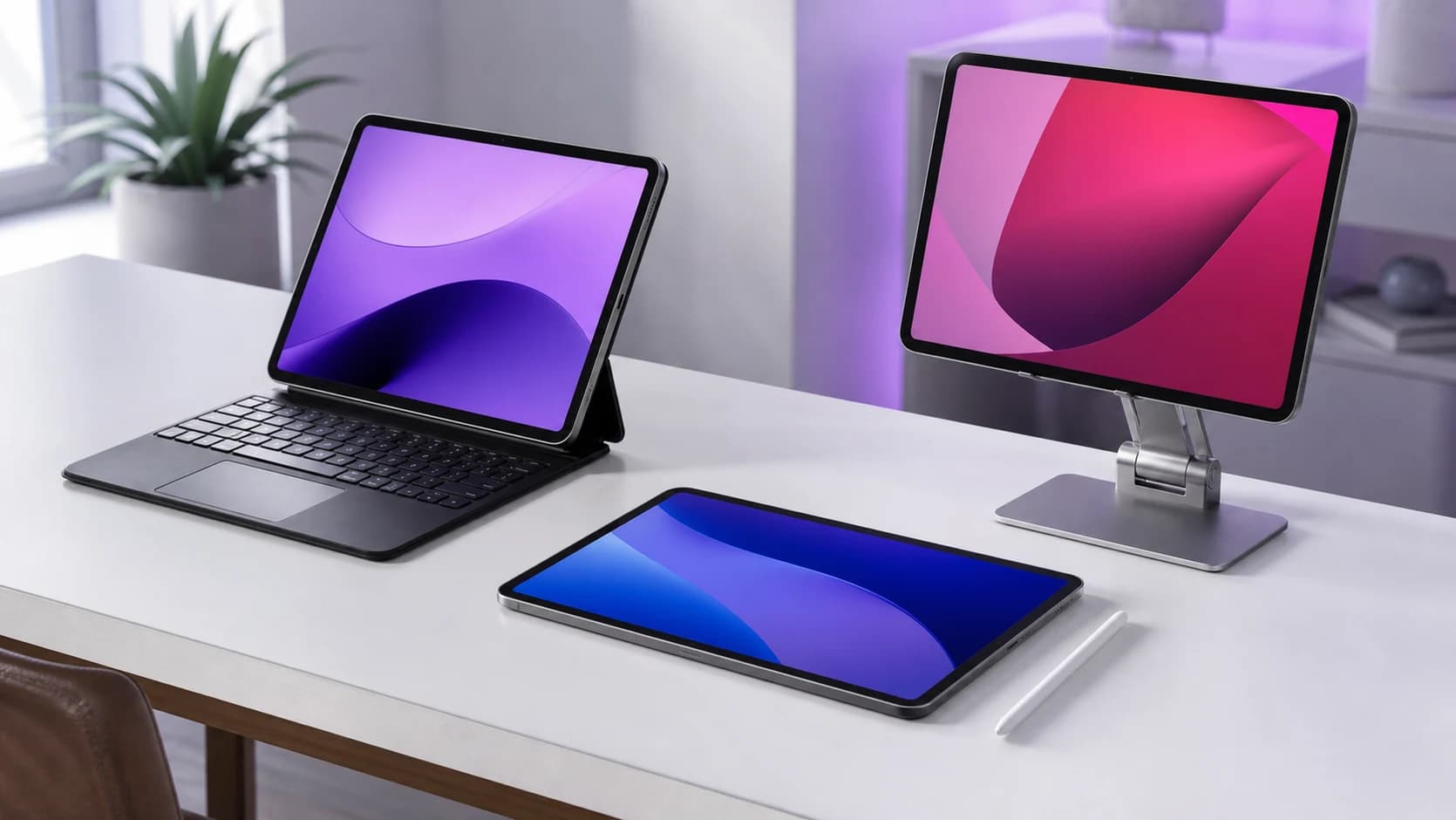
Tablets occupy a weird space. Too big to replace your phone, too limited to replace your laptop. and yet, the right tablet becomes the device you reach for most at home.
The problem in 2026 isn't a lack of options. It's that the market has split into three completely different product categories wearing the same label:
- Productivity slates that want to be laptops (iPad Air, Galaxy Tab S series)
- Media consumption rectangles that exist for Netflix and YouTube
- E-ink readers that do one thing extremely well
Buying a tablet without knowing which category you need is how people end up with a $500 iPad gathering dust on a nightstand.
SolderMag Take: most people should buy the cheapest tablet that does their one thing well
The tablet trap is overbuying. If you mainly read and watch video in bed, a basic tablet already does that job. The M4 chip will not make a streaming service buffer faster.
Buy for your actual use:
- Reading and light browsing. e-ink or base iPad
- Streaming, casual games, video calls. base iPad or Tab S10 FE
- Note-taking, light creative work, laptop replacement. iPad Air M4
If you need a keyboard and mouse setup daily, you don't need a tablet. You need a budget laptop.
Our top tablet picks for 2026
Best overall: Apple iPad Air M4
The iPad Air with M4 is the sensible performance-first tablet. Its 11-inch and 13-inch Liquid Retina options support Apple Pencil Pro, and the chip has far more headroom than casual browsing needs. Apple does not publish a fixed iPadOS support term, so do not turn that headroom into a guaranteed number of updates.
Apple Pencil Pro support makes this the best note-taking tablet on the market. The laminated display eliminates the gap between stylus tip and ink, and the low latency makes handwriting feel natural rather than laggy.
Where it falls short: iPadOS is still iPadOS. File management is clunky, and "laptop replacement" only works if your workflow lives in Safari, Office, and a handful of pro apps. For everything else, you'll hit walls.
Apple iPad Air M4 11-inch
Why it works
- M4 chip with substantial performance headroom
- Apple Pencil Pro support
- 11-inch and 13-inch Liquid Retina options
Main trade-off
- iPadOS file management still frustrating
- Accessories add up fast
Best Android: Samsung Galaxy Tab S10 FE
Samsung's FE (Fan Edition) line strips the premium tax while keeping the features that matter. The Tab S10 FE gets you a 10.9" LCD display, S Pen included in the box, and Samsung's DeX desktop mode. which is genuinely more useful than iPadOS for multitasking if you're comfortable with Android.
The included S Pen is a big deal. Apple charges $129+ extra for their stylus. Samsung gives you one. For students and note-takers on a budget, this changes the math entirely.
Battery life is strong at 8-10 hours of mixed use, and the expandable storage via microSD means you're not locked into whatever config you bought. That's a flexibility iPad simply doesn't offer.
The trade-off: Android tablet apps are still hit-or-miss. The big ones (Netflix, YouTube, Office, Spotify) are fine. Niche apps may not be optimized for the larger screen.
Samsung Galaxy Tab S10 FE
Why it works
- S Pen included, expandable storage, Samsung DeX mode
Main trade-off
- Android tablet app ecosystem still inconsistent
Best for reading: Kindle Paperwhite Signature Edition
If your primary tablet use is reading, stop looking at iPads. A dedicated e-reader is a categorically better experience: no blue light, no notifications pulling your attention, and battery life measured in weeks rather than hours.
The Paperwhite Signature adds wireless charging, auto-adjusting warm light, and 32GB of storage over the base model. The 7" display with 300 ppi makes text razor-sharp, and the flush-front design means no screen bezel catching page-turn swipes.
It also handles Audible audiobooks, so you can switch between reading and listening on the same device. Not a tablet replacement. but for the thing it does, nothing else comes close.
Kindle Paperwhite Signature Edition
Why it works
- Weeks-long battery life, 300 ppi e-ink display, wireless charging
Main trade-off
- Only for reading. no apps, no video
Best budget: Apple iPad (10th gen)
The 10th-gen iPad keeps dropping in price, and at its current street price it's the best value in tablets. period. You get a 10.9" Liquid Retina display, A14 Bionic chip, USB-C, and the full iPad app ecosystem for well under $350.
It won't win speed benchmarks against the Air or Pro. It doesn't need to. For streaming, web browsing, video calls, casual games, and basic note-taking, the A14 handles everything without stuttering. iPadOS updates will keep it current for another 2-3 years minimum.
The main compromise: first-gen Apple Pencil support only (the one that charges via Lightning adapter. yes, it's awkward). If note-taking is critical, spend up for the Air.
Apple iPad 10th Generation
Why it works
- Full iPad ecosystem under $350
- USB-C, solid display, reliable performance
Main trade-off
- Only supports 1st-gen Apple Pencil
- No laminated display
How to choose the right tablet in 2026
Answer these questions in order. they'll narrow your options fast:
- What's the primary use? Reading = e-ink. Media + casual = base iPad. Productivity = Air or Tab S10 FE.
- Do you need a stylus? Samsung includes one. Apple charges extra. Factor that into the total cost.
- Ecosystem lock-in? If you own a Mac and iPhone, iPad syncs seamlessly. If you're on Android/Windows, the Galaxy Tab integrates better.
- Storage needs? iPads have fixed storage. buy more than you think you need. Samsung offers microSD expansion.
- Will you use a keyboard? If daily, a budget laptop is a better investment.
- What's the real total cost? Add the stylus, case, keyboard, and screen protector. A $450 iPad Air becomes $700+ fully accessorized.
Tablet buying checklist
- Primary use case identified (reading, media, productivity, or note-taking)
- USB-C charging (skip anything still on Lightning or Micro-USB)
- Enough storage for your use (or expandable via microSD)
- Stylus cost factored in if note-taking matters
- Case/keyboard accessory budget included in total price
- Real-world battery life above 8 hours for your usage pattern
Tablet specs that matter (and the ones that don't)
Processor: more than you think you need
Tablet processors in 2026 are ahead of what most people's workloads demand. The M4 in the Air is overkill for browsing; buy that headroom for demanding apps, not for an unsupported promise about a fixed number of OS updates.
Display: laminated vs. non-laminated
A laminated display bonds the glass to the panel, eliminating the air gap. This matters for stylus work (pen tip feels closer to the "ink") and reduces glare. The iPad Air is laminated; the base iPad is not. For reading and video, the difference is subtle. For drawing and handwriting, it's significant.
Storage: buy more than you think
Tablets don't have expandable storage (except Samsung). Apps, photos, and offline media fill up fast. 64GB is genuinely painful in 2026. 128GB is the minimum for comfort. 256GB if you download shows for flights.
Tablet red flags
- "Android tablet" under $100 from an unknown brand. The software support disappears in 6 months.
- "Retina-like" display claims. Either it's Retina or it isn't. Marketing adjectives are a warning.
- No mention of OS update timeline. If the manufacturer won't commit to updates, expect abandonment.
- Bundled keyboard cases that cost half the tablet. The accessory tax can make a "budget" tablet more expensive than a laptop.
- "Octa-core processor" without naming the chip. In budget Android tablets, this usually means a slow MediaTek SoC with no update path.
Sources and methodology
- Display specifications (brightness, color gamut, refresh rate) from manufacturer datasheets and independent measurements
- Battery life estimates cross-referenced across multiple review outlets for real-world accuracy
- App ecosystem assessments based on optimized tablet app availability on iPadOS and Android as of Q1 2026
- Pricing tracked across Amazon, Best Buy, and manufacturer direct over 90-day windows
Last updated April 2026. We revisit pricing and availability monthly and update picks when better options emerge.
For portable audio to pair with your tablet, check our best Bluetooth speakers. If you need reliable cables and adapters for your new device, see best USB-C cables. And if your budget stretches further, our best budget laptops roundup covers the crossover point where a laptop makes more sense. For a head-to-head comparison of the top contenders, see iPad Air vs Galaxy Tab S10. And to understand how Apple Intelligence is pushing on-device AI forward on iPads and iPhones, read our deep dive.