Best Tech Under $50 (2026): Cheap Gear That Doesn't Feel Cheap
The best tech under $50 in 2026. Accessories, gadgets, and tools that punch way above their price.
Research-based buying guide
Recommendations are checked against product documentation, availability, comparative evidence, and clearly disclosed hands-on work where it exists.
Quick picks
The short answer, with the trade-off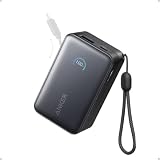
Best keyboard
Keychron C3 Pro Mechanical Keyboard
Trade-off: Wired only

Best desk upgrade
Quntis Monitor Light Bar
Trade-off: Not the cheapest clip-on light option
Best smart home pick
TP-Link Kasa Smart Plug EP25
Trade-off: No HomeKit support
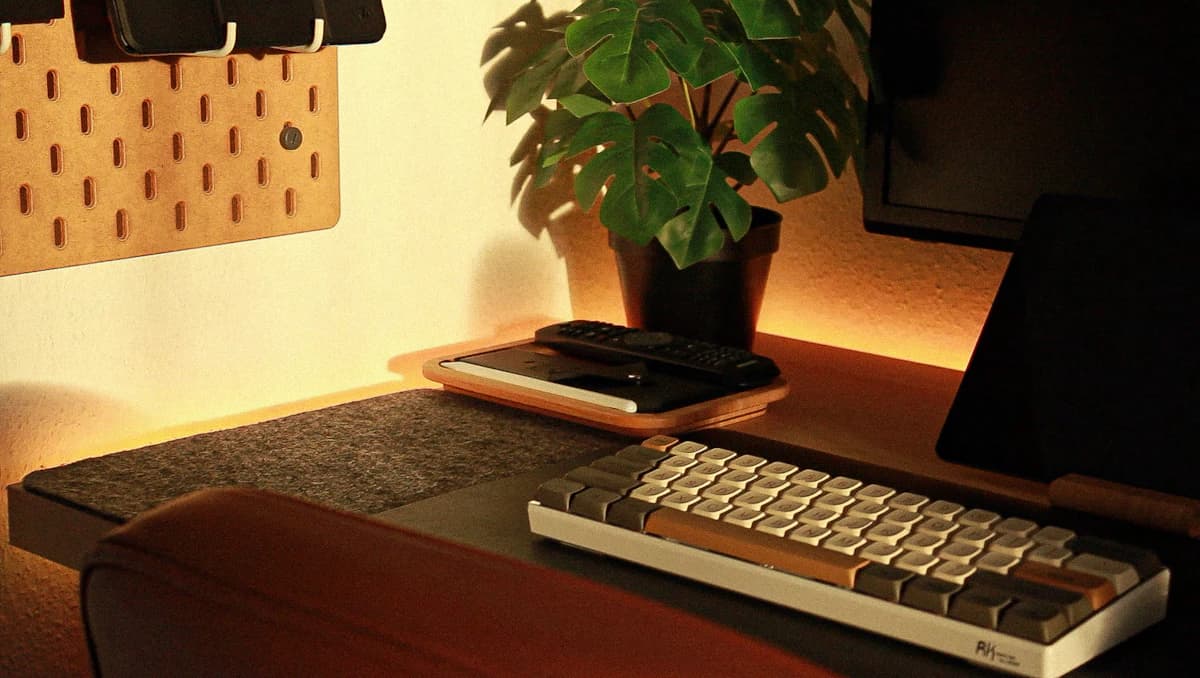
There is a specific feeling when cheap tech works well. Not "fine for the price" well, but genuinely good. The power bank that charges fast and lasts forever. The cable that feels better than the one that cost three times as much. The keyboard that makes you forget what you paid for it.
This list is that feeling, repeated ten times. Every pick is intended to solve a specific problem without padding the page with novelty gadgets. The recommendations are research-based; we have not completed hands-on testing of every product, and current price should be checked before buying.
SolderMag Take: the best budget tech solves a real problem
The trap with cheap tech is buying things that seem like a good deal but solve a problem you do not have. A $30 gadget you never use costs more than a $50 one you use daily.
Every pick on this list passes one test: would we buy it again? Not "is it good for the price." Would we choose it, knowing everything we know now.
The picks
1. Anker Nano Power Bank (10K, 45W, Built-In USB-C)
Around $30
Anker Nano Power Bank (10K, 45W, Built-In USB-C)
Why it works
- Built-in cable means nothing to forget
- Two full phone charges
- 45W fast charging
Main trade-off
- Not enough power for laptops
This is the single most useful tech product under $50. It lives in your bag permanently and bails you out once a week. The built-in USB-C cable means you never need to carry a separate cord. 10,000mAh gives you roughly two full phone charges. And 45W output means it charges fast, not the slow trickle that cheap power banks deliver.
If you only buy one thing from this list, make it this. For higher capacity options, see our best USB-C power banks guide.
2. Keychron C3 Pro Mechanical Keyboard
Around $37
Keychron C3 Pro Mechanical Keyboard
Why it works
- Hot-swap switches
- QMK/VIA programmable
- Solid build for the price
Main trade-off
- Wired only
- Plastic case
A mechanical keyboard with hot-swap sockets and QMK/VIA support for under $40 would have been impossible two years ago. The Keychron C3 Pro is wired and plastic, but the typing experience is leagues ahead of any membrane keyboard at any price. The hot-swap feature means you can change switches later without soldering. If you have never tried a mechanical keyboard, this is the cheapest way to find out what the fuss is about.
For wireless and premium options, see best mechanical keyboards.
3. Quntis Monitor Light Bar
Usually positioned under $50; check the current price

Quntis Monitor Light Bar
Why it works
- Clips to monitor, saves desk space
- Adjustable brightness and colour temperature
- USB powered
Main trade-off
- Not the cheapest clip-on light option
The Quntis light bar clips to the top of a monitor and lights the desk without taking up lamp space. It is a practical fit for keyboards, notes, and late work when a normal desk lamp would reflect in the display.
It is not the only good monitor light, and it does not replace sensible room lighting. Buy it if the space-saving shape solves a real desk problem; skip it if an adjustable lamp already works without glare.
4. Anker PowerLine III Flow 240W USB-C Cable
Around $16

Anker PowerLine III Flow 240W USB-C Cable
Why it works
- 240W charging, future-proof for any device
- Soft silicone that never tangles
- Flexible and durable
Main trade-off
- Slightly more expensive than basic cables
Most cable problems are invisible. A bad USB-C cable silently caps your charging speed, limits data transfer, or causes intermittent disconnects with docks and monitors. The Anker PowerLine III Flow is the cable we keep buying for ourselves. Soft silicone that does not tangle, 240W charging support, and build quality that survives months in a bag.
Buy two: one for the desk, one for travel. You will never think about cables again. For the full breakdown on why cables matter more than people think, read stop buying cheap USB-C cables.
5. TP-Link Kasa Smart Plug EP25
Around $13 (often sold in 2-packs)
TP-Link Kasa Smart Plug EP25
Why it works
- Reliable Wi-Fi that stays connected
- Works with Alexa, Google, no hub needed
- Energy monitoring built in
Main trade-off
- No HomeKit support
Smart plugs are the simplest entry point to home automation. The Kasa EP25 connects to Wi-Fi, works with Alexa and Google Assistant without a hub, and includes energy monitoring so you can see how much power your devices are drawing. Schedule the coffee maker. Turn off the space heater from bed. Find out your mini fridge costs $8 a month to run.
The key: it stays connected. Most cheap smart plugs drop off Wi-Fi regularly. The Kasa EP25 does not. For more options, see best smart plugs.
6. JBL Endurance Race 2 Workout Earbuds
Around $40
The best budget workout earbuds available. IP67 water resistance, secure hook fit, 10 hours of battery, and sound quality that is punchy enough for the gym. No ANC, but at this price, that is expected. If you need earbuds specifically for exercise and do not want to risk your expensive daily pair, these are the move.
7. Nitecore Tiki Keychain Flashlight
Around $20
A tiny USB-C rechargeable flashlight that clips to your keychain. 300 lumens in a package smaller than your thumb. It sounds like a novelty until you use it: walking the dog, finding something in a dark trunk, checking behind furniture. Once it is on your keychain, you use it constantly.
8. Anker 317 Charger (100W)
Around $28
If you want a single charger for your iPhone, iPad, and laptop but do not need multiple ports, the Anker 317 delivers 100W from a single USB-C port at a price that is hard to argue with. It is not as feature-rich as the Anker Prime, but for a one-device-at-a-time charger, it is hard to beat.
9. SanDisk Ultra Dual Drive USB-C Flash Drive (128GB)
Around $12
A USB-C flash drive with a USB-A connector on the other end. Sounds basic, and it is. But in 2026, when you need to move a file between a phone, laptop, and someone else's computer, nothing beats the simplicity of a physical drive. 128GB for around $12 is absurd value.
10. Cable management clips and velcro ties
Under $10
Not glamorous. Not exciting. But a $8 pack of adhesive cable clips and velcro ties will clean up your desk more than any $200 accessory. Route your charging cables, headphone cable, and dock connections along the desk edge and out of sight. Five minutes of work, permanent improvement.
How we chose these picks
Three criteria for every product on this list:
- Would we buy it again? Not "is it okay for the price." Would we actively choose it knowing what we know.
- Does it solve a real, recurring problem? One-time novelty gadgets do not make the cut.
- Is the build quality honest? Cheap is fine. Cheap that falls apart in three months is not.
If a product felt like a compromise, it did not make the list. There are plenty of "fine for $30" gadgets. These are the ones that feel like they should cost more.
The bottom line
You do not need to spend a lot to get great tech. A $30 power bank, a $37 mechanical keyboard, and a $16 cable will improve your daily life more than most products at five times the price. Start with whatever solves your biggest annoyance, and work from there.
For more budget-friendly recommendations, see our best tech gifts guide. And if you want to understand why that cheap cable in your drawer might be costing you, read stop buying cheap USB-C cables.