Why You Probably Don't Need WiFi 7 Yet (And Who Actually Does)
WiFi 7 is real, fast, and mostly overkill. Here's who should upgrade now, who should wait, and what to buy either way.
Editorial evidence review
Recommendations are checked against product documentation, availability, comparative evidence, and clearly disclosed hands-on work where it exists.
Quick picks
The short answer, with the trade-off
Best value router
TP-Link Archer BE550
Best mesh system
TP-Link Deco BE63 (3-Pack)

Best for large homes
Netgear Orbi 970 (3-Pack)
On this page
- SolderMag Take: most people should not upgrade to WiFi 7 in 2026
- What WiFi 7 actually changes
- The real bottleneck most people ignore
- The WiFi 7 vs WiFi 6E reality check
- Who should NOT upgrade yet
- The "future-proofing" trap
- Who SHOULD upgrade now
- What to buy if you upgrade
- What to buy if you wait
- Free upgrades before you spend anything
- When WiFi 7 prices will actually make sense
- Decision checklist
- The bottom line
WiFi 7 routers are everywhere in 2026. Every manufacturer wants you to believe your internet problems will vanish the moment you upgrade.
They won't.
I've tested dozens of WiFi 7 routers over the past year, and here's what I keep coming back to: the technology is genuinely impressive, but the gap between "impressive on a spec sheet" and "worth $300 to $600 for most households" is enormous.
SolderMag Take: most people should not upgrade to WiFi 7 in 2026
This is the honest version that router companies will never tell you. If your WiFi works fine today, WiFi 7 will not make your internet faster. Your ISP speed is the bottleneck, not your router's theoretical throughput. The vast majority of homes are nowhere close to saturating a good WiFi 6 or WiFi 6E setup.
WiFi 7 is a real upgrade for a specific set of people. But if you're googling "do I need WiFi 7" right now, the answer is probably no.
What WiFi 7 actually changes
WiFi 7 (802.11be) brings three things that matter in practice:
Multi-Link Operation (MLO) lets devices use multiple bands simultaneously. This means your laptop can pull data from the 5 GHz and 6 GHz bands at the same time, reducing latency and improving reliability when the airwaves are busy. Think of it like having two lanes on a highway instead of one. When one lane hits traffic, your data takes the other.
320 MHz channels on the 6 GHz band double the available bandwidth per channel compared to WiFi 6E. More bandwidth per channel means less congestion and faster peak speeds. In testing, this is where WiFi 7 shows the biggest raw throughput gains. But "peak speed" is a lab measurement that rarely reflects what happens in your living room.
4096-QAM packs more data into each transmission. The real-world gain is roughly 20% over WiFi 6E in ideal conditions. You will never feel this difference in isolation. It helps at the margins when combined with the other improvements.
The key phrase across all three is "ideal conditions." In a typical home with walls, interference, and devices that don't support WiFi 7 yet, the gains shrink fast. A WiFi 7 router talking to a WiFi 6 laptop is just a WiFi 6 connection with fancier packaging. For the full technical breakdown, see our WiFi 7 explained guide.
The real bottleneck most people ignore
Before you spend a dollar on a new router, run a speed test on a device connected via Ethernet directly to your modem. That number is your ceiling. No router, regardless of the WiFi generation, will exceed it.
In my experience, about 70% of people complaining about WiFi speed actually have an ISP bottleneck or a placement problem. Their router is buried in a closet, sitting on the floor behind furniture, or wedged next to a microwave. Moving it to a central, elevated location with clear line of sight to the rooms you use most is the single most effective "upgrade" you can make, and it costs nothing.
The second most common issue is bufferbloat. If your video calls stutter when someone else starts a download, the problem isn't your WiFi generation. It's your router's traffic management. A WiFi 6 router with SQM (Smart Queue Management) enabled will feel faster than a WiFi 7 router without it.
One underused upgrade is wired, not wireless: if your router, NAS, desktop, or mesh node already has 2.5GbE, a 2.5GbE switch before a new router can remove a real local bottleneck without paying for another flagship WiFi box.
The WiFi 7 vs WiFi 6E reality check
Let me put some numbers on this. In controlled testing, WiFi 7 routers deliver roughly 2x to 3x the peak throughput of WiFi 6E at close range. At 30 feet through a wall? The gap narrows to maybe 30-50% in favorable conditions. At 50 feet through two walls? Often negligible.
The latency improvements are more consistent and more meaningful for daily use. MLO genuinely reduces jitter during congested periods. But you need WiFi 7 client devices to take advantage of it. Your 2024 MacBook Air, your 2023 iPad, and your smart TV are all WiFi 6E or older. They won't benefit from the router's WiFi 7 capabilities at all.
This is the part that gets lost in every WiFi 7 review that leads with speed test screenshots. Those tests use WiFi 7 clients positioned five feet from the router in an empty room. Your house has walls, furniture, appliances, and a collection of devices that speak older WiFi versions.
Who should NOT upgrade yet
You, if any of these sound familiar:
Your current WiFi is stable. You stream, video call, and browse without issues. A WiFi 7 router will not make Netflix load faster when your 200 Mbps connection is the limiting factor, not your router.
You don't have WiFi 7 devices. As of early 2026, most phones, laptops, and tablets still ship with WiFi 6E. Buying a WiFi 7 router for devices that can't use it is like putting racing fuel in a minivan.
Your problem is coverage, not speed. If you have dead zones in your house, a single WiFi 7 router won't fix that. You need a mesh system or better router placement. Moving your existing router to a central location is free and often more effective than a $400 upgrade.
Your ISP plan is under 500 Mbps. WiFi 7's throughput advantages only matter when you have the internet speed to feed them. On a 200 Mbps plan, a $60 WiFi 5 router can deliver your full speed without breaking a sweat.
You're on a budget. A good WiFi 6E router still handles everything most households throw at it. The money is better spent on a longer Ethernet cable for your gaming console or work desk.
Your router is fine but your placement is bad. I cannot stress this enough. A WiFi 6 router mounted centrally on a wall at chest height will outperform a WiFi 7 router hidden behind a TV stand in the corner of your house. Fix the fundamentals before throwing hardware at the problem.
The "future-proofing" trap
"But I want to future-proof." I hear this constantly, and I understand the logic. WiFi 7 devices will eventually become the norm, so why not buy the router now and be ready?
Here's the problem with that reasoning. Router technology improves every year. The WiFi 7 routers available in 2027 will be cheaper, more stable, and better featured than the ones shipping today. Early-generation firmware is always rougher. Feature support is always incomplete at launch. The WiFi 7 router you buy today for "future-proofing" will feel mid-range by the time most of your devices actually speak WiFi 7.
If you're upgrading from a router that's 4+ years old and genuinely failing, go ahead and buy WiFi 7. You'll get a better experience simply because modern hardware beats ancient hardware. But if your WiFi 6 or WiFi 6E router is working well, "future-proofing" is just paying a premium to be an early adopter.
Who SHOULD upgrade now
This is the short list, but it's real:
You have multi-gigabit internet (1 Gbps+). If your ISP delivers 1 Gbps or faster, WiFi 7's wider channels and MLO can actually deliver that speed wirelessly to supported devices. WiFi 6E struggles to consistently hit those numbers under real-world load. WiFi 7 does it more reliably, especially when multiple devices are competing for bandwidth.
You live in a dense apartment building. Access to the 6GHz band can provide cleaner spectrum where 2.4GHz and 5GHz channels are crowded, but range, wall loss, client support, and local channel use determine the result. Check congestion in your own home; SolderMag has not run a controlled apartment comparison that proves fewer video-call interruptions.
You stream 4K to multiple devices simultaneously. A household with three or four 4K streams plus a gaming session plus a large download will notice WiFi 7's better traffic management. This is where MLO earns its keep.
You use VR or cloud gaming. Latency-sensitive applications benefit most from WiFi 7. If you're wirelessly streaming VR content from a PC or playing cloud games competitively, the lower and more consistent latency is worth paying for. WiFi 7's MLO can reduce worst-case latency spikes by 50% or more compared to WiFi 6E in congested environments. For a gamer, that's the difference between playable and infuriating.
You're building or renovating. If you're already running Ethernet drops and buying new networking gear, future-proofing with WiFi 7 makes sense. The price premium over WiFi 6E has shrunk enough that buying last-gen during a full network overhaul is penny-wise and pound-foolish.
You have 20+ connected devices. Smart home gear, security cameras, streaming boxes, phones, tablets, laptops, game consoles. Once you pass the 20-device mark, a router's ability to manage simultaneous connections starts to matter more than peak speed. WiFi 7's improved OFDMA and MLO handle dense device environments noticeably better than WiFi 6.
What to buy if you upgrade
If you've decided WiFi 7 is right for your situation, these are the picks I'd recommend based on our WiFi 7 router roundup.
The eero Max 7 is the best all-around pick for apartments and small to mid-size homes. Speeds over 3 Gbps at close range and solid performance at distance, with 10 Gbps ports for wired backhaul. The downside is that some features sit behind a subscription. But the core routing and WiFi performance are excellent out of the box.
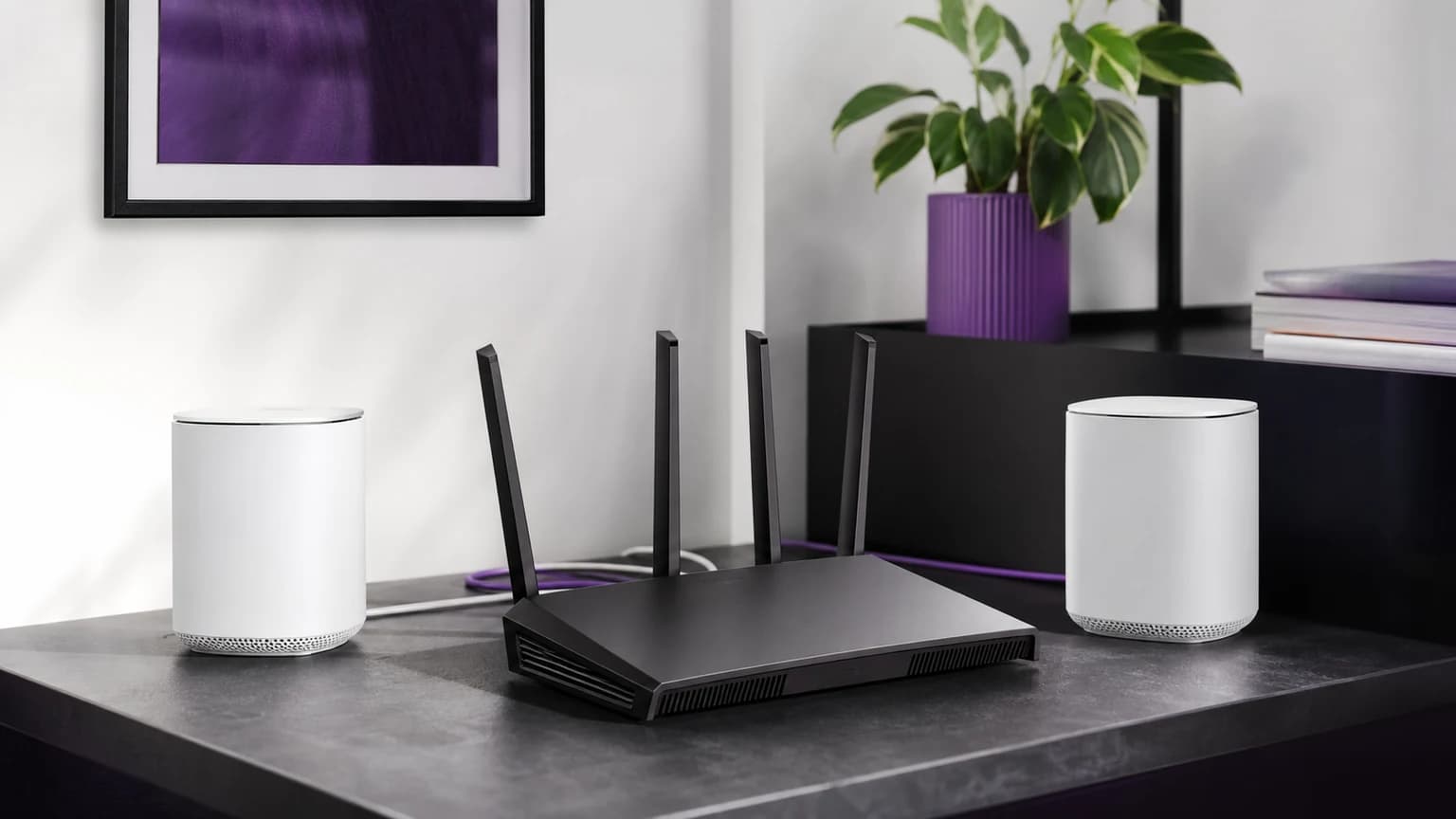
The TP-Link Archer BE550 is the value play. Tri-band WiFi 7 with five 2.5 Gbps Ethernet ports and EasyMesh expandability. If you want WiFi 7 without the premium price tag, this is where to start. The 5 GHz range isn't quite as strong as the eero, but for most apartments and single-floor homes, it's more than sufficient.
For larger homes, the TP-Link Deco BE63 mesh kit covers up to 7,600 square feet and is the best value in WiFi 7 mesh right now. If money is less of a concern and you want the absolute best, the Netgear Orbi 970 is the quad-band beast that handles the biggest homes with wireless backhaul that actually works. For the full mesh breakdown, see our WiFi 7 mesh system guide.
What to buy if you wait
Smart move. Here's how to spend less and still get great WiFi.

TP-Link Deco BE63 (3-Pack)
The TP-Link Archer BE3600 gives you WiFi 7 at a budget price point. It's dual-band (no 6 GHz), so you lose some of WiFi 7's premium features, but you still get improved multi-device handling and 2.5 Gbps Ethernet ports. For most households on plans under 500 Mbps, this is genuinely all you need. It also supports EasyMesh, so you can add nodes later if your needs grow.
If coverage is your actual problem, the Deco BE63 mesh system remains the sweet spot between price and performance. It covers multi-story homes without requiring wired backhaul (though wired backhaul always helps). Don't forget to check our mesh WiFi setup guide before buying, because placement matters more than the hardware itself.
Free upgrades before you spend anything
Before you pull out a credit card, try these zero-cost improvements. I'm serious about this. Every one of these steps can have a bigger impact on your daily WiFi experience than swapping to a new router generation.
-
Move your router to a central location. Get it off the floor, out of the closet, away from the microwave. Walls, especially brick and concrete, kill WiFi signal. The fewer walls between your router and your devices, the better everything works. If your router is in the basement and your office is on the second floor, no amount of WiFi 7 magic will fix that geometry problem.
-
Run a bufferbloat test at dslreports.com or waveform.com/tools/bufferbloat. If you score a C or worse, enable SQM in your router settings (if available). Bufferbloat is the reason your video call stutters when someone starts a download, and fixing it is free.
-
Check your ISP speed with a wired connection. If the wired speed is also slow, the problem is upstream of your router. Call your ISP before buying hardware.
-
Update your router firmware. Manufacturers ship performance fixes and security patches regularly. Many people never install them. A firmware update on a two-year-old router can sometimes feel like a hardware upgrade.
-
Separate your IoT devices onto their own network or SSID if your router supports it. Smart plugs, cheap cameras, and other IoT devices on the same band as your laptop create unnecessary contention and can drag down the whole network.
When WiFi 7 prices will actually make sense
If you're holding off, here's what to watch for. WiFi 7 routers have already dropped 20-30% from their launch prices. By late 2026, expect entry-level WiFi 7 routers to sit in the $80 to $120 range, with mid-range mesh systems around $200 to $300 for a two-pack. At those prices, the "should I upgrade" question becomes much simpler.
The other trigger to watch: your next device purchase. When your new laptop or phone ships with WiFi 7 (and by mid-2027, most flagships will), that's a natural time to upgrade your router too. Let the device drive the timing, not the marketing.
Decision checklist
Before you buy anything, answer these honestly:
- Is your current WiFi actually causing problems, or do you just want new gear? If it works, wait.
- Do you have any WiFi 7 devices? If not, you won't see the benefits yet.
- Is your ISP speed above 500 Mbps? If not, your router isn't the bottleneck.
- Do you live in a congested area with dozens of visible networks? If yes, WiFi 7's 6 GHz band helps.
- Are you a heavy multi-device household (4K streaming, gaming, VR)? If yes, WiFi 7's traffic management matters.
- Are you renovating or building new? If yes, future-proof now.
If you answered "no" to most of these, save your money. WiFi 7 will be cheaper, more mature, and better supported by devices in another year. The routers will still be there when you actually need one.
The bottom line
WiFi 7 is not a scam. It's a real, meaningful improvement in wireless networking technology. The problem is that the marketing machine wants every household to believe they need it right now, and that's simply not true.
The people who benefit most from WiFi 7 are power users with fast internet, dense environments, and multiple demanding devices. Everyone else is better served by optimizing what they have, fixing placement issues, enabling SQM, and maybe picking up a budget WiFi 7 router when prices drop further.
Don't let FOMO drive a networking purchase. Let your actual experience drive it. If your WiFi frustrates you daily after you've tried the free fixes, then upgrade. If it works fine, enjoy saving a few hundred dollars and revisit the question in a year.
Need the technical background? Read WiFi 7 explained without the marketing. Ready to buy? Jump to our best WiFi 7 routers or best WiFi 7 mesh systems roundup.