Kindle Scribe Colorsoft vs reMarkable Paper Pro
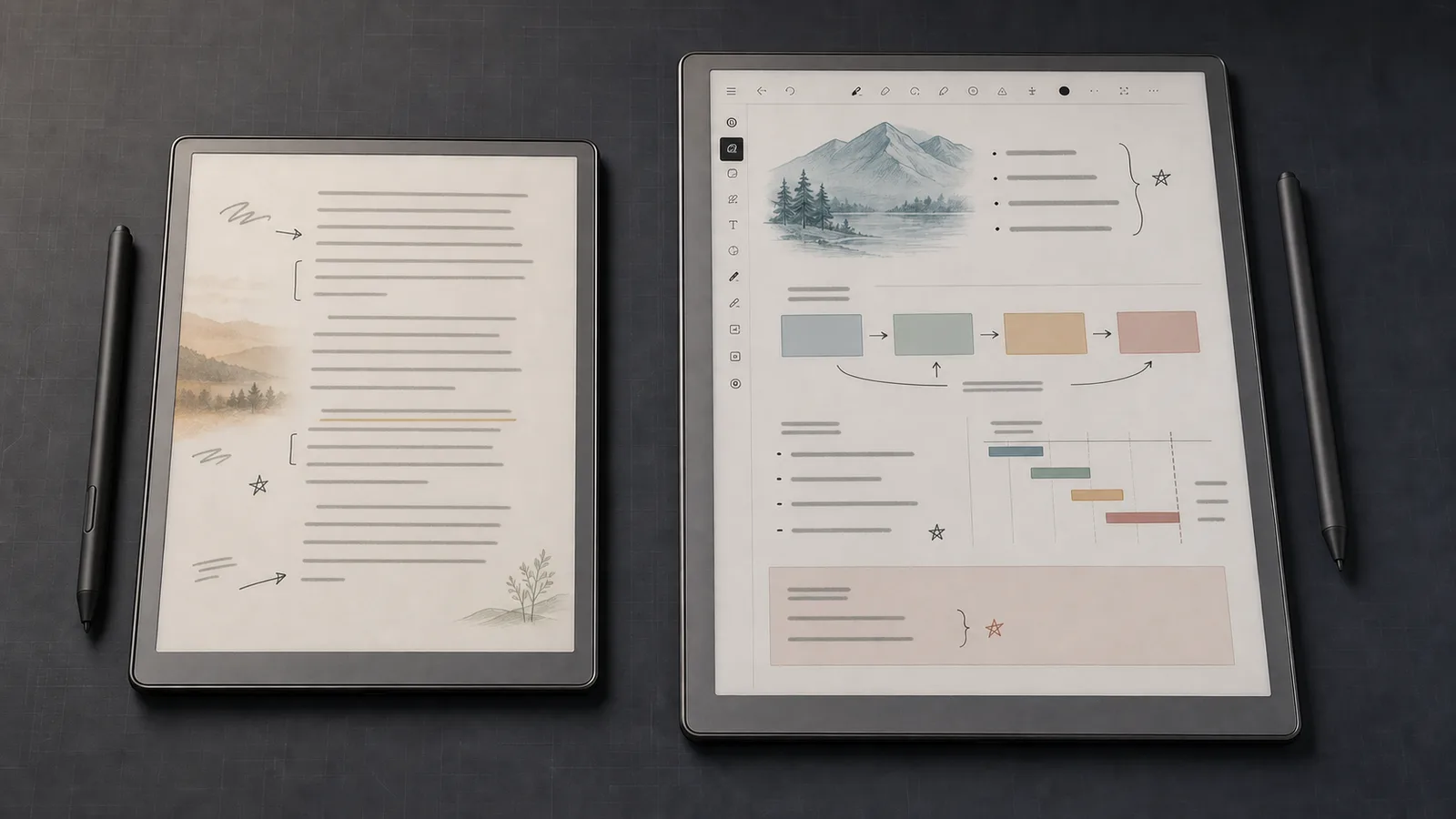
Kindle Scribe Colorsoft is the better reader. reMarkable Paper Pro is the better focused notebook. Compare screens, pens, PDFs, cloud tools, and value.
Research-based comparison
Recommendations are checked against product documentation, availability, comparative evidence, and clearly disclosed hands-on work where it exists.
Quick picks
The short answer, with the trade-offBest for Kindle reading and notes
Kindle Scribe Colorsoft 64GB (Fig)
11-inch colour E-Ink screen
Trade-off: Amazon-centred ecosystem
Best for notebooks and PDFs
reMarkable Paper Pro
Trade-off: Heavier than Kindle Scribe Colorsoft
On this page
- Quick comparison
- The short verdict
- Who should buy Kindle Scribe Colorsoft?
- Who should buy reMarkable Paper Pro?
- Reading: Kindle wins cleanly
- Handwriting and notebooks: reMarkable is more focused
- PDFs and file workflow
- Display size, colour, and portability
- Battery claims are not directly comparable
- Price, subscriptions, and total cost
- Who should skip both?
- Alternatives
- FAQ
- Final recommendation
- Sources
Buy the Kindle Scribe Colorsoft if your notes live beside Kindle books. Buy the reMarkable Paper Pro if notebooks, PDFs, and focused document work are the main job.
That split matters more than pen marketing or a small difference in screen size. The Kindle is a reader with a serious writing layer. The reMarkable is a digital notebook that can also open documents and EPUB files.
This is a research-based comparison. SolderMag has not tested the two tablets side by side, so we are not declaring a winner for writing feel, display response, colour accuracy, battery endurance, or durability. We compared Amazon and reMarkable specifications, help documentation, and the current product listings.
Quick comparison
| Decision | Kindle Scribe Colorsoft | reMarkable Paper Pro |
|---|---|---|
| Best fit | Kindle books plus handwritten notes | Focused notebooks, PDFs, and document review |
| Display | 11-inch Colorsoft, 300 ppi black and white / 150 ppi colour | 11.8-inch Gallery 3 Canvas Color, 229 ppi |
| Front light | Yes | Yes |
| Weight | 400 g | Approximately 525 g |
| Thickness | 5.4 mm | 5.1 mm |
| Storage | 32GB or 64GB, depending on variant | 64GB |
| Pen | Premium Pen included; no charging | Marker or Marker Plus, depending on configuration |
| Main file workflow | Kindle library, imported documents, annotated PDF export | PDF/EPUB import, PDF/PNG/SVG export, reMarkable cloud |
| External integrations | Google Drive, OneDrive, OneNote export | Google Drive, OneDrive, Dropbox, desktop and mobile apps |
| Keyboard option | No first-party keyboard cover | Optional Type Folio |
The short verdict
The Kindle Scribe Colorsoft is the sensible choice for a reader who wants one large device for Kindle books, colour highlights, handwritten notebooks, and document markup. Its lower weight matters in the hand, and Amazon's book store is the decisive ecosystem advantage.
The reMarkable Paper Pro is the better fit when a blank page, meeting notes, PDF review, folders, tags, cloud sync, and optional typing matter more than buying books. Its larger canvas gives documents more room, but the device is heavier and its cloud workflow can involve the separate Connect service.
Neither is a general tablet. If you need a fast browser, video, messaging, full desktop apps, or flexible multitasking, buy an iPad or Android tablet. Our best tablets guide covers that less focused but more capable route.
Who should buy Kindle Scribe Colorsoft?
Buy the Kindle if:
- you already own a meaningful Kindle library;
- you want to write inside supported Kindle books as well as notebooks;
- a lighter 400 g device is easier to hold for long reading sessions;
- Google Drive or OneDrive import and annotated PDF export cover your document flow;
- you want the pen included without a separate pen configuration decision;
- colour highlights, illustrated books, and handwritten colour notes justify the premium over a monochrome Scribe.
The main compromise is lock-in. Kindle books, Kindle Unlimited, Amazon's note features, and Send to Kindle all pull the device toward Amazon's ecosystem. That is convenient when your library is already there and avoidable friction when it is not.
Kindle Scribe Colorsoft 64GB (Fig)
Why it works
- 11-inch colour E-Ink screen
- Kindle Store and in-book notes
- Premium Pen included
Main trade-off
- Amazon-centred ecosystem
- No first-party keyboard cover
The Amazon link above is for the exact 64GB Fig configuration. Check the colour and storage shown at checkout rather than assuming another variant uses the same listing.
Who should buy reMarkable Paper Pro?
Buy the reMarkable if:
- handwritten notebooks are the main reason you are shopping;
- you review full-page PDFs more often than you read store-bought ebooks;
- Dropbox integration matters alongside Google Drive and OneDrive;
- tags, folders, handwriting conversion, and desktop/mobile access fit your workflow;
- the optional Type Folio could replace some laptop-free drafting;
- you want a device designed around focused work rather than a book store.
The main compromise is reading ecosystem depth. Paper Pro can import EPUB files, but it does not natively open a DRM-protected Kindle library. If most of your books came from Amazon, that limitation is larger than any display specification.
reMarkable Paper Pro
Why it works
- Large 11.8-inch colour canvas
- PDF and notebook-first workflow
- Optional Type Folio
Main trade-off
- Heavier than Kindle Scribe Colorsoft
- No native Kindle library access
reMarkable sells Paper Pro in different configurations. Confirm whether your bundle includes Marker or Marker Plus, and whether a folio or Type Folio is included, before comparing the total cost.
Reading: Kindle wins cleanly
The Kindle Scribe Colorsoft gives you direct access to the Kindle Store, Kindle Unlimited, your existing Kindle library, and Amazon's reading features. That is the practical advantage. Buying a book and opening it on the same device requires no file conversion or cloud detour.
Amazon also supports writing in supported books through Active Canvas and margin notes. The exact experience can vary by content type, but the important distinction is that reading and writing are designed to coexist inside the Kindle system.
Paper Pro supports EPUB and PDF import. That is useful for DRM-free books, reports, manuals, articles, and documents you control. It is not a substitute for Kindle Store access. DRM-protected Kindle purchases do not simply transfer to reMarkable.
If you mostly read novels and rarely take notes, skip both premium writing tablets. A smaller monochrome reader is lighter, cheaper, and easier to hold. Start with our best e-readers guide, or compare the Kindle Paperwhite and Kobo Libra Colour.
Handwriting and notebooks: reMarkable is more focused
reMarkable builds its product around notebooks. Paper Pro provides writing tools, templates, folders, tags, handwriting-to-text conversion, and the option to mix handwriting with typed text through Type Folio. Its desktop and mobile apps are part of the system rather than an accessory to a book reader.
Kindle Scribe Colorsoft is no longer a basic notes panel. Amazon lists Quick Notes, notebook search, colour pen and highlighter tools, handwriting conversion, OneNote export, and AI-assisted notebook features in supported regions. Some newer AI and Alexa features have regional or membership requirements, so do not treat every demonstration as universally available.
We cannot tell you which pen feels better without using both on the same desk. Manufacturer claims about paper feel, low parallax, speed, or natural writing are not substitutes for a matched test. If handwriting feel is the deciding factor, try the devices in person or buy from a seller with a workable return policy.
PDFs and file workflow
This is where buyers should map a normal working week instead of counting file formats.
Kindle Scribe Colorsoft can import documents from Google Drive and Microsoft OneDrive, mark them up, and export annotated PDFs. It can also export notebook content to OneNote as converted text or an embedded image. Those are useful bridges, but they are not the same as editing a live cloud document in place.
Paper Pro imports PDF and EPUB files and exports PDF, PNG, and SVG. reMarkable also lists Google Drive, OneDrive, and Dropbox integrations plus mobile and desktop apps. The reMarkable cloud is the centre of its cross-device experience, and some extended features sit behind the Connect service.
Choose by the path you actually need:
- Kindle: book or document enters Amazon's system, gets read or marked up, then leaves as an annotated PDF or exported notes.
- reMarkable: notebook or document lives in a focused workspace, syncs through reMarkable, and can be reviewed or exported on other devices.
If you need track changes in Word, live spreadsheet editing, browser-based document systems, or complex PDF tools, neither replaces a laptop or conventional tablet.
Display size, colour, and portability
The Kindle has an 11-inch Colorsoft display. Amazon specifies 300 ppi for black-and-white content and 150 ppi for colour. The Paper Pro uses an 11.8-inch Gallery 3 Canvas Color display at 229 ppi.
Those numbers do not identify an overall display winner. Black-and-white and colour resolution can be reported differently, and the two display systems use different colour approaches. We have not measured contrast, reflectivity, uniformity, refresh behaviour, ghosting, or colour accuracy.
The physical difference is easier to judge. Kindle Scribe Colorsoft weighs 400 g; Paper Pro is approximately 525 g. Paper Pro is slightly thinner at 5.1 mm versus Kindle's 5.4 mm, but the Kindle is meaningfully lighter.
Choose the larger reMarkable canvas when full-page documents and desk use dominate. Choose Kindle when the device will be held for reading as often as it rests on a table. Add the weight of a folio before deciding either is a light travel setup.
Battery claims are not directly comparable
Amazon claims up to eight weeks of reading or two weeks of writing for Scribe Colorsoft. reMarkable claims up to 14 days of regular use and up to 90 days in standby.
Those figures use different workloads and test methods. Front-light level, wireless sync, page refreshes, pen use, document size, and battery age all change runtime. The safe conclusion is that both are designed to last much longer than a normal LCD tablet between charges, not that one has a proven endurance advantage.
Both charge over USB-C. Neither should be purchased because a manufacturer turned a mixed-use estimate into the larger headline number.
Price, subscriptions, and total cost
Do not compare only the device headline. Compare the setup you will actually use.
The Kindle Scribe Colorsoft listing checked for this guide includes the Premium Pen. A cover remains a separate cost. Kindle Unlimited is optional, and some Alexa-linked features require Prime or Alexa+ rather than being part of the basic hardware purchase.
Paper Pro configurations can change with the selected Marker and folio. Type Folio is a further expense. Connect adds handwriting search, unlimited cloud storage and sync, and note editing in the mobile and desktop apps. Without it, reMarkable says only files used and synced in the previous 50 days remain stored in its cloud, and app note-taking is unavailable. Factor that subscription split into the total cost.
We would pay the Kindle premium only if the Kindle library and colour note tools will be used. We would pay for Paper Pro only if the notebook/PDF workflow replaces enough paper or tablet friction to justify a dedicated device.
Who should skip both?
Skip both if:
- you want third-party apps, video, games, or a capable web browser;
- colour comics and magazines are the main use, where an LCD or OLED tablet is faster and more vivid;
- a normal laptop and paper notebook already solve the workflow;
- you only read novels and do not annotate;
- you need live collaborative document editing;
- you expect a handwriting tablet to replace a full office computer.
Neither product is a cheap experiment. Be specific about the job before buying.
Alternatives
Monochrome Kindle Scribe: the cheaper Kindle writing route when colour highlights and illustrations do not matter. Check the exact generation, screen size, front-light configuration, and pen bundle because Amazon now sells several Scribe variants.
reMarkable Paper Pro Move: the portability-first reMarkable alternative. It gives up workspace size, so it suits notes on the move better than full-page PDF review.
Kindle Paperwhite or Kobo Libra Colour: the sensible choice when reading matters more than long-form handwriting. Our Kindle Colorsoft vs Kobo Libra Colour comparison covers the smaller colour-reader decision.
iPad Air or Android tablet: the right answer when apps, browser tools, video calls, richer colour, or laptop-style work matter more than distraction-free E-Ink.
FAQ
Can reMarkable Paper Pro read Kindle books?
Not through a native Kindle app or direct Kindle Store connection. Paper Pro can import EPUB and PDF files, but DRM-protected Kindle purchases do not transfer through a normal supported workflow.
Can Kindle Scribe Colorsoft import PDFs?
Yes. Amazon supports document import, including through Google Drive and Microsoft OneDrive, plus PDF markup and annotated PDF export. Treat imports as copies in the Kindle workflow rather than live editing of the original cloud file.
Does Kindle Scribe Colorsoft include a pen?
The exact 64GB Fig Amazon configuration linked here includes the Premium Pen. Check the selected listing before purchase because bundles and regional configurations can differ.
Does reMarkable Paper Pro include Marker Plus?
Not in every configuration. reMarkable lists Marker or Marker Plus depending on the selected bundle. Marker Plus adds an eraser end, so compare the configured package rather than assuming it is standard.
Which is better for PDFs?
Paper Pro is the more focused PDF and notebook device on paper, with an 11.8-inch workspace and a document-first operating system. Kindle Scribe Colorsoft is the better fit when PDFs sit beside Kindle reading. We have not run a side-by-side performance test.
Which is better for reading books?
Kindle Scribe Colorsoft. It connects directly to the Kindle Store and existing Kindle libraries. Paper Pro can read imported EPUB files, but it does not provide the same book-buying ecosystem.
Is colour E-Ink as vivid as an iPad?
No. Both products use reflective colour E-Ink designed for paper-like reading and writing. Expect muted colour and slower screen changes than an LCD or OLED tablet.
Final recommendation
Buy the Kindle Scribe Colorsoft when the Kindle library is the centre of the decision. It is lighter, includes the pen in the exact configuration linked here, and keeps books, documents, notebooks, and colour annotations in one Amazon-led workflow.
Buy the reMarkable Paper Pro when the blank page is the centre of the decision. Its larger canvas, focused notebook system, PDF workflow, Dropbox integration, and optional Type Folio make more sense for work that happens outside a book store.
Sources
- Amazon announcement for Kindle Scribe Colorsoft design, display, pen, document integrations, notebook features, and ecosystem: https://www.aboutamazon.com/news/devices/new-amazon-kindle-scribe-color
- reMarkable Connect official page for cloud storage, sync, handwriting search, and app editing: https://remarkable.com/shop/connect
- Exact Amazon US product page for Kindle Scribe Colorsoft 64GB in Fig, ASIN
B0FC1WNVMX, including display, storage, weight, pen, and file-workflow details: https://www.amazon.com/dp/B0FC1WNVMX?tag=soldermag-20 - Amazon Kindle Scribe notebook documentation for regional AI, Alexa, search, and export details: https://www.aboutamazon.com/news/devices/kindle-scribe-gen-ai-notebook
- reMarkable Paper Pro official specifications for display, dimensions, weight, storage, battery, file formats, integrations, cloud service, and included accessories: https://remarkable.com/products/remarkable-paper/pro/details/features
As an Amazon Associate I earn from qualifying purchases.