Best USB-C 2.5GbE Ethernet Adapters (2026): Three Sensible Picks
A 2.5GbE USB-C adapter is useful for NAS transfers and multi-gig internet, but only when the port, cable, switch, and driver path all support it. These are the sensible picks.
Research-based buying guide
Recommendations are checked against product documentation, availability, comparative evidence, and clearly disclosed hands-on work where it exists.
Quick picks
The short answer, with the trade-off
Best overall
Plugable USBC-E2500
Works with USB-C and USB-A hosts
Trade-off: USB-A conversion piece is small

Best compact USB-C pick
TP-Link UE302C
Trade-off: USB-C hosts only

Best with charging passthrough
Plugable USBC-E2500PD
Trade-off: Costs more than a network-only adapter
On this page
- Short verdict
- Who this is for
- Who should skip it
- Best overall: Plugable USBC-E2500
- Best compact USB-C pick: TP-Link UE302C
- Best with charging passthrough: Plugable USBC-E2500PD
- Previously included: Sabrent NT-S25G
- What to look for in a 2.5GbE USB adapter
- Common mistakes
- Alternatives to consider
- Frequently asked questions
- Final recommendation
- Sources and methodology
A USB-C 2.5GbE adapter is the small part of a network upgrade that is easiest to get wrong.
The listing says 2.5 Gbps. Your laptop still connects at gigabit. Or the adapter negotiates correctly, then drops out after an operating-system update. Sometimes the adapter is fine and the real bottleneck is a gigabit router port, USB 2.0 host port, slow NAS, or damaged cable.
Already own an adapter? Follow our 2.5GbE adapter speed troubleshooting guide to separate a 1Gbps Ethernet link from slow transfers before buying a replacement.
For most buyers, the Plugable USBC-E2500 is our starting point for its documented compatibility. It works with USB-C and USB-A hosts, Plugable documents the chipset and operating-system limits, and the exact product is easy to identify. Buy the TP-Link UE302C if you want a lighter USB-C-only travel adapter. Choose the Plugable USBC-E2500PD when a laptop or tablet has one USB-C port and must charge while using Ethernet.
This is a research-based buying guide. We have not lab-tested these adapters. The picks are based on official specifications, current support documentation, exact Amazon product identity, host and network requirements, and the trade-offs that matter in a real multi-gig setup.
Short verdict
Buy the Plugable USBC-E2500 if you want one adapter that can move between a modern USB-C laptop and an older USB-A desktop. It is the default because its compatibility documentation is unusually specific, not because every buyer will measure the same speed.
Buy the TP-Link UE302C for a USB-C-only laptop bag. Pay extra for the Plugable USBC-E2500PD only if charging through the same USB-C port solves a real port shortage.
Do not buy any of them solely to improve gaming. A wired adapter can make a connection more consistent than weak Wi-Fi, but a 2.5GbE link does not make game traffic meaningfully faster than a healthy gigabit connection.
Who this is for
A 2.5GbE USB adapter makes sense when the computer is the missing multi-gig endpoint.
Typical good uses include:
- a MacBook or thin Windows laptop moving large files to a 2.5GbE NAS
- a mini PC that needs a second or faster Ethernet interface
- a laptop using multi-gig internet through a router with 2.5GbE LAN
- a temporary wired connection for backup, imaging, or large media transfers
- a tablet or USB-C phone that needs stable wired networking and has confirmed adapter support
The rest of the path still matters. Pair the adapter with a 2.5GbE switch, a 2.5GbE router LAN port, or a direct compatible endpoint. A 2.5GbE adapter connected to an ordinary gigabit switch will work, but it will negotiate down to gigabit.
Before buying the client adapter, check whether 2.5GbE is enough or 10GbE is justified for the actual NAS, server, or workstation workload.
Who should skip it
Buy a normal gigabit adapter instead if your internet, router, switch, NAS, and other computers are all gigabit. It solves the same missing-port problem; compare its actual price with a compatible 2.5GbE model before paying extra.
Skip a standalone adapter if you already need charging, displays, storage, and several USB ports at the desk. A good laptop docking station can be cleaner than stacking several single-purpose dongles.
Also skip these adapters for a TV, game console, or Nintendo Switch unless the manufacturer explicitly supports that device. USB connector fit is not the same as driver support.
Best overall: Plugable USBC-E2500
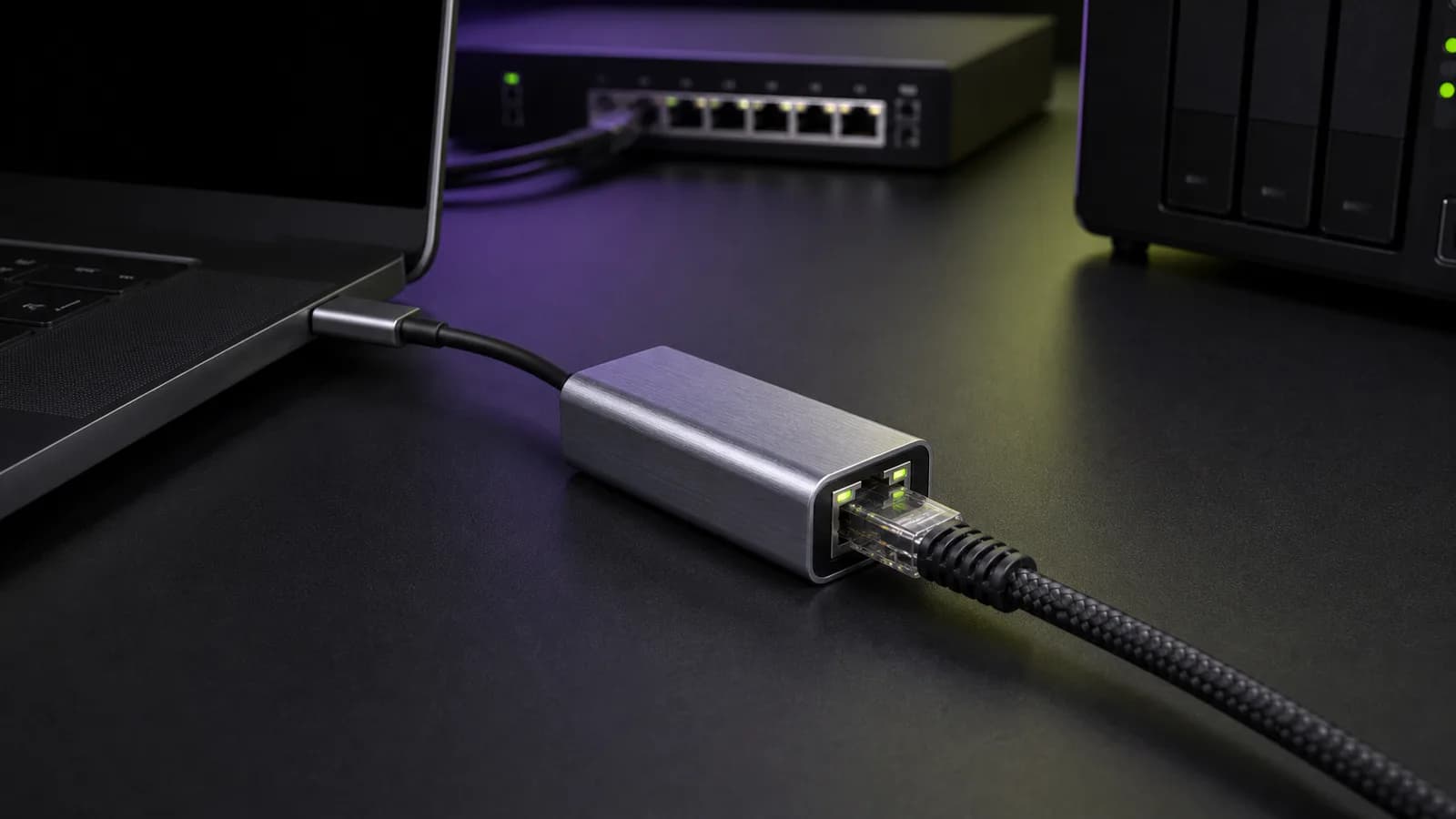
The Plugable USBC-E2500 is the sensible default because it handles both common host connectors. The attached USB-C cable can connect directly to a modern laptop, while the included USB-C-to-USB-A conversion piece lets the same adapter work with a USB 3.0 Type-A port.
Plugable identifies the Realtek RTL8156B chipset and lists 10/100/1000/2500 Mbps link rates. Its current documentation covers Windows, macOS, ChromeOS, Linux, and newer USB-C iPhones, with platform-specific caveats. Plugable also lists Wake-on-LAN, Energy-Efficient Ethernet, and jumbo-frame support, although jumbo-frame behavior varies by operating system.
Buy it if the adapter will move between machines or if clear support documentation matters more than saving a few dollars. Skip it if your laptop has only USB-C and you want the smallest possible travel piece.
The main caution is the host port. A USB-A port must be USB 3.0 or faster for full 2.5GbE operation. Plugging the adapter into USB 2.0 may still produce a network connection, but it cannot provide multi-gig throughput.
Plugable USBC-E2500
Why it works
- Works with USB-C and USB-A hosts
- RTL8156B chipset is documented
- Detailed platform support and two-year coverage
Main trade-off
- USB-A conversion piece is small
- Linux feature support depends on kernel and driver
Best compact USB-C pick: TP-Link UE302C
The TP-Link UE302C is the travel pick. TP-Link lists a 68 × 24 × 19 mm aluminum body, a 27 g weight, and a foldable cable design. It is smaller and simpler than an adapter carrying an extra USB-A converter.
TP-Link lists support for Windows, macOS, iPadOS, ChromeOS, Linux, and iOS. The fine print matters: plug-and-play behavior depends on the operating-system version, and TP-Link notes that an OS update can require a newer driver. That is a more useful warning than a blanket “works with everything” claim.
Buy it for a recent USB-C laptop or tablet when you do not need USB-A. Skip it if the adapter will be shared with an older desktop, a home-server box with only Type-A ports, or equipment that cannot install a driver when needed.
Check delivery to your actual address before ordering. The US listing checked on 18 September 2026 restricted delivery to the selected Australian location; that does not establish availability in other regions.
TP-Link says peak performance requires Cat5e or better cable. That does not mean every old Cat5e run will be trouble-free. Bent connectors, poor terminations, and long noisy runs can still force a slower negotiation.
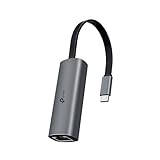
TP-Link UE302C
Why it works
- Compact 27 g design
- Foldable captive cable
- Broad documented OS support
Main trade-off
- USB-C hosts only
- Driver update may be needed after an OS change
Best with charging passthrough: Plugable USBC-E2500PD
The Plugable USBC-E2500PD solves a specific problem: a laptop, tablet, or phone has one useful USB-C port, and Ethernet occupies it when the device also needs power.
Our Plugable USBC-E2500PD review goes deeper on charging loss, compatibility, and when this focused adapter is a better buy than a dock.
This version combines 2.5GBASE-T Ethernet with a USB-C Power Delivery input. Plugable lists support for up to 100W USB-C charging input, but the connected device receives only the power that remains after cable, charger, protocol, and adapter overhead. Treat “100W” as the supported charging class, not a guarantee that 100W reaches every laptop.
Buy it if one-cable charging plus wired Ethernet avoids a larger dock. Skip it if the computer already has spare charging ports, or if you need HDMI, card readers, and additional USB ports as well. A USB-C hub is better when Ethernet is only one part of the requirement.
Because power and networking share the same small device, use a reputable charger and a cable rated for the laptop's charging needs. Troubleshoot power and network issues separately before blaming the adapter.

Plugable USBC-E2500PD
Why it works
- 2.5GbE and USB-C charging through one host port
- Compact alternative to a full dock
- RTL8156B chipset
Main trade-off
- Costs more than a network-only adapter
- 100W support does not mean 100W always reaches the host
Previously included: Sabrent NT-S25G
The Sabrent NT-S25G was our separate-cable alternative, with USB-C and USB-A host cables documented on Sabrent's product page. On 18 September 2026, the Amazon US listing we checked showed it as currently unavailable. That is a dated observation for the listing and delivery context checked, not a claim that every retailer or region lacks stock.
We have removed it from the active picks and purchase buttons. If you already own one, keep using it if it meets your needs; the availability result does not change its operation. If buying elsewhere, verify the exact model, delivery eligibility and current OS support before considering it.
What to look for in a 2.5GbE USB adapter
A USB 3.x host port
The connector shape is not enough. USB-C can carry anything from USB 2.0 data to much faster standards. USB-A ports also vary.
For full 2.5GbE operation, connect the adapter to a USB 3.x port with at least a 5 Gbps data path. Avoid unpowered hubs while diagnosing speed or disconnect problems.
A complete multi-gig path
Every active link in the path needs to support the target speed:
- computer and USB host controller
- adapter and driver
- Ethernet cable
- switch or router LAN port
- destination device, such as a NAS or another computer
- storage fast enough to use the extra network bandwidth
The link LEDs or operating-system network panel can confirm a 2.5GbE negotiation. They do not prove that a file transfer will sustain the line rate.
Cat5e or better cable
2.5GBASE-T was designed to operate over the kind of twisted-pair cabling already used for gigabit Ethernet. Cat5e is the normal starting point. A short known-good Cat6 cable is still useful when troubleshooting because it removes old wall cabling and questionable terminations from the test.
If you are replacing cables, our USB-C cable guide explains why connector shape and data capability are separate questions on the host side.
Driver support, not just a chipset name
Many adapters use a Realtek RTL8156-family controller. The chipset matters, but the manufacturer's driver packaging, update cadence, and support documentation matter too.
On Windows, an automatic driver can be enough until a feature or stability problem appears. On macOS, the built-in network driver may expose fewer advanced options. On Linux, kernel version and distribution packaging matter. If Wake-on-LAN, VLAN tagging, jumbo frames, PXE boot, or MAC-address passthrough is a requirement, confirm that feature for the exact OS before buying.
Heat and cable strain
Small multi-gig adapters get warm. Warm is not automatically a defect, but a dongle should not be buried under a laptop or wrapped in cable clutter.
A short captive cable reduces leverage on the laptop port. A replaceable cable is easier to service. Neither design wins for everyone.
Common mistakes
Expecting 2.5GbE to fix Wi-Fi coverage
An adapter changes one wired endpoint. It does not improve router placement or wireless coverage. Start with the Wi-Fi 7 explainer if the real problem is the wireless side of the network.
Plugging into the router's 2.5GbE WAN port
Some routers have one 2.5GbE port and reserve it for the modem. Check whether the router has a 2.5GbE LAN port before buying an adapter for local clients.
Measuring internet speed instead of local speed
A 500 Mbps internet plan cannot prove that a 2.5GbE local link works. Test between two multi-gig wired devices or move a large file to storage fast enough to avoid becoming the bottleneck.
Assuming a faster link removes every NAS bottleneck
Hard drives, encryption, RAID layout, NAS CPU, protocol overhead, and small-file workloads can all limit transfers. Read the NAS buying guide before treating Ethernet as the only performance limit.
Buying a full dock for one missing port
If Ethernet is the only feature you need, a dedicated adapter is cheaper and easier to troubleshoot. If you also need charging and displays, buy the right dock once.
Alternatives to consider
A gigabit USB adapter: the right choice for ordinary broadband, office access, streaming, and travel networks that are still gigabit.
A dock with built-in 2.5GbE: cleaner for a permanent desk with monitors, charging, and storage. It costs more, but it reduces cable stacking.
A PCIe network card: better for a desktop or server that needs a permanent NIC, advanced driver features, or lower USB overhead.
The StarTech US2GC30: worth considering for IT buyers who value detailed certifications, deployment documentation, and direct technical support. It is usually harder to justify for a simple home laptop when one of the three picks above costs less.
Frequently asked questions
Is 2.5GbE worth it over gigabit Ethernet?
Yes for frequent NAS transfers, workstation backups, and internet service above 1 Gbps, provided the entire path supports multi-gig Ethernet. No for normal browsing, streaming, calls, and gaming on a gigabit network.
Will a 2.5GbE adapter work on a gigabit network?
Yes. The adapter should negotiate down to 1 Gbps, 100 Mbps, or another supported speed. You will not receive multi-gig performance until the device at the other end supports it.
Does USB-C guarantee 2.5GbE speed?
No. USB-C describes the connector. The port must expose a USB 3.x data path, and the operating system must load a compatible driver.
Do I need Cat6 cable?
Not necessarily. 2.5GBASE-T is designed to work over Cat5e in supported installations. Use a short known-good Cat6 cable when troubleshooting, especially if an older wall run negotiates at only gigabit.
Is a 2.5GbE adapter better for gaming?
Not by itself. A wired link can be steadier than weak or congested Wi-Fi, but game traffic does not need multi-gig bandwidth. Gigabit Ethernet is already enough for normal gaming and downloads unless the internet service itself exceeds 1 Gbps.
Final recommendation
Buy the Plugable USBC-E2500 for its connector flexibility and clear compatibility documentation. Choose the TP-Link UE302C when USB-C-only portability matters more than USB-A support. Pay for the Plugable USBC-E2500PD when the same host port must carry charging and Ethernet.
Before buying, check the router or switch port, USB host speed, operating-system support, and the other multi-gig endpoint. The adapter is only useful when the rest of the path can use it.
Sources and methodology
- Plugable USBC-E2500 official specifications and compatibility: https://plugable.com/products/usbc-e2500/
- TP-Link UE302C official specifications and support: https://www.tp-link.com/us/home-networking/usb-adapter/ue302c/
- Plugable USBC-E2500PD official specifications and compatibility: https://plugable.com/products/usbc-e2500pd
- Sabrent NT-S25G official product and driver page: https://sabrent.com/products/nt-s25g
- StarTech US2GC30 official specifications: https://www.startech.com/en-us/networking-io/us2gc30
- IEEE 802.3bz standard overview for 2.5GBASE-T and 5GBASE-T: https://standards.ieee.org/ieee/802.3bz/6426/
We ranked these adapters by connector usefulness, product identity, host and operating-system documentation, driver support, charging needs, network requirements, and how clearly each product helps buyers avoid an unnecessary full dock.
As an Amazon Associate I earn from qualifying purchases.