Best Steam Deck Dock (2026): 4 Picks Compared
UGREEN is the flexible Steam Deck dock; Valve is better for DisplayPort and official support. Compare four docks, ports, chargers, and fit limits.
Research-based buying guide
Recommendations are checked against product documentation, availability, comparative evidence, and clearly disclosed hands-on work where it exists.
Quick picks
The short answer, with the trade-off
Best overall
UGREEN 9-in-1 Steam Deck Dock (25869)
Adjustable stand
Trade-off: No DisplayPort

Best simple pick
Anker 6-in-1 Dock for Handheld Consoles

Best budget
JSAUX HB0603 6-in-1 Dock
Trade-off: Easy to confuse with newer HB0603S
Best official option
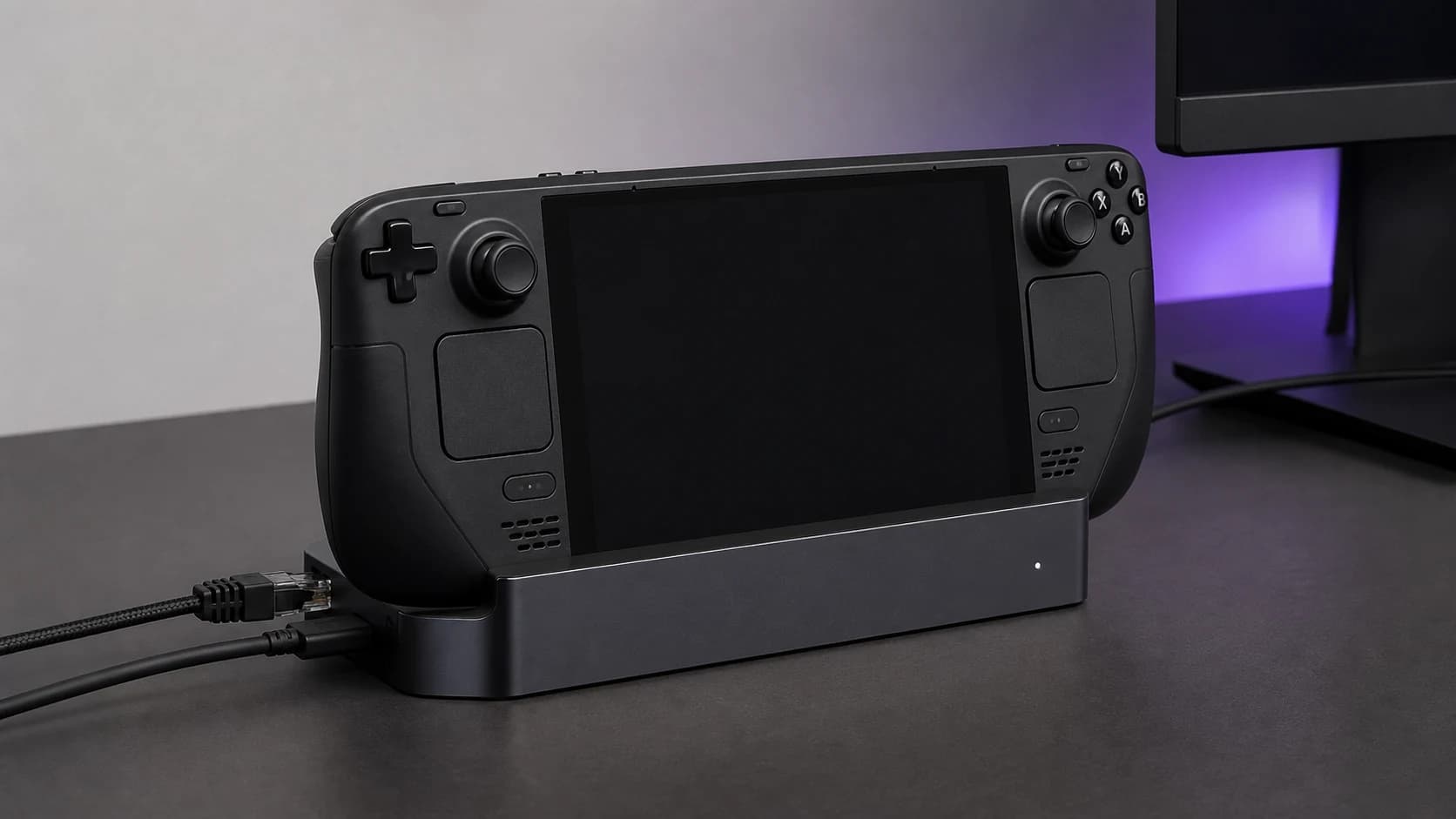
Valve Steam Deck Docking Station
Trade-off: Costs more than basic third-party docks
On this page
- Quick answer
- Who this is for
- Who should skip this
- Best overall: UGREEN 9-in-1 Steam Deck Dock (25869)
- Best simple pick: Anker 6-in-1 dock
- Best budget: JSAUX HB0603
- Best official option: Valve Steam Deck Docking Station
- Valve dock vs third-party dock
- What to check before buying
- Common mistakes
- Alternatives
- FAQ
- Final recommendation
- Sources and methodology
The best Steam Deck dock is not automatically the one with the most ports. It is the one that fits your handheld and case, drives the display you actually own, and leaves enough USB ports for the controller, keyboard, or storage you use.
For most buyers, the UGREEN 9-in-1 Steam Deck Dock is the most flexible pick. Its adjustable stand, card slots, fast data ports, HDMI, and gigabit Ethernet cover both TV play and desk use. The Anker 6-in-1 dock is the simpler choice if you do not need card readers. Buy Valve's official dock if DisplayPort, dual-display support, firmware updates, and an included charger matter more than price.
This is a research-based guide. We have not completed hands-on reliability testing of every dock below. Recommendations are based on official specifications, current product identity and availability checks, device requirements, port layout, and comparative analysis. Long-term cable and firmware reliability remain harder to judge without extended testing.
Already own a dock but the TV stays blank? Start with our Steam Deck dock no-signal checks before replacing hardware.
Quick answer
| Pick | Buy it for | Skip it if |
|---|---|---|
| UGREEN 9-in-1 (25869) | Adjustable stand, SD/microSD, two 10Gbps data ports | You need DisplayPort or an included charger |
| Anker 6-in-1 | A simple HDMI, Ethernet and USB setup | You need card readers or DisplayPort |
| JSAUX HB0603 | The core TV-dock job at a clearly lower price | The price is close to newer, more flexible docks |
| Valve Docking Station | DisplayPort, VRR, two displays, firmware updates and a 45W charger | You want card readers, USB-C data or an adjustable cradle |
These are research-based picks, not hands-on awards. SolderMag has not measured display stability, transfer speed, Ethernet throughput, power loss, cable wear or long-term reliability across these four docks.
Who this is for
Buy a handheld dock if you want to:
- play Steam Deck on a TV or monitor
- use wired Ethernet for large downloads or steadier remote play
- connect a keyboard, mouse, controller receiver, or external drive
- turn a handheld into a compact desk computer
- keep one stand and cable setup ready at a TV or desk
The same dock can often work with an ASUS ROG Ally, Lenovo Legion Go, MSI Claw, tablet, or laptop. Physical fit is the catch. A dock can be electrically compatible while its cradle is too narrow for a thick case or its captive USB-C cable cannot comfortably reach the handheld's port.
Who should skip this
Skip a purpose-built cradle dock if you only need HDMI once in a while. A small USB-C hub with HDMI and Power Delivery is easier to pack and may already be in your bag.
Skip these docks for a permanent multi-monitor work desk. A real laptop docking station gives you more display options, stronger host charging, and a port layout designed for daily desktop use. Handheld docks are cheaper because they solve a narrower problem.
Best overall: UGREEN 9-in-1 Steam Deck Dock (25869)
Buy this if: you want one adjustable dock for several handhelds, plus card readers and faster data ports.
UGREEN's model 25869 combines an adjustable stand with HDMI 2.0 output up to 4K60, gigabit Ethernet, SD and microSD slots, a 10Gbps USB-C data port, a 10Gbps USB-A port, two USB-A 2.0 ports, and up to 100W Power Delivery input.
Our dedicated UGREEN 9-in-1 Steam Deck Dock review examines the model 25869 port limits, charger requirement, physical-fit questions, and the reasons to choose Valve's dock instead.
If those are your final two options, our UGREEN 9-in-1 vs Valve dock comparison maps the card readers and adjustable stand against DisplayPort, VRR, the included charger, and Valve's firmware path.
That port mix is more useful than a row of identical USB-A sockets. Put a fast SSD on the 10Gbps port, slower receivers and controllers on USB 2.0, and leave the handheld's own microSD slot alone while importing files from a camera card.
The adjustable cradle is also the practical reason to choose it over a fixed stand. Cases change the width and angle a dock needs. Adjustment does not guarantee every case fits, but it gives you a better chance than a narrow metal slot.
The main limitation is display output. This is an HDMI dock, not a DisplayPort dock. If your gaming monitor's VRR or high-refresh behavior is better over DisplayPort, choose Valve's dock instead. A 100W input rating also does not mean the Steam Deck charges at 100W: the Deck itself uses a 45W USB-C PD power supply.
UGREEN 9-in-1 Steam Deck Dock (25869)
Why it works
- Adjustable stand
- SD and microSD readers
- 10Gbps USB-C and USB-A data ports
Main trade-off
- No DisplayPort
- Power adapter not included
Best simple pick: Anker 6-in-1 dock
Buy this if: you want HDMI, Ethernet, and sensible USB ports without paying for card readers or a large desktop dock.
Anker's handheld-console dock provides HDMI output up to 4K60, gigabit Ethernet, two USB-A ports, one USB-C data port, and Power Delivery input. Anker recommends connecting a 45W-or-higher power adapter when using a Steam Deck so display output and attached devices have stable power.
This is the uncomplicated pick. It has the ports most people use, comes from a brand with a current support page, and works as a stand rather than a loose hub. It also avoids the slow-card-reader problem found on many overloaded budget docks because there is no reader to pretend is fast.
Skip it if you need DisplayPort, an included charger, or SD/microSD slots. Check physical fit carefully if your handheld wears a thick protective case. Anker's current listing also distinguishes this model from docks designed around newer ROG Xbox Ally shapes, so do not assume every ASUS handheld fits identically.

Anker 6-in-1 Dock for Handheld Game Consoles
Why it works
- Useful six-port layout
- 4K60 HDMI and gigabit Ethernet
- USB-C data port alongside USB-A
Main trade-off
- No card reader
- No DisplayPort or included charger
Best budget: JSAUX HB0603
Buy this if: you want a basic Steam Deck TV dock and the JSAUX is meaningfully cheaper than the UGREEN or Anker.
The HB0603 covers the core job: a cradle, HDMI output up to 4K60, gigabit Ethernet, three USB-A 3.0 ports, and up to 100W PD input. It is enough for a TV, wired network, controller receiver, keyboard, and external drive.
There are several similarly named JSAUX docks, which is the main buying risk. The older HB0603 is not the same as the newer HB0603S. JSAUX lists the upgraded HB0603S with HDMI 2.1-class output and broader current-handheld support, while the older HB0603 remains the simpler 4K60 model. Check the model in the Amazon title before buying; do not rely on a product photo that several listings may share.
We would buy the older HB0603 on price, not because it beats the newer designs. If the gap to the adjustable UGREEN is small, pay for the better port mix and fit flexibility.

JSAUX HB0603 6-in-1 Dock
Why it works
- Core HDMI, Ethernet, and USB ports
- Three USB-A data ports
- Good enough for a simple TV setup
Main trade-off
- Easy to confuse with newer HB0603S
- No DisplayPort or card readers
Best official option: Valve Steam Deck Docking Station
Buy this if: you want DisplayPort, dual-display support, Valve firmware updates, and a charger in the box.
Valve's official dock has DisplayPort 1.4, HDMI 2.0, gigabit Ethernet, three USB-A 3.1 Gen 1 ports, and a bundled 45W power supply. Valve lists support for up to 4K60 or 1440p120, Multi-Stream Transport for multiple displays, and FreeSync/VRR.
Those are meaningful differences. The official dock is the strongest option for a monitor setup that specifically needs DisplayPort or VRR, and including the charger reduces the real price gap against third-party docks that arrive without one. Valve also updates dock firmware through SteamOS, which is useful when display compatibility changes.
It is not automatically the best value. There is no card reader, only USB-A data ports, and the fixed cradle may not fit a thick case. Buy it for the display features, official support path, and included power supply—not for a bigger port count.
Valve Steam Deck Docking Station
Why it works
- DisplayPort 1.4 plus HDMI 2.0
- FreeSync/VRR and multi-display support
- 45W charger included
Main trade-off
- Costs more than basic third-party docks
- Fixed cradle can conflict with thick cases
Valve dock vs third-party dock
Valve explicitly supports using the Steam Deck with a variety of USB-C docks and hubs. A third-party dock is not an unsupported hack; it is often the sensible value choice.
Pay extra for Valve's dock when you need:
- DisplayPort 1.4
- FreeSync/VRR support documented by the manufacturer
- two external displays
- a 45W charger included in the box
- firmware updates delivered through SteamOS
Choose a third-party dock when you prefer:
- a lower purchase price
- an adjustable stand for cased handhelds
- SD and microSD readers
- USB-C data ports
- compatibility with multiple handheld brands
What to check before buying
Display connection and refresh rate
The Steam Deck can output video over USB-C DisplayPort Alt Mode, but the dock decides which physical display connectors you get. HDMI 2.0 at 4K60 is fine for a TV. DisplayPort is more useful for some gaming monitors and documented VRR support.
A dock does not add rendering performance. If a demanding game struggles at the Deck's 1280×800 screen, sending it to a 4K TV will not make it faster. Use a sensible output resolution and game settings. For a portable setup, our portable monitor guide explains USB-C video and HDMI trade-offs.
Charger included—or not
Many third-party docks accept 100W input but include no charger. The Steam Deck uses a 45W PD supply, so a higher-rated dock leaves headroom for other handhelds and peripherals without forcing the Deck to accept more power than it requests.
ROG Ally and Legion Go buyers should check the power mode they intend to use and bring an appropriate charger. Our 100W GaN charger guide covers multi-device options. Use a properly rated USB-C cable between detachable chargers and docks.
Case and vent clearance
Measure the handheld with its case attached. Check cradle width, cable reach, USB-C plug angle, and whether the stand blocks an intake or exhaust vent. An adjustable stand helps, but a thick kickstand case can still make any cradle awkward.
Ethernet
Gigabit Ethernet is enough for game downloads, remote play, and normal home internet. A dock advertising 2.5GbE does not make the Steam Deck's storage or internet connection faster by itself. If you already run a multi-gig NAS or home network, read our 2.5GbE switch guide before paying extra for a faster adapter path.
Fast and slow USB ports
Use fast USB ports for SSDs and capture devices. Keyboard, mouse, controller, and headset receivers are fine on USB 2.0. A dock with nine ports may have only two genuinely fast data ports, so read the per-port specification instead of counting holes.
Common mistakes
- Assuming a 100W dock includes a 100W charger. Input capability and box contents are separate specifications.
- Expecting more FPS when docked. The dock carries video and peripherals; it does not upgrade the handheld's GPU.
- Buying by port count alone. Two fast, well-placed ports can be more useful than four slow ports.
- Ignoring the case. Electrical compatibility does not mean the handheld physically sits in the cradle.
- Confusing JSAUX model numbers. HB0603 and HB0603S have different output and compatibility claims.
- Assuming every USB-C cable carries video. Some cables are charging-only or USB 2.0 data cables.
Alternatives
A compact USB-C hub is enough if you travel frequently and do not need a cradle. A laptop dock is better if the setup is mostly for work, multiple monitors, and external storage. A USB-C monitor with Power Delivery can sometimes replace both dock and charger for a one-screen desk.
If you are still choosing the handheld itself, start with our handheld gaming PC buying guide. A good dock cannot fix the wrong operating system, weak battery fit, or a game library that does not suit the device.
FAQ
Does the Steam Deck OLED need a different dock?
No. Valve says its docking guidance applies to both Steam Deck LCD and OLED models. The same USB-C display, charging, Ethernet, and peripheral principles apply.
Can a Steam Deck dock work with ROG Ally or Legion Go?
Often, yes. USB-C video, data, and Power Delivery are shared standards. Check physical cradle fit, cable position, charger wattage, and the dock maker's current compatibility list for the exact handheld model.
Do I need the official Valve dock?
No. Valve says Steam Deck works with a variety of USB-C docks and hubs. The official dock is worth considering for DisplayPort, VRR, multi-display support, firmware updates, and the included charger.
Is 4K120 useful on Steam Deck?
It can be useful for desktop output, lightweight games, or future device compatibility, but do not expect demanding Steam Deck games to run well at 4K120. Buy for the display connection you need, not the largest number on the box.
Final recommendation
Buy the UGREEN 9-in-1 if you want the most flexible port mix and an adjustable stand. Buy the Anker 6-in-1 if HDMI, Ethernet, and a few fast data ports are enough. Buy the JSAUX HB0603 only when it is clearly cheaper and you have confirmed the exact model. Buy Valve's official dock when DisplayPort, VRR, dual displays, firmware support, and the included charger justify the premium.
Sources and methodology
- Valve Steam Deck Dock technical specifications: https://www.steamdeck.com/en/tech/dock
- Valve Steam Support docking guide: https://help.steampowered.com/en/faqs/view/4C18-08B5-DEC9-3AF4
- Valve Steam Deck power and external-display specifications: https://www.steamdeck.com/en/tech
- UGREEN 9-in-1 Steam Deck Dock model 25869 product specifications: https://us.ugreen.com/products/ugreen-9-in-1-steam-deck-docking-station
- Anker USB-C Hub for Handheld Game Console product information: https://www.anker.com/products/a83s1
- JSAUX HB0603 and HB0603S product specifications: https://jsaux.com/products/upgraded-docking-station-for-steam-deck
We ranked these docks by display usefulness, port mix, power clarity, physical flexibility, current product identity, support documentation, and whether the extra features solve a real handheld-gaming problem.
As an Amazon Associate I earn from qualifying purchases.