Best Gaming Routers (2026): Low-Lag Picks That Actually Help
The best gaming routers are about stable latency, not speed-test bragging. Here is what to buy, what to skip, and how to set one up.
Editorial evidence review
Recommendations are checked against product documentation, availability, comparative evidence, and clearly disclosed hands-on work where it exists.
Quick picks
The short answer, with the trade-offBest value gaming router
TP-Link Archer BE550
Best enthusiast option
ASUS ROG gaming router
Best whole-home option
Wi-Fi 7 mesh system
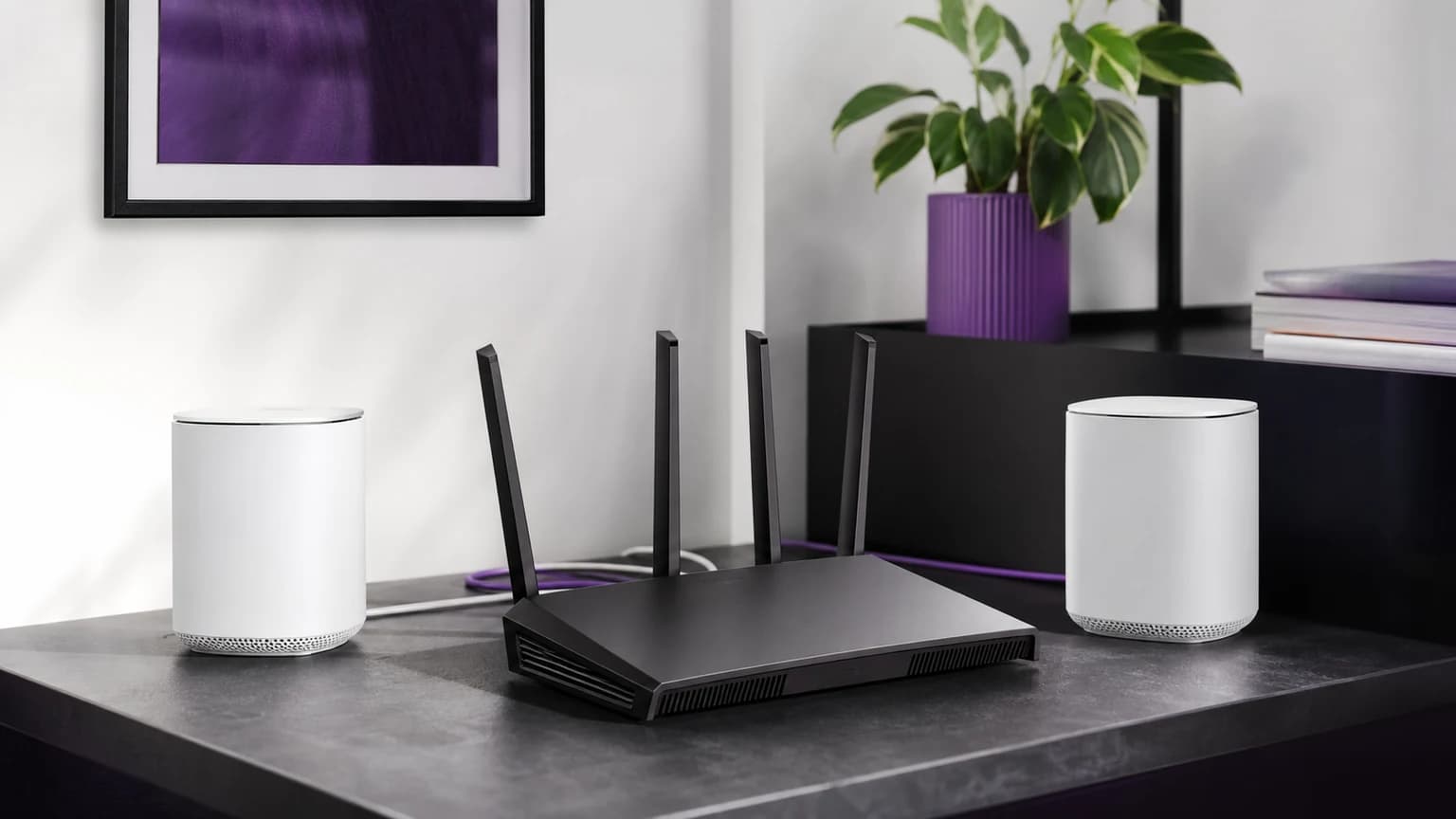
Gaming router marketing is noisy. Big antennas, RGB, and impossible wireless speed numbers make it look as if the most expensive router automatically lowers ping. It does not.
The router that helps gaming is the one that keeps latency stable when someone else is uploading photos, watching 4K video, joining a video call, or backing up a laptop. That means queue management, sensible firmware, enough Ethernet ports, and a layout that matches your home.
If you only remember one thing, remember this: wire the gaming device first. A modest router plus Ethernet usually beats a premium router over a weak wireless link.
SolderMag Take: latency consistency beats headline speed
Gaming does not need huge bandwidth. A stable connection with low jitter matters more than a giant download number. That is why a router's congestion handling often matters more than its maximum theoretical Wi-Fi speed.
Prioritize:
- Ethernet for consoles and gaming PCs
- SQM, QoS, or real congestion controls
- 2.5GbE ports if you have multi-gig internet or a NAS
- firmware that still receives security updates
- enough coverage that your device is not clinging to a weak signal
Deprioritize:
- RGB lighting
- "gaming acceleration" labels without clear settings
- giant speed ratings that require ideal lab conditions
- paying for Wi-Fi 7 if your clients and internet plan cannot use it
For a broader router view, start with our best Wi-Fi 7 routers. This page is specifically for gaming households where latency spikes are the problem.
Which gaming router should you buy?
eero Max 7: best simple premium pick
The eero Max 7 makes sense if you want a high-end router or mesh node that stays out of your way. It is not the most tweakable option, and some features can require paid software, but the appeal is reliable setup, strong hardware, and easy expansion.
Buy it if you share a home with non-technical users and want the network to stay calm without constant tuning. Skip it if you want deep knobs for every queue, VLAN, DNS, and traffic rule.
TP-Link Archer BE550: best value gaming router
The Archer BE550 is the practical pick for many apartments and medium homes. It gives you modern Wi-Fi, multi-gig Ethernet, and a price that is easier to justify than flagship gaming hardware.
It is especially appealing if your gaming device can be wired and you mainly need the router to handle the rest of the household without choking. If your issue is whole-home coverage, step up to mesh instead of forcing one router to cover too much space.
ASUS ROG gaming router: best enthusiast option
ASUS ROG routers are worth considering if you want more visible controls and are comfortable managing firmware, priority rules, guest networks, and security settings. The advantage is configurability. The drawback is that configurability only helps if you use it correctly.
This is the right direction for a gaming PC owner who likes tuning the network. It is the wrong direction if the router will sit untouched after setup.
Wi-Fi 7 mesh system: best whole-home option
If the gaming room is far from the modem, a mesh system with wired backhaul can beat a single "gaming" router. The important phrase is wired backhaul. Wireless mesh can work, but it often adds another shared wireless hop.
For larger homes, read our best Wi-Fi 7 mesh systems guide before buying a single flagship router.
What gaming-router specs matter?
SQM and QoS
SQM, smart queue management, and good QoS settings reduce bufferbloat. Bufferbloat is what makes your ping jump when another device uploads or downloads heavily. This is the difference between a network that is fast on paper and a network that feels stable.
Ethernet ports
Use Ethernet wherever possible. A console, desktop PC, TV, and NAS are all better wired. If you only have one spare LAN port, add a basic unmanaged switch instead of relying on Wi-Fi for every fixed device.
Wi-Fi 6 vs Wi-Fi 7
Wi-Fi 7 is useful if you have modern clients, congested airspace, or want a router that will last longer. Wi-Fi 6 is still enough for many gaming setups, especially if the gaming device is wired.
If budget is tight, our best Wi-Fi 6 routers guide is the more sensible starting point.
Placement
A bad location ruins good hardware. Put the router high, central, and away from cabinets, TVs, metal shelves, and dense walls. If the modem location is terrible, mesh or Ethernet runs matter more than buying a louder-looking router.
Gaming router setup checklist
- Wire the gaming device if possible.
- Update router firmware before testing.
- Run a bufferbloat test before and after enabling QoS/SQM.
- Put TVs, consoles, desktops, and NAS boxes on Ethernet where possible.
- Keep IoT devices on a separate guest or IoT network if the router supports it.
- Do not chase maximum signal bars at the expense of stable placement.
The verdict
Most buyers should not buy a router just because it says gaming on the box. Buy for latency control, coverage, Ethernet, and firmware. The TP-Link Archer BE550 is the value starting point, eero Max 7 is the simple premium pick, ASUS ROG routers suit hands-on users, and mesh is better when coverage is the real issue.
Related reading: Best Wi-Fi 7 Routers, Best Wi-Fi 7 Mesh Systems, and Why You Might Not Need Wi-Fi 7 Yet.
Sources and methodology
We prioritize latency-under-load behavior, firmware support, Ethernet layout, and realistic home placement over peak wireless throughput. Product availability changes often, so this guide uses marketplace search links where exact listings vary by region.