Anker 317 Charger Review: When One 100W Port Is Enough
The Anker 317 is a simple 100W USB-C laptop charger with an included 5A cable. It is good value only if you genuinely need one port.
Research-based review
Recommendations are checked against product documentation, availability, comparative evidence, and clearly disclosed hands-on work where it exists.
Quick picks
The short answer, with the trade-offBest for one USB-C laptop
Anker 317 Charger 100W A2672
Single USB-C output up to 100W
Trade-off: Only one output
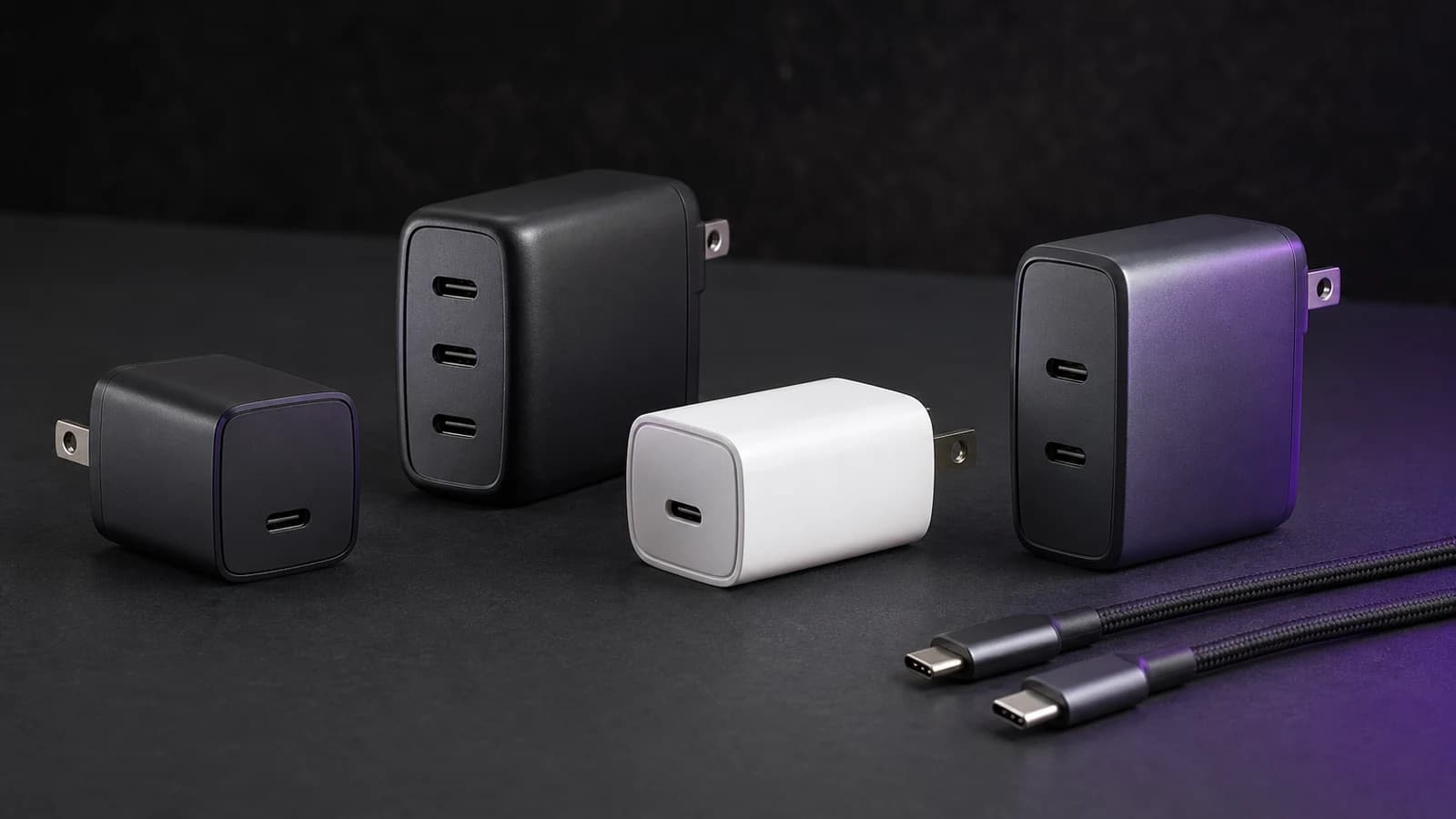
The Anker 317 Charger is a sensible replacement for one 100W-class USB-C laptop brick. It has one USB-C output, includes a 5-foot 5A cable, and avoids the power-sharing rules that make multiport chargers harder to buy.
That simplicity is also the limit. The 317 cannot charge a phone beside a laptop, does not replace a 140W USB-PD 3.1 charger at full speed, and should not be bought on the assumption that it uses GaN—Anker's current support specification does not make that claim.
This is a research-based review. SolderMag has not completed hands-on efficiency, sustained-output, thermal, electrical-safety, drop, travel, charging-time, or long-term reliability testing. The verdict is based on Anker's current A2672 documentation, the published USB-C output profiles, bundle contents, regional plug design, exact US Amazon product identity, and comparison with nearby charger layouts.
Verdict
Buy the Anker 317 when one USB-C laptop is the whole charging job and the included cable saves a second purchase. Its one-port design means the connected device can access the charger's documented output without another phone or tablet changing the allocation.
Skip it if this will be your only travel charger. Most bags contain at least a phone, earbuds, watch puck, or tablet, and the missing second port becomes more annoying than the simple power table is helpful. The Anker Prime 100W review covers the more flexible 2C1A alternative.
Anker 317 Charger 100W A2672
Buy it for one USB-C laptop and an included 5A cable. Skip it when a second charging port or more than 100W matters.
Why it works
- Single USB-C output up to 100W
- 5 ft / 1.5 m USB-C cable included
- No multiport power-sharing rules
Main trade-off
- Only one output
- Cannot provide a 140W USB-PD 3.1 path
- No hands-on thermal or efficiency results from SolderMag
Who it is for
The Anker 317 fits buyers who:
- want to replace one 65W, 90W, or 100W USB-C laptop adapter;
- normally charge only one device from the wall outlet;
- need a suitable high-current USB-C cable in the box;
- prefer a simple single-output charger over a smaller brick with complicated power sharing;
- will keep the phone on a separate charger or charge devices one after another.
The device still decides how much power it accepts. A 65W laptop will not be forced to take 100W, and a phone will negotiate a supported profile rather than receive the charger's maximum.
Who should skip it
Skip the 317 if:
- you want one charger for a laptop and phone at the same time;
- the laptop requires 140W or a proprietary adapter for full performance;
- USB-A is still needed for a watch puck or older cable;
- the charger will live in a shared family outlet;
- a corded desktop charger would sit more securely than a wall brick;
- you are buying mainly for the smallest possible travel setup.
If two or three outputs matter, our best 100W USB-C chargers guide compares single-port, three-port, four-port, and corded designs without treating the headline wattage as the whole decision.
Pros and cons
Pros
- One USB-C port can provide Anker's documented 100W maximum to a compatible device.
- A 5-foot / 1.5-metre USB-C-to-USB-C cable is included.
- The support page documents PowerIQ 3.0 and PPS output.
- There is no multi-device allocation table to remember.
- The US and UK versions use folding plugs.
Cons
- One output is restrictive for travel and shared outlets.
- Full 100W charging requires a compatible device and 5A cable.
- It cannot provide a 140W USB-PD 3.1 charging path.
- Anker's support page does not supply the kind of detailed efficiency and thermal data needed to judge sustained high-load behaviour.
- The EU plug is documented as non-folding, so regional versions are not physically identical.
Key specifications
| Specification | Anker 317 A2672 | What it means |
|---|---|---|
| Input | 100–240V | Designed for common international mains ranges; use the correct certified plug adapter where required |
| Outputs | 1 × USB-C | One device at a time |
| Fixed profiles | 5V/3A, 9V/3A, 12V/3A, 15V/3A, 20V/5A | 100W is available only through the 20V/5A profile |
| PPS | 3.3–21V, up to 5A | Compatible devices can request an appropriate programmable voltage/current combination |
| Charging technology | PowerIQ 3.0, PPS | Anker's published protocol support; not a charging-time measurement |
| Included cable | 5 ft / 1.5 m USB-C to USB-C | The documented bundle supplies the cable path needed for high-current charging |
| Plug | Folding in US and UK; fixed in EU | Check the regional version rather than assuming the enclosure is identical |
| Amazon US identity | ASIN B0C1FZWT8M | Exact product checked for the linked US listing |
Anker lists the maximum as 20V at 5A. The laptop, cable, battery state, temperature controls, and charging protocol still determine the real negotiated power. We have not measured what the charger sustains at the wall or delivers after conversion losses.
Design and build
The 317's design is defined more by what is absent than what is added: one port, no screen, no detachable wall lead, and no second output to divide the power budget.
That makes setup clear. Plug the charger into the wall, connect the included USB-C cable, and use the laptop's charging-capable USB-C port. There is no priority port to remember and no chance that connecting a phone will drop the laptop from 100W to a lower allocation.
The US and UK folding plugs help in a bag. Anker documents the EU version as non-folding, so reviews or product photos from another region may not match the unit a buyer receives.
We cannot judge plug tightness, case temperature, scratch resistance, coil noise, balance in a loose outlet, or long-term hinge wear without a physical sample. Buyers who use a worn wall outlet or a power strip mounted under a desk may prefer a corded charger even when the electrical specification is suitable.
Charging performance on paper
The useful upper profile is 20V/5A. That covers many laptops designed around 65W, 90W, or 100W USB-C input, provided the computer accepts the offered profile.
It does not make every USB-C laptop a 100W laptop. Some machines stop at 45W or 65W. Others need 140W USB PD 3.1 or a proprietary connector for their fastest mode. High-performance gaming laptops may accept USB-C charging for light work while still requiring the original adapter under sustained load.
The 317 also publishes PPS from 3.3V to 21V at up to 5A. PPS support is useful for compatible phones and other devices because they can request a more precise voltage. It does not guarantee a brand's maximum advertised phone-charging speed; proprietary protocols, cable requirements, device limits, and temperature still apply.
The practical advantage is consistency of allocation. With only one connection, no second device can trigger a lower shared-power mode. The practical disadvantage is obvious: that second device cannot be connected at all.
Cable and setup
The included cable is one of the strongest reasons to consider this charger. Anker documents a 5-foot / 1.5-metre USB-C-to-USB-C cable in the bundle. For a charger whose maximum needs 5A, providing the intended cable removes a common mismatch.
Still check the selected retailer bundle. Marketplace pages can group variants, and an open-box or replacement listing may not contain the same accessories as the standard package.
If the laptop reports only 60W or 65W:
- Confirm the computer accepts more than 65W over USB-C.
- Use the included cable or another marked 100W/240W 5A cable.
- Connect directly to the laptop rather than through a low-power dock or monitor.
- Check that the selected USB-C port supports charging.
- Remember that batteries reduce charging power as they approach full or become warm.
Our USB-C charger wattage guide explains why the charger, cable, port, and device all have to agree. If a replacement cable is needed, use the 240W and USB4 cable guide and avoid paying for high data speed when the cable only carries power.
Value
The 317 is good value when it is meaningfully cheaper than a reputable multiport 100W charger and one laptop is genuinely the only device that needs the outlet. The included cable improves that calculation because several nearby chargers sell the high-current cable separately.
It is poor value when the price gap to a 2C1A charger is small. A second USB-C port changes how useful the charger is on a trip, at a café, or beside a bed. A cheap single-port brick plus a second phone charger can also occupy more space and outlets than one well-chosen multiport unit.
Do not use a fixed price as the decision rule. Charger prices move. Compare the current total for the charger and any required cable, then ask whether the missing ports will require another purchase.
Anker 317 alternatives
Anker Prime 100W A2688
Choose the Prime when two USB-C ports and one USB-A port justify more cost and a more complex allocation. It can replace several small chargers, but connecting more devices reduces the power available to the laptop. Our Anker 317 vs Anker Prime 100W comparison is the direct one-port-versus-three-port decision.
A smaller 45W charger
Choose a smaller charger if the computer is a thin laptop, tablet, handheld, or phone that never requests more than 45W. Carrying a 100W brick does not make a 30W device charge faster. The Anker Nano 45W Smart Display review covers one compact alternative and its limitations.
A 140W or higher-power charger
Choose 140W when a compatible laptop supports USB PD 3.1 and the faster charging path matters. Buyers powering two laptops or a laptop plus several accessories should consider a 200W multiport charger rather than stretching one 100W port across the desk.
The original laptop adapter
Keep the original adapter when the laptop uses a proprietary connector, needs more than 100W under load, or shows reduced-performance warnings with third-party USB-C power. A smaller charger is not an upgrade if it cannot support the workload.
Common mistakes
Calling it a two-port charger. The Anker 317 A2672 has one USB-C output.
Assuming 100W means every device receives 100W. The connected device negotiates a supported profile.
Using a 60W cable. A 3A cable can cap the path below the charger's 20V/5A maximum.
Calling it GaN without a current source. Anker's published support specification lists PowerIQ 3.0 and PPS but does not identify GaN. That material label is not needed to explain the buying decision.
Expecting 140W MacBook charging. The 317 tops out at 100W and cannot provide a 140W PD 3.1 profile.
Ignoring the second device. A one-port charger is simple only until a phone also needs the wall outlet.
FAQ
Is the Anker 317 Charger worth it?
It is worth considering for one USB-C laptop when it costs meaningfully less than a good multiport 100W charger. The included 5A cable helps. It is a weak one-charger travel solution because there is no second output.
Does the Anker 317 have one port or two?
One. The A2672 has a single USB-C output.
Does the Anker 317 include a 100W cable?
Anker's support specification lists a 5-foot / 1.5-metre USB-C-to-USB-C cable in the accessory bundle. Check that the exact retailer variant includes it.
Is the Anker 317 a GaN charger?
Anker's current A2672 support specification does not identify GaN, so we would not use that as a reason to buy it. The documented facts that matter are the single 100W USB-C output, PPS support, and included cable.
Can it charge a MacBook Pro?
It can charge compatible USB-C MacBook Pro models up to the power the Mac accepts from its documented profiles. It cannot provide a 140W USB PD 3.1 charging path, so it will not replace every high-power Apple adapter at full speed.
Can it charge a phone safely?
A compliant USB-C device negotiates a supported profile rather than taking the charger's full 100W automatically. Maximum phone-charging speed still depends on the model, protocol, cable, battery state, and temperature.
Why is my laptop not showing 100W?
The computer may accept less, the cable or intermediate dock may be limited, or charging may taper as the battery fills. Test the included cable directly between the 317 and a charging-capable laptop port.
Final recommendation
Buy the Anker 317 Charger for one compatible USB-C laptop when the included cable and lower-complexity design matter more than extra ports.
Skip it if you regularly charge a phone beside the laptop, need USB-A, or want 140W. For most travel kits, one additional port is worth paying for. For a desk or spare laptop bag built around one device, the 317 is enough.
Sources and methodology
- Anker official Anker 317 A2672 support specification for input range, fixed output profiles, PPS range, charging technology, regional plug design, and included cable.
- USB-IF USB Power Delivery overview for the negotiated-power model and current USB Power Delivery context.
- SolderMag's current 100W USB-C charger comparison and Anker 317 vs Prime comparison for adjacent layouts and internal consistency.
- Amazon Creators API exact-product validation for Anker 317 A2672
B0C1FZWT8Min the US marketplace with the configuredsoldermag-20Associate tag.
We weighted output clarity, cable inclusion, one-device fit, regional differences, and the cost of missing ports. We did not claim measured charging speed, efficiency, temperature, durability, electrical performance, or long-term reliability, and we did not use fixed prices, discounts, ratings, review counts, or stock promises.
As an Amazon Associate I earn from qualifying purchases.