2.5GbE vs 10GbE: Which Home Network Upgrade Is Worth It?
2.5GbE is enough for most home networks. See when 10GbE pays off for a NAS, server, workstation, switches, adapters, and cabling.
Research-based comparison
Recommendations are checked against product documentation, availability, comparative evidence, and clearly disclosed hands-on work where it exists.
Quick picks
The short answer, with the trade-offSensible five-port upgrade
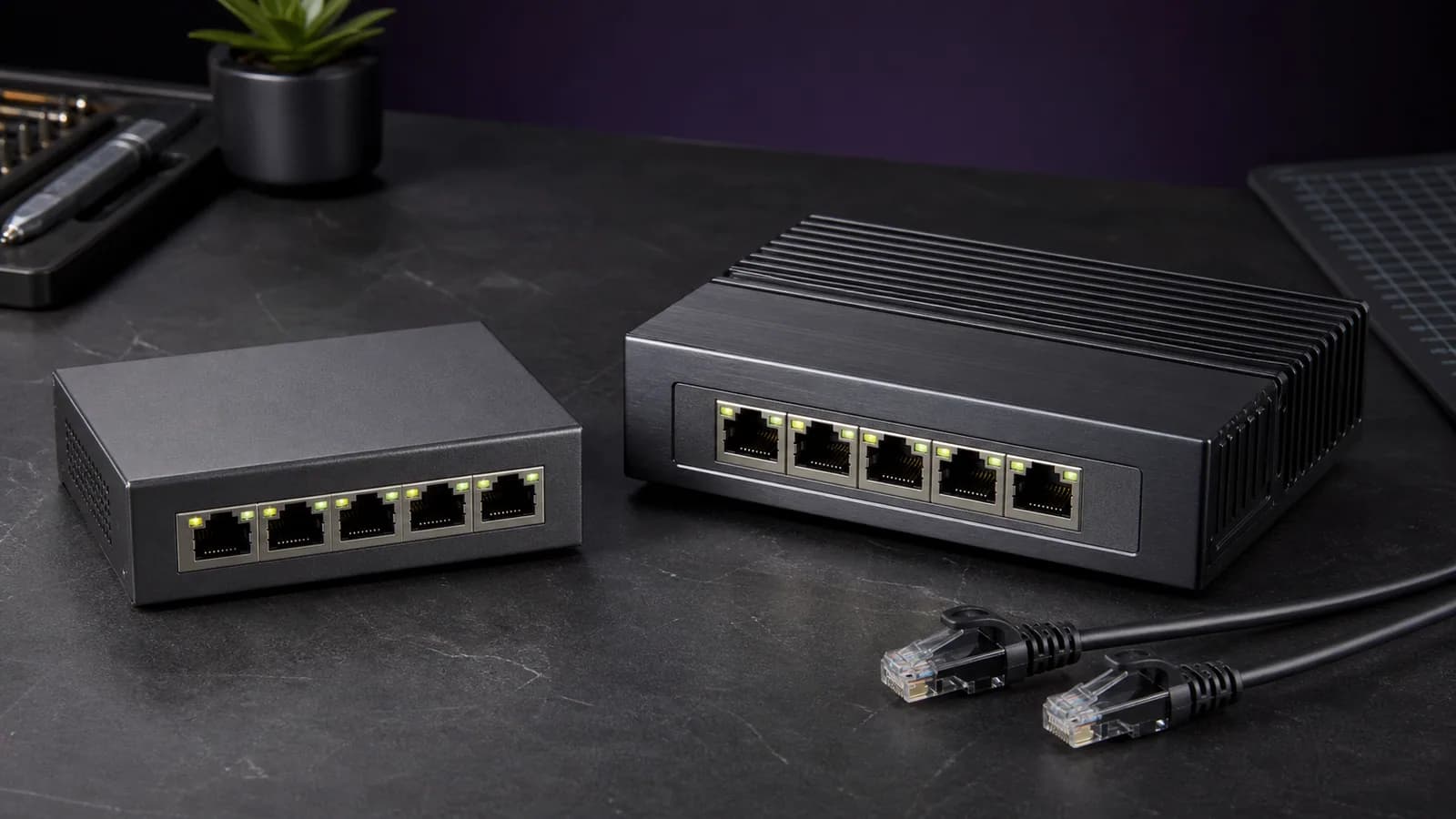
TP-Link TL-SG105S-M2 2.5GbE switch
More 2.5GbE ports
TP-Link TL-SG108S-M2 2.5GbE switch
Laptop or mini-PC adapter
Plugable USBC-E2500 2.5GbE adapter
On this page
- Quick answer
- 2.5GbE vs 10GbE at a glance
- Who should choose 2.5GbE
- Who should choose 10GbE
- The bottleneck checklist
- NAS and home-server scenarios
- Gaming and internet speed
- Cat5e, Cat6, and Cat6a
- RJ45 versus SFP+
- A sensible 2.5GbE upgrade path
- A sensible 10GbE upgrade path
- Common buying mistakes
- Who should skip both upgrades
- Alternatives to consider
- FAQ
- Final recommendation
- Sources and methodology
For most home networks, 2.5GbE is the sensible upgrade. It is fast enough to remove the usual Gigabit Ethernet ceiling, it often works over existing Cat5e cable, and USB adapters and compact switches are easy to find.
Pay for 10GbE when you can name the workload that needs it: repeated large transfers between two fast endpoints, an all-flash NAS, high-bitrate video editing from network storage, VM images, or workstation-to-server jobs. A 10GbE switch does not make a single hard drive, slow NAS, or one-gigabit internet plan run ten times faster.
This is a research-based comparison using current IEEE standards material and manufacturer specifications. We have not lab-tested the network paths described here, so the line-rate figures are not presented as measured file-transfer results.
Quick answer
| Choose | When it makes sense | Main trade-off |
|---|---|---|
| Stay on 1GbE | Web use, gaming, streaming, backups that are not time-sensitive | Large local transfers remain capped by Gigabit Ethernet |
| Upgrade to 2.5GbE | HDD-based NAS, Wi-Fi access-point uplinks, multi-gig internet, ordinary home-server work | Too slow for sustained NVMe-to-NVMe transfers |
| Upgrade to 10GbE | All-flash storage, video editing, VM images, frequent workstation-to-server transfers | Every part of the path costs more and must keep up |
Buy 2.5GbE if you want a practical upgrade. Buy 10GbE if waiting for local transfers is already costing you time. Skip both if you have not measured a Gigabit bottleneck.
2.5GbE vs 10GbE at a glance
| Spec | 2.5GbE | 10GbE |
|---|---|---|
| Theoretical line rate | 2.5 Gbps / 312.5 MB/s | 10 Gbps / 1,250 MB/s |
| Typical home fit | NAS, mini PC, Wi-Fi AP, multi-gig internet | Workstation, fast server, all-flash NAS |
| Existing cable | Designed to run over Cat5e to 100 m | Cat6 can support shorter runs; Cat6a is the safer new-install choice |
| Easy laptop connection | Yes, via USB 3.x 2.5GbE adapters | Usually Thunderbolt or a more specialised adapter |
| Switch power and heat | Usually modest; many fanless options | Varies more; check each switch rather than assuming |
| Best reason to buy | Low-friction step beyond Gigabit | Large local transfers between genuinely fast endpoints |
The table starts with line rate because the units are easy to confuse. Network equipment is sold in gigabits per second. File copies are usually shown in megabytes per second. Divide bits by eight to get the theoretical byte rate, then expect real transfers to be lower because protocols, storage, CPUs, files, and software all add overhead.
Who should choose 2.5GbE
2.5GbE is the right default for a home network upgrade when:
- your NAS or server already has a 2.5GbE port;
- you want faster backups without rebuilding the whole network;
- your Wi-Fi 6 or Wi-Fi 7 access point has a multi-gig uplink;
- your internet plan is faster than one gigabit;
- you use laptops or mini PCs that can take a simple USB adapter;
- your existing Cat5e runs are in good condition.
It is also a good match for many hard-drive-based NAS systems. One drive may not keep a 2.5GbE link full in every workload, but an array, cache, or multiple simultaneous users can benefit. More importantly, 2.5GbE removes Gigabit Ethernet as the first obvious ceiling without making every other component expensive.
Read our best 2.5GbE switches guide for port-count choices. If the client lacks multi-gig Ethernet, the best USB-C 2.5GbE adapters guide covers the easy endpoint upgrade. A one-port laptop that must charge at the same time is the narrow case covered by our Plugable USBC-E2500PD review.
Who should choose 10GbE
10GbE makes sense when at least two endpoints can sustain substantially more than 2.5GbE and you move enough data for the difference to matter.
Good reasons include:
- editing large video projects directly from fast network storage;
- moving VM images, project caches, or large datasets repeatedly;
- backing up several fast clients to a server at once;
- using an NVMe or all-flash NAS that is already constrained by 2.5GbE;
- connecting a workstation and server that both have suitable PCIe or Thunderbolt connectivity;
- building a home lab where 10GbE is shared across several busy systems.
The useful question is not “is 10GbE faster?” It obviously is. The question is whether your storage and workload can produce enough sustained traffic to notice it.
TP-Link's current TL-SX105 is an example of the simple RJ45 route: five auto-negotiating ports that support 100Mbps through 10Gbps. Its official datasheet also shows why cable planning matters. It specifies Cat6 for 10GBASE-T up to 55 metres and shielded Cat6, Cat6a, or Cat7 for 100 metres. Check the official TL-SX105 specifications before buying because hardware availability varies by region.
For a desktop, the TP-Link TX401 is a current PCIe 3.0 x4 10GBASE-T adapter that also negotiates at 5GbE, 2.5GbE, and 1GbE. It is a useful example of a dedicated 10GbE endpoint, but operating-system and slot compatibility still need checking. See the official TX401 specifications.
We are using manufacturer links for those 10GbE examples because we did not obtain a readable Amazon US product page during this review. That is better than sending a buyer to a possibly mismatched variant.
The bottleneck checklist
A faster switch only helps if the whole path is ready. Check these in order.
1. Source storage
Can the source read the data quickly enough? A large sequential video file is easier than thousands of small files. A hard-drive array behaves differently from one drive. NVMe storage may be fast locally but still lose speed through encryption, checksumming, or a busy NAS CPU.
2. Destination storage
The destination must write at the same pace. A fast workstation copying to a slow archive disk will still wait on the archive disk.
3. Both network interfaces
The link negotiates to the slowest supported speed. One 10GbE workstation connected to a 2.5GbE NAS is a 2.5GbE path. Check the negotiated link speed on both ends instead of trusting the adapter box.
4. Every switch port in the path
Some routers advertise one multi-gig port while the remaining LAN ports are Gigabit. That is useful for a WAN or NAS uplink, but it does not create several fast client connections by itself.
5. Cabling and terminations
2.5GbE was designed to make better use of installed Cat5e. Poor wall jacks, damaged patch cables, long untidy runs, or bad terminations can still cause a link to negotiate down or behave unreliably.
6. Host interface and CPU
A USB 2.5GbE adapter needs a suitable USB 3.x connection. A 10GbE PCIe card needs enough lanes. Small NAS processors may hit a ceiling when encryption, RAID parity, compression, or several services run at once.
7. Protocol and file type
SMB, NFS, encryption, snapshots, antivirus scanning, and small-file metadata all affect useful throughput. Do not plan a network around line-rate arithmetic alone.
NAS and home-server scenarios
HDD NAS used for backups and media
Start with 2.5GbE. It is a balanced fit for many two- to four-bay systems and materially improves a large transfer when the disks can keep up. Our NAS drive guide explains why drive workload rating and array design matter as much as the network label.
All-flash or heavily cached NAS
10GbE becomes easier to justify. If the NAS and client both use fast solid-state storage, 2.5GbE can become the limiting part of the path.
Mini-PC home server
2.5GbE is usually enough for media serving, backups, containers, and ordinary self-hosting. Many compact systems include 2.5GbE without needing an add-in card. Use our mini PCs for home servers guide to check ports before buying.
Video-editing workstation
10GbE is the more credible target if you work directly from shared storage and routinely move large source files. It still requires a fast NAS, a suitable client interface, and a storage layout that can sustain the workload.
Gaming and internet speed
Faster Ethernet does not meaningfully lower game latency by itself once a clean Gigabit link already handles the traffic. Gaming packets are small. Server distance, routing, congestion, and bufferbloat matter more than changing a 1GbE port to 10GbE.
Multi-gig Ethernet can matter for very fast downloads, local game-library transfers, or a multi-gig internet plan. Even then, the game platform's server, the router, the client drive, and the ISP path must all keep up.
For Wi-Fi, a 2.5GbE wired uplink is often the practical match for a modern access point. A “Wi-Fi 7” badge does not mean every client will sustain more than 2.5Gbps. Our Wi-Fi 7 explainer covers the gap between radio link rates and useful throughput.
Cat5e, Cat6, and Cat6a
Do not replace good cable automatically.
- For 2.5GbE: start by testing the existing Cat5e run. IEEE 802.3bz was created for 2.5GBASE-T and 5GBASE-T over twisted-pair cabling, and current 2.5GbE products commonly specify Cat5e support.
- For a short 10GbE run: good Cat6 may be enough. The exact supported distance depends on the product specification and installation quality.
- For new 10GbE in-wall cable: Cat6a is the conservative choice. It gives more margin and avoids designing a new permanent run around the shorter Cat6 case.
Do not buy expensive decorative patch cables expecting a speed gain. Correct category, intact conductors, clean terminations, and a stable negotiated link are what matter.
RJ45 versus SFP+
RJ45 10GBASE-T is familiar and auto-negotiates cleanly with many slower Ethernet speeds. It is the easier choice when a home already uses copper wall cabling and ordinary patch leads.
SFP+ is common in servers, used enterprise switches, and home labs. Short direct-attach copper cables can be simple and efficient between nearby devices, while fibre works for longer or electrically isolated links. The trade-off is compatibility: modules, adapters, link speeds, and vendor support need more attention.
For a first multi-gig home upgrade, RJ45 2.5GbE is the low-friction route. Choose SFP+ because the topology benefits from it, not because the connectors look more professional.
A sensible 2.5GbE upgrade path
- Measure the current transfer and confirm Gigabit Ethernet is the limiter.
- Connect the NAS or server and one main client to a small 2.5GbE switch.
- Reuse good Cat5e patch and in-wall cable first.
- Add a USB adapter only to the client that needs it.
- Keep printers, TVs, smart-home devices, and ordinary clients on existing Gigabit ports.
TP-Link TL-SG105S-M2 5-Port 2.5GbE Switch
Why it works
- Five 2.5GbE RJ45 ports
- Fanless desktop design
- Designed to work with Cat5e or better cabling
Main trade-off
- Unmanaged, so advanced VLAN and monitoring features are limited
- No 10GbE uplink for a later all-flash upgrade
Plugable USBC-E2500 2.5GbE Adapter
Why it works
- USB-C connection with included USB-A adapter
- Works with 2.5GbE switches and Cat5e or better
- Useful for laptops and mini PCs without multi-gig Ethernet
Main trade-off
- Needs a suitable USB 3.x port
- Does not make a one-gigabit router or switch faster
A sensible 10GbE upgrade path
- Prove that 2.5GbE is the bottleneck, not the disks or NAS CPU.
- Start with one workstation-to-server path rather than replacing every switch.
- Decide between RJ45 10GBASE-T and SFP+ before buying adapters.
- Check PCIe lanes, Thunderbolt bandwidth, drivers, cooling, and cable distance.
- Add more 10GbE ports only when another endpoint has a real workload for them.
This staged approach can keep the rest of the house on Gigabit or 2.5GbE. A mixed-speed network is normal. You do not need 10GbE on a streaming box, printer, doorbell, or smart speaker.
Common buying mistakes
- Upgrading only the switch. Both endpoints and every link in between must support the target speed.
- Buying 10GbE for gaming latency. Link speed is rarely the relevant gaming bottleneck.
- Replacing Cat5e before testing 2.5GbE. A good existing run may already be enough.
- Assuming a 10GbE NAS can sustain 10GbE. The port and storage performance are separate questions.
- Forgetting port count. A five-port switch leaves four useful device connections after an uplink only if the topology actually needs an uplink.
- Enabling jumbo frames everywhere. They can help specific controlled paths, but inconsistent support creates troubleshooting work. Standard MTU is the safer default.
- Buying an unverified Amazon variant. Match the exact model number, port speeds, region, and power supply before ordering.
Who should skip both upgrades
Stay on Gigabit Ethernet if you mostly browse, stream, game, run smart-home devices, or copy files occasionally. Gigabit remains plenty for several 4K streams and normal internet use.
Also skip the upgrade if current transfers are limited by Wi-Fi, a single slow disk, a USB 2 connection, a one-gigabit router port, or an internet service below one gigabit. Fix the measured constraint first.
Alternatives to consider
Direct point-to-point link: A workstation and NAS can sometimes connect directly through spare network ports. This avoids buying a full 10GbE switch, but addressing and routing are less convenient.
Link aggregation: Multiple one-gigabit links can help several clients access a compatible NAS at once. It does not usually make one ordinary file transfer run at the combined speed.
Faster local storage: If the network is already faster than the disks, put the budget into an SSD cache, client SSD, or better backup design. Our personal storage guide separates local, direct-attached, and network storage choices.
FAQ
Is 2.5GbE enough for a NAS?
Yes for many home NAS systems, especially hard-drive arrays used for backups, media, and ordinary file storage. Consider 10GbE when fast SSD storage or several busy clients can repeatedly exceed a 2.5GbE path.
Is 10GbE worth it for a home server?
Only when the server and clients move enough data to use it. Containers, media serving, DNS, home automation, and normal backups usually do not need 10GbE. Video work, large VM images, all-flash storage, and heavy multi-client traffic are stronger reasons.
Can 2.5GbE use Cat5e cable?
Yes. 2.5GBASE-T was designed to work over Cat5e-class installed cabling. Cable condition and termination quality still matter, so confirm the negotiated link and test the real run.
Do I need Cat6a for 10GbE?
Not for every short run, but Cat6a is the conservative choice for new permanent 10GbE cabling. Product specifications may allow Cat6 at shorter distances.
Will 10GbE improve online gaming?
Not by itself. A clean Gigabit link already has far more bandwidth than most game traffic needs. Router queues, ISP routing, server distance, and congestion usually matter more.
Can a 2.5GbE device connect to a 10GbE switch?
Usually, if the 10GbE port explicitly supports multi-gig auto-negotiation at 2.5GbE. Do not assume every 10GbE port supports every intermediate speed; check the switch specification.
Final recommendation
Choose 2.5GbE for the normal home upgrade. It is fast enough to make NAS transfers and backups feel meaningfully better, works with a broad range of compact hardware, and often avoids new in-wall cable.
Choose 10GbE when the path is already built around fast storage and repeated large transfers. Start with the two endpoints that need it. There is no prize for putting ten-gigabit ports on devices that cannot use them.
Sources and methodology
- IEEE P802.3bz task force for the 2.5GBASE-T and 5GBASE-T standard: https://www.ieee802.org/3/bz/index.html
- TP-Link TL-SG105S-M2 specifications for five 2.5GbE ports, Cat5e support, and fanless design: https://www.tp-link.com/us/business-networking/soho-switch-unmanaged/tl-sg105s-m2/
- Plugable USBC-E2500 specifications for interface requirements, backward compatibility, and Cat5e support: https://plugable.com/products/usbc-e2500/
- TP-Link TL-SX105 specifications and datasheet for multi-gig port support and cable-distance guidance: https://www.tp-link.com/us/business-networking/soho-switch-unmanaged/tl-sx105/
- TP-Link TX401 specifications for PCIe interface, supported link rates, and operating-system guidance: https://www.tp-link.com/us/home-networking/pci-adapter/tx401/
- SolderMag's existing 2.5GbE switch guide, 2.5GbE adapter guide, and home-server coverage for internal comparison context.
As an Amazon Associate I earn from qualifying purchases.