M4 Mac Mini Review in 2026: Buy Refurbished or Choose M6?
The M4 Mac Mini is now an older model. Here is when a refurbished M4 is still sensible, which configuration to choose, and when to buy the M6 model instead.
Research-based review
Recommendations are checked against product documentation, availability, comparative evidence, and clearly disclosed hands-on work where it exists.
On this page
- Who should buy the M4 Mac Mini
- Who should skip it
- What changed with the M4 design
- M4 Mac Mini specifications that still matter
- Which M4 configuration makes sense?
- Performance: what the specifications support
- M4 versus M6 Mac Mini
- Setup costs people forget
- Common buying mistakes
- Alternatives
- Final verdict
- Sources
The M4 Mac Mini is no longer Apple's current model. Apple announced the M6 Mac Mini in August 2026, so the M4 now makes sense mainly as a discounted refurbished or used purchase.
Short verdict: buy the M4 only when it is meaningfully cheaper than an equivalent M6 configuration. The base M4's 16GB of unified memory is still enough for general office work, web development and lighter creative work, but the 256GB SSD is restrictive. If the price gap is small, buy the newer M6 for its faster CPU, graphics, storage and on-device AI hardware.
This is a research-based review. We have not completed hands-on testing of this model. The recommendation is based on Apple's specifications, current product status and comparison with the replacement model.
Who should buy the M4 Mac Mini
- You find an Apple-refurbished or reputable used unit at a clear discount.
- Your work is mostly browsing, documents, coding, photo editing or occasional 4K video work.
- You already own a monitor, keyboard and mouse.
- You need macOS in a small desktop but do not need the newest on-device AI performance.
- You can use external storage or choose a 512GB configuration.
Who should skip it
- The M6 model is close in price after matching memory and storage.
- You regularly run large local AI models, heavy 3D workloads or several virtual machines.
- You need USB-A ports without adding a hub. The M4 Mac Mini has none.
- You want a complete computer with a display and peripherals included.
- You need portable computing; a MacBook is the more practical purchase.
What changed with the M4 design
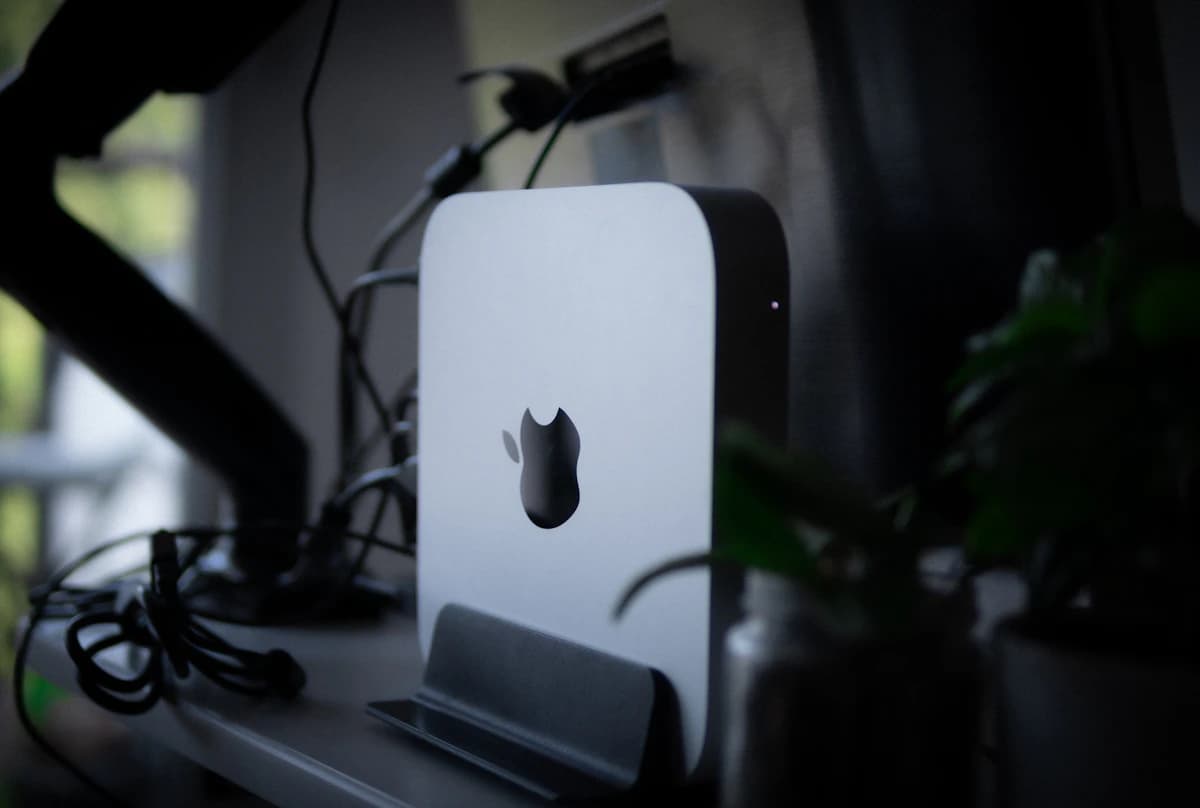
The M4 generation was the first major Mac Mini enclosure redesign in years. Its 12.7cm-square body is much smaller than the previous M2 model, while moving useful connections to the front.
The front has two USB-C ports supporting USB 3 speeds up to 10Gb/s and a 3.5mm headphone jack. The back of the standard M4 model has three Thunderbolt 4 ports, HDMI, Gigabit Ethernet and power. The M4 Pro version replaces Thunderbolt 4 with Thunderbolt 5.
There are no USB-A ports. That matters if you use an older keyboard, mouse receiver, storage drive or audio interface. Budget for a hub or adapter rather than discovering the omission after the Mac arrives. Our Thunderbolt 4 and USB4 dock guide covers more capable desk setups.
M4 Mac Mini specifications that still matter
| Feature | M4 Mac Mini |
|---|---|
| Processor | Apple M4, 10-core CPU and 10-core GPU |
| Starting memory | 16GB unified memory |
| Starting storage | 256GB SSD |
| Front ports | Two USB-C ports up to 10Gb/s, headphone jack |
| Rear ports | Three Thunderbolt 4, HDMI, Ethernet |
| Display support | Up to three external displays |
| Wireless | Wi-Fi 6E and Bluetooth 5.3 |
| Size | 12.7 × 12.7 × 5cm |
| Weight | About 0.67kg for the M4 model |
Apple says the standard M4 can drive up to three displays: two up to 6K at 60Hz over Thunderbolt plus another up to 5K at 60Hz over Thunderbolt or 4K at 60Hz over HDMI. It can alternatively run one display up to 8K at 60Hz alongside a second display. Check Apple's exact combinations before buying high-refresh or unusually high-resolution displays.
Which M4 configuration makes sense?
16GB memory and 256GB storage
This is the sensible entry point only if your files live mainly in cloud storage or on an external SSD. The memory is adequate for everyday multitasking and moderate development work, but 256GB fills quickly once macOS, applications, local project dependencies and photo libraries are installed.
Buy it when the discount is strong and external storage will not disrupt your workflow. Skip it if you want a tidy one-box setup with several years of local files.
16GB memory and 512GB storage
This is the easiest M4 configuration to recommend for most buyers. It offers enough internal space for applications and active projects without paying for more memory than a normal workload needs.
Compare the full configuration, not just the headline price. A cheap 256GB model plus a good external SSD may still cost less, while a discounted 512GB model is neater and easier to manage.
24GB memory and 512GB storage
Choose 24GB if you regularly keep containers, heavier development tools, large creative applications or memory-hungry browser sessions open together. Memory cannot be upgraded later.
Do not pay a large premium for this configuration without checking the newer M6 price. Once an older Mac is heavily upgraded, its value advantage can disappear.
M4 Pro
M4 Pro adds CPU and GPU headroom, more memory options and Thunderbolt 5. It suits sustained video work, larger software builds and other workloads that can use the extra resources.
In 2026, an M4 Pro purchase needs an especially careful price comparison. The replacement Mac Mini uses M5 Pro, so an older M4 Pro unit should not be priced like a current machine.
Performance: what the specifications support
The standard M4 remains a capable desktop processor. Its hardware media engines support H.264, HEVC, ProRes and ProRes RAW, which makes it a reasonable fit for lighter video workflows. The 10-core CPU and 10-core GPU also provide ample headroom for office work, web development and photo editing.
That does not make every workload comfortable. Large local AI models can run into memory limits. Complex 3D rendering and effects-heavy video projects benefit from the Pro chip or a more powerful desktop. Several virtual machines can also exhaust 16GB quickly.
We would not use unsourced benchmark percentages to make this decision. Application versions, cooling, memory capacity and test settings can change the result. Match the configuration to your workload, then compare current independent benchmarks for the exact applications you use.
M4 versus M6 Mac Mini
Apple says the M6 Mac Mini has a 12-core CPU and 12-core GPU, with up to 40% faster CPU performance and up to twice the graphics performance of the M4 in Apple's selected tests. Apple also claims up to twice the storage performance and four times the AI performance. Those are manufacturer figures rather than our test results, so treat them as a reason to check independent testing—not as a guaranteed gain in every application.
The practical buying rule is simpler:
- Buy M4 when the exact memory and storage configuration is substantially cheaper and your workload is already well served by it.
- Buy M6 when prices are close, you keep computers for many years, or local AI and GPU performance matter.
- Wait when a seller is charging near-new pricing for an M4. Older stock is not automatically good value.
The M4's strongest advantage is now price, not performance leadership.
Setup costs people forget
The Mac Mini does not include a display, keyboard or mouse. Add those costs before comparing it with an all-in-one desktop or laptop.
A 27-inch 4K monitor is a practical match for normal desk use. If you need Ethernet, several displays and legacy accessories through one connection, factor in a dock as well. Buyers who do not specifically need macOS should compare our mini PC guide, because Windows and Linux systems often offer more storage or upgrade flexibility for the money.
Common buying mistakes
Comparing unmatched configurations
A 256GB M4 can look cheap beside a 512GB M6. Match memory and storage before deciding which generation offers better value.
Assuming memory or storage can be upgraded later
Neither is user-upgradeable. External storage can solve capacity problems, but it does not replace unified memory.
Forgetting the lack of USB-A
The redesigned M4 removed USB-A ports. Count your existing accessories and price the required adapters or hub.
Buying old stock at a token discount
The M4 is two generations behind the current M6 model. A small saving is not enough to compensate for the older hardware and shorter remaining support horizon.
Alternatives
M6 Mac Mini: the default choice when the price gap is modest. It is current, faster and better suited to local AI workloads.
M5 Pro Mac Mini: for sustained professional workloads, high-speed I/O and buyers who would otherwise heavily configure an older M4 Pro.
Windows or Linux mini PC: better when upgradeable storage, more legacy ports or hardware value matters more than macOS.
MacBook Air: a better fit when you need a display and portability, even if the desktop will sometimes sit at a desk.
Final verdict
The M4 Mac Mini remains useful, but it is no longer the automatic compact-desktop recommendation. Its small enclosure, 16GB starting memory and three-display support still hold up. The 256GB SSD and missing USB-A ports remain the main compromises.
Buy a refurbished or used M4 if the discount is large enough to matter and the configuration fits your workload. Otherwise, choose the M6. Paying close to current-model money for an M4 is the wrong trade.