Soldermag

ASUS ROG Swift OLED PG27AQDP Review: The Monitor That Ended My Search

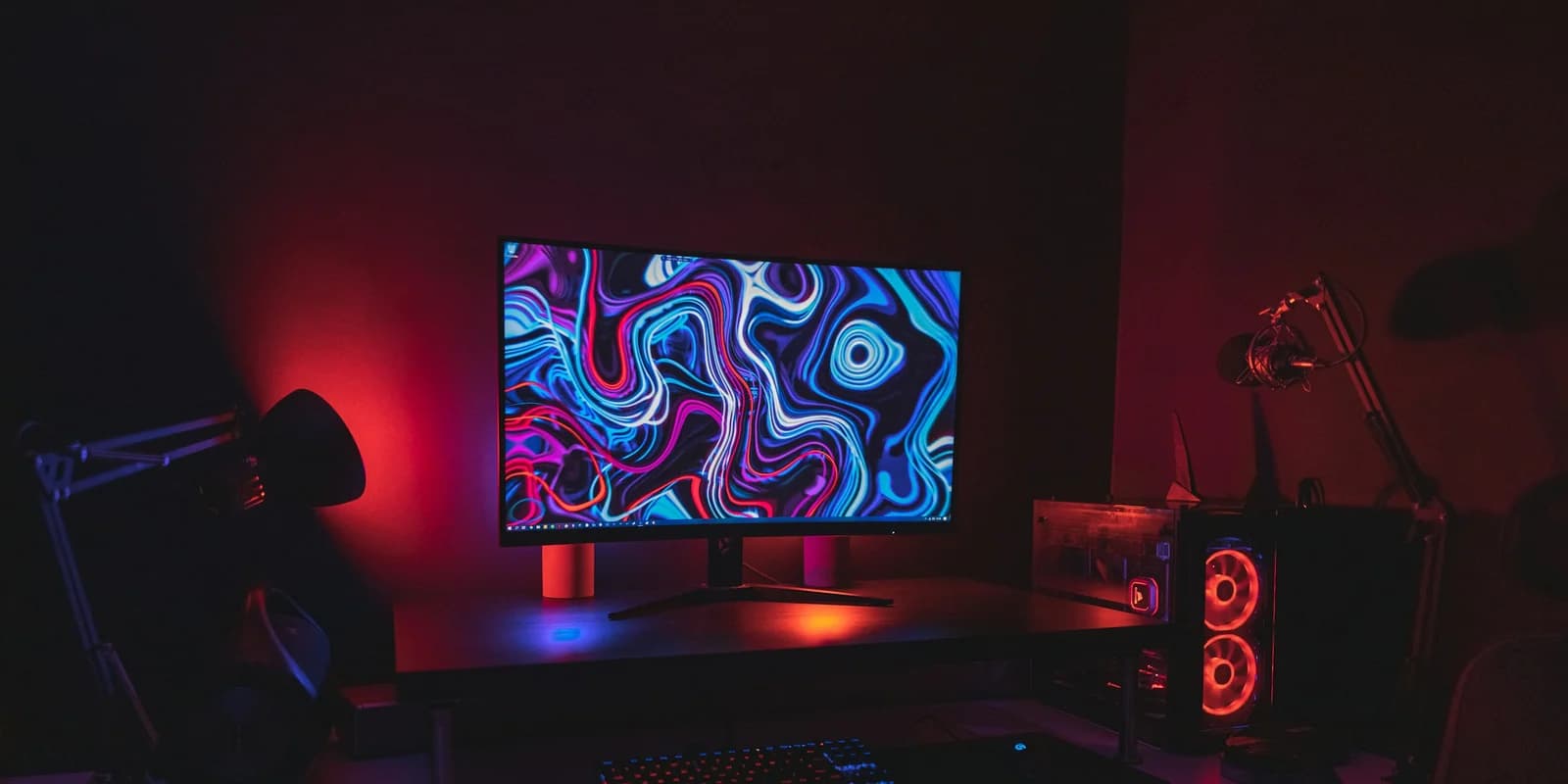
ASUS ROG Swift OLED PG27AQDP after six weeks of gaming, work, and general use. QD-OLED, 240Hz, 1440p. The real deal or expensive hype?

·10 min read
ASUS ROG Swift OLED PG27AQDP Review: The Monitor That Ended My Search

I have been looking for the right gaming monitor for about three years. Not casually browsing. Actively testing, returning, and settling for "good enough" while waiting for the technology to catch up to what I actually wanted. A fast OLED panel at a reasonable resolution that wouldn't burn a static HUD into the screen within six months.

The ASUS ROG Swift OLED PG27AQDP is the first monitor I plugged in and stopped looking. Six weeks later, I still haven't opened a single monitor review tab. That has never happened before.

SolderMag Take

Gaming monitors in 2026 fall into two camps. There are the spec-sheet warriors, panels with the highest refresh rate or the most zones or the biggest number next to "HDR" on the box. And there are monitors that just look right the moment you turn them on.

The PG27AQDP is in the second camp. Yes, it has excellent specs. QD-OLED, 1440p, 240Hz, 0.03ms response time. But what makes it special is that everything works together. The motion clarity, the color, the contrast, the HDR, the anti-burn-in system. None of it feels like a compromise bolted onto something else.

The price is real. Around $800 puts it well above budget options and into territory where you need to actually care about the difference. But after using IPS panels at half the price and this panel side by side, the gap is not subtle. It is the difference between a monitor that displays games and a monitor that makes games look the way the developers intended.

Specs deep dive

Panel: 27-inch QD-OLED from Samsung Display. This is the third generation of Samsung's QD-OLED technology, and the improvements over the first generation are substantial. Peak brightness is higher, the subpixel layout is refined, and the color volume is wider. The panel produces over 1 billion colors with 99% DCI-P3 coverage.

Resolution: 2560 x 1440 (1440p). At 27 inches, this works out to roughly 109 PPI. Text is sharp enough for productivity work, though people coming from 4K panels will notice the difference in desktop use. For gaming, 1440p is the sweet spot in 2026. Modern GPUs can push it at high frame rates, and the visual difference between 1440p and 4K at 27 inches during gameplay is marginal.

Refresh rate: 240Hz native. The panel supports variable refresh rate through both G-Sync Compatible and FreeSync Premium Pro. The VRR range is 1-240Hz with LFC (low framerate compensation) kicking in below the native range. In practice, this means smooth gameplay whether you are hitting 240fps in a competitive shooter or 60fps in a demanding RPG.

Response time: 0.03ms GtG. This number from ASUS is measured under ideal conditions, but the real-world result is still remarkable. OLED pixel response is near-instantaneous. There is no ghosting, no smearing, no overshoot artifacts that plague even the fastest IPS panels. Fast-moving objects in competitive games have clean, sharp edges with no trailing.

HDR: DisplayHDR True Black 400 certification. Peak brightness hits approximately 1000 nits on small highlights with the auto brightness limiter disabled. Full-screen sustained brightness is lower, around 250-300 nits, which is typical for OLED. The real HDR advantage here is the infinite contrast ratio. A bright explosion next to a dark shadow renders with zero light bleed or halo. IPS local dimming cannot match this regardless of how many zones it uses.

Color: Factory calibrated with Delta E under 2 out of the box. In my testing with a colorimeter, the sRGB accuracy was excellent and the DCI-P3 coverage measured at 98.5%. For gaming and content consumption this is outstanding. For professional color work, you would want to run your own calibration profile, but the starting point is better than most monitors at any price.

Connectivity: 1x DisplayPort 1.4, 2x HDMI 2.1, 1x USB-C with 90W power delivery, USB hub with 3x USB-A 3.2. The USB-C port is the standout. You can connect a laptop, charge it at 90W, and use the monitor's USB hub all through a single cable. I use this daily with a work MacBook and it simplifies the desk setup considerably.

Stand: Ergonomic stand with tilt, swivel, height, and pivot adjustment. The range of motion is generous and the build quality is solid. No wobble at full height extension. The stand base is reasonable in size for a 27-inch monitor and does not dominate the desk. VESA 100x100 mounting is supported if you prefer an arm, which I do. See our best monitor arms guide.

Anti-burn-in features: ASUS includes pixel refresh, pixel shift, static logo detection, and an OLED Care brightness adjustment that dims static elements. After six weeks of mixed gaming and desktop use with taskbar, browser tabs, and coding IDEs displayed for hours, I see zero burn-in. The anti-burn-in systems work transparently. You do not notice them during normal use.

Daily use

Competitive gaming: I play Valorant and CS2 regularly at the Diamond/Immortal level. The 240Hz OLED panel is the most responsive monitor I have used for competitive shooters. Player models moving across the screen have zero motion blur. Flick shots feel immediately more precise because the target is always exactly where your eyes perceive it. There is no panel-induced lag between what is happening in the game and what you see.

Switching back to my previous 165Hz IPS after a week on the PG27AQDP was jarring. The motion clarity difference is not something you notice when you first upgrade, but it is instantly obvious when you downgrade. Once your eyes calibrate to clean OLED motion, IPS smearing becomes impossible to unsee.

Single-player and story games: This is where QD-OLED shows its full potential. Played through the final act of Baldur's Gate 3 on this panel, and the dark scenes in the Shadow-Cursed Lands were a revelation. True black shadows with pinpoint light sources and no halo or bloom around bright objects. The same scenes on my previous IPS panel looked washed out in comparison, with the backlight lifting the black level in dark areas.

Cyberpunk 2077 at 1440p with ray tracing and DLSS looks like concept art come to life. Neon reflections on wet streets, HDR headlights cutting through fog, the contrast between indoor darkness and outdoor daylight. This is the first monitor where I found myself stopping to look at scenes instead of rushing through them.

Productivity and desktop use: This is where OLED monitors have historically needed caveats. Text rendering on older OLED panels was subtly worse than IPS due to subpixel layout differences. The PG27AQDP's third-gen QD-OLED panel improves on this. Text is crisp at 1440p with ClearType tuning. I spend 6-8 hours daily on this monitor doing coding and writing, and text clarity has not been an issue.

The one adjustment I made is reducing the brightness for desktop work. OLED at full brightness in a dimly lit room is overpowering. I run it at 30-40% brightness for desktop use and let it go full brightness for HDR gaming. The ASUS OSD makes switching between profiles quick.

Content consumption: Movies and streaming content look incredible. Netflix and YouTube HDR content benefits enormously from the true black and wide color gamut. Watching Dune: Part Two on this panel versus a standard IPS monitor is not a subtle difference. The desert scenes have depth and contrast that flat backlighting cannot reproduce.

Color work: I edit photos as a hobby and the factory calibration is good enough for non-professional work. The colors are accurate, the gamut is wide, and the uniformity across the panel is excellent with no visible banding or color shift at the edges. Professional colorists would want to calibrate and might prefer a purpose-built reference monitor, but for photography enthusiasts and video hobbyists, this panel is more than sufficient.

The burn-in question

The most common concern with OLED monitors is burn-in, and it is a legitimate one. OLED pixels degrade over time, and static elements displayed for thousands of hours will eventually leave a faint imprint.

After six weeks of heavy mixed use, I have zero visible burn-in. The ASUS anti-burn-in suite is aggressive but invisible. Pixel shift moves the image by a few pixels periodically. The static logo detection dims bright static UI elements. Pixel refresh runs automatically when the monitor enters standby.

My usage pattern is roughly 4 hours of gaming daily, 6-8 hours of desktop work with IDE, browser, and taskbar visible, and occasional movie watching. This is probably harder on the panel than most users would put it through.

The practical reality in 2026 is that OLED burn-in prevention has matured enough that normal consumer use should not cause visible degradation within the 3-year warranty period. If you plan to keep a monitor for 7-10 years with heavy static content, IPS is still the safer long-term bet. For a 3-5 year upgrade cycle, which is realistic for a gaming monitor, OLED burn-in is a manageable risk.

Pros and cons

Pros:

  • Motion clarity is in a class of its own at 240Hz with 0.03ms response
  • Infinite contrast ratio transforms dark scenes and HDR content
  • QD-OLED color accuracy and gamut are excellent out of the box
  • USB-C with 90W PD turns this into a single-cable laptop dock
  • Anti-burn-in features work transparently without disrupting use
  • Build quality and stand are premium without being excessive

Cons:

  • $800 price puts it firmly in enthusiast territory
  • Full-screen brightness is limited compared to high-end IPS with local dimming
  • 1440p text at 27 inches is sharp but not 4K-sharp for heavy productivity
  • Glossy OLED surface catches reflections in bright rooms
  • Fan noise is faintly audible in a completely silent room during intensive HDR content
  • QD-OLED subpixel layout can show color fringing on very small white text against dark backgrounds if you look for it

Who should buy the ASUS ROG Swift OLED PG27AQDP

Competitive gamers who also play single-player games. The 240Hz handles esports, and the QD-OLED contrast handles everything else. You do not need two monitors anymore.

PC gamers with an RTX 4070 or better. If your GPU can push 1440p at high frame rates, this monitor will show you what it is capable of. If you are GPU-limited at 1440p, a cheaper 1440p IPS at 165Hz will feel nearly as smooth and cost half as much.

Desk setup enthusiasts who want one excellent monitor. The USB-C with 90W PD, the USB hub, and the adjustable stand mean this works as a gaming monitor and a work monitor without compromise. Check our desk setup essentials for the full picture.

Anyone upgrading from a 1080p 144Hz panel. The jump from 1080p IPS to 1440p QD-OLED is the biggest visual upgrade you can make to a gaming setup. It is a generational leap.

Who should skip it

Budget-conscious buyers. At $800, you could buy a 1440p 165Hz IPS panel for $250 and put the remaining $550 toward a GPU upgrade that would improve your actual gaming experience more. The monitor matters, but the GPU matters more if yours is underpowered.

People who game in bright rooms with lots of windows. The glossy OLED surface creates visible reflections in direct or indirect sunlight. IPS matte panels handle ambient light better. Consider your room before committing. If your monitor faces a window, an IPS panel or at minimum a hood attachment is the more practical choice.

Ultrawide seekers. If you want immersive width for racing sims, flight sims, or RPGs, the Dell Alienware AW3225QF is the better pick. It gives you more screen area and a cinematic field of view that a 27-inch 16:9 cannot match.

4K purists. If you do heavy text work alongside gaming and the pixel density of 1440p at 27 inches bothers you, wait for the next generation of 4K OLED panels at higher refresh rates. They are coming, but not at this price point yet.

ASUS ROG Swift OLED PG27AQDP Gaming MonitorBest Overall

ASUS ROG Swift OLED PG27AQDP Gaming Monitor

See today's pricePrice checked April 2026

Verdict

The ASUS ROG Swift OLED PG27AQDP is the best gaming monitor I have used. It is the fastest, the most colorful, and the most visually impressive panel I have tested at 27 inches. It makes competitive games feel more responsive and single-player games look like they were meant to look.

The $800 price is the only real barrier. If that number makes you hesitate, the LG 27GR95QE delivers about 85% of the experience for 60% of the cost. But if you want the best and the budget is there, this is the monitor that stops the search.

Rating: 9.5/10. The reference point for gaming monitors in 2026. Nothing else combines speed, contrast, and color like this.

Decision checklist

  • Can your GPU consistently hit 120fps+ at 1440p? If yes, this monitor will show the difference. If no, the investment is premature.
  • Is your gaming room dim or controlled lighting? QD-OLED performs best without direct light on the panel.
  • Do you play competitive and single-player games? This covers both. If you only play esports, a cheaper 240Hz IPS might be enough.
  • Will you use it for work too? The USB-C with 90W PD and USB hub makes it a genuine dual-purpose display.
  • Are you comfortable with a 3-5 year ownership timeline? OLED burn-in prevention has matured, but IPS still wins on theoretical longevity.
  • Do you want ultrawide? This is 16:9. Check the Dell Alienware AW3225QF for ultrawide QD-OLED.

Sources

  • ASUS ROG Swift OLED PG27AQDP product specifications and firmware documentation
  • Samsung Display third-generation QD-OLED panel technical data
  • RTINGS monitor testing methodology for response time, contrast, and color accuracy
  • DisplayHDR True Black 400 certification requirements
  • Six weeks of real-world testing across competitive gaming, single-player, productivity, and content consumption

For the complete gaming monitor roundup with picks at every price, see our best gaming monitors 2026 guide. Want to pair it with the right arm? Check our best monitor arms picks. And read your monitor is too small if you are still on 24 inches.

ASUS ROG Swift OLED PG27AQDP

See today's price