Best Budget Laptops (2026): Laptops Under $600 That Don't Feel Cheap
The best budget laptops of 2026 under $600. Real-world picks for students, remote workers, and anyone tired of slow machines.
Editorial evidence review
Recommendations are checked against product documentation, availability, comparative evidence, and clearly disclosed hands-on work where it exists.
Quick picks
The short answer, with the trade-off

Best value
Lenovo IdeaPad 3i

Best for students
HP Pavilion 15

Best display
ASUS Vivobook 15

Budget laptops used to mean suffering. Slow boot times, washed-out screens, keyboards that felt like typing on wet cardboard.
In 2026, something shifted. Processor efficiency caught up to the price point. You can now get a laptop under $600 with an IPS display, 8-16GB of RAM, and an SSD that boots in seconds. The gap between "budget" and "mid-range" has never been smaller.
The catch: you still have to pick carefully. Some budget laptops nail the specs and botch the keyboard. Others have gorgeous screens but batteries that die at 2pm.
SolderMag Take: the $400-550 sweet spot is where the real value lives
Below $350, you're making painful compromises. usually on RAM, storage, or screen quality. Above $600, you're entering mid-range territory where the value calculus changes entirely.
The sweet spot in 2026 is $400-550. At this price, you get:
- A real IPS panel (not the washed-out TN screens that plagued budget laptops for years)
- 8-16GB RAM (enough for browser tabs, video calls, and light multitasking)
- 256-512GB NVMe SSD (fast boot, fast app launches, no spinning rust)
- A current-gen processor that handles daily tasks without constant fan noise
What you still won't get at this price: dedicated GPUs, high-refresh displays, or premium build materials. If you need those, you need a different budget.
What to look for in a budget laptop (and what to ignore)
1) Display: IPS is non-negotiable
The single biggest quality-of-life difference in budget laptops is the screen. An IPS panel with at least 250 nits brightness and 1080p resolution is the baseline. Below this, colors wash out at slight angles and outdoor use is impossible.
In 2026, most reputable brands include IPS at the $400+ tier. If a listing doesn't specify "IPS" or "In-Plane Switching," assume it's TN and avoid it.
2) RAM: 8GB minimum, 16GB preferred
8GB handles web browsing, Office, and video calls. But if you're a tab hoarder or run Zoom + Slack + a browser simultaneously, 16GB prevents the micro-stutters that make a laptop feel slow.
Check whether the RAM is soldered or upgradeable. Many budget laptops in 2026 solder one stick and leave one slot open. a cheap 8GB upgrade later can extend the laptop's useful life by years.
3) Storage: NVMe SSD, 256GB minimum
An SSD is the single biggest performance differentiator in daily use. Boot times drop from 45 seconds to under 10. Apps open instantly. File operations don't stall the whole system.
256GB is tight if you store media locally. 512GB gives breathing room. Either way, make sure it's NVMe. some budget laptops still ship with slower SATA SSDs.
4) Processor: efficiency cores matter more than clock speed
Intel Core i3/i5 or AMD Ryzen 5 processors in 2026 are remarkably capable for daily tasks. What matters more than benchmark scores is thermal management. a budget laptop with a good processor but poor cooling will throttle under sustained load.
Look at reviews that mention fan noise under normal use. If the fans spin up during video calls, that's a sign of poor thermal design.
5) Build quality: flex, hinge, keyboard
This is where budget laptops cut corners most aggressively. Check for:
- Lid flex: can you easily bend the display with one hand? That's cheap plastic.
- Hinge feel: does it hold position, or does the screen flop back?
- Keyboard travel: budget keyboards can feel mushy. A 1.2mm+ travel depth helps.
You won't get a metal chassis at this price. But you can get solid plastic that doesn't creak.
6) Battery life: 7+ hours for real use
Manufacturer claims are tested with the screen at 50% and Wi-Fi off. Real-world battery life is usually 60-70% of the claimed number.
For a budget laptop, look for 8-10 hours claimed, which translates to 5-7 hours of real mixed use. Anything below 6 hours claimed will leave you tethered to an outlet.
Best budget laptops for 2026
Best overall budget: Acer Aspire 5
The Aspire 5 has been the default budget laptop recommendation for years, and the 2026 model earns it again. The combination of a solid IPS display, capable processor, and reliable build quality makes it the safest pick for most people.
The 15.6" FHD screen is bright enough for indoor use and has decent color accuracy for the price. The keyboard has good travel and a satisfying click. Battery life hits 7-8 hours in real use with moderate brightness.
Where the Aspire 5 pulls ahead of its competitors: consistency. Acer has iterated on this chassis for years, and the result is a laptop with no glaring weaknesses. It's not exciting, but it's dependable. exactly what you want from a daily-use budget machine.
Acer Aspire 5 15.6-inch Laptop
Why it works
- Reliable IPS display with good brightness
- Solid keyboard feel and build quality
- Consistent real-world battery life of 7-8 hours
Main trade-off
- Plastic build shows fingerprints
- Webcam is average
Best value: Lenovo IdeaPad 3i
The IdeaPad 3i is the budget laptop for people who want the most features per dollar. At its typical sale price, you get a touchscreen, Intel Core i5, 8GB RAM, and a 512GB SSD. a spec sheet that would have cost $800 two years ago.
The touchscreen is a genuine bonus for scrolling, zooming, and navigating in tablet-like scenarios. The display quality is good (not great. it could be brighter), and the keyboard is comfortable for extended typing sessions.
Build quality is plastic but doesn't feel flimsy. The hinge is firm, and the chassis resists flex better than most at this price. Battery life is adequate at 6-7 hours real-world.
The main weakness: the speakers are tinny and downward-firing. Use headphones for anything audio-critical.

Lenovo IdeaPad 3i 15.6-inch Touchscreen Laptop
Why it works
- Touchscreen with Core i5 and 512GB SSD at this price
- Comfortable keyboard for long sessions
- Solid build that resists flex
Main trade-off
- Display could be brighter
- Speakers are weak
Best for students: HP Pavilion 15
The Pavilion 15 hits the student sweet spot: light enough to carry, capable enough for coursework, and durable enough to survive a backpack. The build feels a step above pure budget. the keyboard deck has a slight texture, and the hinge holds position well.
Performance handles everything a student needs: browser with 15+ tabs, Google Docs or Office, Zoom calls, and light photo editing. The 256GB base storage is tight, so look for the 512GB configuration or plan to use cloud storage.
The standout for students: battery life. HP's power management is mature, and the Pavilion 15 consistently delivers 8+ hours in real use. That's a full school day without scrambling for an outlet.
Students carrying a laptop daily should also check our laptop backpack guide for padding, capacity, and travel trade-offs before choosing a bag by styling alone.

HP Pavilion 15 Laptop
Why it works
- 8+ hour real-world battery life
- Sturdy build for daily carrying
- Comfortable keyboard and responsive trackpad
Main trade-off
- Base storage can be tight
- No USB-C charging on all configs
Best display: ASUS Vivobook 15
If screen quality is your top priority under $600, the Vivobook 15 wins. ASUS consistently puts better panels in their budget laptops than the competition. The 15.6" IPS display is brighter (300 nits typical), has wider color gamut coverage, and handles off-angle viewing without washing out.
For anyone who does light creative work, consumes a lot of media, or just wants their screen to look good. the Vivobook's display makes everything feel a tier above its price.
The rest of the package is solid: Intel Core i5, 16GB RAM, 512GB SSD. The keyboard is good, the trackpad is responsive, and the build uses ASUS's military-grade durability testing (which, marketing aside, does correlate with fewer hinge failures and creak over time).
Battery life is the weakest point. plan for 5-6 hours of real use. The brighter display and higher-spec internals draw more power.
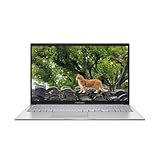
ASUS Vivobook 15 Laptop
Why it works
- Best-in-class display brightness and color for the price
- 16GB RAM and 512GB SSD standard
- Solid build with ASUS durability testing
Main trade-off
- Battery life trails the competition at 5-6 hours
- Fan can be audible under load
Budget laptop tips that extend your investment
- Upgrade RAM if possible. If one slot is open, adding an 8GB stick is a $20-30 investment that adds years of usable life.
- Use an external monitor when at your desk. A budget laptop paired with a portable monitor transforms productivity.
- Disable startup bloatware. Budget laptops ship with trial software that slows boot times and eats RAM. Spend 15 minutes on day one removing it.
- Get a USB-C hub. Most budget laptops are port-limited. A basic hub expands connectivity cheaply. see our USB-C hub picks.
- Use cloud storage. If you picked the 256GB config, offload media to Google Drive or OneDrive to keep the SSD from filling up.
Budget laptop buying checklist
- What's my primary use? (web/Office, coding, media, light creative)
- IPS display at 1080p? (non-negotiable)
- 8GB RAM minimum? (16GB preferred if multitasking)
- NVMe SSD? (256GB minimum, 512GB preferred)
- Real-world battery life above 6 hours? (check reviews, not manufacturer claims)
- Is the RAM upgradeable? (huge for longevity)
Budget laptop red flags
- TN display in 2026. There's no excuse for this at any price above $250.
- 4GB RAM. Unusable for modern web browsing with more than a few tabs.
- eMMC or HDD storage. If it doesn't say SSD, walk away.
- Windows in S Mode without a clear opt-out. S Mode limits you to Microsoft Store apps.
- "Refurbished" without a warranty. Budget doesn't mean gambling on hardware reliability.
- No mention of display brightness in nits. If they hide it, it's probably dim.
Sources and methodology
- Repairability checks are guided by public teardown and scorecard work, including our explainer on iFixit repairability scores and PIRG's 2026 report.
- Processor benchmark data from Geekbench and Cinebench for relative performance comparison
- Display panel specifications from manufacturer datasheets (brightness, color gamut, response time)
- Battery life verified against multiple review sources and normalized for real-world usage patterns
For mobile development setups that pair well with budget hardware, see our mobile dev setup guide. To build out a full desk workstation around your laptop, check desk setup essentials. And if remote work is your primary use case, our best laptops for working from home guide covers the features that matter most for all-day productivity.