Best Gaming Laptops (2026): Performance Picks That Don't Melt Your Desk
The best gaming laptops of 2026 for competitive, casual, and portable gaming, compared through specifications and independent measurements.
Research-based buying guide
Recommendations are checked against product documentation, availability, comparative evidence, and clearly disclosed hands-on work where it exists.
Quick picks
The short answer, with the trade-offBest premium
Razer Blade 16
Best value
Lenovo Legion Pro 5
Best budget
Acer Nitro V 15
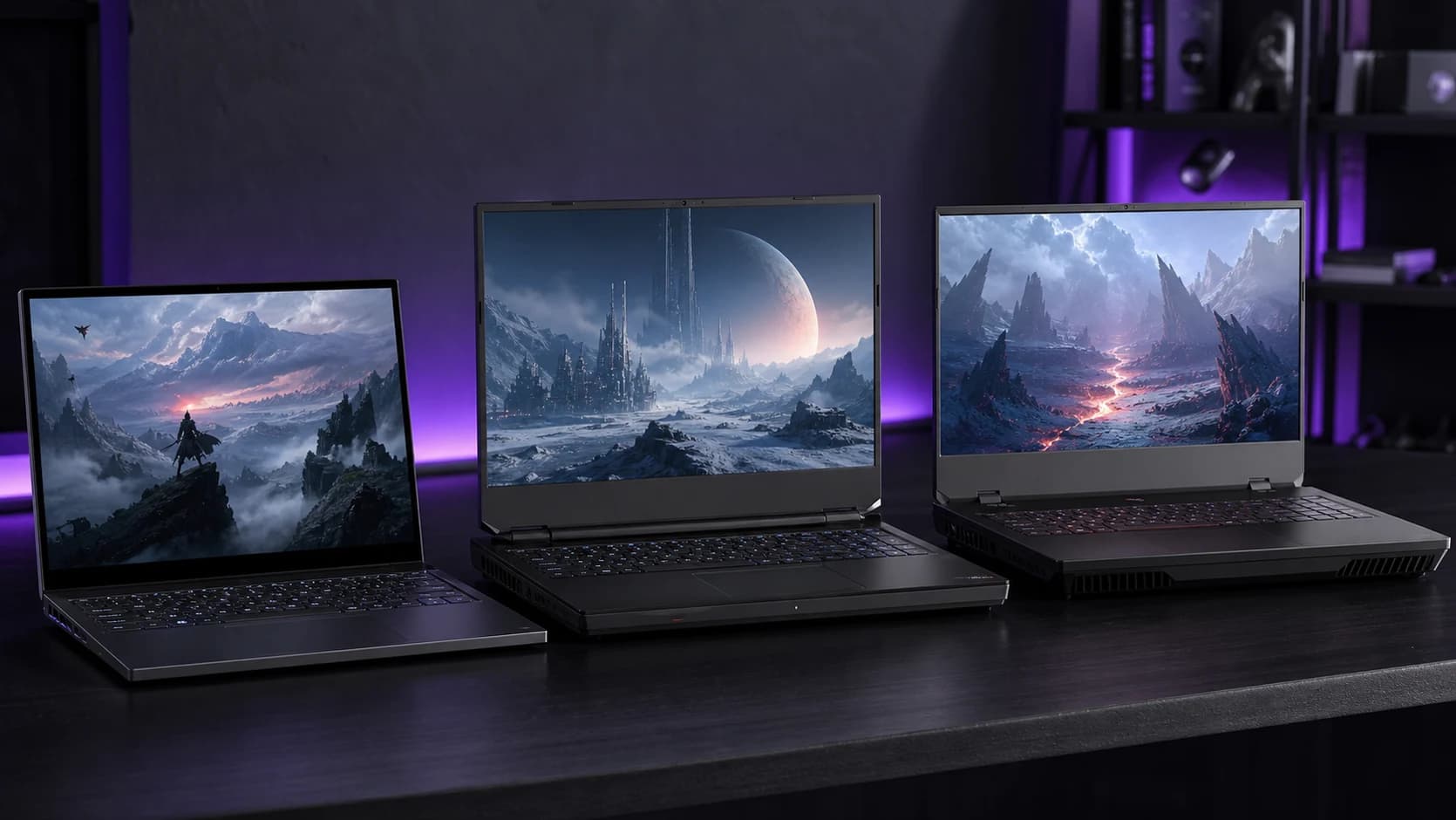
Gaming laptop marketing wants you to believe that every machine with a GPU sticker is a "beast." In practice, half of them thermal throttle within 20 minutes of a real gaming session, and the other half sound like a leaf blower taped to a desk.
The gaming laptops worth buying in 2026 share three traits: they sustain their advertised performance under load, they manage heat without making the room unpleasant, and they deliver real frame rates in real games, not cherry-picked benchmarks from a frozen test lab.
This research-based shortlist compares current specifications and established independent results across competitive games, open-world titles, and sustained workloads. SolderMag has not completed matched hands-on testing of every laptop.
SolderMag Take: thermals and noise matter more than GPU tier
The single biggest mistake in gaming laptop shopping is buying the highest GPU tier you can afford without checking how the chassis handles it. A laptop with an RTX 4070 in a well-cooled chassis will outperform an RTX 4080 stuffed into a thin frame that throttles after 15 minutes.
Before looking at GPU specs, check:
- Sustained clock speeds under load, not just boost clocks
- Fan noise at full tilt in decibels, not marketing labels
- Surface temperatures on the keyboard and palm rest during gaming
- Real frame rates in demanding titles, not synthetic benchmarks
A laptop that runs quietly at 90% of its potential is a better daily experience than one that hits 100% while sounding like a jet engine and cooking your wrists.
What separates good gaming laptops from the noise
Display: refresh rate means nothing without a GPU to feed it
A 240Hz display on a laptop with a GPU that pushes 80fps in your games is a waste. Match the display to realistic performance expectations:
- 1080p 144Hz: sweet spot for budget and mid-range GPUs
- 1440p 165Hz: ideal for RTX 4070 and above
- 4K 120Hz: only makes sense with RTX 4080+ and you accept lower framerates in demanding titles
Panel type matters too. Mini-LED and OLED displays offer real HDR and deep contrast. IPS is fine for competitive gaming where speed beats image quality.
Battery life: the uncomfortable truth
Gaming laptops and battery life have a strained relationship. Expect 4 to 6 hours for general use with the dGPU off, and 1 to 2 hours of actual gaming on battery. If you need all-day battery for productivity and gaming power when plugged in, look for laptops with a strong integrated GPU and a MUX switch that lets you toggle between integrated and discrete graphics.
Keyboard and build quality
You will type on this thing, not just game. Check for:
- Key travel depth: 1.5mm+ for satisfying feedback
- Anti-ghosting and N-key rollover: essential for competitive play
- Chassis flex: if the keyboard deck bends under pressure, the build is cutting corners
- Hinge quality: gaming laptops get opened and closed a lot. A floppy hinge is a death sentence.
Best gaming laptops for 2026
Best overall: ASUS ROG Zephyrus G16
The Zephyrus G16 is the gaming laptop that gets the balance right. A 16-inch 2560x1600 OLED display at 240Hz, an RTX 4070 that sustains its boost clocks thanks to ASUS's refined vapor chamber cooling, and a chassis that is thin enough to carry without being so thin that it throttles.
Fan noise under gaming load is noticeable but not offensive. Surface temperatures stay manageable on the palm rest even during extended sessions. The keyboard is surprisingly good for a gaming laptop, with solid travel and a layout that does not sacrifice usability for aesthetic gimmicks.
Battery life hits 7 to 8 hours for productivity use with the dGPU disabled. That is genuinely usable as a daily driver, not just a gaming machine that lives on a desk.
The OLED display is the star. Deep blacks, punchy colors, and HDR that actually works make single-player games look stunning. For competitive shooters, the 240Hz refresh and near-instant pixel response keep motion buttery smooth.
ASUS ROG Zephyrus G16 Gaming Laptop
Why it works
- Gorgeous 240Hz OLED display with real HDR
- Sustained GPU performance with refined cooling
- 7-8 hour battery for non-gaming use
Main trade-off
- Speakers are decent but not exceptional
- No per-key RGB on the keyboard
Best premium: Razer Blade 16
If you want the most polished gaming laptop experience and you are willing to pay for it, the Blade 16 delivers. The build quality is in a different class: CNC aluminum chassis, minimal flex, and a design that looks professional enough for a meeting. You would not know it is a gaming laptop with the lid closed.
The 16-inch mini-LED display at 240Hz is bright, sharp, and handles HDR content well. The RTX 4080 pushes high frame rates at 1600p in nearly everything, and Razer's vapor chamber cooling keeps things under control. Fan noise is present under full load but tuned to a lower pitch that is less grating than most competitors.
The trade-off is price. The Blade 16 costs significantly more than the Zephyrus G16 for a moderate performance bump. You are paying for build quality, aesthetics, and the Razer ecosystem. If those matter to you, it is worth every dollar. If not, the Zephyrus delivers 90% of the experience for less.
Razer Blade 16 Gaming Laptop
Why it works
- Best-in-class aluminum build quality
- Bright mini-LED display with solid HDR
- RTX 4080 with effective cooling
Main trade-off
- Premium pricing
- Razer Synapse software is divisive
Best value: Lenovo Legion Pro 5
The Legion Pro 5 is the workhorse pick. Lenovo's thermal engineering on the Legion line has been consistently strong, and the Pro 5 continues that trend. The RTX 4070 runs closer to its maximum TDP than most competitors at this price, which translates to better real-world frame rates.
The 16-inch IPS display at 165Hz is not OLED-level gorgeous, but it is bright, color-accurate enough for gaming, and responsive. The keyboard is one of the best on any gaming laptop. Deep travel, solid feel, and a numpad that does not compress the main layout.
Where the Legion Pro 5 really wins is the value calculation. You get performance that rivals laptops costing $300 to $500 more, with thermals that do not compromise under sustained load. The chassis is chunkier than the Zephyrus or Blade, which is exactly why the cooling works so well.
Battery life is middling at 5 to 6 hours for general use. The larger chassis and higher TDP draw more power. But if the laptop lives mostly on a desk, that is a fair trade for the performance.
Lenovo Legion Pro 5 16-inch Gaming Laptop
Why it works
- Excellent sustained GPU performance
- Best-in-class keyboard for a gaming laptop
- Strong value relative to performance
Main trade-off
- Heavier and thicker than ultraportable options
- Battery life is average
Best budget: Acer Nitro V 15
The Nitro V 15 is proof that budget gaming laptops have gotten genuinely good. An RTX 4050 with a 15.6-inch 1080p 144Hz display handles competitive shooters and mid-settings open-world games without drama. The thermals are adequate for the GPU tier, and fan noise stays reasonable during gaming.
It is not going to win any design awards. The plastic chassis is functional, the display is average brightness, and the trackpad is forgettable. But the things that matter for gaming, the GPU performance, the display refresh rate, and the input latency, all deliver at a price point that used to buy a mediocre office laptop.
If you are on a budget and gaming is the priority, the Nitro V 15 punches above its weight. Pair it with an external mechanical keyboard and a decent gaming monitor at your desk, and you have a capable setup for a fraction of the premium laptop price.
Acer Nitro V 15 Gaming Laptop
Why it works
- RTX 4050 performance at an accessible price
- 144Hz display handles competitive games well
- Solid thermals for the GPU tier
Main trade-off
- Plastic build with average display brightness
- Battery life is short at 3-4 hours
Gaming laptop buying checklist
Before you buy, confirm:
- The GPU can hit your target frame rate at the laptop's native resolution in the games you actually play
- Reviews confirm sustained performance (not just boost clock screenshots)
- Fan noise under load is tolerable for your environment
- The display refresh rate matches what the GPU can realistically push
- Battery life meets your needs for non-gaming use
- The laptop has the ports you need (USB-A, USB-C, HDMI, Ethernet)
Gaming laptop traps to avoid
- Buying a thin gaming laptop without checking thermals. Thin and cool are at odds. If the chassis is slim, verify sustained performance before buying.
- Chasing the highest GPU tier in a bad chassis. An RTX 4080 that throttles to RTX 4070 speeds is an expensive RTX 4070 with worse thermals.
- Ignoring the display panel type. A fast GPU paired with a dim, washed-out TN panel wastes your money.
- Expecting good battery life for gaming on battery. It does not exist. Plan to game plugged in.
- Skipping a cooling pad. For desk use, even a cheap elevated stand improves thermals noticeably.
Sources and methodology
- GPU benchmark data from 3DMark Time Spy and real-game frame rate testing at native resolution
- Thermal and noise measurements from independent review sources under sustained gaming workloads
- Display panel specifications including response times, color accuracy, and HDR certification levels
- Battery life normalized for real-world mixed use (web browsing, video, light productivity) with discrete GPU disabled
If you need a laptop for work rather than play, our best laptops for working from home guide covers what matters for all-day productivity. For a solid entry point without the gaming premium, check our best budget laptops. Pair your gaming laptop with one of our best gaming monitor picks for desk play, and a good mechanical keyboard to complete the setup.