Single-Sided vs Double-Sided SSD: Check Fit Before Buying
Will a double-sided NVMe SSD fit your laptop or enclosure? Check board clearance, exact capacity, heatsink size and thermal pads before ordering.
Research-based guide
How we evaluate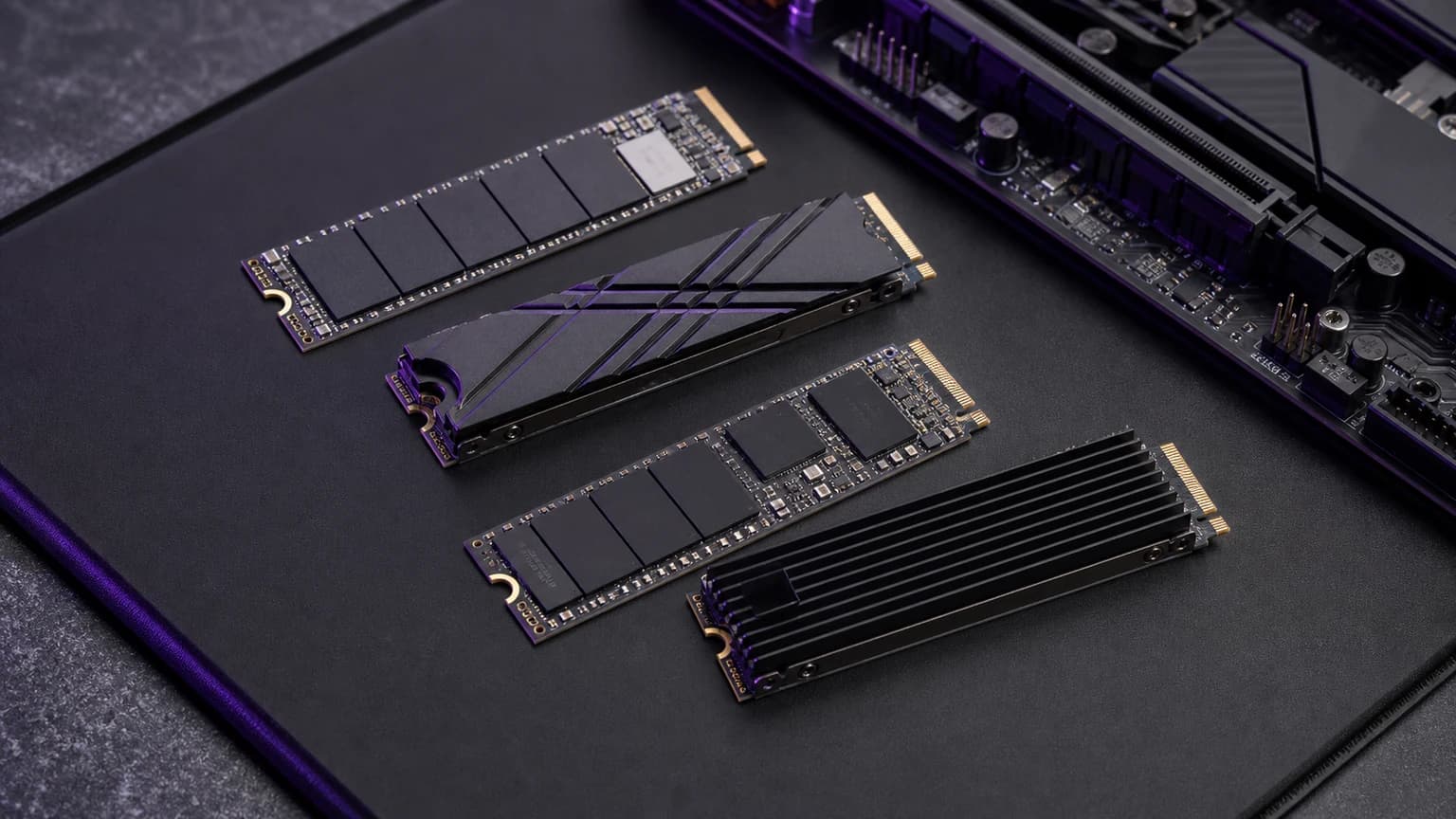
Choose the SSD that fits your exact slot and cooling arrangement. Single-sided and double-sided describe the board layout; neither label, by itself, tells you which drive is faster or a better buy. For a laptop with restricted space beneath the SSD, a confirmed single-sided model can remove one compatibility problem. It does not replace checking the drive length, interface and heatsink clearance.
This guide is for buyers upgrading a laptop, mini PC or external enclosure who have found conflicting answers about SSD thickness. Desktop and PS5 owners can use it too, but should follow their own hardware's installation requirements. If physical compatibility is already confirmed, skip to our 4TB NVMe SSD buying guide or 2TB alternatives.
This is research-based compatibility advice drawn from the manufacturer documents linked below. We have not physically fitted every drive and host combination. The header is a generic storage illustration, not evidence of a particular model's component layout.
What single-sided and double-sided actually mean
A single-sided SSD places its main components on one side of the circuit board; a double-sided design uses both. Space underneath the installed board is therefore part of the fit check. Kingston's M.2 FAQ explains that single-sided and dual-sided modules have several thickness classes, and that some platforms impose limits because of space below the connector. Source: Kingston M.2 FAQ.
M.2 2280 does not mean one universal thickness. It identifies a module 22mm wide and 80mm long. That footprint alone cannot establish clearance beneath the board or above a fitted cooler. M.2 also does not, by itself, establish that a slot supports the drive's storage interface. Check the system specification as well as the physical dimensions.
For shopping purposes, separate these questions:
| Check | What you need to establish |
|---|---|
| Module length | The exact slot has the correct mounting position for the drive |
| Interface | The host supports the SSD's interface, such as PCIe NVMe |
| Underside clearance | Components below the board fit the host's permitted envelope |
| Top clearance | The drive, pad and any cooler fit beneath the cover |
| Cooling arrangement | The chosen variant works with the host's documented pad and heatsink setup |
Treat an unanswered row as a question for the manufacturer, not as an invitation to squeeze the parts together.
A practical check before ordering
Start a short compatibility note with the full computer or enclosure model, the slot you intend to use, and the SSD model code plus capacity. “A 4TB drive for my laptop” is too vague for a useful support answer.
Then work through this sequence:
- Find the host's service manual or storage compatibility document. Record supported length, interface and any stated single-sided or thickness restriction.
- Find the SSD maker's specification for that exact capacity and bare-drive or heatsink variant. Keep the model code beside the retailer listing you are considering.
- Check how the host cools the drive. Does it already supply a cover, heat spreader, spacer or thermal pad? Follow that arrangement instead of combining accessories by appearance.
- If either manufacturer leaves a fit question unanswered, ask it directly before paying. Include the two model codes and the relevant manual page.
- Keep the answer and check the seller's return conditions. A written compatibility response is more useful than a generic “fits laptops” badge.
A useful support request is: “Will SSD model X at capacity Y fit slot Z in host model A, using the original thermal pad and cover? Does that slot restrict underside components or total module height?” This gives support a specific physical combination to confirm.
Do not borrow the answer from another capacity
When researching a 4TB SSD, a photograph or review of the 1TB version is not enough. Check which capacity the evidence actually describes. The same applies to a bare drive pictured beside a separately sold heatsink edition.
Samsung provides a useful example of explicit evidence: its 990 PRO 4TB announcement identifies that capacity as using a single-sided M.2 design. That establishes the documented layout of the model; it does not prove compatibility with every thin laptop or make it the best-value purchase. Source: Samsung 990 PRO 4TB announcement.
For searches such as “is the Crucial T500 4TB single-sided or double-sided?”, do not substitute a statement about a smaller T500. We do not have sufficiently clear, currently accessible manufacturer evidence to give a definitive layout answer here. For a host that explicitly requires single-sided storage, obtain confirmation for the exact 4TB model before ordering. Our 4TB guide's T500 section covers the model-selection caveat; our Crucial buying advice addresses the separate support and remaining-stock decision.
Enclosures: check the pad as well as the drive
An enclosure that accepts M.2 2280 still needs an explicit answer about the layout and cooling arrangement you want to install. Look for the manufacturer's compatibility statement and assembly instructions for the exact enclosure.
Sabrent's USB 3.2 Type-C tool-free enclosure documentation explicitly accepts both single-sided and double-sided drives. That is an example of the wording to look for, not a claim that every Sabrent enclosure or every USB4 enclosure has the same fit. Source: Sabrent enclosure documentation.
Follow the specified thermal-pad arrangement. “Thicker” is not a buying advantage on its own: the useful pad is the one specified for the installed drive and enclosure. If the cover will not close normally, stop and recheck the assembly instructions. Do not use the screws as a way to force the board into place.
If you already own a drive, choose an enclosure around that drive's requirements. If you are buying both, confirm the pair together. Our USB4 NVMe enclosure guide covers the next decision: whether the speed and cooling features justify the cost for your host and workload.
PS5: both layouts can work, but the cooling dimensions matter
Sony supports both single-sided and double-sided M.2 SSDs in the PS5 expansion slot. Its requirements also specify the interface, capacity, supported lengths and cooling envelope. The drive needs a heat-dissipation mechanism; the complete assembly must meet those dimensions.
The published limits include a total height of 11.25mm, with up to 8mm above the board and 2.45mm below it, and a maximum width of 25mm. Do not treat one total-height measurement as permission to exceed the separate upper or lower allowance. Source: Sony PS5 M.2 installation requirements.
A “single-sided heatsink” and a “single-sided SSD” describe different things. One concerns the cooler arrangement; the other concerns the SSD board. Check the finished assembly and follow Sony's instructions for your console model. Before choosing a factory cooler or a separate one, use our PS5 SSD heatsink buying checklist to check the exact variant and compare the complete upgrade cost.
Where spending more makes sense
Paying extra is reasonable when it buys a documented fit that the cheaper option cannot establish. It is harder to justify paying extra merely because a listing highlights “single-sided” when both candidates meet your host's requirements.
For a tight laptop bay, prioritise a confirmed compatible bare drive over a bulky factory cooler. For an enclosure, prioritise a documented drive-and-case combination over a peak-speed number. For a desktop with adequate space, compare workload performance, capacity, warranty and cooling after fit is settled.
If the internal upgrade remains uncertain, consider a smaller confirmed-compatible drive or external storage instead. A 2TB SSD may be enough when your active projects fit comfortably and older files live elsewhere. Do not assume the smaller drive is compatible simply because it has less capacity: it still needs the same checks.
Our recommendation: buy from a shortlist that already passes the physical checks. Price and speed are useful tie-breakers after that, not substitutes for compatibility evidence.
FAQ
Are all 4TB NVMe SSDs double-sided?
No. Samsung explicitly documents a single-sided design for the 990 PRO 4TB. Capacity alone is not a reliable way to infer the layout of another drive.
Will any single-sided M.2 SSD fit my laptop?
No. You still need the supported module length, storage interface, top clearance and cooling arrangement. Check the exact laptop model and slot rather than a general claim about thin laptops.
Does double-sided mean twice as fast?
No. It describes component placement. Compare performance evidence for the exact models and your workload; counting populated sides does not establish a performance ranking.
Should I buy a thicker thermal pad for a double-sided SSD?
Use the pad arrangement specified by the enclosure, heatsink or system maker. Do not choose pad thickness from the sidedness label alone, and do not force a cover closed to make an uncertain combination fit.