Dreame X60 Ultra Review: A Research-Based Buying Guide
The Dreame X60 Ultra combines a 7.95cm body, retracting navigation and a full-service dock. Here is what the specs prove—and what remains untested.
Editorial evidence review
Recommendations are checked against product documentation, availability, comparative evidence, and clearly disclosed hands-on work where it exists.
Quick picks
The short answer, with the trade-off
Reviewed
Dreame X60 Ultra
Retracting low-profile navigation
Trade-off: Real-world performance not independently tested
Anti-tangle alternative
Roborock Qrevo CurvX
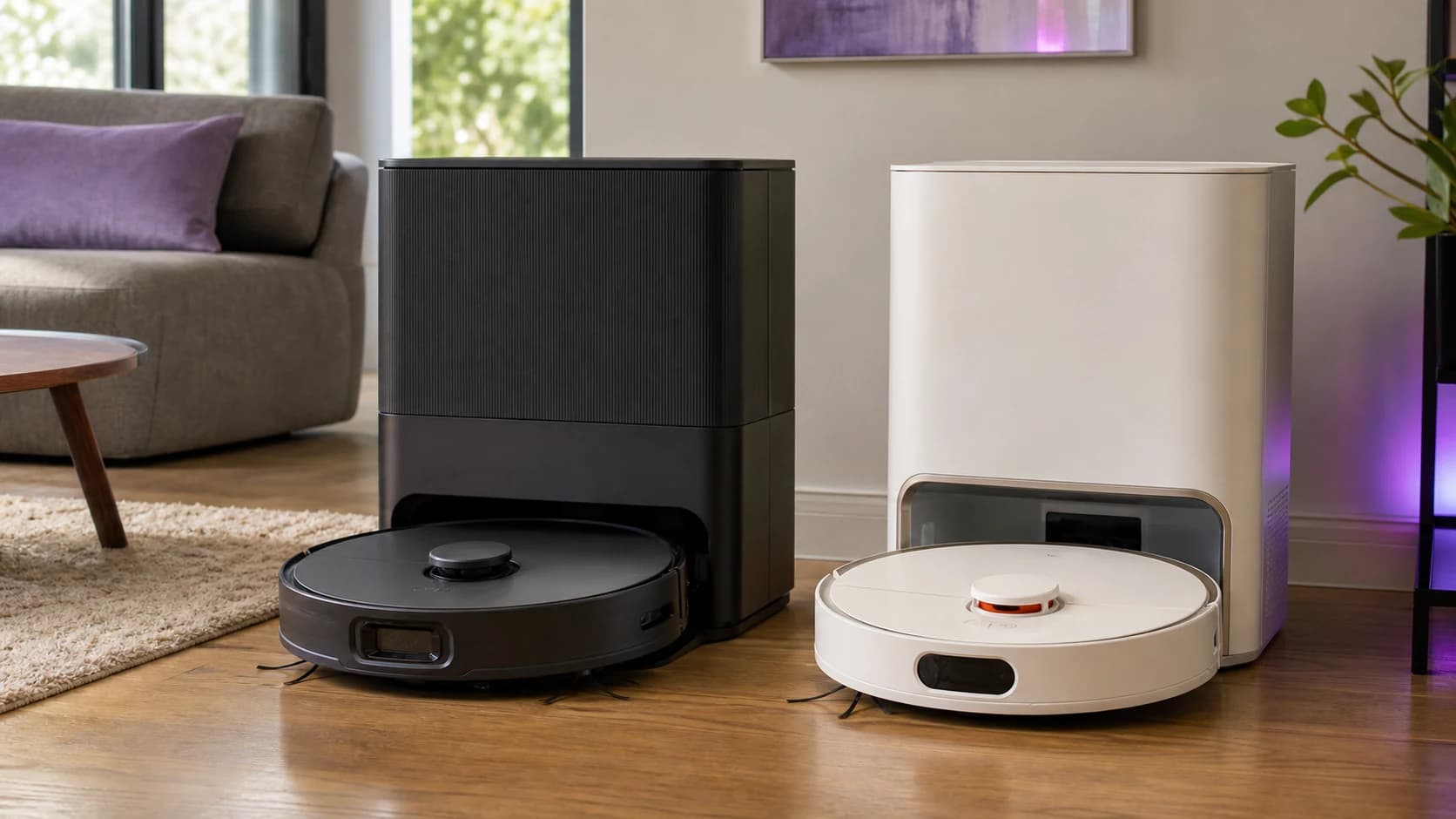
The Dreame X60 Ultra is built for buyers who want a robot to reach under low furniture and automate both vacuuming and mop maintenance. Dreame lists a 7.95cm body with a retracting navigation module, a claimed 35,000Pa maximum suction figure and a dock that empties dust, washes mops with hot water and dries them.
SolderMag has not tested this robot. This review is based on Dreame's current specifications, support material and exact product identity. We cannot verify real-world pickup, obstacle avoidance, noise, app reliability, long-term durability or maintenance intervals.
Verdict
Buy the Dreame X60 Ultra if low furniture clearance is a genuine problem and you specifically want a water-handling dock. The paper specification is strong, but the headline suction number is not enough to declare it the best cleaner.
Skip it if you mostly have open hard floors, do not want to clean a dock, or cannot find trustworthy local supplies of bags, filters, brushes and mop pads. A cheaper robot can handle routine pickup without the X60's low-profile hardware.
Who it is for
- homes with beds, sofas or cabinets close to 8cm clearance;
- mixed floors where automated vacuuming and regular light mopping are useful;
- buyers willing to maintain clean-water and dirty-water tanks;
- people who have measured a permanent position for the dock;
- regions with reliable consumable and warranty support.
Who should skip it
- buyers expecting a robot to replace manual deep cleaning;
- homes dominated by thick or shag carpet;
- people who do not want proprietary bags, pads and filters;
- anyone choosing only because 35,000Pa is larger than a competitor's number;
- buyers who cannot verify the exact X60 Ultra model name in the listing.
Pros and cons
Pros
- 7.95cm published body height with retracting navigation;
- 35,000Pa manufacturer maximum suction claim;
- anti-tangle roller design;
- rotating mops with edge-reaching hardware;
- self-emptying, hot-water mop washing and drying dock.
Cons
- premium hardware adds dock size and consumable cost;
- suction numbers are not comparable whole-room cleaning tests;
- obstacle avoidance and hair-wrap performance remain unverified;
- the dock still needs water, tray and bag maintenance;
- long-term parts and app support are hard to judge without extended testing.
Key specifications
| Feature | Dreame claim | Buyer implication |
|---|---|---|
| Maximum suction | 35,000Pa | Useful context, not proof of pickup superiority |
| Body height | 7.95cm | Measure furniture clearance before buying |
| Navigation | Retracting sensor module with object-avoidance hardware | Designed for low spaces; reliability not tested here |
| Mopping | Rotating pads with edge-reaching mechanism | Intended for frequent maintenance cleaning |
| Dock | Dust emptying, hot-water mop washing and drying | Less daily handling, but not maintenance-free |
Design and furniture clearance
The retracting navigation module is the feature that most clearly separates the X60 Ultra from robots with a fixed turret. A published height of 7.95cm can open areas under furniture that taller robots skip.
Measure the narrowest opening, not the most generous one. Furniture can sag, rugs can raise the floor and centre supports can be lower than the front edge. Leave margin rather than assuming an exact 7.95cm gap is safe.
Low height also does not guarantee the robot can navigate a dark or cluttered cavity. Dreame's sensor list describes intent; controlled testing would be needed to score avoidance accuracy.
Vacuuming and hair
Dreame's 35,000Pa figure is a maximum pressure claim. It does not tell you pickup across carpet, hard floors and edges, because the brush, airflow, seal, navigation and cleaning pattern all contribute.
The anti-tangle roller is relevant for long hair and pets, but no brush is maintenance-free. Expect to inspect end caps and axles. We would not repeat claims about zero tangles without a controlled, repeatable test.
Mopping
The rotating pads and edge-reaching mechanism are designed for daily film, dust and light marks. They are not a substitute for manual work on heavy spills, grout or material the robot should not spread.
The key carpet question is not just whether the pads lift. Check the lift clearance against your rug pile and whether Dreame recommends avoidance or pad removal for that floor type.
Dock and maintenance
The dock can reduce routine handling by emptying dust and washing and drying the mops. You still need to:
- refill clean water and empty dirty water;
- clean the wash tray and inspect for odour;
- replace dust bags, filters, brushes and pads;
- remove hair and debris from moving parts;
- keep the dock area level and accessible.
Check the dock dimensions before buying. A full-service robot is an appliance with a permanent footprint, not a charging puck that disappears under a side table.
Value
We would pay extra for the X60 Ultra only when its low height or dock automation solves a real problem. Do not pay the premium for a temporary suction-number lead or an assumption that a larger specification means a cleaner home.
Compare the total setup: robot, consumables, detergent requirements, warranty support and return policy. Current price and availability vary, so this page does not quote a fixed saving or stock claim.
Alternatives
The Roborock Qrevo CurvX is the closest specification alternative if anti-tangle brush design and threshold handling matter. Read our Dreame X60 Ultra vs Roborock Qrevo CurvX comparison for the direct trade-offs.
A cheaper model from either brand can be enough if your furniture has normal clearance. Use our best robot vacuums guide to choose by floor type and dock requirements instead of starting with the most expensive flagship.
Final recommendation
Dreame X60 Ultra
Worth considering when its 7.95cm design and full-service dock solve specific layout and maintenance problems.
Why it works
- Retracting low-profile navigation
- 35,000Pa manufacturer claim
- Hot-wash and drying dock
Main trade-off
- Real-world performance not independently tested
- Large, consumable-dependent dock
FAQ
Is the Dreame X60 Ultra the same as an X60 Max Ultra Complete?
No such name should be assumed from a shortened retailer title. The verified product used here is the Dreame X60 Ultra. Check the exact model and included accessories before ordering.
Does 35,000Pa make it better than a 22,000Pa robot?
Not automatically. Manufacturers can use different test conditions, and pressure is only one part of pickup. Brush design, airflow, floor contact and cleaning pattern matter.
Is the dock maintenance-free?
No. It automates dust emptying and mop care, but owners still handle water tanks, the wash tray, bags and consumables.
Will it fit under an 8cm sofa?
The published height is 7.95cm, leaving almost no margin under an exact 8cm gap. Measure several points and allow for rugs, uneven floors and furniture sag.
Sources
As an Amazon Associate I earn from qualifying purchases.