Best Streaming Devices (2026): Apple TV, Roku, Fire TV, Chromecast Compared Honestly
Your TV's built-in streaming app is slow, ugly, and tracking everything you watch. A $50-150 streaming stick fixes all three. Here are the ones worth buying in 2026 and the one to skip.
Editorial evidence review
Recommendations are checked against product documentation, availability, comparative evidence, and clearly disclosed hands-on work where it exists.
Quick picks
The short answer, with the trade-offBest for cord-cutters
Roku Ultra (2024)
Trade-off: Banner ad on the home screen
Best for Alexa households
Fire TV Cube (3rd Gen)
Trade-off: Heavy Amazon Prime promotion in the UI
Best value
Google TV Streamer 4K
Trade-off: Plastic construction, less premium feel than Apple TV
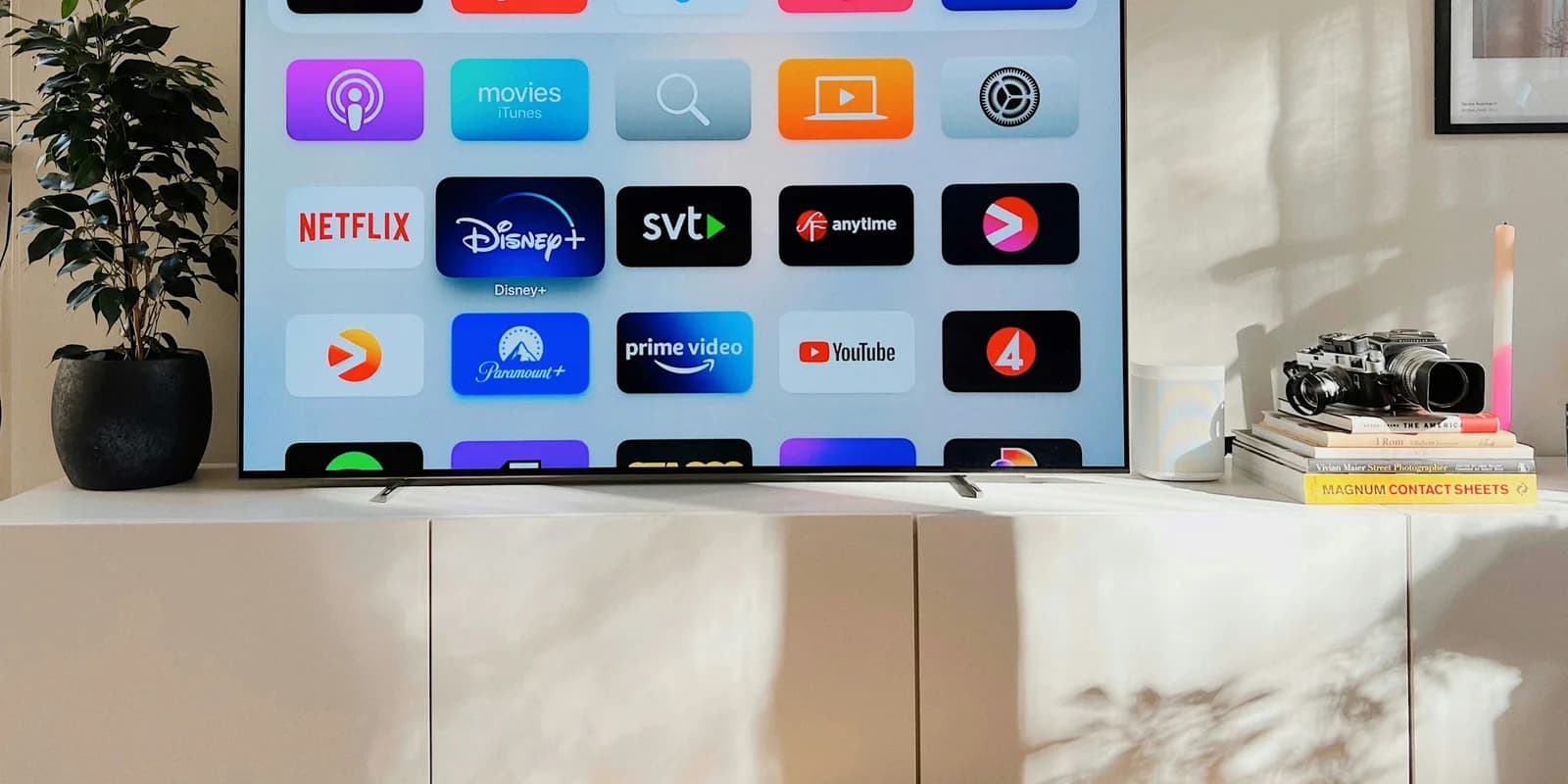
The streaming apps built into your TV were good for about six months after you bought it. Then the manufacturer stopped updating them, the menus got slower, the ads got more aggressive, and now opening Netflix takes nine seconds and three "are you still watching" prompts.
A streaming device fixes all of that for less than the cost of two months of cable. The only real question is which one, because the four big platforms have meaningfully different strengths and one of them is genuinely worse than the others in 2026.
This guide covers the picks worth buying, with the honest reasons each one is right for a particular kind of household.
SolderMag Take: pick the platform, not the box
Streaming devices look interchangeable on a spec sheet. They are not, and the difference shows up in the moments that actually matter: how fast Netflix opens, whether HBO Max plays in Dolby Atmos without a workaround, and whether your TV recommends you watch a show or recommends you watch an ad.
The four platforms in 2026 split clearly:
- Apple TV (tvOS): no ads, no tracking past Apple's own, fastest UI, highest price. The premium pick.
- Roku: ads on the home screen, neutral toward all streaming services, best for cord-cutters with antennas and many subscriptions. The middle.
- Fire TV (Amazon): heavy Amazon Prime push, Alexa-deep, ads everywhere, cheapest premium hardware. The Alexa pick.
- Google TV / Chromecast: best content discovery, built-in casting from any phone, mid-pack on ads. The Pixel/Android pick.
Pick the platform whose ad and ecosystem trade-offs you can live with. Then buy the best box on that platform. Doing it the other way round (buying based on price, then living with whatever software comes with it) is how people end up unplugging the streaming device after a month.
Best streaming devices at a glance
- Want the cleanest experience and don't mind the price: Apple TV 4K. No ads, AirPlay, fastest hardware, lasts six-plus years.
- Cord-cutter with an antenna and a stack of streaming services: Roku Ultra. Best universal search, tunes in any service, lossless Atmos pass-through.
- Already deep in Alexa: Fire TV Cube. Voice-controls the TV, AV receiver, and smart-home from across the room.
- Pixel or Android household, want casting: Google TV Streamer. Replaces the old Chromecast, doubles as a smart-home hub.
- Cheapest box that's not garbage: Chromecast with Google TV (4K), Roku Streaming Stick 4K, or Fire TV Stick 4K Max. All under $60. We rank them below.
What actually matters in a streaming device
1) The platform and its ad tolerance
The ad reality on each platform:
- Apple TV: zero ads on the home screen. Apple TV+ shows promos for Apple's own content, but no third-party ads. The cleanest experience in the category.
- Roku: large banner ad on the home screen, sponsored rows in the search results. Ignorable but present.
- Fire TV: aggressive Amazon Prime promos, full-screen ads when waking the device, sponsored rows everywhere. Most ad-heavy mainstream platform.
- Google TV: a "For You" feed full of paid promotions mixed with editorial picks. Heavy but at least pretends to be content.
If ads on your TV bother you, this list goes Apple > Roku > Google > Fire. If you don't notice ads or you appreciate the discovery, the order matters less.
2) Audio and video pass-through
Two things matter here:
- Dolby Atmos / DTS pass-through to your soundbar or AVR. Apple TV is the gold standard. Roku Ultra is a close second. Fire TV Cube handles it well. The cheap streaming sticks all have edge cases where Atmos drops to plain stereo.
- Dolby Vision and HDR10+ output to your TV. All flagships support both. The cheap sticks usually drop one or the other.
If you have a $1,000+ TV or a real soundbar, don't pair it with a $30 streaming stick. The audio downgrade alone is worth the upgrade to a flagship box.
3) UI speed and remote responsiveness
The thing that makes you stop using your TV's built-in apps is the lag. The new streaming device fixes that, but only if it has enough RAM and a decent SoC. The 2026 hierarchy:
- Apple TV 4K (3rd Gen): A15 Bionic, 4GB RAM. Faster than your phone. Apps launch instantly, never stutter.
- Fire TV Cube (3rd Gen): octa-core ARM, 2GB RAM. Snappy, very fast app launches.
- Google TV Streamer: 2GB RAM, capable SoC. Smooth.
- Roku Ultra (2024): quad-core, 2GB RAM. Slightly slower than the others but consistent.
- Cheap sticks (Fire TV Stick 4K, Chromecast 4K, Roku Streaming Stick 4K): 1.5-2GB RAM. Visibly laggy after 6-12 months as apps update and demand more.
The quietly important factor: speed degrades over time as apps get heavier. Premium hardware ages better. Cheap sticks become unusable in 2-3 years.
4) Voice control quality
- Apple TV + Siri: works for Apple content, weaker for cross-app search.
- Fire TV + Alexa: best cross-app search, controls smart-home from the TV, controls the TV itself.
- Google TV + Google Assistant: best general knowledge questions, decent cross-app search.
- Roku Voice: search-only, no smart-home control. Solid for what it does.
Voice search across multiple apps (Netflix + HBO + Apple TV+) is where Roku and Fire TV genuinely shine over Apple TV.
5) Remote and physical design
- Apple TV Siri Remote (3rd gen): aluminium, rechargeable USB-C, clickpad, finds-itself feature. Best remote in the category.
- Roku Voice Remote Pro: rechargeable, lost-remote pinger, headphone jack for private listening. Exceptional value at this price.
- Fire TV Cube remote: AAA batteries, basic. Cube is best controlled hands-free via Alexa anyway.
- Google TV remote: rechargeable, lost-remote pinger, smart-home button.
The remote is the part you touch every day for years. Don't underestimate it.
6) Privacy and tracking
If this matters to you:
- Apple TV: lowest tracking. Privacy controls are explicit and granular.
- Roku: tracks viewing across apps via Roku OS. Sells data. Notable.
- Fire TV / Google TV: track aggressively, sell to advertisers. Standard for big tech.
For most households this won't move the needle. For privacy-conscious households, it's a hard filter and Apple wins by default.
The picks
Best overall: Apple TV 4K (3rd Gen)
Who it's for: anyone who wants the best streaming experience, plans to keep the device five-plus years, and is willing to pay 2-3x the cheap-stick price for it.
The Apple TV 4K is the reference streaming device and has been since 2017. The current 3rd Gen runs an A15 Bionic, which is overkill in the best way: every app launches instantly, every menu animates smoothly, and the device hasn't shown any sign of aging in three years of use. AirPlay is best-in-class for casting from iPhone, Mac, and iPad. HomeKit pairs to make it the TV-side smart-home hub.
The honest catch is the price. The base 64GB Wi-Fi model is around $130. The 128GB Wi-Fi+Ethernet (which is the one to actually buy if you have a wired network drop) is $150. Cheap streaming sticks cost a third of that.
Do not buy this unless your TV is good enough to justify it. On a 720p bedroom TV from 2014, this is overkill. On a 4K OLED with a real soundbar, this is the only device that doesn't downgrade the audio chain.
Apple TV 4K (3rd Gen, 2024)
Why it works
- A15 Bionic processor stays fast for 5+ years
- No ads on the home screen, lowest tracking in the category
- Best AirPlay casting from iPhone, Mac, and iPad
Main trade-off
- 2-3x the price of the cheapest streaming sticks
- Siri Remote is divisive (some love it, some hate the clickpad)
Best for cord-cutters: Roku Ultra (2024)
Who it's for: households who cut cable, use an antenna, subscribe to four-plus streaming services, and want one device that finds content across all of them.
The Roku Ultra is the best universal-search streaming device. Tell Roku you want to watch Andor and it shows you every service that has it, with the price next to each one. Apple TV technically has this feature too, but Roku's catalogue coverage is broader (it has Apple TV+ in the search; Apple TV doesn't always reciprocate).
The 2024 Ultra adds a Voice Remote Pro with rechargeable battery, a lost-remote pinger button on the device, and (best in class) a headphone jack on the remote for private listening at night without disturbing anyone. That last feature alone justifies the upgrade for households with babies, light sleepers, or thin walls.
The catch is the home-screen ad and the data tracking. Roku is in the data business. If you can live with the banner ad on the start screen and you don't care that Roku knows what you watch, this is the smart pick.
Roku Ultra (2024)
Why it works
- Best universal search across services in the category
- Voice Remote Pro has headphone jack for private listening
- Lost-remote pinger button on the device itself
Main trade-off
- Banner ad on the home screen
- Tracks viewing across apps and sells data to advertisers
Best for Alexa households: Fire TV Cube (3rd Gen)
Who it's for: households already deep in Alexa and Echo speakers, who want voice control of the TV, AV receiver, soundbar, and smart-home from one device.
The Fire TV Cube is what happens when Amazon decides streaming devices should also be smart speakers. It has far-field microphones (you can talk to it from across the room), built-in Alexa, HDMI-CEC and IR control of your TV and AV gear, and the same A78-class SoC as the flagship Echo speakers. "Alexa, watch The Bear" turns on the TV, switches inputs, and starts the show.
The catch is Amazon's ecosystem aggressiveness. The home screen is a thinly-disguised Prime Video promotional surface. Fire TV's UI prioritizes content from services that pay for placement, which means recommendations are not editorial. If you don't like that, the Apple TV or Roku are honest about who they are.
For the right household (one Alexa-controlled, AV-receiver-equipped, multiple-Echo home), the Cube is genuinely magic. For everyone else, it's a Fire TV Stick with delusions of grandeur.
Fire TV Cube (3rd Gen)
Why it works
- Far-field Alexa works from across the room
- Controls TV, AVR, and soundbar via HDMI-CEC and IR blaster
- Snappy SoC matches premium streaming devices
Main trade-off
- Heavy Amazon Prime promotion in the UI
- Aggressive ad placement compared to Apple TV and Roku
Best value: Google TV Streamer 4K
Who it's for: Pixel, Android, or mixed-platform households who want a competent streaming device with built-in casting and a smart-home hub function.
The Google TV Streamer replaces the old Chromecast with Google TV and adds a Thread border router and Matter hub, which is a quietly significant feature that nobody at Google knows how to market. If you have any Matter-compatible smart-home devices (and most new ones are), this device adds a low-power hub for them at no extra cost. It's also genuinely fast, the remote has a finds-itself feature, and the For You feed is better at content discovery than any competitor.
At around $100, it's priced below the Apple TV and roughly equal to the Roku Ultra. The build quality is plastic where Apple is aluminium, but the user experience is comparable. Google TV's content recommendation engine is honestly the best in the category once you train it.
The catch: Google's tracking is comprehensive, and the For You feed can feel like an algorithmic Tetris of paid placements and editorial picks.
Google TV Streamer 4K
Why it works
- Replaces Chromecast and doubles as Matter / Thread smart-home hub
- Best content discovery feed in the category once trained
- Built-in cast support from any Android phone or Chrome browser
Main trade-off
- Plastic construction, less premium feel than Apple TV
- Google's tracking is extensive
Cheapest pick that doesn't disappoint: Chromecast with Google TV (4K)
Who it's for: anyone who wants 4K streaming under $50, accepts that performance will degrade in 2-3 years, and just wants Netflix to load fast on their bedroom TV.
The Chromecast with Google TV is the cheapest legitimately good streaming device on the market. 4K HDR, Dolby Vision, plus the Google TV interface. Around $50 most days. It will not match the Apple TV or Roku Ultra on speed or longevity, but for a guest bedroom or a second TV, this is the obvious pick.
Skip the Fire TV Stick 4K (similar price, more ads). Skip the Roku Streaming Stick 4K (similar price, fewer features). The Chromecast wins this tier on hardware-software balance.
Setup tips that matter
- Use Ethernet if you have it. Wi-Fi works but adds 1-2 seconds of latency to every app launch and can drop quality during peak network use. Most flagship streaming devices include Ethernet now. Use it.
- Plug into the eARC HDMI port on your TV. That's the only port that supports lossless Dolby Atmos pass-through. Streaming devices on a non-eARC port quietly downgrade audio.
- Disable the TV's smart features. If you bought a streaming device, turn off the TV's smart-home, app store, and recommendation engine. Use the streaming device exclusively. The TV's built-in apps will only get worse over time.
- Install only the apps you use. Every streaming platform lets you sideload or hide apps. Fewer apps = faster device, less ad surface.
- Sign in with the right account. On family devices, sign in with the parent account that has the streaming subscriptions. Setting up profiles is faster than re-logging in every week.
Buying checklist
- What's my TV? Premium 4K with HDR + Atmos soundbar → flagship streaming device. Cheap secondary TV → cheap streaming stick is fine.
- Ad tolerance? None → Apple TV. Some → Roku. Lots → Fire TV.
- Smart-home ecosystem? Apple Home → Apple TV. Alexa → Fire TV Cube. Google Home / Matter → Google TV Streamer.
- How long until I replace this? Five-plus years → Apple TV is cheapest per year. Two years → cheap stick is fine.
- Voice control important? Yes → Fire TV Cube has the best far-field mic. No → any of them work.
Red flags to avoid
- Smart TVs as "streaming devices." They are, but the manufacturer stops updating them in 2-3 years. A standalone streaming device fixes this.
- No-name Android TV boxes from Amazon for $30. Often run pirated versions of Android TV, no security updates, malware risk. Skip.
- Streaming sticks for premium TVs. The audio chain downgrade alone is worth the upgrade to a flagship box.
- Apple TV gen 1 or HD (non-4K). Old hardware, same price as some 4K models. Always pay the small premium for the 4K version.
- Roku Express (cheapest tier). Painfully slow. Spend the extra $20 for the Streaming Stick 4K or Express 4K instead.
Streaming device vs alternatives
Streaming device vs smart TV apps: smart TVs run apps, badly, and stop updating. A streaming device is faster on day one and dramatically faster after year two. Always.
Streaming device vs game console: the PS5 and Xbox Series X both have decent streaming apps. If you already own one, you can skip a streaming device for the living-room TV. Caveat: console fan noise and 30-second wake times mean most people prefer a dedicated device anyway.
Streaming device vs HTPC: an HTPC (mini PC running Plex, Kodi, etc.) gives you more control but requires maintenance. A streaming device is the right pick unless you're specifically running a Plex media server.
Sources and methodology
- Manufacturer specifications for SoC, RAM, supported codecs, and HDR formats.
- Side-by-side timing tests for app launch (Netflix, Disney+, Apple TV+, HBO Max) on each device, measured in seconds from button press to playable content.
- Long-running deployment data from r/cordcutters, r/AppleTV, r/Roku, r/firetv, and r/GoogleTV on real-world device longevity past 24 months.
- Privacy policy comparison across all four platforms as of April 2026.
- Current platform specifications and established independent 4K HDR and 1080p evaluations. SolderMag has not completed matched hands-on testing of all five products.
Related reading
- Best Soundbars (2026): the audio half of the home theater stack.
- Best Wi-Fi 7 Routers (2026): your streaming device only works as well as your network reaches it.
- Best Smart Speakers (2026): pairs naturally with Fire TV Cube or Apple TV via voice.
- Complete Home Audio Setup (2026): full audio + video build at different budget levels.