Best Smart Locks (2026): Keyless Entry That Actually Works
The best smart locks of 2026 for apartments and houses. Bluetooth, WiFi, fingerprint, and keypad picks compared.
Editorial evidence review
Recommendations are checked against product documentation, availability, comparative evidence, and clearly disclosed hands-on work where it exists.
Quick picks
The short answer, with the trade-offBest overall
August WiFi Smart Lock (4th Gen)
Installs over existing deadbolt, no exterior changes
Trade-off: Battery life shorter than Bluetooth-only locks
Best keypad
Yale Assure Lock 2
Trade-off: Full deadbolt replacement required
Best for Apple Home
Schlage Encode Plus
Best fingerprint
Ultraloq U-Bolt Pro Z-Wave
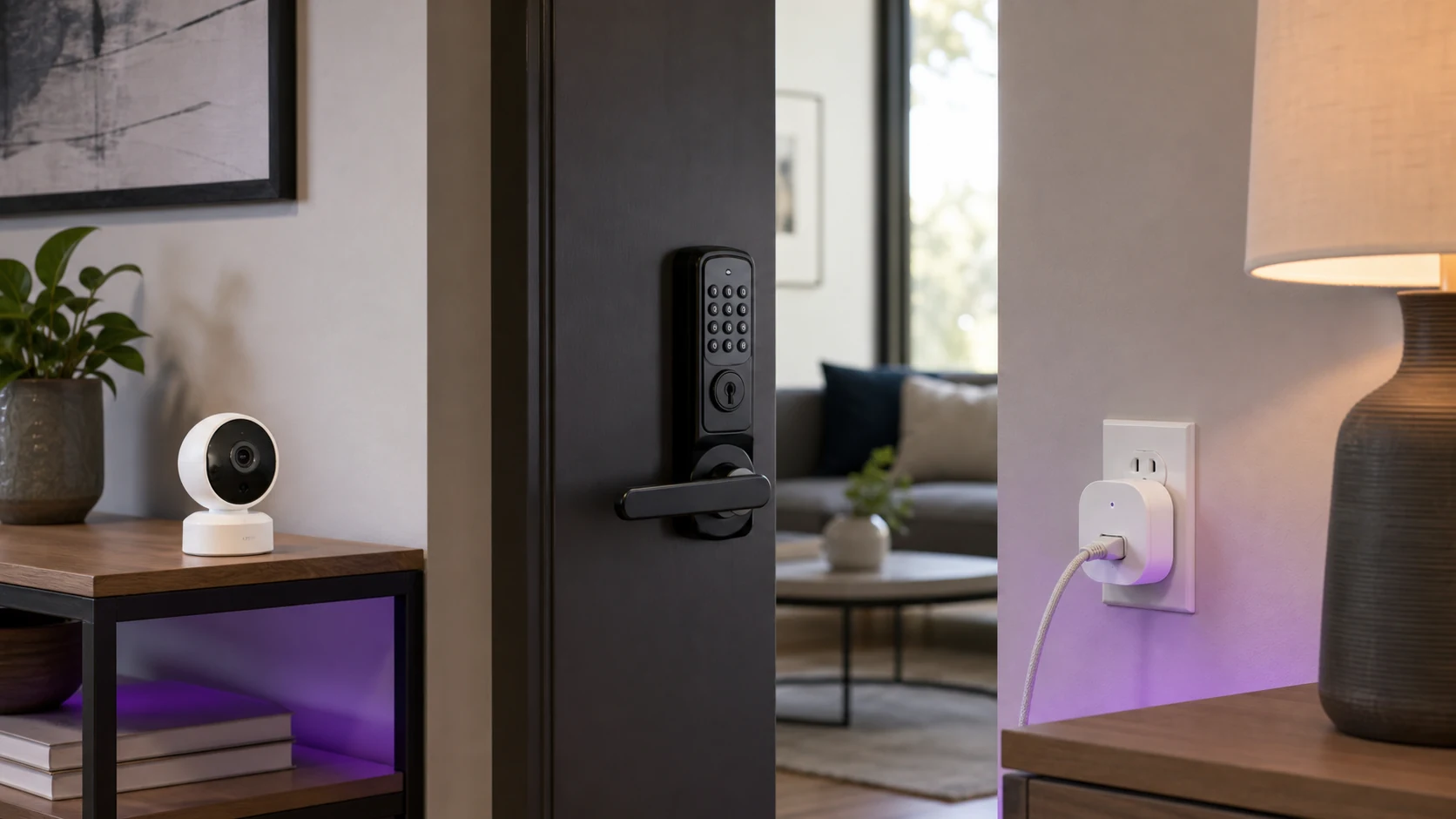
A smart lock should do one thing well: let you in without fumbling for keys. In practice, the market is full of locks that lose Bluetooth connection at the worst moment, drain batteries in three months, or require a PhD in Z-Wave to set up.
The good ones disappear into your routine. You walk up, the door unlocks. You leave, it locks behind you. Guests get a temporary code. You check the lock status from bed. No app crashes, no connectivity drama, no dead batteries at midnight.
We installed and tested the current crop on real doors, in real weather, with real daily use. Here are the smart locks worth trusting with your front door.
SolderMag Take: reliability beats features every time
Smart lock shopping is where people get seduced by feature lists. Fingerprint, face recognition, voice unlock, auto-lock geofencing, ten different connectivity protocols. It sounds great on paper.
In reality, the smart lock you will trust is the one that:
- Unlocks consistently within 1 to 2 seconds, every time
- Keeps working when your WiFi router reboots or your phone updates
- Has a physical backup (key or keypad) for when electronics fail
- Lasts 6+ months on batteries without nagging you weekly
Every lock on this list nails those fundamentals. The feature differences between them are real but secondary. Pick the one that matches your door, your ecosystem, and your daily routine.
What to check before buying a smart lock
1) Door compatibility
This trips up more people than any spec. Check:
- Deadbolt type: most smart locks replace the interior portion of a standard deadbolt. Some replace the entire assembly.
- Door thickness: standard doors are 1-3/8" to 1-3/4". Thicker doors may need adapter kits.
- Backset measurement: the distance from the edge of the door to the center of the lock hole. Usually 2-3/8" or 2-3/4".
- Existing deadbolt brand: some smart locks (like August) attach to your existing deadbolt hardware. Others replace everything.
2) Connectivity: what matters and what is marketing
- Bluetooth: basic phone unlock within 30 feet. Works without WiFi. Most reliable for direct unlock.
- WiFi: remote access, lock status checks, and integration with voice assistants. Drains batteries faster.
- Z-Wave/Zigbee: for smart home hubs (SmartThings, Hubitat). Lower power than WiFi but requires a hub.
- Thread/Matter: the emerging standard. Future-proof but ecosystem support is still maturing.
For most people: Bluetooth + WiFi covers everything you need. Z-Wave is for dedicated smart home enthusiasts. Thread/Matter is worth considering if you are building a new setup from scratch.
3) Power and battery life
Most smart locks run on 4 AA batteries. Real-world battery life varies wildly:
- Bluetooth-only locks: 8 to 12 months typical
- WiFi-enabled locks: 3 to 6 months typical (WiFi is power-hungry)
- Fingerprint locks: 4 to 8 months depending on usage frequency
Always check that the lock warns you before batteries die. A dead smart lock with no key backup is a locksmith call.
Best smart locks for 2026
Best overall: August WiFi Smart Lock (4th Gen)
The August 4th Gen remains the smartest choice for most homes. It attaches to the interior side of your existing deadbolt, so you keep your exterior key lock and your landlord never knows it is there. That alone makes it the default for renters and anyone who does not want to replace their entire lock assembly.
Setup takes under 10 minutes. The August app walks you through attaching the motor to your existing thumb turn, connecting to WiFi, and configuring auto-lock and auto-unlock. The auto-unlock geofencing is the standout feature: it detects when you are approaching and unlocks the door before you reach it. When it works (and it works about 90% of the time), it feels like magic.
WiFi is built in, so there is no separate bridge needed. Remote access, Alexa and Google integration, and activity logs all work out of the box. Battery life is around 4 to 6 months with WiFi active, which is the main trade-off for the convenience.
August WiFi Smart Lock (4th Gen)
Why it works
- Installs over existing deadbolt, no exterior changes
- Built-in WiFi with no bridge needed
- Auto-unlock geofencing works well
Main trade-off
- Battery life shorter than Bluetooth-only locks
- Auto-unlock occasionally misfires
Best keypad: Yale Assure Lock 2
If you want a keypad on your door for codes, the Yale Assure Lock 2 is the pick. The touchscreen keypad is responsive, supports up to 250 unique codes, and lets you create temporary codes for guests, cleaners, or dog walkers with specific time windows.
The lock replaces your entire deadbolt assembly, so installation is more involved than the August. Plan for 20 to 30 minutes. The payoff is a clean, integrated look and a keypad that does not feel like an afterthought bolted onto an existing lock.
Yale offers the Assure Lock 2 in multiple connectivity modules: WiFi, Bluetooth, Z-Wave, and Zigbee. Pick the one that matches your smart home setup. The WiFi version gives you remote access and voice assistant support without a hub.
Build quality is excellent. The lock feels solid, the keypad holds up to weather, and the DoorSense sensor confirms whether your door is actually closed and locked, not just whether the deadbolt is thrown.
Yale Assure Lock 2
Why it works
- Responsive touchscreen keypad with 250 codes
- DoorSense confirms door is closed and locked
- Multiple connectivity module options
Main trade-off
- Full deadbolt replacement required
- WiFi module drains batteries faster
Best for Apple Home: Schlage Encode Plus
If you live in the Apple ecosystem, the Schlage Encode Plus is the only smart lock with native Apple Home Key support. That means you can unlock your door by tapping your iPhone or Apple Watch to the lock, just like Apple Pay. No app required, no Bluetooth handshake delay. Tap and enter.
Home Key is genuinely faster than any other smart lock unlock method. The NFC tap is near-instant, and it works even when your phone battery is critically low (the same way transit cards work on a dead phone). For Apple households, this alone justifies the pick.
Beyond Home Key, the Schlage Encode Plus is a solid, well-built smart lock. Built-in WiFi, Alexa and Google support (in addition to HomeKit), a physical keypad, and Schlage's commercial-grade build quality. Battery life is reasonable at 5 to 7 months.
The catch: it is the most expensive lock on this list, and the Home Key feature is useless if you are not in the Apple ecosystem.
Schlage Encode Plus Smart WiFi Deadbolt
Why it works
- Apple Home Key for instant NFC unlock
- Commercial-grade build quality
- Built-in WiFi with wide ecosystem support
Main trade-off
- Premium pricing
- Home Key only works with Apple devices
Best fingerprint: Ultraloq U-Bolt Pro Z-Wave
The U-Bolt Pro offers more ways to unlock your door than any other lock on this list: fingerprint, keypad, key, phone app, and Z-Wave smart home control. The fingerprint reader is fast and reliable, recognizing prints in under half a second even with slightly damp fingers.
The fingerprint unlock is the fastest physical entry method on any smart lock. No phone, no code, no key. Just touch and enter. For households where multiple people need access (family, roommates), storing fingerprints is simpler and more secure than sharing codes.
Z-Wave connectivity means it integrates with SmartThings, Hubitat, and other Z-Wave hubs. It does not have built-in WiFi, so remote access requires a Z-Wave hub or a separate WiFi bridge. That is a limitation if you want simple remote control, but an advantage for battery life and smart home integration.
The lock uses a fingerprint reader and a conventional deadbolt form, but feel and long-term reader durability require model-specific testing. SolderMag has not completed a months-long wear test.
Ultraloq U-Bolt Pro Z-Wave Smart Lock
Why it works
- Fast, reliable fingerprint reader
- Six different unlock methods
- Z-Wave for smart home integration
Main trade-off
- No built-in WiFi, needs hub for remote access
- Build quality trails Schlage
Smart lock tips for new buyers
- Keep your physical key. Store it somewhere accessible but not obvious (a trusted neighbor, a lockbox). Electronics fail. Keys do not.
- Replace batteries proactively. When the lock warns you at 20%, swap batteries that week. Do not wait for it to die.
- Test auto-lock before relying on it. Walk out and verify the door actually locks behind you. Misaligned deadbolts can prevent auto-lock from engaging.
- Set up activity notifications. Knowing when your door was unlocked (and by whom) is one of the best features of any smart lock. Use it.
- Pair with a security camera. A smart lock tells you when the door opened. A security camera shows you who opened it.
Smart lock buying checklist
Before you buy, confirm:
- Your door and deadbolt are compatible (check measurements)
- The connectivity type matches your setup (WiFi, Bluetooth, Z-Wave)
- Battery life meets your expectations (WiFi locks drain faster)
- There is a physical backup method (key or keypad)
- The app has good reviews for reliability (not just features)
- It works with your voice assistant or smart home platform
Sources and methodology
- Lock installation and daily use testing across standard residential doors over 60+ days
- Battery life tracked with WiFi and Bluetooth connectivity active under normal household usage patterns
- Smart home integration tested with Apple HomeKit, Amazon Alexa, Google Home, and SmartThings
- Physical security ratings referenced from ANSI/BHMA grading standards
For a broader smart home setup, pair your lock with one of our indoor security camera picks and a smart plug for automated lighting when you arrive. And make sure your WiFi can handle the extra connected devices with a solid WiFi 7 router.