Best Ergonomic Mice (2026): Comfortable Picks + Red Flags That Wreck Your Wrist
Ergonomic mice are either a quiet life upgrade or an expensive regret. Here’s how to choose one that fits your hand, your desk, and your actual pain points.
Editorial evidence review
Recommendations are checked against product documentation, availability, comparative evidence, and clearly disclosed hands-on work where it exists.
Quick picks
The short answer, with the trade-offBest overall
Logitech MX Master 4
Premium ergonomic shape with dual scroll wheels
Trade-off: Requires software for full features

Best vertical
Logitech Lift Vertical Mouse
Trade-off: Not ideal for large hands

Best for power users
Logitech MX Vertical Wireless Mouse
Trade-off: Adjustment period needed

Best trackball
Logitech MX Ergo Wireless Trackball Mouse
Trade-off: Learning curve for trackball
On this page
- SolderMag Take: ergonomic mice are a fit problem, not a feature checkbox
- Best ergonomic mice at a glance (start here)
- What to look for in ergonomic mice (the stuff that actually matters)
- Best ergonomic mice by type (2026)
- Ergonomic mice setup matters more than you think
- Ergonomic mice buying checklist
- Ergonomic mice red flags to watch for
- Sources and methodology
If your mouse hand feels fine until it suddenly doesn’t, welcome to the club.
Ergonomic mice aren’t magic. But the right shape and button layout can take a boring daily input device and remove a steady drip of strain from your wrist, forearm, and shoulder.
This guide is written for real desks: laptops on stands, crowded home offices, and people who need a mouse that doesn’t start a small war with their tendons.
SolderMag Take: ergonomic mice are a fit problem, not a feature checkbox
Most “ergonomic” marketing is just a sculpted shell.
The actual ergonomic win usually comes from one (or more) of these:
- Less forearm twist (neutral/handshake posture)
- Less pinch/grip force (wider support, better coating)
- Less reach (shorter mouse, closer buttons)
- More variety (alternate devices like trackballs)
If the mouse forces your hand into a position you fight all day, it’s not ergonomic. it’s just different.
Best ergonomic mice at a glance (start here)
- Want the biggest “wow” in wrist comfort: try a vertical mouse.
- Want minimal movement + shoulder relief: try a thumb trackball.
- Want “normal mouse” feel but softer on the hand: get a large, palm-supporting ergonomic mouse.
- Have small hands or claw grip: avoid bulky “one-size-fits-all” ergo shells.
What to look for in ergonomic mice (the stuff that actually matters)
1) Hand size and grip style
Mice are like shoes: one reviewer’s “perfect” is another person’s blister.
A fast self-check:
- Palm grip: you want a taller back hump + broad support.
- Claw grip: you want a shorter body and easy-to-hit buttons.
- Fingertip grip: you might prefer smaller/lighter mice, but watch pinch force.
If a mouse is too big, you’ll overreach. Too small, you’ll squeeze.
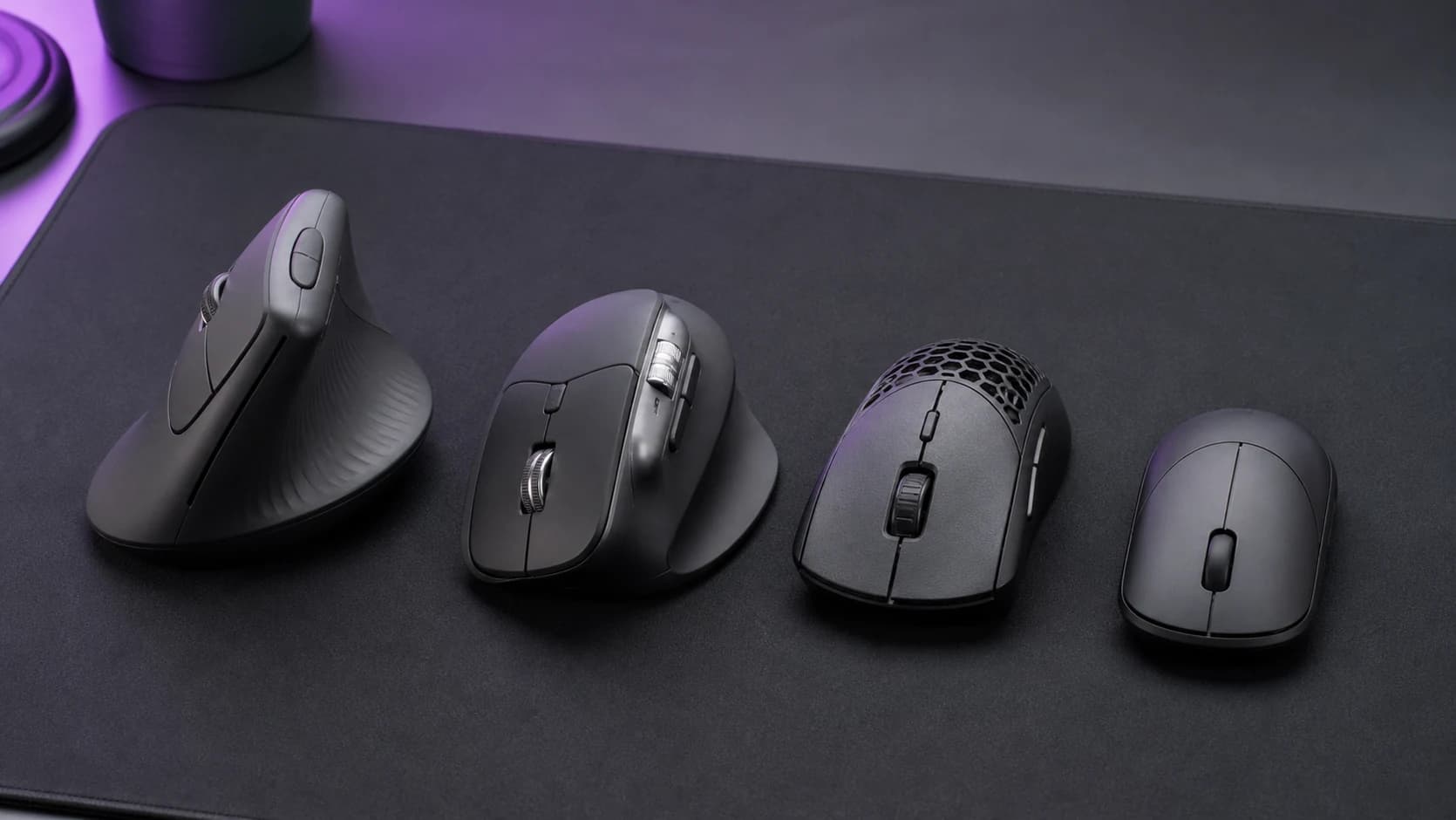
2) Angle: mild tilt vs true vertical
“Ergo” covers a range:
- Mild tilt (10-20°): feels closer to a standard mouse.
- Steeper vertical (45-70°): bigger change, often bigger relief.
Vertical mice can feel weird for the first 1-3 days. That’s normal. What’s not normal is sharp pain or numbness. For a detailed comparison of two popular options in this space, see our Logitech MX Master 4 review.
3) Scroll wheel + middle click quality
A lot of RSI misery is “micro-annoyance repeated 5,000 times.”
Check for:
- crisp wheel steps (or a good smooth mode)
- reliable middle click (especially for CAD/dev workflows where you are also reaching for a good keyboard)
- wheel placement that doesn’t force a thumb stretch
4) Buttons you can reach without contortions
Extra buttons are only ergonomic if you can hit them without shifting your whole grip.
A good sign: you can click Back/Forward with your thumb without squeezing the mouse.
5) Wireless performance and wake behavior
This is quietly huge for daily comfort.
Red flags:
- laggy cursor when waking from sleep
- intermittent dropouts
- aggressive power saving that breaks “flow”
If you’re fighting the cursor, you’ll tense up.
Best ergonomic mice by type (2026)
I’m avoiding the “one mouse to rule them all” lie. Here are the right categories and what each is good for.
Best overall (most people): palm-supporting ergonomic mouse
Who it’s for: office work, long sessions, mixed apps.
Why it works:
- familiar pointing feel
- support under the palm reduces grip force
- usually the easiest transition from a standard mouse
Look for:
- two side buttons with easy thumb access
- grippy coating (not glossy)
- multiple DPI steps or an adjustable sensitivity button
Logitech MX Master 4
Why it works
- Premium ergonomic shape with dual scroll wheels
- Haptic feedback and gesture button
- Multi-device support with long battery life
Main trade-off
- Requires software for full features
Best for wrist rotation relief: true vertical mouse
Who it’s for: wrist pain tied to forearm twist, long laptop days.
What makes a vertical mouse actually good:
- stable base (doesn’t tip when you click)
- thumb rest that supports without forcing a stretch
- primary buttons that don’t feel “mushy”
Expect:
- a learning curve (your precision improves quickly)
- slightly different muscle use (forearm feels different week one)

Logitech Lift Vertical Mouse
Why it works
- Compact vertical design for small-medium hands
- Quiet clicks
- 24-month battery life
Main trade-off
- Not ideal for large hands
Best for minimal movement + shoulder comfort: thumb trackball
Who it’s for: cramped desks, shoulder tension, people who hate moving a mouse.
Why it works:
- the device stays still; only the thumb moves
- can be amazing when desk space is limited
Tradeoffs:
- your thumb does more work (some people love it; some don’t)
- you may need a few days to rebuild precision

Logitech MX Vertical Wireless Mouse
Why it works
- 57-degree vertical angle reduces strain
- High-precision 4000 DPI sensor
- Multi-device connectivity
Main trade-off
- Adjustment period needed
Best for small hands: compact ergonomic mouse
Who it’s for: small hands, claw grip, anyone who finds “ergo” shells too bulky.
Look for:
- shorter length (less reach)
- narrower body (less finger splay)
- lighter weight (less effort over time)

Logitech MX Ergo Wireless Trackball Mouse
Why it works
- Thumb-operated trackball minimizes wrist movement
- Adjustable tilt angle
- Up to 4 months battery
Main trade-off
- Learning curve for trackball
Ergonomic mice setup matters more than you think
An ergonomic mouse can’t fix a bad workstation.
Do these first (or at least alongside the mouse):
- Raise your laptop (or use an external monitor) so you aren’t hunching.
- Use a keyboard that doesn’t force shoulder reach (even a compact layout helps).
- Set pointer speed so you aren’t “dragging” all day (higher sensitivity = less movement).
- Try a soft-ish mouse pad if you press down hard while mousing.
Ergonomic mice buying checklist
Use this like a pre-flight check:
- What problem am I solving? (wrist twist, grip force, shoulder movement, cramped desk)
- What’s my hand size and grip style? (palm/claw/fingertip)
- Am I okay with a transition period? (vertical/trackball = yes)
- Do I need silent clicks, side buttons, or multi-device switching?
- Do I have a return window? (you should)
If you can’t answer #1, you’re likely to buy the wrong “ergo” shape.
Ergonomic mice red flags to watch for
- No dimensions listed. Fit is everything.
- “Ergonomic” but the photos show a flat, low shell. That’s mostly marketing.
- Glossy plastic where your palm rests. Slippy grip = more squeeze.
- Unclear sensor specs + lots of “gaming DPI” hype. For office ergo, stability beats absurd DPI.
- Fake reviews or weird brand churn. If the product disappears in 6 months, so does support.
- No mention of Bluetooth/receiver behavior. Wake-lag is a daily annoyance multiplier.
Sources and methodology
- Occupational/ergonomics guidance on neutral wrist posture and repetitive strain (e.g., OSHA-style workstation ergonomics material)
- Research summaries on pointing-device posture and forearm pronation/supination (handshake vs flat grip)
- Manufacturer spec sheets for dimensions, weight, and connectivity modes (Bluetooth vs 2.4GHz receiver)
If you want to go deeper: your best “ergonomic upgrade” is often mouse + pointer speed + monitor height as a system. For a detailed comparison of two of the most popular options, see our Logitech MX Master 4 vs Logitech Lift head-to-head. Our desk setup essentials guide covers the full ergonomic picture, and the mechanical keyboard guide tackles the other half of your input stack.