Best Desk Mats (2026): Cleaner Desks, Better Mouse Glide, Less Keyboard Noise
A desk mat is a cheap upgrade that changes how a desk feels. These are the cloth, felt, leather, and gaming-style mats worth considering for work, keyboards, and mouse control.
Editorial evidence review
Recommendations are checked against product documentation, availability, comparative evidence, and clearly disclosed hands-on work where it exists.
Quick picks
The short answer, with the trade-offBest overall
Logitech Desk Mat Studio Series
Work-friendly size for compact keyboards and mice
Trade-off: Too small for low-sensitivity gaming
Best premium
Grovemade Wool Felt Desk Pad
Trade-off: Expensive
Best organizer mat
Orbitkey Desk Mat
Trade-off: Pricey versus simple cloth mats
Best for gaming mice
SteelSeries QcK Heavy XXL
Trade-off: Not spill-proof
Best budget
Large stitched-edge cloth desk mat
Trade-off: Quality varies by seller
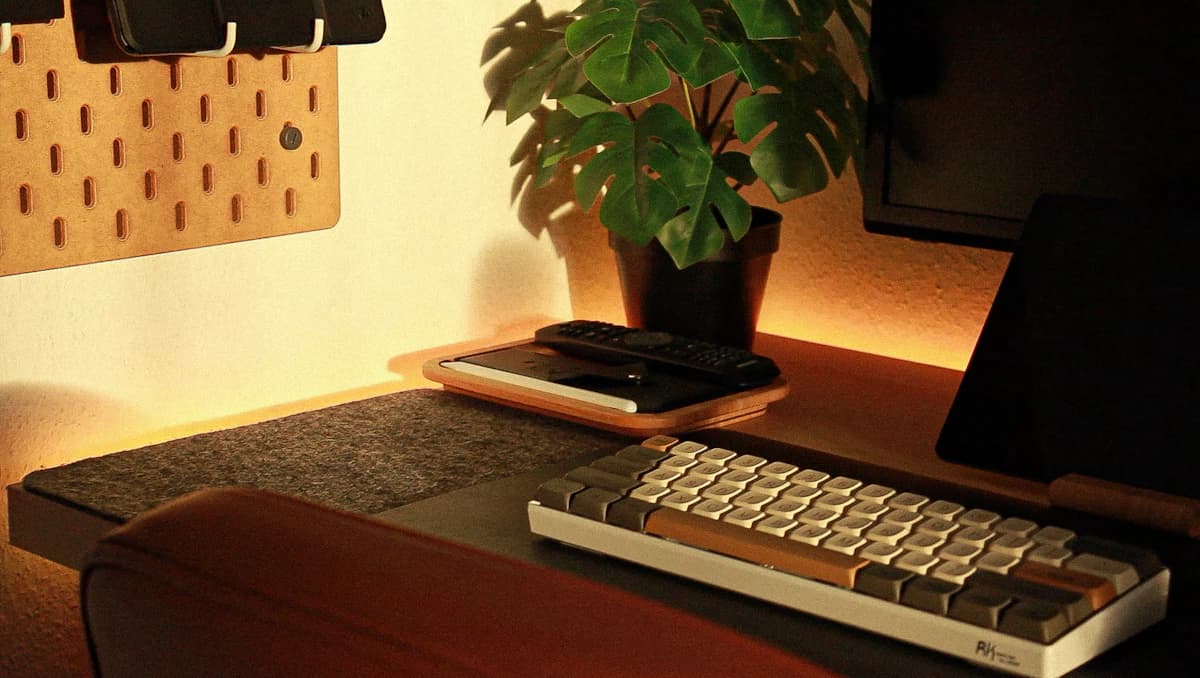
On this page
- SolderMag Take: buy for surface feel first, looks second
- Best overall: Logitech Desk Mat Studio Series
- Best premium: Grovemade Wool Felt Desk Pad
- Best organizer mat: Orbitkey Desk Mat
- Best for gaming mice: SteelSeries QcK Heavy XXL
- Best budget: a large stitched-edge cloth desk mat
- What size desk mat should you buy?
- Material trade-offs
- Common desk mat mistakes
- Final recommendation
- Sources and methodology
A desk mat looks like a cosmetic accessory until you use a keyboard and mouse on one for a week.
The real benefits are practical: smoother mouse glide, less keyboard ping, fewer wrist-pressure points, and a desk surface that does not get polished by your palms. The wrong mat can also be annoying: curled edges, a sticky mouse surface, trapped crumbs, or fake leather that flakes after a season.
This guide is for buyers who want a better desk surface without turning the workspace into a gamer mousepad billboard. We have not run a lab test on every mat here. These picks are based on published specifications, material quality, buyer feedback patterns, availability, and how each mat fits a real workstation.
SolderMag Take: buy for surface feel first, looks second
Desk mats fail when people buy the prettiest photo instead of the right surface.
For most work desks, a smooth cloth mat around 27-36 inches wide is the safest choice. It is quiet, cheap, easy to replace, and works with almost every optical mouse. Felt looks better but is slower under a mouse. Leather and vegan-leather mats wipe clean but can feel draggy. Gaming pads have the best mouse glide, but many look too loud for a work setup.
If you are already improving the desk, pair this with a good monitor arm, ergonomic mouse, and mechanical keyboard. The mat is not the most expensive part of the setup, but it changes how every other input device feels.
Best overall: Logitech Desk Mat Studio Series
The Logitech Studio Series is the desk mat we would point most people toward first. It is not trying to be luxury furniture or an esports surface. It is a clean, spill-resistant cloth mat with an anti-slip rubber base and a work-friendly footprint of roughly 27.6 x 11.8 inches.
That size matters. It is wide enough for a compact keyboard and mouse, but not so deep that it fights a laptop stand, notebook, or monitor base. The surface is smoother and quieter than a bare desk, and the restrained colors fit home-office setups better than most gaming pads.
Buy it if you want an inexpensive, low-risk upgrade for a home office setup. Skip it if you use a full-size keyboard, a very low-sensitivity mouse setting, or you want the mat to cover most of a 60-inch desk.
Logitech Desk Mat Studio Series
Why it works
- Work-friendly size for compact keyboards and mice
- Spill-resistant cloth surface
- Anti-slip rubber base
Main trade-off
- Too small for low-sensitivity gaming
- Not a premium material piece
Best premium: Grovemade Wool Felt Desk Pad
Grovemade is the premium pick if the desk is also part of the room. The wool felt version looks calmer than most synthetic mats, dampens keyboard noise well, and makes a metal or wood desk feel less harsh under the wrists.
The trade-off is mouse feel. Felt has more texture and drag than a smooth cloth gaming pad. That is fine for office work, writing, coding, and casual editing, but it is not ideal for twitchy shooters or very low-friction mouse skates. If you are tuning glide for a gaming mouse, read our PTFE vs glass vs ceramic mouse skates guide before buying a new mat. Felt also needs more care than a cheap cloth mat because dust and crumbs sit in the fibers.
Buy it if you care about materials and want the desk to look grown-up. Skip it if your priority is mouse speed, spill resistance, or the cheapest possible protection.
Grovemade Wool Felt Desk Pad
Why it works
- Excellent material feel
- Dampens keyboard sound
- Looks cleaner than most synthetic mats
Main trade-off
- Expensive
- More drag than smooth cloth
- Needs more careful cleaning
Best organizer mat: Orbitkey Desk Mat
Orbitkey's mat is useful if your desk mat also needs to hide paper, route a charging cable, and make a hybrid workspace look less scattered. The large version is commonly listed around 89 x 42 cm, and the design uses a top layer for writing/mousing with a document hideaway underneath.
That organization layer is the reason to buy it. If you only need a mouse surface, you can spend much less. Some buyers also dislike firmer synthetic leather-style surfaces because they do not glide like cloth. But for a desk that handles notes, receipts, cables, and a laptop, the Orbitkey design solves more than just mouse movement.
Buy it for organization. Skip it if all you want is the fastest mouse surface per dollar.
Orbitkey Desk Mat
Why it works
- Built-in document hideaway
- Magnetic cable holder
- Cleaner look for hybrid paper/digital desks
Main trade-off
- Pricey versus simple cloth mats
- Mouse glide is not as fast as gaming cloth
Best for gaming mice: SteelSeries QcK Heavy XXL
If mouse control matters more than decor, buy a real gaming mousepad in a desk size. The SteelSeries QcK line has been around for years because the surface is predictable: cloth, not scratchy, not glassy, and friendly to mainstream optical sensors.
The QcK Heavy XXL-style formats make sense if you use a gaming mouse, run low sensitivity, or want the keyboard and mouse on one consistent surface. The thicker versions also help flatten minor desk imperfections and make typing sound less hollow.
The downside is styling. Some variants look more gamer than office. Choose the plain black version unless you specifically want desk art.
SteelSeries QcK Heavy XXL
Why it works
- Fast, predictable cloth mouse surface
- Large desk-sized formats
- Thicker versions soften desk imperfections
Main trade-off
- Not spill-proof
- Less premium-looking than felt or leather
Best budget: a large stitched-edge cloth desk mat
For most people, the best budget desk mat is not a specific brand. It is a plain, large cloth mat with stitched edges, a rubber base, and enough width for your keyboard and mouse.
Look for 31.5 x 15.7 inches or larger if you use a full-size keyboard. Smaller 27-inch mats are fine for compact keyboards. Avoid mats with printed designs if the listing photos show heavy texture, because rough ink layers can make a mouse feel inconsistent. Avoid raw, unstitched edges unless you are comfortable replacing the mat when it frays.
This is the right buy for secondary desks, student setups, and anyone who just wants the noise and friction benefits without paying for premium material.
Large stitched-edge cloth desk mat
Why it works
- Cheap and easy to replace
- Stitched edges resist fraying
- Rubber base keeps it planted
Main trade-off
- Quality varies by seller
- Printed surfaces can feel inconsistent
What size desk mat should you buy?
Start with the keyboard.
- Compact keyboard and regular mouse: 27 x 12 inches is enough.
- Full-size keyboard and mouse: 31 x 16 inches is the minimum we would buy.
- Low-sensitivity gaming or big desk coverage: 35 x 16 inches or larger.
- Writing plus keyboard plus mouse: look for deeper mats around 17 inches or more.
Do not buy a mat so deep that it blocks a laptop stand, monitor base, or desk clamp. If you use a laptop stand, measure the stand footprint before buying a deep mat.
Material trade-offs
Cloth
The default choice. Cloth is quiet, mouse-friendly, cheap, and easy to replace. It can absorb spills and skin oil, so darker colors age better.
Wool felt
Best for looks and keyboard sound. Worse for fast mouse glide and messy desks. Choose it for writing, coding, and studio-style spaces, not competitive gaming.
Leather or vegan leather
Easy to wipe and visually tidy. Mouse glide depends heavily on the finish, and cheap versions can peel or curl. Good for writing desks, less ideal for precision mouse work.
Hard plastic or glass
Fast and easy to clean, but noisier and harsher on wrists. We would only buy these for a very specific mouse-control preference.
Common desk mat mistakes
- Buying too small: a mat that barely fits the mouse is just a mousepad, not a desk mat.
- Ignoring edge stitching: frayed edges make a cheap mat feel cheaper within months.
- Putting a thick mat under monitor arms: keep clamps on the desk itself, not on compressed cloth.
- Choosing felt for fast gaming: felt looks better than it tracks.
- Buying fake leather for hot rooms: cheap synthetic surfaces can get sticky and curl.
Final recommendation
Most people should buy the Logitech Desk Mat Studio Series or a plain stitched-edge cloth mat in the right size. Spend more on Grovemade if the desk is part of the room. Choose Orbitkey if paper and cable organization matter. Choose SteelSeries QcK Heavy XXL if mouse control matters more than decor.
SolderMag may earn a commission when you buy through our links. That does not change our recommendations.
Sources and methodology
- Logitech lists the Studio Series Desk Mat as using an anti-slip base and spill-resistant design, with a common retail size around 27.6 x 11.8 inches: https://www.logitech.com/en-us/shop/p/desk-mat-studio-series
- Grovemade's desk pad range includes wool felt, leather, and linoleum options: https://grovemade.com/desk-pad-collection/
- Orbitkey's Desk Mat design includes a document layer and magnetic cable holder: https://www.orbitkey.com/products/orbitkey-desk-mat
- SteelSeries publishes the QcK line as a cloth gaming mousepad family in multiple size/thickness options: https://steelseries.com/gaming-mousepads/qck-series