Soldermag

eero Max 7 Review (2026): Premium WiFi 7 Mesh Done Right

eero Max 7 in a real home for 3 months. Coverage, speed, app experience, and whether the premium price is justified.

·10 min read
eero Max 7 Review (2026): Premium WiFi 7 Mesh Done Right

The eero Max 7 has been running my home network for three months. Two floors, roughly 2,400 square feet, a mix of WiFi 7, WiFi 6E, and legacy WiFi 5 devices. Smart home gear, streaming, video calls, and a teenager who stress-tests any network by gaming while streaming music and FaceTiming simultaneously.

After 90 days, the eero Max 7 has earned a rare distinction: I have not thought about my network once. No reboots, no dead zones, no "why is the video call choppy" moments. For a mesh system at this price, that is exactly the bar it needs to clear.

SolderMag Take

WiFi 7 mesh systems are in a weird place right now. The technology is genuinely better, but most people do not have the devices or the internet plan to use its full capability. What makes the eero Max 7 worth considering is not the headline speed number. It is how the system handles the real world.

The eero approach has always been the same: remove complexity, make it work, and get out of the way. The Max 7 continues that philosophy with better hardware underneath. You get tri-band WiFi 7 with a dedicated wireless backhaul channel, 10 Gigabit Ethernet ports, and the simplest mesh setup experience on the market.

The catch is the price. The eero Max 7 three-pack costs significantly more than the TP-Link Deco BE63, which delivers solid WiFi 7 coverage for most homes. Whether the eero premium is worth it depends on whether you value the app experience, the port selection, and the "set it and forget it" reliability.

For most homes under 2,000 square feet with standard internet plans, the Deco BE63 is the smarter buy. For larger homes, multi-gig internet, or anyone who wants the most polished mesh experience available, the eero Max 7 justifies its price.

Specs deep dive

WiFi standard: WiFi 7 (802.11be), tri-band. The three bands operate simultaneously: 2.4 GHz, 5 GHz, and 6 GHz. WiFi 7 adds 320 MHz channel width support on 6 GHz, 4096-QAM modulation, and Multi-Link Operation (MLO) for compatible clients. In practice, this means faster peak speeds and lower latency when connected to WiFi 7 devices.

Backhaul: The eero Max 7 uses a dedicated wireless backhaul channel that keeps inter-node communication separate from client traffic. This is the single most important architectural decision in any mesh system. When the backhaul is shared with client traffic, performance degrades as nodes relay data. The dedicated channel means your devices get the full bandwidth of their connection to the nearest node.

Ethernet ports: Each node has two 10 Gbps ports and two 2.5 Gbps ports. This is exceptional. Most mesh systems give you a single Gigabit port per node and call it done. The 10 Gbps ports support wired backhaul between nodes (if you can run Ethernet) and connect to NAS devices, media servers, or multi-gig switches without a bottleneck. The 2.5 Gbps ports handle everything else.

Coverage: Amazon rates the three-pack for up to 7,500 square feet. In my 2,400 square foot two-story home, two nodes cover every room with strong signal. The third node extends coverage to the garage and backyard patio. In larger open-plan homes, three nodes should comfortably handle 3,500 to 4,000 square feet with good signal density.

Processor and memory: Qualcomm quad-core processor with 2 GB RAM and 4 GB flash storage per node. The hardware is powerful enough to handle 100+ connected devices without slowdown, which matters in smart-home-heavy households.

Security: WPA3 encryption, automatic firmware updates, and eero's built-in threat detection. The optional eero Plus subscription adds ad blocking, VPN, and content filtering. The base security features work without a subscription.

Daily use

Setup: The eero app walks you through placement and configuration in about 10 minutes. You plug in the first node, connect it to your modem, name your network, and place the additional nodes. The app tests connection quality between nodes and warns you if a satellite is too far from the main unit. This is the easiest mesh setup I have experienced, and I have configured every major mesh system on the market.

Speed: Close to the main node with a WiFi 7 laptop, I measured consistent speeds above 2.5 Gbps on the 6 GHz band using iperf3. On WiFi 6E devices, speeds settled around 1.2 to 1.5 Gbps. Legacy WiFi 5 devices connected reliably at their expected speeds without affecting the rest of the network.

More importantly, speeds stay consistent throughout the day. During peak evening hours with streaming on three TVs, two video calls, and gaming happening simultaneously, no individual device experienced noticeable degradation. The dedicated backhaul channel earns its keep here.

Coverage: Zero dead zones in my home. The upstairs bedroom that previously had weak signal from a single router now gets full bars and near-maximum throughput. The garage node, which is separated by an exterior wall, maintains usable speeds for a security camera and a smart garage opener. Signal handoff between nodes is seamless. Walking through the house while on a video call produces no drops or interruptions.

App experience: The eero app is clean and straightforward. You see connected devices, can pause internet for specific devices or profiles (useful for kids), check speeds, and manage network settings. It does not overwhelm you with advanced options. If you want deep configuration like VLAN support, QoS rules, or custom DNS per device, this is not the system for you. Eero trades granular control for simplicity, and for most households, that is the right call.

Stability: Three months, zero reboots, zero outages caused by the mesh system itself. Firmware updates happen automatically overnight. I have checked the app a few times to confirm everything is healthy, and every time, the answer has been yes. This is the most reliable mesh system I have tested.

Smart home: Thread and Zigbee radios are built into the eero Max 7. If you use smart home devices that support these protocols, the eero nodes double as smart home hubs. My Thread-based sensors and smart locks connect directly through the eero nodes without needing a separate bridge. This reduces the device count on your network and simplifies the smart home stack.

Device handling: At peak, my network has about 45 connected devices including phones, laptops, smart TVs, security cameras, smart plugs, and various IoT sensors. The eero Max 7 handles this without any device getting kicked off or experiencing connectivity drops. Some cheaper routers start struggling above 30 devices. The Qualcomm processor and 2GB of RAM per node provide enough headroom for device-heavy smart homes.

Guest network: The eero app lets you create a guest network with a single tap. Guests get internet access without access to your local devices. The guest network supports a QR code for easy sharing, which eliminates the "what is your WiFi password" conversation at every gathering.

Parental controls: Without the eero Plus subscription, you get basic device pausing and profile scheduling. With the subscription, you get content filtering, ad blocking, and activity insights. For families with kids, the profile-based scheduling is the most useful feature. You can set devices to disconnect at bedtime without any negotiation.

Pros and cons

Pros:

  • Rock solid stability with zero reboots needed in three months
  • Dedicated wireless backhaul keeps client speeds high across nodes
  • 10 Gbps and 2.5 Gbps Ethernet ports on every node
  • The simplest mesh setup and management app available
  • Built-in Thread and Zigbee for smart home integration
  • Automatic firmware updates with no user intervention needed

Cons:

  • Price is substantially higher than competing WiFi 7 mesh systems
  • No advanced networking options like VLANs, QoS, or per-device DNS
  • eero Plus subscription required for ad blocking and VPN features
  • The app simplicity can frustrate power users who want more control
  • WiFi 7 benefits only visible with WiFi 7 client devices, which are still uncommon
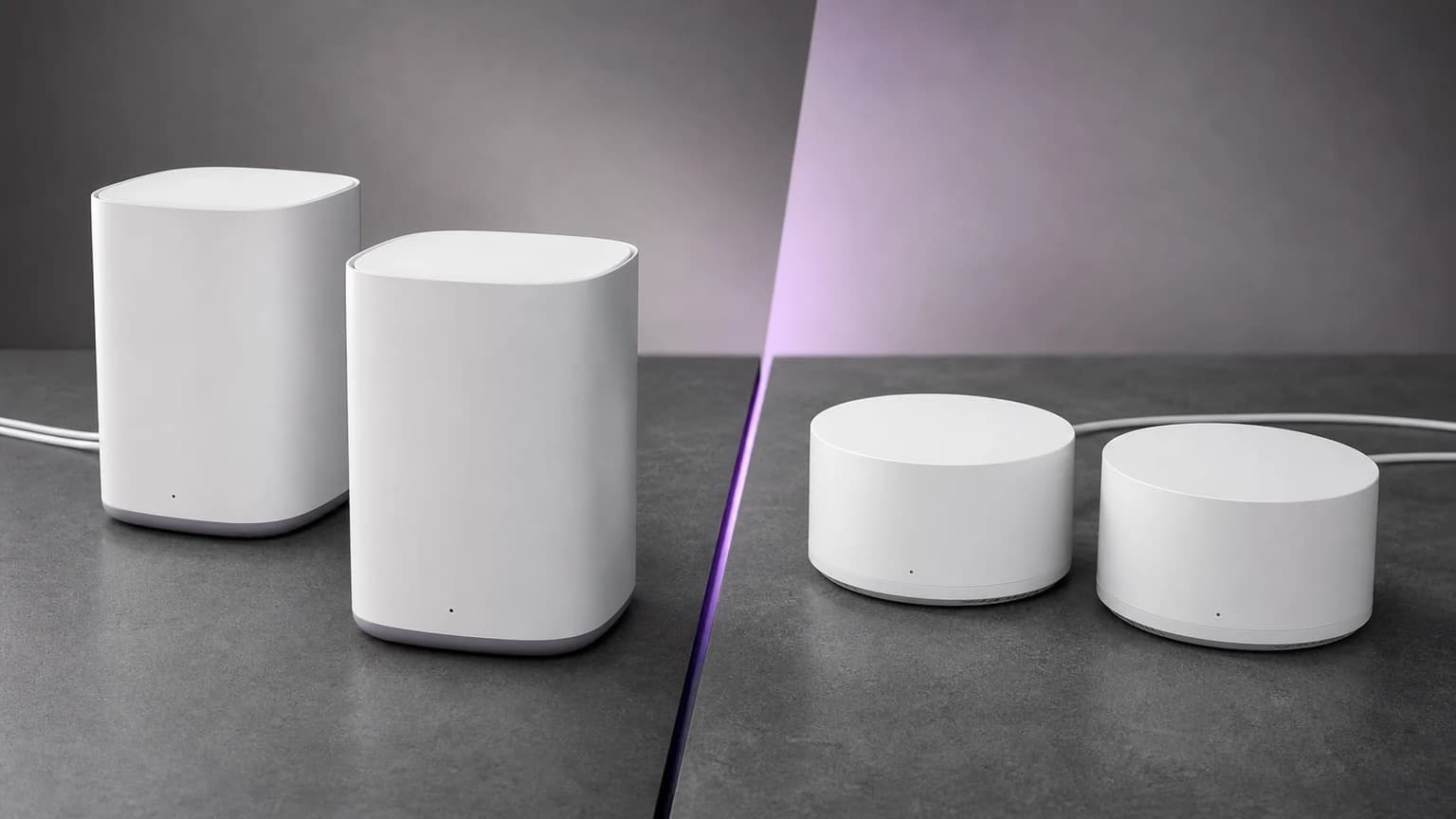
  • Large node size may not fit in tight spaces

Who should buy the eero Max 7

Homeowners with multi-gig internet. If your ISP delivers speeds above 1 Gbps, you need mesh hardware that can actually use it. The eero Max 7's 10 Gbps ports and WiFi 7 speeds mean you are not leaving performance on the table. Most other mesh systems bottleneck at Gigabit Ethernet.

Smart home enthusiasts. Built-in Thread and Zigbee support eliminates the need for separate smart home bridges. If you are building a Thread-based smart home, the eero nodes serve double duty as mesh routers and smart home controllers.

People who want zero maintenance networking. If you do not want to configure, troubleshoot, or reboot your router, the eero Max 7 is the closest thing to "install and never think about it again." Automatic updates, self-healing mesh, and a clean app make this the lowest maintenance option.

Large homes with multiple floors. The tri-band WiFi 7 with dedicated backhaul handles inter-floor coverage better than dual-band systems. The three-pack covers up to 7,500 square feet, which is enough for most homes with room to spare.

Who should skip it

Budget-conscious buyers. The TP-Link Deco BE63 delivers WiFi 7 mesh coverage at a fraction of the price. For homes under 2,000 square feet with standard Gigabit internet, the Deco BE63 is the smarter financial decision. See our eero Max 7 vs Deco BE63 comparison.

Power users who want deep network control. If you run VLANs, custom firewall rules, or want per-device QoS, the eero ecosystem will frustrate you. Look at the TP-Link Deco BE85 or a standalone WiFi 7 router with mesh AP capability.

Small apartment dwellers. If you live in a studio or one-bedroom apartment, a single WiFi 7 router is simpler, cheaper, and just as effective. Mesh solves a coverage problem you do not have.

Placement and optimization tips

A few things I learned during three months of use that will help you get the most from the eero Max 7:

  • Main node placement: Put the node connected to your modem in a central location if possible. If your modem is in a corner, use one of the satellite nodes near the modem and place the other nodes centrally. The app helps with this during setup.
  • Node spacing: Keep satellite nodes within 30 to 40 feet of the nearest node for optimal backhaul performance. The system works at greater distances, but backhaul speed drops with distance and walls.
  • Wired backhaul: If you can run Ethernet between nodes, do it. The 10 Gbps ports make wired backhaul trivially fast and free up the dedicated wireless backhaul channel for other use. Even running Ethernet to one satellite node improves the entire mesh.
  • Height matters: Placing nodes on a shelf or table (3 to 4 feet off the floor) rather than on the ground improves signal distribution, especially to second-floor devices.
  • Avoid interference: Keep nodes away from microwaves, baby monitors, and other 2.4 GHz devices. The eero handles interference well, but giving it clean air helps.
Amazon eero Max 7 Mesh WiFi System (3-Pack)Editor's Choice

Amazon eero Max 7 Mesh WiFi System (3-Pack)

See today's price

Verdict

The eero Max 7 is the best WiFi 7 mesh system for people who want networking to be invisible. It is fast, stable, simple, and packed with ports that future-proof your wired connections. The built-in smart home radios are a genuine bonus that reduces your device count.

The price is the only meaningful objection. If you can afford it and your home needs multi-node coverage, the eero Max 7 delivers the most reliable mesh experience I have tested. If the price feels steep for your needs, the Deco BE63 is an excellent alternative at a much lower cost.

Rating: 8.5/10. The most polished WiFi 7 mesh experience available, held back only by its premium pricing and lack of advanced configuration options.

Decision checklist

  • Does your home need mesh coverage (dead zones, multiple floors, 1,500+ square feet)? If not, a single router is simpler and cheaper.
  • Do you have internet speeds above 1 Gbps? The eero Max 7's 10 Gbps ports and WiFi 7 speeds shine with multi-gig plans.
  • Do you want the simplest possible setup and maintenance? Eero is the most hands-off mesh system on the market.
  • Do you need VLAN support, custom QoS, or deep network configuration? Look elsewhere.
  • Are you building a Thread-based smart home? The built-in Thread radio is a meaningful value add.
  • Do you have a lot of smart home devices (30+)? The eero Max 7's processing power handles high device counts without dropping connections.
  • Is your internet plan faster than 1 Gbps? The 10 Gbps ports are wasted on standard Gigabit internet. Check your plan before paying the premium.

Sources

  • Amazon eero Max 7 product specifications and technical documentation
  • WiFi Alliance WiFi 7 (802.11be) specification overview
  • iperf3 throughput testing methodology for wireless performance
  • Thread Group protocol documentation for smart home integration
  • Real-world coverage testing across a 2,400 sq ft two-story home

For a direct comparison with the top value pick, see eero Max 7 vs TP-Link Deco BE63. For the full roundup, check our best WiFi 7 mesh systems guide. And if you are setting up mesh for the first time, our how to set up mesh WiFi guide covers placement, backhaul, and troubleshooting.

Amazon eero Max 7 Mesh WiFi System (3-Pack)

See today's price