Andonstar AD246S-M Review (2026): Good for Soldering?
A research-based Andonstar AD246S-M review covering its soldering lens, working distance, screen, stand, HDMI output, trade-offs, and better alternatives.
Research-based guide
Recommendations are checked against product documentation, availability, comparative evidence, and clearly disclosed hands-on work where it exists.
Quick picks
The short answer, with the trade-off

Optical alternative
AmScope SE400-Z
Compare more options
Best microscopes for soldering
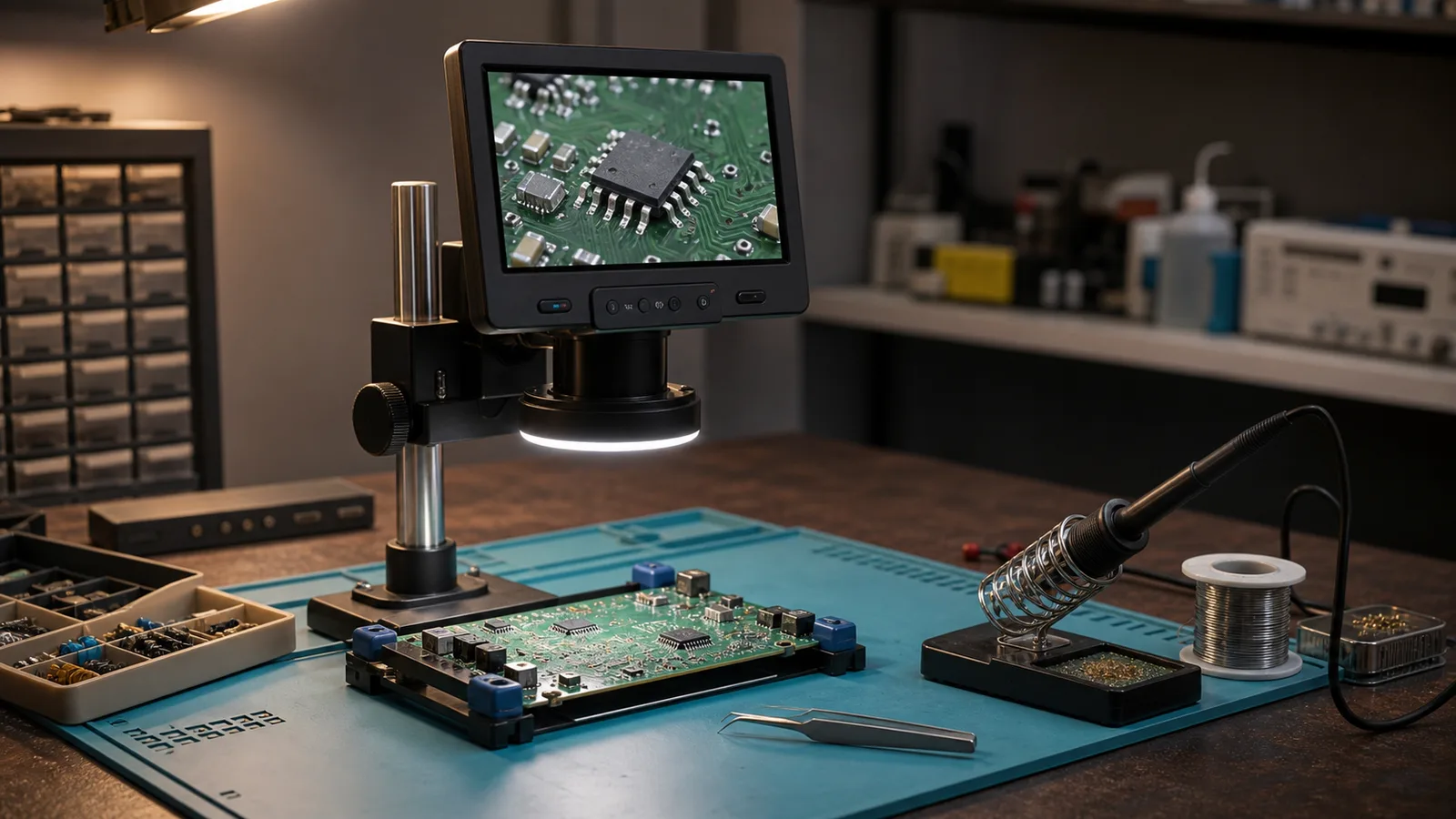
The Andonstar AD246S-M is a sensible digital microscope for hobby soldering if you want a screen-based view, useful tool clearance, and one kit that can also inspect larger objects and prepared slides. The important feature is not the advertised magnification. It is the dedicated soldering lens, which Andonstar specifies with a 90–300 mm focus range.
The main compromise is depth perception. A single-camera digital view is easy to share and record, but it does not give your eyes the natural height cues of a stereo optical microscope. If you place tiny components under magnification every week, an optical stereo model remains the stronger working tool.
This is a research-based review. SolderMag has not completed hands-on image-quality, display-latency, or stand-rigidity testing on the AD246S-M. The verdict is based on current manufacturer specifications, the exact Amazon product, connection guidance, the included stand and lenses, and comparison with optical alternatives.
Verdict
Buy the AD246S-M if you want to solder while looking at a built-in display, need HDMI or PC output, and like the flexibility of three lenses. The seven-inch screen makes the setup self-contained, while the Lens L working range leaves materially more room for an iron, tweezers, a hot-air nozzle, and a board holder than an inspection-first USB microscope.
Skip it if natural depth perception is the priority, your bench cannot spare the stand footprint, or you only need occasional close-up inspection. The AD246S-M tries to cover soldering, coins, and slides with interchangeable lenses. That flexibility is useful, but it also means changing lenses and storing accessories that a dedicated soldering-only setup would not need.
Our practical take: this is a good first digital soldering microscope, not a substitute for stereo optics in every job.
Who the AD246S-M is for
The AD246S-M makes sense for:
- hobbyists moving from a magnifying lamp or handheld loupe;
- repairers who prefer a display to eyepieces;
- people who want to record or share board inspection;
- mixed-use benches handling PCBs, coins, components, and occasional slides;
- buyers who need more working room than a small flexible-arm USB camera usually provides.
It is especially easy to justify when more than one person needs to see the image. A built-in display avoids constant eyepiece adjustment, and HDMI output can move the same workflow to a larger monitor.
Who should skip it
Choose something else if:
- you do frequent fine-pitch placement and want real stereo depth cues;
- you need proven low display latency rather than a published output specification;
- your bench is too shallow for a permanent stand and base;
- you want one fixed optical path with no lens changes;
- you only inspect a joint every few months.
An inexpensive USB microscope can be enough for occasional inspection. A stereo microscope is the better step up when the microscope becomes a daily hand-work tool rather than a screen and documentation tool.
Pros and cons
Pros
- Lens L has a manufacturer-specified 90–300 mm focus range for soldering and repair.
- Seven-inch display works without a separate computer or monitor.
- HDMI and PC output leave room to expand the setup.
- Three lenses cover board work, larger objects, and prepared slides.
- Metal stand and remote are included in the kit.
Cons
- A single digital camera does not provide true stereo depth perception.
- SolderMag has not measured display delay or verified the maximum frame-rate claim in each mode.
- Changing between the three task-specific lenses adds setup friction.
- The base, upright, lighting, cables, and accessories need permanent bench space.
- Large magnification and interpolated photo numbers are less useful than working distance and optical detail.
Key specifications
| Specification | Andonstar AD246S-M | What matters to a buyer |
|---|---|---|
| Built-in display | 7 inches | Self-contained view without a laptop |
| Soldering lens | Lens L | The relevant lens for PCB work |
| Lens L focus range | 90–300 mm | Space for tools and hands varies with focus and framing |
| Other lenses | Lens A and Lens D | Wider-object and close slide inspection rather than normal soldering |
| Maximum listed video mode | 2880×2160 at 24 fps | A recording/output ceiling, not proof of optical detail or low latency |
| HDMI output | Supported, including dual-screen use on the AD246S-M | Useful for a larger external display |
| PC output | Supported over USB | Useful for capture and shared viewing |
| Stand footprint listed by Andonstar | 20 × 18 cm base, 30 cm bracket height | Measure the whole work area before buying |
| Included items | Metal stand, three lenses, remote, lighting/power cable, HDMI and USB cables, slide accessories | More complete than a camera-only microscope |
Manufacturer magnification figures for digital microscopes combine lens choice, focus distance, sensor output, digital enlargement, and display size. They should not be compared directly with the 10x or 20x eyepieces on an optical microscope.
Design and stand
The AD246S-M uses a vertical metal stand with the display and camera mounted over a base. That layout is more credible for soldering than a small gooseneck arm because the optical head has a defined path above the work area.
The published base dimensions are compact enough for many hobby benches, but the base alone does not describe the real footprint. Leave room for a board holder, wrist position, iron stand, fume hose, hot-air handpiece, and the cables leaving the microscope. A microscope that forces the hot tool into an awkward path is the wrong fit even if the image looks sharp.
Andonstar sells a larger stand option for this product family. That is useful evidence that stand geometry matters, but it is not a reason to buy an upgrade immediately. Start by measuring the stock layout against your boards. A larger base can support bigger work and still make a cramped bench worse.
We have not tested how much the image moves when the focus control is touched or how the joints wear over time. Those are meaningful unknowns that specifications cannot settle.
The three-lens system
The three lenses are not three levels of the same soldering view. They are meant for different jobs.
Lens L: the one that matters for soldering
Andonstar lists Lens L at 60–240x with a 90–300 mm focus range. Ignore the headline magnification and focus on the clearance. This is the lens intended to leave room for circuit-board repair, phone work, tweezers, and heat tools.
Working distance changes with focus and the field of view you want. The maximum published range does not mean every board will be comfortable at every position. It does mean the product is designed around a more useful soldering geometry than a microscope that focuses only a few millimetres from the subject.
Lens A: general observation
Lens A covers larger objects and a broader focus range. It can be useful for inspecting a full board, connectors, coins, mechanical parts, or damage that does not need the closest view.
For a repair bench, this is the context lens. Use it when orientation and a wider view matter more than seeing the smallest joint.
Lens D: slide inspection
Lens D has a very short published focus range and is meant for prepared slides or similarly close subjects. It is not the lens to put above a soldering iron. There is too little tool clearance for normal rework.
The buyer mistake is assuming the lens with the largest number is automatically the best. For active soldering, the opposite can be true.
Display, HDMI, and PC use
The seven-inch display is the reason to choose the AD246S-M over a camera-only USB microscope. It gives you a complete working view without assigning desk space to a laptop.
Andonstar also lists HDMI and PC output. Its connection guide says the microscope uses USB for a computer connection, while an external HDMI setup needs separate power for the display and lighting plus HDMI for image data. Plan those cable runs before fixing the stand position.
HDMI output is useful when seven inches feels cramped, when another person needs to follow the work, or when the microscope becomes part of a recording setup. It does not prove that the live view is delay-free. We would not use frame-rate or resolution claims as a substitute for a return policy if hand-to-screen response is critical.
The same caution applies to recording resolution. Andonstar marks its highest photo figure as interpolated. Interpolation creates a larger file; it does not create optical detail that the sensor and lens never captured.
Soldering performance: what the specs do and do not prove
The AD246S-M has the right basic ingredients for screen-based PCB work: a soldering-specific lens, usable published clearance, lighting, a stable-style vertical stand, and display output options.
That supports a recommendation for hobby electronics and inspection. It does not support claims about measured latency, colour accuracy, minimum component size, vibration, or long-term durability. We have not tested those points.
The decisive trade-off remains depth. With a digital image, both eyes see the same flat view. You can learn to judge tool height through focus, shadows, movement, and experience, but a stereo optical microscope gives each eye a different optical path. That makes height and component placement feel more natural.
For occasional SMD repair, the digital workflow may be the easier and more useful compromise. For daily microsoldering, compare it directly with the AmScope SE400-Z and other soldering microscopes before deciding.
Setup and usability
Set the AD246S-M up for the job you do most often, not for the smallest object in the accessory box.
- Fit Lens L for PCB soldering.
- Place the board holder where both hands can approach naturally.
- Set height and focus with the tool path clear.
- Angle the lighting to reduce glare from solder and exposed copper.
- Keep the fume extractor intake close without blocking the view.
- Route USB, HDMI, and lighting cables away from hot tools.
- Practise on scrap boards before relying on the screen for valuable repairs.
Do not crowd the bench with every included accessory. Store the slide gear and unused lenses safely, then keep the soldering setup consistent. Repeatable positioning matters more than making the microscope look fully equipped.
Value
The AD246S-M is easiest to justify as a complete digital kit. You are buying a screen, three task-specific lenses, a metal stand, lighting, cables, a remote, and basic accessories together.
That package is poor value if you only want optical depth or already own a good camera and stand. It is better value when the same bench needs live soldering, general inspection, capture, and occasional non-PCB use.
Do not pay extra for the AD249S-M solely because its screen is larger. Andonstar's comparison lists the core lens ranges and recording specifications as the same, while the AD249S-M moves to a ten-inch display and changes external-display behaviour. If you already intend to use HDMI, the seven-inch AD246S-M may be enough.
Andonstar AD246S-M Digital Microscope
Why it works
- 90–300 mm focus range with Lens L
- Seven-inch built-in screen
- HDMI and PC output
Main trade-off
- No stereo depth perception
- Latency and stand rigidity not hands-on tested
Alternatives
AmScope SE400-Z: buy this instead if natural depth perception and hand placement matter more than recording. Its optical 10x/20x view and published nine-inch working distance suit active soldering, but there is no built-in screen. Check the AmScope SE400-Z on Amazon.
Andonstar AD210S-Pro: consider this when a larger built-in display and higher-end external-output workflow justify more bench space and cost. Do not pay more if the AD246S-M screen plus HDMI already solves the job. See the side-by-side place of both models in our soldering microscope guide.
Plugable USB2-MICRO-250X: enough for occasional joint inspection, component markings, and documentation when you do not need a permanent soldering platform. Treat it as an inspection camera rather than a direct substitute for the AD246S-M.
An illuminated magnifying lamp: the cheaper, wider-view option for through-hole kits, wiring, and larger SMD parts. It is often the sensible choice when a microscope would sit unused.
Final recommendation
The Andonstar AD246S-M is worth buying when you want a practical digital view for hobby PCB work and will use its screen, soldering lens, and output options. Lens L's published focus range is the feature that makes it credible for soldering; the large magnification numbers are not.
Buy it for mixed bench use, screen sharing, and documentation. Skip it for daily precision placement if you already know stereo depth matters more than a display.
Before ordering, measure the whole bench, confirm the exact AD246S-M model, and compare the current price with an optical alternative. The cheaper product is not better value if its viewing method fights the work you do most often.
FAQ
Is the Andonstar AD246S-M good for soldering?
Yes, for hobbyists who prefer a screen-based view. Its Lens L is intended for soldering and has a manufacturer-specified 90–300 mm focus range. It is less suitable when natural stereo depth perception is more important than display and recording features.
Does the AD246S-M have enough working distance for hot air?
The published Lens L focus range can leave room for a hot-air nozzle, but the usable clearance depends on focus, framing, the board holder, and the stand position. Plan the hot-air station, microscope, hands, and fume capture as one bench layout.
Can the AD246S-M connect to a monitor?
Yes. Andonstar lists HDMI output and dual-screen support for the AD246S-M. The company also supports a USB connection to a computer. External-display resolution and frame rate do not by themselves prove low live-view latency.
What is the difference between the AD246S-M and AD249S-M?
The main published difference is screen size: seven inches on the AD246S-M and ten inches on the AD249S-M. Andonstar lists the same three lens ranges and main recording specifications, but different HDMI display behaviour. Check the exact variant because retailer titles often group the two models together.
Is a digital microscope better than a stereo microscope for soldering?
Digital is better for shared viewing, easy capture, and screen-based posture. Stereo optical is better for natural depth cues while positioning a component or tool. Neither wins every job.
What else do I need for microsoldering?
A microscope does not replace a stable board holder, fine tweezers, appropriate tips or nozzles, the right flux, lighting, fume capture, and practice on scrap boards. Buy the microscope after the basic heat control and workholding are sorted.
Sources and research basis
- Andonstar AD246S-M/AD249S-M official product page for lens ranges, focus ranges, display sizes, output modes, stand dimensions, and included accessories: https://andonstarmicroscope.com/products/tri-lens-microscope-246sm-249sm
- Andonstar connection guide for PC and external HDMI monitor setup: https://andonstarmicroscope.com/blogs/knowledge-sharing-1/to-work-your-digital-microscope-with-computer-and-external-hdmi-monitor
- Andonstar stand page for current AD246S-M/AD249S-M compatibility and larger-stand options: https://andonstarmicroscope.com/products/extension-tube-stand-suit-ad407-ad409
- Exact Amazon US product checked for Andonstar AD246S-M ASIN
B09VPPS96M; the tagged product URL is already used by SolderMag's current soldering-microscope guide and returned the exact product through the site's current Amazon product cache. - SolderMag's best microscopes for soldering, best soldering stations, and hot-air rework temperature guide for the wider tool-selection method.
As an Amazon Associate I earn from qualifying purchases.