Best Hot Air Rework Stations (2026): Stable Airflow Picks for SMD Rework
Updated June 2026. Stable airflow beats max temperature every time. Practical hot air rework station picks for SMD work, from hobby benches to power-user setups, with notes on airflow stability, recovery time, and what not to overpay for.
Written by the SolderMag Editorial Team. We update recommendations against current product availability, disclose affiliate links, explain ranking criteria in our testing methodology, and correct material errors through the contact page.
As an Amazon Associate I earn from qualifying purchases. Product prices and availability can change.
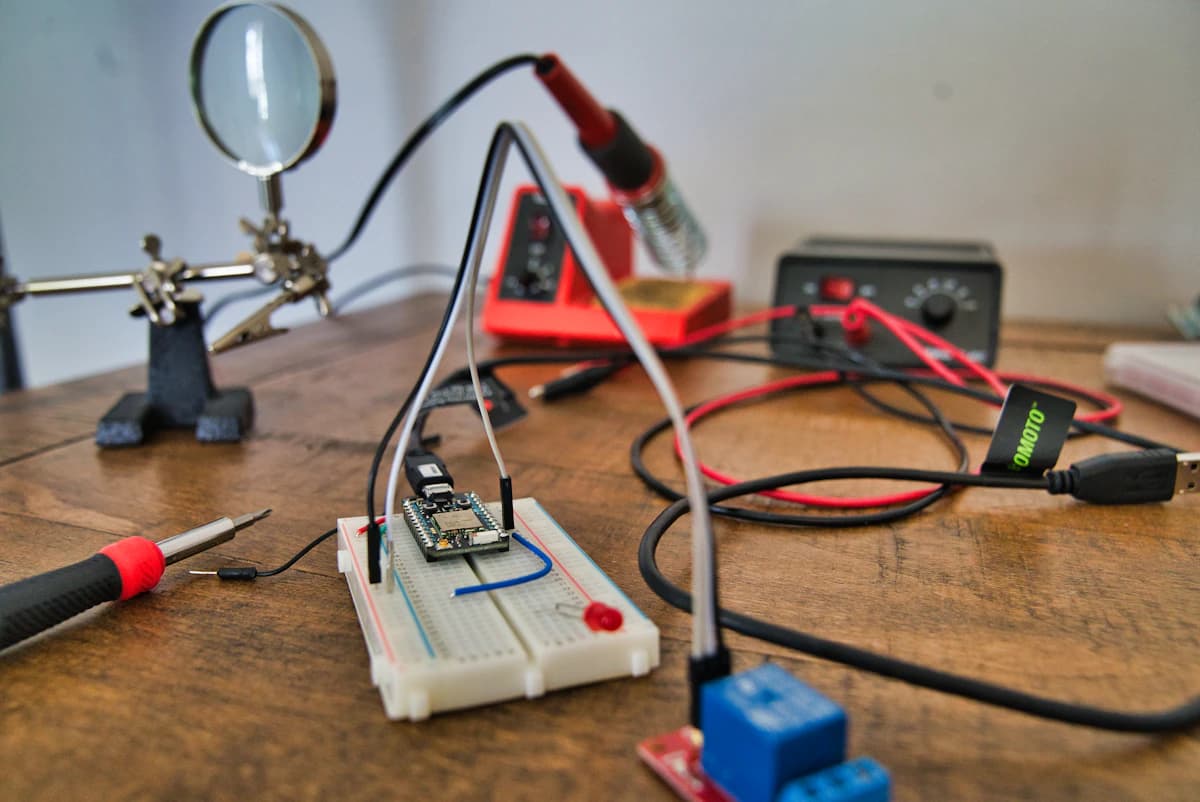
Hot air rework is one of those tools that feels optional until you need it.
If you’ve ever:
- replaced a USB‑C port
- reflowed a QFN/QFP that didn’t quite wet out
- removed a stubborn SOT‑223 regulator without ripping pads
- rescued a board after “I’ll just touch it up with the iron”
A decent hot air station turns chaos into a repeatable process.
This is a research-based buying guide. We have not lab-tested every station below, so the recommendations are based on published specifications, availability, repair-bench fit, common nozzle ecosystems, safety features, and long-running user feedback patterns.
Quick answer: most hobbyists should buy the YIHUA 995D+ if they want one box for iron work and hot air. If you already own a good soldering station and do frequent connector or SMD repair, spend more for the Quick 861DW. If you are shopping for the best budget hot air rework station, use the cheaper 8586D-style picks for practice boards and occasional jobs, not expensive customer hardware.
Quick decision table
| Pick | Best for | Why it makes sense | Watch-out | | --- | --- | --- | --- | | YIHUA 995D+ | Hobbyists who want hot air plus an iron in one box | Integrated bench station with programmable presets | Combo stations are less serviceable than separate pro tools | | Quick 861DW | Frequent rework and side-hustle repair benches | 1000W class station, strong airflow control, standby/cool-down features | Costs more and takes more bench space | | YIHUA 8786D | Value buyers who want a low-cost two-in-one setup | Covers basic soldering and hot-air jobs without a pro budget | Not the tool for heavy daily production | | Silverflo 8586D | Occasional repairs and learning hot air | Cheap entry into controlled airflow and SMD practice | Budget build quality and support expectations |
Best hot air rework station by budget
| Budget tier | Sensible target | Buy this if | Avoid this if | | --- | --- | --- | --- | | Under $75 | 8586D-style combo station | You are learning hot air on scrap boards and want the cheapest controlled airflow setup | You are repairing expensive boards, laptop ports, or customer gear | | $75-$150 | YIHUA 8786D / 995D-style combo | You want a single bench unit for soldering plus occasional SMD rework | You already own a strong soldering station and only need better hot air | | $150-$300+ | Quick 861DW class hot-air-only station | You do repeat connector, shield, QFN, or board-repair work | You only solder headers and through-hole parts |
Budget listings move around a lot on Amazon. For cheaper 8586D-style units, the safer move is to compare the exact seller, return window, voltage, included nozzles, and recent buyer photos before you click. We would not trust a bargain hot air station on an irreplaceable board until it has proven itself on scrap hardware.
SolderMag Take: the best station is the one that controls heat, not the one that makes more of it
Cheap stations can hit high temperatures on paper. The problem is they often do it with spiky control, inconsistent airflow, and sad thermal recovery the moment you introduce a real heatsink (aka: your PCB).
For rework, what you want is boring:
- stable airflow you can predict
- temperature that does not hunt (overshoot can delaminate masks, lift pads, and cook plastics)
- fast recovery so you don’t keep dialing hotter “because it’s taking too long”
If your process is "crank temp to 450 C and pray", the station is not doing its job.
Who this guide is for
You want a hot air station if you:
- do SMD work regularly (0603/0402, QFN/QFP, connectors)
- fix boards (game controllers, laptops, drones, keyboards)
- build prototypes and want a reliable way to rework mistakes
You can skip it (for now) if you:
- only solder through-hole
- mainly do wire + headers + big passives
- already have access to one at a makerspace/bench
The 9 things that actually matter
1) Airflow control that’s usable at low flow
Rework isn’t “leaf blower mode.” You often need gentle flow that doesn’t:
- blow 0402s into orbit
- shift an IC mid‑reflow
- melt nearby plastic connectors
Look for a station where the lower third of the airflow range is genuinely controllable.
2) Thermal recovery (how it behaves when the board steals heat)
Two stations can both say “1000W.” Only one will actually maintain temperature when:
- you’re on a ground‑heavy area
- the PCB has internal planes
- the part is connected to a big shield can
If you find yourself increasing temp step after step, that’s usually recovery (or airflow) telling on the hardware.
3) Temperature accuracy isn’t the whole story. stability is
A station being off by 20 C is annoying but manageable.
A station that hunts (overshoot/undershoot) is what ruins boards.
Practical move: pick a station known for stable control, then calibrate your technique:
- preheat the area
- use appropriate nozzle size
- keep the nozzle moving
4) Handle ergonomics + hose stiffness
You’ll feel this within a week.
Better stations have:
- a lighter handle
- a more flexible hose
- a stand that doesn’t feel like it’ll tip when you set the handle down
If the hose fights you, you’ll hover awkwardly and overheat everything.
5) Nozzle ecosystem (and whether it’s standard)
Nozzles are the “tips” of hot air.
You want:
- common sizes (small round, medium, larger)
- easy swapping
- availability of replacements
If the station uses proprietary nozzles that are always out of stock, it’s a long-term annoyance.
6) Fan-in-handle vs fan-in-base (what changes)
Both can work. The trade-offs:
Fan in base (air via hose)
- often quieter at the hand
- can feel bulkier hose-wise
Fan in handle
- more compact base unit
- sometimes noisier near your face
- handle can feel heavier
The right answer is “what you’ll actually use comfortably.”
7) Safety features: sleep/standby, cool-down, and basic ESD sanity
Minimum bar for 2026:
- automatic cool-down when returning handle to stand
- sleep/standby so you’re not blasting heat while thinking
- decent insulation and build quality (cheap plastics + hot air is a mood)
ESD: no station makes you magically ESD-safe. But avoid obviously sketchy units and pair your setup with:
- a grounded mat
- a wrist strap
- sensible humidity
8) Noise (it matters more than you expect)
Hot air is a fan plus turbulent flow. If it screams, you’ll “save it for later.”
A slightly more expensive station that’s quieter often gets used more, which is the whole point.
9) Power: don’t buy watts, buy results
High wattage can help, but it’s not a cheat code.
Your results come from:
- airflow + nozzle choice
- technique + preheating
- thermal recovery and control loop stability
A practical way to choose (without overthinking)
Step 1: Decide your main job
Pick the dominant use case:
- small SMD (0402-SOIC): stability + low airflow control
- connectors (USB‑C/HDMI): recovery + airflow + larger nozzle
- shields and big ground planes: recovery + patience + preheat strategy
Step 2: Choose a “quality tier”
- Hobby / occasional repair: good enough control, common nozzles, not terrifying
- Regular rework / side hustle: stability + ergonomics + parts availability
- Bench / pro: consistency, durability, serviceability
Step 3: Budget for the boring extras
A hot air station alone is half the setup.
You’ll also want:
- flux (gel + liquid)
- Kapton tape / aluminum tape for shielding
- tweezers, a preheater (optional but huge), and a way to hold boards
- decent solder + wick for cleanup
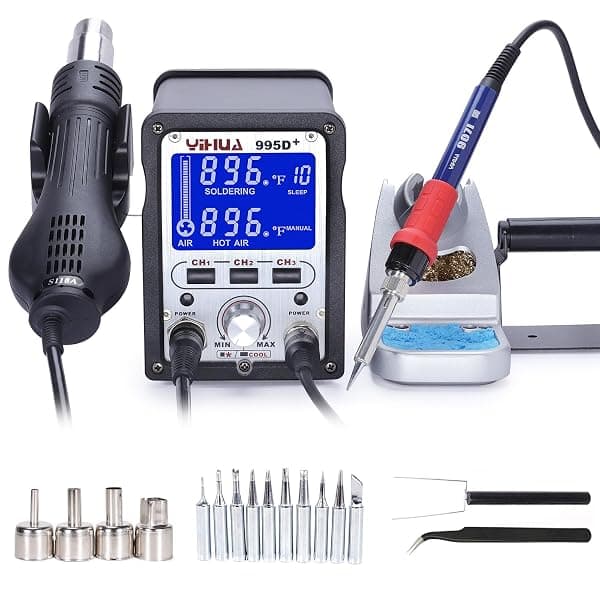 Best overall
YIHUA 995D+ Hot Air Rework and Soldering Station
Quick 861DW Hot Air Rework Station
YIHUA 8786D Hot Air Rework and Soldering Station
Silverflo 8586D 2-in-1 Hot Air Soldering Station
Technique notes (to avoid rookie damage)
- Preheat is kindness. Warm the area gradually; don’t shock the board.
- Use the biggest nozzle that still fits. Too small = you cook one spot while everything else stays cold.
- Keep the nozzle moving. You’re heating a zone, not a pixel.
- Watch the solder, not the number. Shiny + flow is the signal.
- Protect plastics. Shield connectors and nearby parts with Kapton/foil.
Buying checklist (fast)
- Stable temperature control (not hunting)
- Usable low airflow (won’t launch passives)
- Good thermal recovery on real boards
- Comfortable handle + flexible hose
- Common nozzle sizes available (and replacements exist)
- Safe stand + auto cool-down/sleep
- Noise level you can live with
- Easy-to-find consumables (filters/nozzles)
- Realistic expectations: technique matters
FAQ
What is the best budget hot air rework station?
For learning and occasional repairs, an 8586D-style two-in-one station is the budget floor we would consider. Check seller reputation, voltage, nozzle availability, and return policy before buying because cheap listings change often. For regular SMD work, the YIHUA 8786D or 995D+ tier is the better value.
Is the Quick 861DW worth it for hobby use?
Only if you do hot air work often. The Quick 861DW class makes sense for repeat connector repair, shield removal, larger ground planes, and side-hustle repair benches. If you only rework a board every few months, a cheaper combo station plus better flux and technique is usually enough.
Can a hot air rework station replace a soldering iron?
No. Hot air is best for SMD removal, reflow, connectors, and shields. You still want a normal soldering station for through-hole joints, wires, tinning pads, cleanup, and precise touch-up work. If you are deciding which bench tool to buy first, read our hot air rework station vs soldering iron guide.
What temperature should I use for hot air rework?
There is no universal number. Start lower, use flux, choose the right nozzle, preheat when possible, and watch the solder rather than chasing a display reading. If you keep raising temperature because nothing moves, the problem is often airflow, nozzle size, board thermal mass, or lack of preheat.
Sources
- Hakko. hot air rework overview and process basics (rework concepts, nozzle/heat considerations): https://www.hakko.com/english/support/faq.html
- NASA Workmanship Standards. general soldering/rework workmanship principles (process discipline, damage avoidance): https://standards.nasa.gov/
- IPC. rework/repair training and standards overview (what “good” looks like in electronics rework): https://www.ipc.org/
- Kester. flux basics (why flux matters in rework and cleanup): https://www.kester.com/knowledge-base
- YIHUA 995D/995D+ product information: https://yihua-soldering.com/product-1-3-5-hot-air-rework-station-en/147667/
- Quick 861DW product listing details: https://www.amazon.com/Quick-861DW-Digital-Station-Display/dp/B00EID23J6?tag=soldermag-20
If you're building a full bench, pair this with a quality soldering station for the other half of your rework toolkit.