Best Microscopes for Soldering (2026): 4 Practical Picks
Compare digital and stereo microscopes for soldering, PCB repair, and SMD work. Four practical picks ranked by working distance, stand design, and value.
Research-based guide
Recommendations are checked against product documentation, availability, comparative evidence, and clearly disclosed hands-on work where it exists.
Best overall digital
Andonstar AD246S-M
Best optical stereo
AmScope SE400-Z
Best premium digital
Andonstar AD210S-Pro
Best for inspection only
Plugable USB2-MICRO-250X
On this page
- Quick picks
- Digital vs stereo: decide this first
- Best overall digital: Andonstar AD246S-M
- Best optical stereo: AmScope SE400-Z
- Best premium digital: Andonstar AD210S-Pro
- Best cheap inspection tool: Plugable USB2-MICRO-250X
- Who this guide is for
- Who should skip this purchase
- What matters when buying
- Common mistakes
- Alternatives to consider
- How we chose
- FAQ
- Final recommendation
- Sources
The Andonstar AD246S-M is the sensible digital microscope for most hobby repair benches. Its soldering lens has a manufacturer-specified 90–300 mm focus range, the seven-inch screen keeps the setup self-contained, and HDMI output gives you a larger display option later.
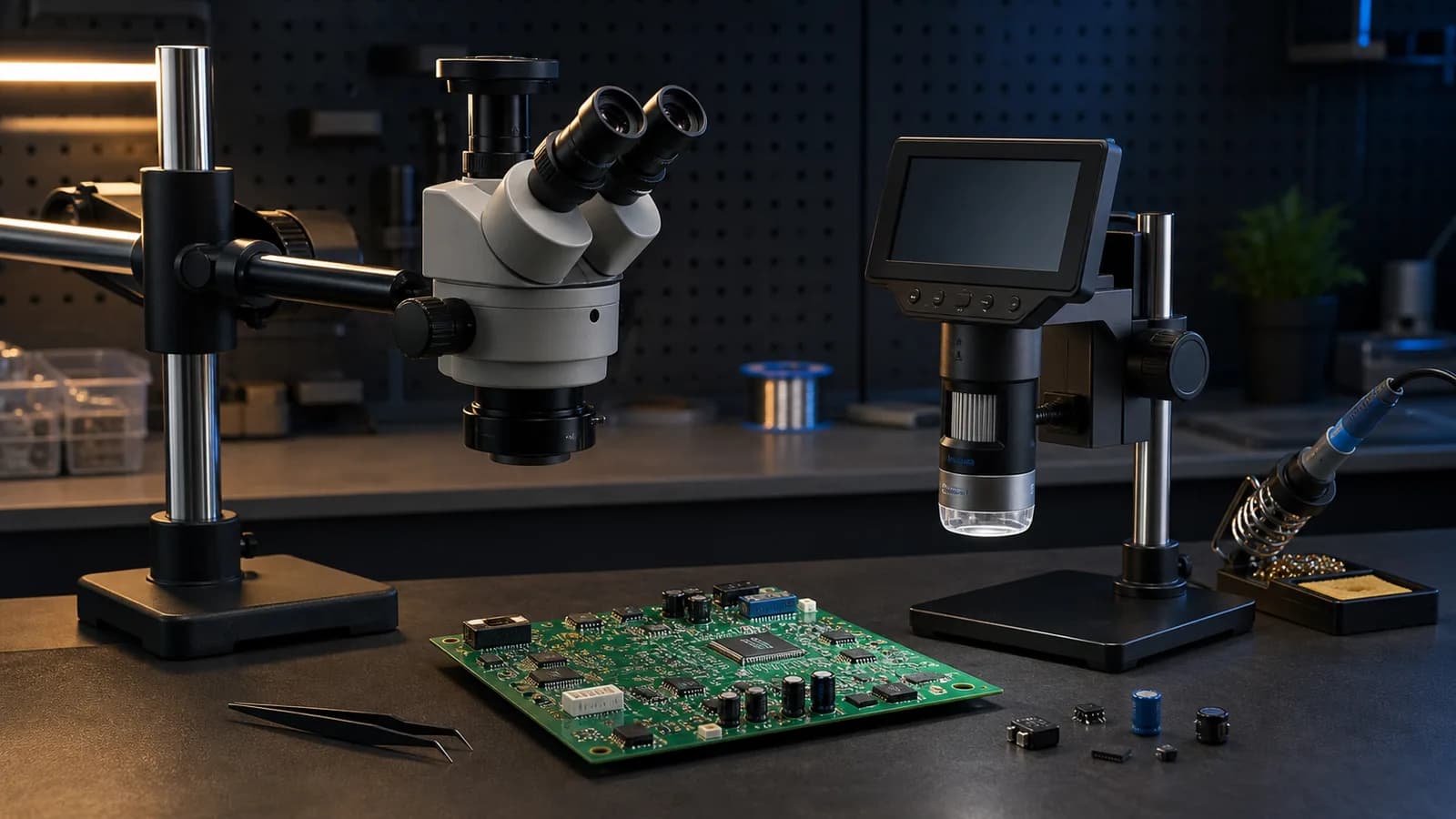
Choose the AmScope SE400-Z instead if depth perception matters more than recording or sharing a screen. Its optical stereo view, 10x/20x eyepieces, boom arm, and nine-inch working distance are a better fit for hand placement under magnification. The trade-off is simple: you look through eyepieces rather than at a display.
This is a research-based guide. We have not completed hands-on latency, image-quality, or stand-rigidity testing on these microscopes. The picks are based on manufacturer specifications, exact product identity, working clearance, stand design, connection options, and how each tool fits real PCB work.
Quick picks
| Pick | Best for | Why it makes sense | Main trade-off |
|---|---|---|---|
| Andonstar AD246S-M | A first digital soldering microscope | Long soldering-lens focus range, built-in screen, HDMI and PC output | Digital view does not provide the same natural depth cues as stereo optics |
| AmScope SE400-Z | Active soldering and component placement | Stereo optical view, 10x/20x choices, nine-inch working distance | No built-in display or recording path |
| Andonstar AD210S-Pro | A larger digital bench setup | 10.1-inch screen and HDMI 2.0 output up to the manufacturer's 4K/60 mode | Costs more, occupies more bench space, and still needs buyer verification for preferred display mode |
| Plugable USB2-MICRO-250X | Joint inspection and documentation | Compact, UVC-compatible, 2MP sensor, USB-A/USB-C cable | The small flexible stand is not our pick for soldering live |
Buy a microscope for working distance and a stable view, not the largest magnification number on the box. Most soldering work needs room for an iron, tweezers, hot-air nozzle, board holder, and your hands. Extreme close-up is useful for inspection, but it can make active work harder.
Digital vs stereo: decide this first
A digital microscope sends one camera view to a built-in or external display. It is easy to share, record, and use without leaning into eyepieces. It can also be more approachable when more than one person needs to see the board.
The compromise is depth perception. A single camera view is two-dimensional. You can still solder with it, but tip height and component placement can require more deliberate movement. Display processing can also add delay. We have not measured the latency of the digital models in this guide, so we will not pretend that a published frame rate proves a zero-lag working view.
A stereo optical microscope sends a slightly different image to each eye. That gives you real depth cues when positioning tweezers, landing an iron tip, or checking whether a connector is sitting flat. For regular fine-pitch work, this is the stronger reason to choose optical stereo.
The compromise is workflow. Optical microscopes do not automatically provide a display, screenshots, video, or a convenient shared view. Camera ports and trinocular heads solve that on more expensive systems, but the basic SE400-Z is an eyepiece-first tool.
Best overall digital: Andonstar AD246S-M
The AD246S-M is the best starting point here if you want a self-contained digital system. Andonstar supplies three lenses for different tasks. The important one for electronics is Lens L, which the company specifies with a 90–300 mm focus range. That is the useful number because it describes the space available between the lens and the board.
The built-in screen is seven inches. The microscope also supports HDMI and PC output, so the small display does not lock you into a small working view. Andonstar lists a metal stand and includes the relevant cables and remote.
Do not buy it for the advertised maximum magnification. Andonstar's digital magnification figures depend on lens, focus distance, sensor output, and display size. They are not directly comparable with the optical 10x or 20x marking on the AmScope.
Who should buy it: hobbyists and repairers who want one digital unit for soldering, board inspection, and recording without building an optical-camera system.
Who should skip it: anyone who already knows that natural depth perception matters more than screen sharing, or who wants a compact microscope that disappears when not in use.
Andonstar AD246S-M Digital Microscope
Why it works
- 90–300 mm focus range with the soldering lens
- Seven-inch built-in screen
- HDMI and PC output
Main trade-offs
- Digital view has weaker depth cues than stereo optics
- Manufacturer-direct US stock differed during research
Best optical stereo: AmScope SE400-Z
The AmScope SE400-Z is the better working tool when you care about hand placement more than capture features. AmScope specifies a 1x stereo objective, pairs of 10x and 20x eyepieces, a boom arm, and a nine-inch working distance. The official page explicitly positions it for micro-soldering and inspection.
That combination is practical. Ten-times magnification is already useful for a large amount of through-hole and surface-mount work. The 20x eyepieces add a closer option without turning the setup into a digital-zoom contest. The long working distance leaves room for the job instead of forcing the lens down near the board.
The boom arm can move the head away from the work area when you need an unobstructed bench. The supplied gooseneck LED provides incident light, though lighting preference is personal and reflected glare from solder can still require repositioning.
Who should buy it: people doing regular component placement, connector work, fine-pitch soldering, and inspection who value stereo depth.
Who should skip it: anyone who needs a built-in screen, simple recording, or a shared classroom view without adding a camera system.
AmScope SE400-Z Stereo Microscope
Why it works
- True stereo optical view
- 10x and 20x eyepiece options
- Nine-inch working distance and boom arm
Main trade-offs
- No built-in display or recording
- Fixed 1x objective rather than continuous zoom
Best premium digital: Andonstar AD210S-Pro
The AD210S-Pro is the digital pick for a larger permanent bench. Andonstar specifies a 10.1-inch, 1280x800 built-in screen and an HDMI 2.0 output with modes up to 3840x2160 at 60 frames per second. That external-output specification is the reason to consider it over a cheaper self-contained microscope.
Keep the two resolutions separate. The built-in panel is not a 4K screen. The high-resolution claim applies to output and recording modes. A buyer who plans to use an external monitor should also confirm the preferred resolution, frame rate, cable path, and display behavior after arrival.
This model makes the most sense for documentation, training, or a workstation where a large display is already part of the setup. It is harder to justify if you only need enough magnification to replace a connector once a month.
Who should buy it: repair benches that want a large digital view, external-monitor output, and easier recording or shared observation.
Who should skip it: buyers who mainly need depth perception, have limited bench space, or will never use the output and recording features.
Andonstar AD210S-Pro Digital Microscope
Why it works
- 10.1-inch built-in display
- HDMI 2.0 output up to a manufacturer-specified 4K/60 mode
- Metal stand and PC support
Main trade-offs
- Built-in display is 1280x800, not 4K
- No measured latency or stand-rigidity result from SolderMag
Best cheap inspection tool: Plugable USB2-MICRO-250X
The Plugable USB2-MICRO-250X is useful, but it is not a substitute for the three larger systems above. Plugable specifies a 2MP camera, built-in adjustable LED lighting, approximate 60x to 250x magnification controlled through focus and working distance, and broad support through a standard UVC webcam path.
Use it to inspect a questionable joint, read a tiny marking, document corrosion, or check a board after cleaning. The included flexible arm is compact and portable. Plugable does not publish enough working-clearance information for us to recommend that stand as the main platform for active iron or hot-air work.
That distinction matters. A cheap inspection camera can be genuinely useful without being a good soldering microscope.
Who should buy it: occasional troubleshooters who need an inexpensive close-up camera and already understand that it is an inspection-first tool.
Who should skip it: anyone shopping specifically for stable, regular microsoldering under magnification.
Plugable USB2-MICRO-250X
Why it works
- 2MP UVC camera
- USB-A and USB-C connection
- Compact flexible-arm stand
Main trade-offs
- Not our pick for soldering live
- Needs a computer or compatible tablet display
Who this guide is for
Buy a proper soldering microscope when small parts are now the normal job rather than the exception. Good reasons include:
- inspecting fine-pitch IC pins and small passive components;
- aligning USB-C, HDMI, and other dense connectors;
- checking lifted pads, solder bridges, cracked joints, and corrosion;
- placing SMD parts with tweezers;
- recording repair work for training or documentation;
- working under magnification often enough that a handheld loupe interrupts the process.
Magnification does not replace technique. Pair the microscope with a stable board holder, suitable tweezers, the right tip or nozzle, sensible lighting, and flux that matches the job. For the heat-tool decision, start with our soldering station guide and hot-air rework station guide.
Who should skip this purchase
Skip a bench microscope if you only assemble large through-hole kits, splice wires, or inspect one board every few months. A good illuminated magnifier or handheld loupe may be enough.
Also wait if your bench cannot hold the stand safely. A boom arm that crowds the iron, fume hose, or hot-air handpiece can make the workspace worse. Measure the base, upright, arm reach, board-holder area, and the path your hands need before ordering.
If fumes are the immediate problem, solve that first. A microscope makes the joint easier to see; it does not capture flux smoke. Our solder fume extractor guide explains the difference between a small bench fan and stronger source capture.
What matters when buying
Working distance
Working distance is the space between the lens and the board when the image is in focus. More room gives you a cleaner path for tools and hands. It is more useful than an extreme maximum-magnification claim.
Check the specification for the exact lens and configuration. A multi-lens digital microscope may have one lens intended for soldering and another that focuses only a few millimetres from the subject.
Depth perception
Stereo optics give each eye a separate optical path. That helps with height and placement. A single digital camera cannot reproduce the same natural depth cue, even when the picture is sharp.
Digital can still be the right choice when screen viewing, recording, or group use matters more. Pick the workflow, not the prestige label.
Stand design
The stand matters as much as the camera or optics. Look for a base that fits the bench, enough vertical travel, a head that can move away from the board, and controls that do not shift the image every time you touch them.
We have not measured vibration or long-term joint wear on these stands. Published material and dimensions can tell you the design; they cannot prove how rigid one sample will feel after a year.
Display and latency
A large display is easier to share, but display size is not image detail. Check the built-in panel resolution separately from HDMI output and recording resolution.
For active soldering, delay matters. Frame-rate and HDMI specifications are useful signals, but they do not fully describe end-to-end latency. Buy from a seller with a workable return policy if digital response is critical to you.
Lighting
PCB solder mask, exposed copper, and shiny joints reflect light differently. Ring lights can be even but flat. Gooseneck lights are easier to angle. The useful setup is the one that shows the joint without hiding it under glare.
Honest magnification
Optical magnification and display magnification are not interchangeable. A digital system can produce a very large on-screen object by combining close focus, sensor crop, digital enlargement, and a large monitor. That does not automatically reveal more useful detail.
For soldering, field of view and tool clearance usually matter more than the maximum number.
Common mistakes
- Buying by “2000x” alone. Extreme magnification is often an inspection mode with very little working room.
- Ignoring the stand footprint. A good microscope that blocks half the bench is the wrong microscope for that bench.
- Assuming 4K output means a 4K built-in screen. Check panel and output specifications separately.
- Using an inspection camera as a soldering stand. A flexible arm can be useful for photos and still move too easily for active work.
- Forgetting depth perception. Digital convenience does not make stereo optics obsolete.
- Putting the fume extractor behind the optics. Plan the whole bench so the microscope, board holder, iron, hot air, lighting, and extraction can coexist.
- Implying equipment replaces practice. Use scrap boards before working on valuable hardware.
Alternatives to consider
Illuminated magnifying lamp: good for through-hole work, larger SMD parts, and general bench use. It offers a wide field but less magnification and depth detail than a microscope.
Head-worn loupe: cheap and easy to store. It can be enough for occasional inspection, though posture and working distance vary widely.
Phone macro lens: useful for documenting a fault after the board is stationary. It is awkward as a live working view and puts an expensive phone close to tools and flux.
Trinocular stereo microscope: the premium route when you want optical stereo for the operator plus a dedicated camera path. It costs more than the SE400-Z and makes sense only when capture is part of the job.
How we chose
We started with the buyer problem: enough clearance and a stable view for PCB work. We then separated optical stereo tools from digital display systems instead of ranking them by one incompatible magnification number.
The shortlist required a current manufacturer page, a product-specific specification set, a clear use case, and an exact Amazon US product match with the configured soldermag-20 Associate tag. We checked model names and ASINs on July 18, 2026. Availability can change, so the two Andonstar buttons deliberately say “Check availability.”
We did not use seller ratings, review counts, or current prices as ranking inputs. We also did not claim hands-on testing, measured image quality, measured latency, or long-term stand durability.
FAQ
What magnification is best for soldering?
For much PCB work, a clear 10x-class optical view or a digital view with a similar useful field is enough. More magnification helps inspection, but it reduces the visible area and often shortens tool clearance. Buy for the smallest work you actually do, not the biggest advertised number.
Is a digital microscope good for soldering?
Yes, if you prefer a screen, need recording, or want other people to see the same view. The main trade-offs are weaker depth cues and possible display delay. A stereo optical microscope remains the stronger working choice when precise height and placement matter most.
Is a stereo microscope better than a digital microscope?
Stereo is better for natural depth perception. Digital is better for shared viewing and easy capture. Neither is universally better; the right choice depends on whether the main job is active hand work or display-based inspection and documentation.
How much working distance do I need?
Enough for the board holder, iron or hot-air nozzle, tweezers, and your hands without touching the optics. The AmScope in this guide specifies nine inches. The Andonstar AD246S-M specifies a 90–300 mm focus range with its soldering lens. Treat very short close-focus modes as inspection tools.
Can I use a USB microscope for microsoldering?
Some USB microscopes can show the joint clearly, but the stand and working distance decide whether you can work under them. We recommend the Plugable here for inspection, not as the default live-soldering platform, because its published material does not establish the tool clearance we would want.
Do I need 4K for PCB repair?
No. Resolution can help inspection and recording, but optics, focus, lighting, working distance, display delay, and stand stability all affect the useful view. A well-positioned lower-resolution system can be more usable than a high-resolution camera on a poor stand.
Final recommendation
Buy the Andonstar AD246S-M if you want a practical digital microscope with its own screen and a soldering lens designed for useful clearance. Buy the AmScope SE400-Z if active component placement and depth perception matter more than recording.
Pay more for the Andonstar AD210S-Pro only when the larger screen and external-output workflow will be used. Buy the Plugable USB2-MICRO-250X as an inexpensive inspection camera, not as a promise that a flexible arm can replace a proper soldering stand.
Sources
- Andonstar AD246S-M official specifications for lenses, focus ranges, display, stand, HDMI, and PC output: https://andonstarmicroscope.com/products/tri-lens-microscope-246sm-249sm
- AmScope SE400-Z official specifications for stereo optics, eyepieces, boom arm, working distance, and exact ASIN: https://amscope.com/products/se400-z
- Andonstar AD210S-Pro official specifications for screen resolution, HDMI 2.0 output modes, stand, and PC support: https://andonstarmicroscope.com/products/4k-60fps-soldering-digital-microscope-hdmi-with-audio
- Plugable USB2-MICRO-250X official specifications for sensor, magnification method, lighting, stand, compatibility, and exact product identity: https://plugable.com/products/usb2-micro-250x/
- Exact Amazon US listings checked for AD246S-M
B09VPPS96M, SE400-ZB005C75IVM, AD210S-ProB0D7VYJPGN, and USB2-MICRO-250XB00XNYXQHE.
As an Amazon Associate I earn from qualifying purchases.